

Turn recordings into transcripts and summaries in minutes
Upload audio or video for multilingual transcription, AI notes, and action items
The PTT debate over the PLAUD Note is really asking, 'Do you need that piece of hardware?'
I read that PTT thread from start to finish. The opposing side put it bluntly: speech-to-transcript and summary generation can be done with an app, and a recording card is essentially a decent microphone plus ordinary storage and battery. The supporting side argued that being able to record on the fly and have things automatically organized afterward means the time saved pays for itself.
Honestly, neither side is wrong, because they are actually buying different things.
One is buying 'the portability of a physical device,' and the other is buying 'not having to manually organize things after a meeting ends.' So before you search for PLAUD Note reviews, I would suggest answering three questions first:
- What do you record most often—in-person situations (interviews, visits, classes) or online meetings (Zoom, Google Meet, Teams)?
- Do you want to 'record it,' or do you want 'something you can use directly after recording'?
- Is this material for your eyes only, or does a team need to share it and hand it off?
Different answers to these three questions mean different tools are suitable. Below I will use Tinrec as the main demonstration tool, because its boundaries on these decision points are relatively clear, and it happens to be the reason many people move from recording hardware to a software workflow.
What can a recording tool do for you? 3 real scenarios
Scenario 1: The meeting ends, and the minutes are already done
In the past, after a two-hour meeting, you still had to spend another hour recalling, typing, and sorting out who needs to do what. The current approach is: by the time the meeting ends, the transcript, summary, chapters, and action items have already been generated.
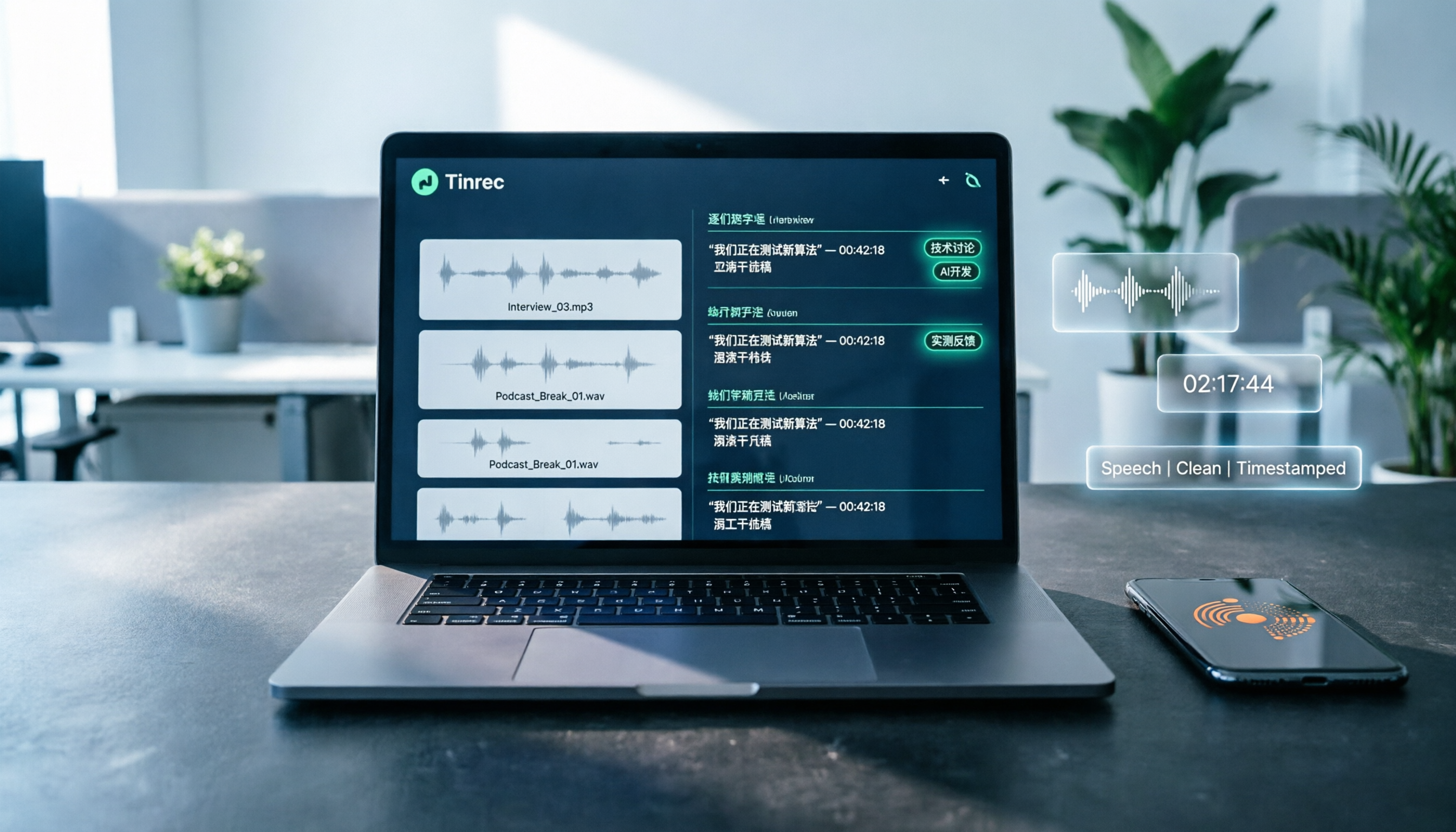
With Tinrec, for example, it breaks long meetings into sections and chapters, then pulls action items out separately, so you can scan at a glance who is responsible for what and what needs to be discussed next time.
Scenario 2: Online meetings without pulling another bot into the room
This is a pain point for many people. The traditional approach is to add a meeting bot to the meeting room, but it shows up on the participant list, and some clients mind that.
The Tinrec desktop version directly captures your computer's system audio. You just open it and press record to capture meeting content playing on Zoom, Google Meet, Microsoft Teams, or Webex, without an extra participant. Note that this does not mean it automatically joins all calendar meetings—you still need to start the recording yourself.
Scenario 3: Old audio files piled up in folders
Many people have a pile of recordings from interviews, courses, and talks that they have never organized. Hardware cannot help with this kind of need; you can only upload and transcribe.
Tinrec supports importing audio and video files. After transcription, it can also generate summaries and chapters, and you can ask questions directly about the content.
Transcription is only the first step: what are the core capabilities?
Real-time transcript
It transcribes while recording, rather than making you wait until the recording is finished. During a meeting, you can follow the text to confirm whether any key points were missed, and when a participant mentions an important number, you can look back immediately.
AI summaries and chapters
It does not just compress the transcript into a paragraph; it organizes it structurally: meeting topic, discussion highlights, and conclusions are listed separately. This is especially useful for long meetings, because you do not need to read from beginning to end.
Action item extraction
The thing most easily missed in meetings is 'who needs to finish what by when.' Tinrec organizes action items from the discussion, which is especially noticeable in project meetings and client meetings.
AI Q&A
This is the part I find most practical. After transcription is complete, you can directly ask: 'Who mentioned the budget in the meeting?' 'What were the client's concerns about pricing?' It answers based on semantic understanding, rather than throwing a bunch of keyword-matching results at you.
Multi-format export and follow-up processing
Organized content can be exported to Notion, Google Docs, OneNote, Dropbox, and other tools for continued use, and can also be further turned into reports, tables, and meeting record documents.
Team space
If meeting material is not for your eyes only, this point is critical. The Tinrec team edition centralizes recordings, transcripts, summaries, and action items in a single team space. New members can see historical material, and it will not all disappear just because someone leaves the company.
What exactly is the difference between a hardware recording card and a software tool?
| Comparison dimension | Tinrec | AI recording hardware (such as the PLAUD Note series) |
|---|---|---|
| Core positioning | AI meeting notes and team collaboration | Portable recording device |
| Requires extra equipment | No; usable on web, desktop, and mobile | Requires purchasing hardware |
| Online meetings | Desktop version captures system audio, no bot needed | Mainly for in-person and phone recording |
| Historical audio files | Supports audio and video import | Mainly content recorded by the device |
| Post-meeting processing | Summary, chapters, action items, Q&A, translation, export | Summary and template organization |
| Team governance | Spaces, members, roles, seats, usage, audit | Mainly device and membership management |
Stop organizing recordings by hand
Upload audio or video and automatically get a transcript, summary, and action items
Looking at this table, you will notice that their strengths barely overlap. The value of hardware is 'always with you,' while the value of software is 'you can do a lot after recording.'
If you are out and about every day, often need to record a quick segment, or need to record phone calls, hardware does have its place. But if 80% of your meetings happen on a computer, the proportion of help hardware can provide will be much lower.
Real-world use cases: 4 situations people are using
Project managers with fixed weekly meetings Weekly meetings are where the follow-up question 'where are we on what we said we'd do last time?' comes up most easily. Use Tinrec to save each weekly meeting into the team space, and when needed, ask questions directly about historical meetings instead of scrolling through chat logs.
Researchers and marketers who need lots of interviews Interview recordings often run an hour or more. The transcript is basic; the key is whether you can quickly extract quotable material. Tinrec's chapters and summaries can first help you locate the section, then you can go back to the original recording to verify.
Cross-language business communication When meeting with overseas clients, Tinrec supports real-time translation during recording, and you can switch between original text, translation, or bilingual view. Actual results will be affected by accents, noise, and technical terminology, so important clauses should still be verified afterward.
Teams with member turnover This is the most practical value of the team edition. When a member leaves or is removed, team resources are not taken away but handed over to other active members; administrators can also view usage trends and activity logs.
5 things to watch when choosing a tool
1. First confirm where your meetings happen If online meetings are the main case, prioritize the desktop capture method; if in-person situations are the main case, then consider hardware. The Tinrec desktop version takes the bot-free route, which is friendlier for client meetings where you do not want a bot to appear on the list.
2. What comes after the transcript A tool with only a transcript is essentially handing the organizing work right back to you. When choosing, ask directly: Can it generate summaries? Can it answer questions? Can it extract action items? Tinrec does all of these, and can continue further to generate reports and documents.
3. Actual performance in Chinese and multiple languages Do not just look at the number of languages listed officially; testing with your own recordings is the most accurate. Tinrec covers Chinese, Traditional Chinese, and multilingual meetings, and also supports team hotwords, so you can add internal product names and technical terms.
4. Will audio files be kept This is often overlooked. Some tools give you only text and do not keep the audio, so if you want to verify later, there is nothing to listen to. Tinrec keeps recordings, and the team edition also has an audio recycle bin, so mistakenly deleted files can be restored within the retention period.
5. How team permissions are divided Many people run into trouble here. In the Tinrec team edition, it is important to distinguish between 'roles' and 'seats': roles determine who can manage the team and members, while seats determine who can record, upload, edit, and export. Members without a seat can still view, play, and read team material, but cannot perform editing operations. Currently it is mainly shared at the team level, not fine-grained file-level permissions.
Frequently asked questions
Q: So is the PLAUD Note actually worth buying? It depends on whether you lack a device or a workflow. If your need is portable, in-person, and phone recording, hardware has its value; if what you lack is 'not having to manually organize after a meeting ends,' then a software tool is more direct. Prices and plans vary by channel and time, so it is best to check the official page before ordering.
Q: PTT says 'an app can do it'—is that true? For transcription, that statement is mostly correct. The difference is the degree of integration: whether the source can cover in-person, online meetings, and old audio files, and whether after the meeting you can ask questions, extract action items, and export to your existing workflow. That is what most people are willing to pay for.
Q: Does Tinrec require buying hardware? No. The web version, desktop version, and mobile app can all be used. Once your account is activated, you can start recording or uploading files.
Q: Is the free version enough? The free version provides a basic quota, so you can actually experience recording, importing, summaries, and transcription. I suggest first trying it with the most difficult recording you have on hand; if that segment goes smoothly, the rest will probably be fine.
Q: How is the team edition priced? The current configuration is USD 29.80 per paid seat per month, or USD 199 per year (equivalent to about USD 16.58 per month), with each paid seat providing 2,000 minutes of team shared import quota per month. First-time eligible users can enjoy a 7-day trial with 1 free seat and 300 minutes of shared import. Under an active team plan, real-time recording is currently not deducted by the minute. Actual prices and promotions are subject to the order page.
Q: Do you need consent to record? Yes. Recording and transcription involve local regulations. You should inform participants before the meeting and obtain consent when necessary. This applies equally to hardware and software.
Conclusion
Back to the question at the beginning: why are PLAUD Note PTT reviews so polarized? Because it solves the problem of 'recording on the fly,' while the pain point for most office workers is actually 'what to do after recording.'
If you already have a stable recording source and are just struggling with organizing, then what you need to fill is the second half of the workflow. Tinrec puts recording, transcription, summaries, action items, Q&A, export, and team sharing on the same line. You do not need to buy an extra device—open it before the meeting and take the results directly after.
First run the free version on a real recording you have on hand, and see whether that half hour of organizing time can really be saved. Facts will be more accurate than any review.
References
- Plaud Note Pro review | 2026 30-day hands-on test: monthly plan, 3 major scenarios, 2 major drawbacks—full review
- Discussion: Is Plaud Note an IQ tax? - BaseballXXXX board - PTT web version
- PLAUD NOTE unboxing | ChatGPT AI smart recording card | How is the review? Pros and cons at a glance - Hugo 3C Don
- Plaud Note Pro unboxing review | Portable AI smart recording evolves again! Is it good? Who is it for? Tell you at once
- Usage notes: Plaud Note six-month usage notes – Teacher Hengyu Living Technology
Turn every recording into actionable outcomes
Get 60 free transcription minutes when you sign in. No credit card required.
Related Reading
You might also like

Notta Review 2026: 5 Key Comparisons with Tinrec — Which Is Better for Chinese Meeting Transcription?
Is Notta worth using? This article compares Notta and Tinrec across five dimensions: Chinese transcription, online meeting recording methods, free tier and pricing, post-meeting AI organization, and team collaboration governance. It also summarizes real user feedback from third-party review sites to help you decide which tool better fits your meeting scenarios.

Shahnawaz Notta DO: Resident Physician Research Profile and Publications (2026)
A review of Shahnawaz Notta DO's institutional affiliation, research topics, and representative publications from public academic profiles, with practical steps to verify author identity and avoid confusion with namesakes.
How to Download Nottam Ringtone in 2026: 5 Steps from Search to Setup
Struggling with Nottam ringtone downloads that are in the wrong format, too long, or lost in your files? This guide walks you through 5 steps: finding the audio, converting to iPhone-compatible M4R, setting it as your ringtone, and using Tinrec to turn downloaded audio into a searchable transcript library—solving the 'download and disappear' problem for good.

Nottambulando vs Nottambulando Olbia in 2026: A 5-Dimension Comparison to Help You Search the Right One
Searching for 'nottambulando' brings up both a photography and events page and a pizzeria in Olbia, Italy—two different entities with the same name. This article breaks down the name positioning, services, reputation, price clues, and platform traceability across five dimensions to help you determine which one you're looking for, and highlights rating discrepancies and information sources to watch for during verification.

Nottam Shopping Guide 2026: 3 Price Traps and a Pre-Order Checklist
Nottam (nottam.co) positions itself as "The Smart Price Shop," displaying "Other Shop Price" alongside "Whole Sale Price" on product pages. Using eight real prices from the official site, this guide breaks down how to interpret these dual price tags, the free-shipping threshold trap at ₹500, and four things to confirm before ordering—so you can calculate the true total cost.
Nottawa Gas Propane Prices: 2026 Comparison of 3 Local Suppliers — Price Transparency Is Key
Nottawa Gas doesn't list live propane prices on its website. This article outlines practical ways to check prices in 2026 (FuelWonk pages for ZIP codes 49075 and 49092) and compares Nottawa Gas, Caywood Propane Gas, and Sheets LP Gas across five dimensions: price transparency, bill predictability, risk of running out, delivery area, and supply scale—so you know what to ask and how to judge before you call for a quote.

Nottambulando Olbia Review 2026: Menu, Prices & 5 Must-Know Tips
Nottambulando is a pizzeria, paninoteca, and focacceria near Olbia's old town in Sardinia. This guide covers its location, wood-fired thin-crust pizza, fixed-price custom toppings, typical costs, and why ratings vary across platforms—so you can decide if it's worth fitting into your itinerary.

2026 Notta vs. AI Meeting Recorder Buying Guide: 7 Tools Tested and Recommended
People searching for 'now Notta' are usually trying to decide if Notta is still worth using. This article reviews 7 AI meeting transcription and recording tools, comparing pricing, Chinese language support, meeting capture methods, and team collaboration, with recommendations based on different scenarios.

2026 AI Meeting Notes Tools Compared: Notta Pricing vs. Tinrec — Which Is More Cost-Effective?
Many people search for Notta pricing but only look at the monthly fee, overlooking post-meeting organization time and team collaboration costs. This article uses Tinrec as the primary hands-on tool to break down the core capabilities, real-world scenarios, and key purchasing considerations of meeting notes tools, while comparing Notta pricing side by side to help you decide which solution better fits individuals and teams.