
Turn recordings into transcripts and summaries in minutes
Upload audio or video for multilingual transcription, AI notes, and action items
Every time a meeting or interview ends, staring at hours of audio and dreading the pain of manually transcribing a mix of Chinese and English, you feel exhausted, right? Traditional recording tools can't solve the pain points of "organizing and taking action," especially when facing online Teams/Meet discussions or being stuck with iPhone's system that doesn't easily allow recording.
This article provides a complete buying guide and tips to avoid pitfalls, including: key evaluation criteria for selection, in-depth reviews and spec comparison of popular AI recording hardware and software on the market, along with practical, actionable AI transcription steps and a FAQ section.
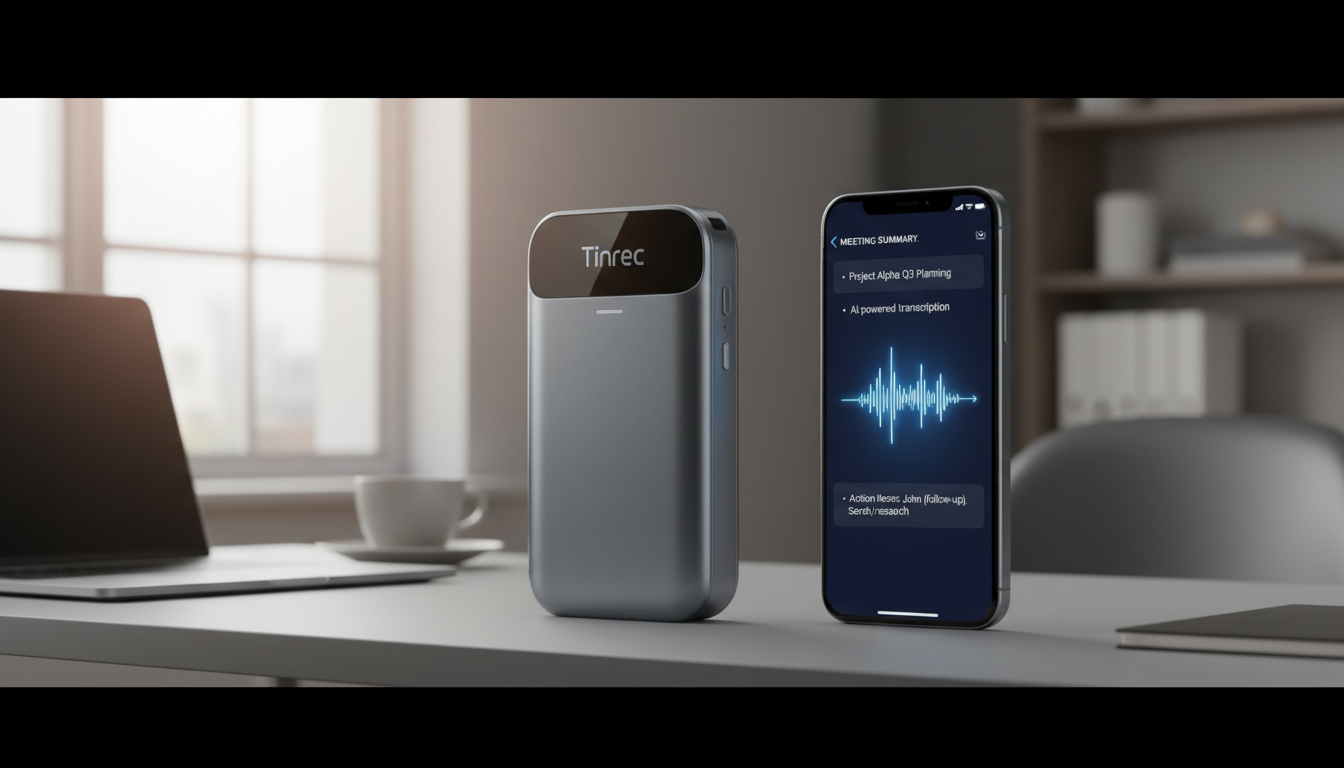
Quick Navigation Conclusions:
- If you prioritize "absolute data security and offline operation without internet": Consider physical hardware iFLYTEK first.
- If you value "ultra-portability and iPhone call recording": The magnetic design of PLAUD is a good fit.
- If you want "no extra hardware needed, high value, and cross-platform workflow support": The software alternative Tinrec is recommended.
How to Choose a Smart Voice Recorder? 4 Buying Guide Tips to Avoid Pitfalls
The options are becoming more diverse, with prices ranging from a few hundred to thousands of dollars. Before buying, be sure to evaluate using the following criteria:
1. Recording Quality and Environmental Adaptability
AI recording hardware typically features multiple array microphones and noise reduction algorithms to separate voices from background noise in noisy conference rooms or interview settings. The clearer the recording, the higher the accuracy of subsequent AI transcription. For software solutions, consider the microphone quality of your phone or computer.
2. Transcription Accuracy and Dialect Support
This depends on the AI model behind the device. Most devices support Chinese and English, but if you need dialects like "Taiwanese Hokkien" or "Cantonese," pay extra attention to software/hardware support.
3. Privacy and Security Risks
Recorded content often involves business secrets. Pay attention to how data is processed. Some devices emphasize "standalone offline" operation, while cloud-based transcription services highlight compliant encrypted cloud services with real-time processing and no storage.
4. Hidden Subscription Fees
This is a common pitfall! After spending hundreds on hardware, many advanced AI features (like summary generation, AI query) may have limited monthly free usage, requiring additional subscription fees beyond that.
2026 Popular Smart Voice Recorder & Alternative Comparison Table
For the most representative hardware brands and software alternatives that achieve similar efficiency without hardware purchase, we've compiled the following decision comparison table:
| Dimension | iFLYTEK SR302 Pro | PLAUD Note | PHILIPS VTR5010 Pro | Tinrec |
|---|---|---|---|---|
| Product Type | Standalone hardware | Standalone hardware (card, magnetic) | Standalone hardware (with screen) | Cross-platform software (iOS/Android/Web) |
| Language Support | 5 major languages (no Taiwanese Hokkien) | 112 languages | 24 translation languages | 10 languages (incl. Chinese, Taiwanese Hokkien, Cantonese, English, Japanese, Korean, etc.) |
| Real-time Transcription | Yes (fully offline) | Yes (requires connection, time-limited) | Yes (requires app) | Yes (real-time recording to text) |
| Summaries & Action Items | Key point marking | Yes (multiple professional templates) | Yes (one-click summary) | Auto generate meeting minutes, to-do action items |
| AI Query Interaction | No | Yes (requires paid upgrade) | No | Yes (semantic AI chat query) |
| Export & Integration | Physical cable | Cloud export | Physical transfer | Multiple format file export |
| Price & Free Tier | ~$269 (all features free) | ~$165 (advanced features require monthly sub) | ~$179 (summaries free only first 6 months) | Free: 100 min/month; Paid starts at ~$4.9/month |
Stop organizing recordings by hand
Upload audio or video and automatically get a transcript, summary, and action items
In-depth Reviews & Scenario Analysis of 4 Popular AI Recording Devices
1. iFLYTEK SR302 Pro: Best for Full Offline Data Security
The biggest selling point of this iFLYTEK device is "fully offline transcription." It has an octa-core processor, allowing recording and text conversion without internet. For government agencies or enterprise users with high security requirements, it's a safe choice.
2. PLAUD Note: An iPhone Companion
With an ultra-thin design the size of a credit card, it attaches magnetically to the back of your phone via MagSafe. It solves the long-standing pain point of iPhone users struggling with "call recording." It uses well-known AI models to generate meeting summaries. But note: advanced templates and longer transcription hours require a paid Pro subscription.
3. PHILIPS VTR5010 Pro: Intuitive with Built-in Screen
It features a color screen and physical buttons, allowing you to play back recordings directly on the device, ideal for business people accustomed to traditional recorder operation. Its AI summarization is precise, but that feature is only free for the first six months.
4. Alternative: Tinrec – An Efficient Software Workflow from Recording to Action
If you don't want to carry extra hardware or have a limited budget, you can directly use the multi-platform (iOS, Android, Web) AI recording software Tinrec. Its limitation is that it relies on the device's microphone, but functionally, it converts "time-based content" into "searchable, actionable text." For long content, you can use the "AI chat query" feature to turn content into manageable text assets. Suitable for students, office workers, and freelancers.
Step-by-Step Tutorial: How to Automate Meeting Notes with Tools?
Choosing the right tool is only half the battle. Below, using the cross-platform software as an example, we break down 4 common work scenarios and steps:
Step 1: Real-time Transcription for In-Person Meetings
At the start of a physical meeting, open the real-time transcription interface. Press record, and the system will automatically recognize the speaker's language and display the transcribed text in real time. No waiting for post-processing – stay on top of the discussion.
Step 2: Transcribe Historical Audio Files
If your boss shares a meeting audio file, use the audio file to text feature to upload MP3/WAV files. The system outputs a transcript and automatically extracts a clear to-do list.
Step 3: Self-Learning & Content Organization – Transcribe Online Videos
For creators and students who need to process subtitless YouTube videos, simply copy the video link and paste it into the podcast/video to text portal. The tool automatically grabs audio, transcribes, and offers multilingual translation, making it a great helper for efficient learning.
Step 4: Deep Dive with AI Chat Query
Facing a two-hour meeting transcript, traditional tools can only search for specific words. Use the AI chat query feature to directly ask questions. AI understands the context of the recording and provides answers, just like asking an attending secretary.
Frequently Asked Questions about Smart Voice Recorders
Q1: My phone already has a voice recorder. Why buy a smart recorder or AI software?
Built-in phone recorders usually can't auto-transcribe or distinguish multiple speakers. With specialized AI tools, you get high-accuracy text plus auto-generated meeting minutes and conclusions, saving tons of manual effort.
Q2: Can smart recorders capture online meetings (Teams / Google Meet)?
For hardware, you need to place it near the speaker or use a feature supporting computer audio resonance recording. For software, you can open a web version on your computer to capture online meeting audio in real time and transcribe it.
Q3: iPhone has call recording restrictions. Is there a workaround?
Apple's system doesn't natively support call recording due to privacy. Two solutions: buy a magnetic hardware recorder that uses vibration conduction, or use speakerphone during the call and record/transcribe with another device (e.g., computer) running recording software.
Q4: After buying hardware, do I need to pay extra for AI services? Is the free tier enough?
Not necessarily. Some hardware offers full offline features for free; others have advanced AI with free trial periods or monthly limits. For heavy users, compare subscription plans or choose pure software with basic free quotas to evaluate long-term costs.
Q5: Can AI transcription support Taiwanese Hokkien or multiple languages?
Most well-known hardware supports major languages like Chinese, English, Japanese, Korean, but some foreign hardware hasn't yet added Taiwanese Hokkien. If your work frequently uses Taiwanese or Cantonese, choose tools specifically indicating support (e.g., Tinrec).
Q6: Do these transcription tools pose privacy risks?
Reputable brands prioritize security. Offline devices store files locally; cloud transcription services typically use real-time processing with no tracking and store data on encrypted servers, which is generally safe for business use.
Turn every recording into actionable outcomes
Get 60 free transcription minutes when you sign in. No credit card required.
Related Reading
You might also like

2026 Comparison of 4 Online Transcription Tools: Yating vs. Tinrec — Which Should You Choose?
Starting from the real need for 'Yating online transcription,' this comparison examines Tinrec, Yating, Notta, and TurboScribe across Chinese recognition, post-meeting organization, online meeting recording, and team collaboration. It clearly explains each tool's limitations and ideal users to help you pick the one that truly saves time.

Cantonese Speech-to-Text App Comparison 2026: Tinrec vs Otter.ai — Which Wins on Five Dimensions?
Comparing Tinrec and Otter.ai across five dimensions—Cantonese with mixed English recognition, bot-free meeting recording, post-meeting AI organization, cross-platform input, and team seat governance—to help you decide which Cantonese speech-to-text app truly fits your meeting scenarios and budget.

2026 Comparison of 5 Transcription Tools' Free Tiers: Which Free Version Is Most Generous?
How many free minutes does Yating Transcription actually offer? Public sources cite 20 minutes, 120 minutes, and about 300 minutes. This article explains why these figures conflict, how pricing works after the free quota runs out, and compares the free plans and ideal use cases of Tinrec, Notta, Otter.ai, and TurboScribe to help you judge whether a one-time free allotment covers your actual usage.

Best Transcription Tools in 2026: Testing 3 Options, Yating Free Plan Limits and Tinrec Differences
People searching for "Yating transcription free" often ask: how much can the free version handle, do I have to pay to upload audio files, and is it enough for a meeting? This article compares Yating, Tinrec, Otter.ai, and Notta in terms of free quotas, Chinese recognition, and post-meeting organization, and lists 3 common pitfalls when choosing a tool to help you decide which one is worth using long-term.

Yating Transcription 2026 Guide: Is It Good, Limitations, and Better Alternatives
From a student's real-world usage scenarios, this guide examines whether Yating Transcription is good, common pitfalls, and why transcription is only the first step. It also explains how Tinrec uses live transcription, AI summaries, action item extraction, and AI Q&A to turn class and group discussion recordings into materials that can actually be reviewed and delivered.

3 Transcription Tools Tested for 2026: How Long Can Yating Record, and Which Tool Is Best for Long Meetings?
How long can Yating Transcribe record? The official documentation doesn't specify a single-recording limit; the real constraints are audio-file billing and free hours. This article breaks down Yating's duration and pricing rules, and compares Notta, TurboScribe, and Tinrec on long meetings, post-meeting organization, and team collaboration to help you choose the right tool.

4 Online Audio Transcription Tools Tested in 2026: PLAUD File-to-Text vs. AI Meeting Summaries—Which Saves the Most Time?
Stuck with a pile of PLAUD recordings and unsure how to quickly transcribe and summarize them online? This article uses a real meeting workflow to compare Tinrec, PLAUD, Otter.ai, and Notta, and shows you how to export audio from the PLAUD App and turn it into searchable, queryable meeting data.

Tinrec vs Plaud Note in 2026: 5-Dimension Comparison — Is Plaud Recording Still Worth It?
How to choose an AI recording tool in 2026? This article compares Tinrec and Plaud Note across 5 dimensions: bot-free online meeting recording, post-meeting summaries and AI Q&A, team spaces and seat management, and the cost structure of hardware versus subscription. It's for SMB managers and team leads evaluating meeting note tools, with a pitfalls guide and scenario-based selection advice at the end.

2026 AI Recording & Note-Taking Tools Compared: After Plaud's Cloud Playback, Which One Actually Saves You Time?
Starting from the real frustration of 'Plaud recording online viewing,' this hands-on comparison of Plaud, Otter.ai, Granola, and Tinrec examines differences in meeting transcription, post-meeting organization, Chinese language support, and team collaboration, offering mid-level managers who need to report upward and track downward an actionable selection guide.