

Turn recordings into transcripts and summaries in minutes
Upload audio or video for multilingual transcription, AI notes, and action items
How to Take Google Meet Meeting Notes in 2026: 5 Steps + Tool Comparison
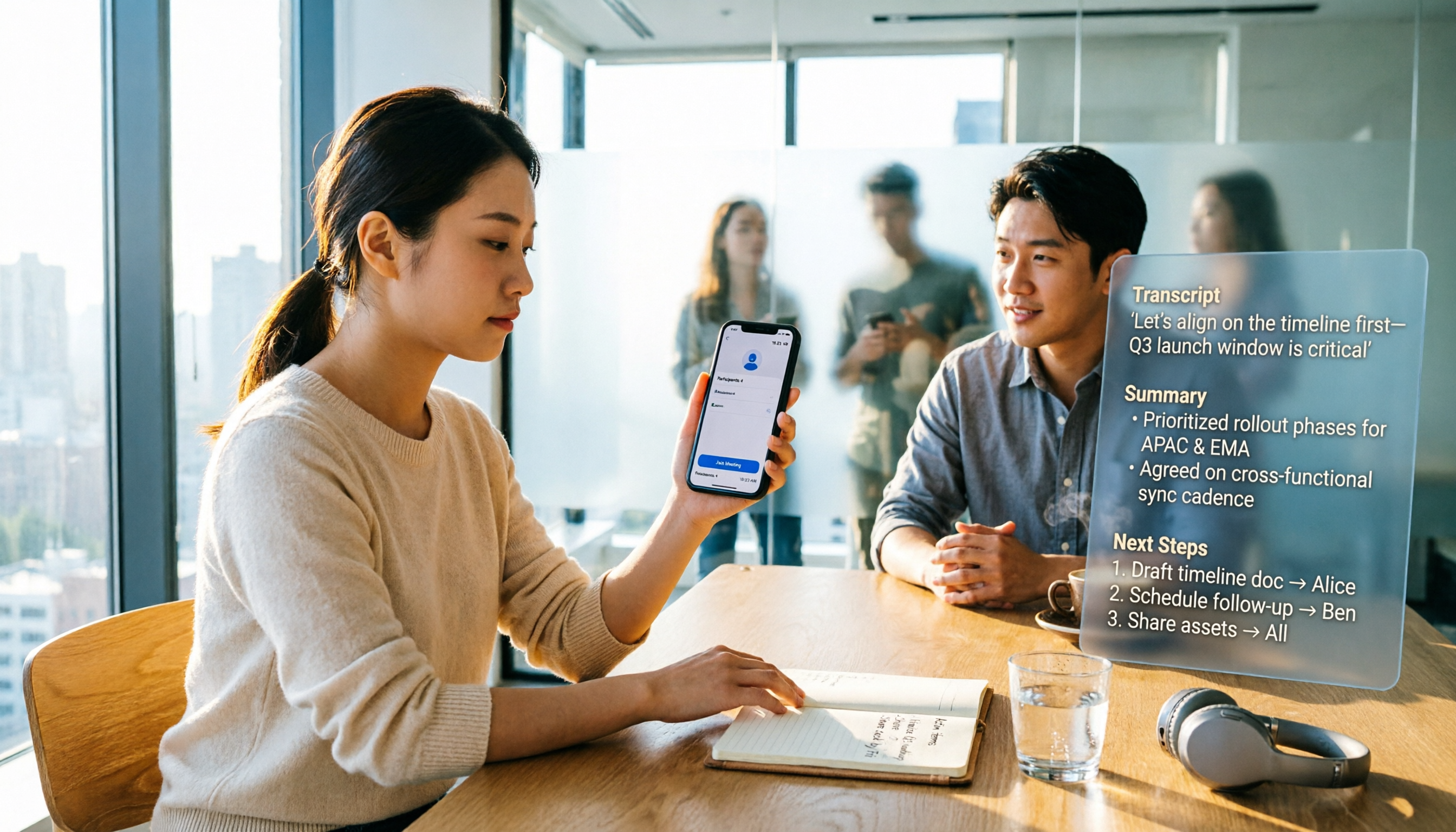
Google Meet underwent a series of redesigns in 2024: Material 3 meeting controls, a refreshed calling interface, emoji reactions, stackable effects, picture-in-picture and screen sharing enhancements, and translated captions added 52 languages at once. The in-meeting experience did become smoother, but what really holds office workers back is 'the hour after the meeting ends.'
Therefore, this article addresses only one decision: Should meeting notes be handled by Google Meet's built-in AI notes, or by a separate tool? Below, we first review the key 2024 updates, then compare across 5 dimensions (against Tinrec), and finally provide a 5-step workflow you can follow directly.
What Did Google Meet Update in 2024? Key Highlights
- Meeting controls redesign: In June 2026, Google announced Material 3 design meeting controls with updated colors and dynamic visuals to indicate whether mute or other controls are on. Google states this is a design-only update with no functional changes; Rapid Release is expected to complete by September 25, 2026, and Scheduled Release by October 17, 2026.
- Calling experience aligned with meetings: Announced on August 14, 2026, the new calling experience features an interface closer to meetings, easier access to controls, and adds in-call messaging, group call emoji reactions, stackable effects, cross-device call transfer, and on-the-go mode, rolling out over several months after announcement.
- AI notes and translated captions: Third-party recaps mention AI-powered note-taking and translated captions adding 52 languages; they also note that starting in early 2025, translated captions will become exclusive to specific Gemini for Google Workspace add-ons.
- Hardware and meeting views: Google Meet hardware digital whiteboarding, automatic picture-in-picture, screen sharing enhancements, and ultra-low latency livestreaming improvements were all part of the 2024 update list.
- Interoperability: Share presentations, documents, and other content directly during meetings.
- Developer side: Meet REST API continues to be updated; Meet Media API (Developer Preview Program) has a deprecation schedule, while REST API and Add-ons SDK remain generally available.
The above is compiled from third-party recaps and Google's official blog announcements; rollout timing and plan eligibility for each feature are subject to Google's official documentation.
Google Meet vs Tinrec | Quick Overview
| Item | Google Meet (Built-in) | Tinrec |
|---|---|---|
| Positioning | Video meeting platform with in-meeting transcription and AI notes | AI meeting notes and team collaboration tool |
| Availability | Included with Google Workspace plans; some features require specific licenses | Standalone tool with personal and team editions |
| Strengths | No extra installation; meetings and notes in one interface | Cross-platform capture, post-meeting organization, team knowledge retention |
| Main limitations | Features tied to this Google Meet session and plan eligibility | Requires setting up a separate tool and habit |
The 5 dimensions compared in this article: recording initiation, Chinese and multilingual support, post-meeting organization, team data governance, and input sources. The following is a qualitative feature comparison; no quantitative accuracy testing was performed.
Dimension 1 | How to Start Meeting Recording and Transcription
Google Meet's transcription and AI notes are generated within 'this Google Meet session,' and features are tied to plan eligibility; translated captions have been limited to specific Gemini for Google Workspace add-ons since early 2025. In other words, if the meeting isn't held on Meet, or the company hasn't purchased the corresponding license, this path won't work.
Tinrec desktop version directly captures computer system audio without inviting a meeting bot to join; it works with Zoom, Google Meet, Microsoft Teams, and Webex. Mobile allows real-time recording, so offline meetings and interviews can also be captured.
→ This dimension: Tinrec clearly wins for cross-platform and offline scenarios.
Dimension 2 | Chinese, Multilingual, and Captions
Google Meet expanded translated captions to 52 languages in 2024, which is indeed helpful for mixed-language teams; however, starting in early 2025, translated captions became exclusive to specific Gemini add-ons, meaning 'whether you bought it' determines 'whether you can use it.'
Stop organizing recordings by hand
Upload audio or video and automatically get a transcript, summary, and action items
Tinrec covers Chinese, Traditional Chinese, and multilingual meeting transcription, with real-time translation and viewing in original, translated, or bilingual mode; team hotwords allow maintaining common terminology. The official stance is not to promise a fixed accuracy rate; actual performance is affected by recording quality, accents, noise, overlapping speakers, and technical terminology.
→ If meetings are primarily in Chinese, Tinrec's custom terminology and bilingual transcripts better fit the need; if the team is all-English and already pays for Gemini, Meet's built-in features are sufficient. Tinrec slightly wins this dimension.
Dimension 3 | Post-Meeting Organization: Summaries, Action Items, and AI Follow-up
Google Meet's AI notes can condense meetings into notes, with data residing in the Workspace ecosystem—most convenient for teams fully on Google—but organization depth and follow-up capabilities remain note-centric.
Tinrec outputs an entire workflow: transcripts, AI summaries, chapters, highlights, action items, mind maps, plus AI Q&A across single or multiple meetings, and Agent post-processing to generate reports, tables, and documents, finally exporting to Notion, Google Docs, OneNote, Dropbox, and other tools.
→ This dimension: when you 'still have deliverables after the meeting,' Tinrec wins.
Dimension 4 | Team Data Retention and Permission Governance
Google Meet's meeting data and permissions follow the Google Workspace admin structure; for organizations already in Workspace, access and management are most direct.
Tinrec team edition is an independent team space: data is owned by the team, roles (owner, admin, member) handle governance, and seats determine whether one can record, upload, edit, import/export; active members without seats can still view, play, and read team data. It also includes team usage analytics, audit logs (query and export), audio recycle bin (currently retained for 30 days), team hotwords, and resource handover when members leave or lose seats.
Pricing: team monthly USD 29.80 per paid seat per month, annual USD 199 per paid seat (approx. USD 16.58/month); first eligible team trial is 7 days, 1 free seat, 300 minutes team shared import quota; paid seats provide 2,000 minutes team shared import per month; under active plans and seats, real-time recording is currently not deducted by minutes. Actual pricing and benefits are subject to the official purchase page.
→ If the goal is 'turning meetings into transferable team assets,' Tinrec wins; if only basic access is needed and the organization is already on Workspace, the Meet ecosystem is sufficient.
Dimension 5 | Input Sources and Cross-Platform
Google Meet primarily serves online meetings; whether via browser or app, it's essentially about 'joining this meeting.'
Tinrec's input sources include real-time recording, bot-free online meeting recording via desktop, audio and video file uploads, mobile recording, and some public web link content.
→ This dimension: when you need to handle historical recordings, interview audio, and offline occasions, Tinrec wins.
5-Step Walkthrough: Google Meet + Finish Within an Hour After the Meeting
- Confirm recording consent first: Regulations on recording and transcription vary by location; obtain participant consent when necessary.
- Hold the meeting on Google Meet: Leverage the redesigned controls and picture-in-picture from 2024 to keep meeting view and notes side by side.
- Launch Tinrec desktop simultaneously: Capture system audio without inviting an extra bot; no additional participant joins the meeting.
- Review summary and chapters first: Identify decisions and key points, then cross-check key statements using transcript timestamps.
- Extract action items and export: Assign action items, use AI Q&A to follow up on details, export to Notion or Google Docs, and store in team space.
What Are the Unique Advantages of Each?
Tinrec's advantages
- Bot-free cross-platform recording: works with Zoom, Meet, Teams, and Webex without changing meeting habits.
- Complete post-meeting workflow: summaries, chapters, action items, AI Q&A, and report generation all in one flow.
- Solid team governance: roles, seats, usage, audit, recycle bin, and resource handover all have corresponding mechanisms.
- Chinese and bilingual experience: real-time translation, bilingual view, team hotwords—ideal for Chinese-primary meetings.
Google Meet's advantages
- Zero installation cost: meetings and notes in one interface, most direct for organizations already on Workspace.
- 2024 calling experience upgrades: Material 3 controls, emoji reactions, stackable effects, cross-device call transfer, and ultra-low latency livestreaming make 'having meetings' smoother.
Conclusion: Which Should You Choose?
- Only meet on Google Meet, just need 'a set of notes after the meeting,' and already have the corresponding Gemini license → Google Meet built-in is sufficient.
- Meetings spread across Meet, Teams, Zoom, plus offline interviews and historical audio → Tinrec.
- Need to deliver reports after meetings and follow up on decision details from three months ago → Tinrec (AI Q&A and Agent post-processing).
- Team needs handover, usage and operation logs → Tinrec team edition (roles, seats, usage, audit).
- Need Chinese terminology recognition and bilingual transcripts → Tinrec (team hotwords + real-time translation).
In one sentence: for most office workers and teams who need to 'keep meetings and continue using them later,' Tinrec is the more complete choice. To verify results, use the free quota to run your own meeting recording first, then decide whether to upgrade.
References
- Highlights from 2024: Google Meet Update Recap – Gecko Technology Partners
- Google Meet’s latest update includes a new UI and in-call messaging | The Verge
- Google Workspace Updates: Updated design for meeting controls in Google Meet
- Google Meet REST API release notes | Google for Developers
- New Google Meet features: Spotify, stackable effects and more
Turn every recording into actionable outcomes
Get 60 free transcription minutes when you sign in. No credit card required.
Related Reading
You might also like

Google Meet vs Zoom Free (2026): Time Limits, Recording, and Which to Choose
How do Google Meet and Zoom free versions differ? This comparison covers meeting time limits, participant caps, recording, and in-meeting collaboration tools, and explains the post-meeting transcript and summary gaps that free plans can't fill—helping you decide whether to use Meet, Zoom, or add a separate meeting notes tool.

2026 Google Meet Updates + 3 Meeting Note Tools Tested: No Bot Recording, Which Is Easiest for Chinese Meeting Minutes?
A roundup of recent Google Meet updates: meeting cards on the homepage now show meeting rooms and physical locations, post-quantum encryption, AI meeting notes, and hardware adjustments. It also compares Tinrec, Otter.ai, Granola, and Notta in Google Meet scenarios, with 4 key buying factors and 3 common mistakes.

Google Meet Free Plan in 2026: A Comparison of 3 Video Conferencing Tools
A comparison of the free plans of Google Meet, Zoom, and Microsoft Teams across five practical dimensions: free limits, user experience, interaction and collaboration, host controls, and post-meeting records. Helps you decide which tool suits you best and how to fill the gap in meeting notes.

2026 Meeting Tools Comparison: Google Meet vs Teams vs Tinrec — Which Saves the Most Time?
Google Meet or Microsoft Teams — which should you pick? Starting from the real pain points of meeting notes, this article breaks down how the two platforms differ in positioning and what matters when choosing, and explains how Tinrec fills the gap in post-meeting organization, AI follow-up questions, and team knowledge retention.
3 Ways to Join Google Meet on iPhone Without an App in 2026: Which Is Least Likely to Get Stuck?
Can you join Google Meet on iPhone without installing an app? This article tests the complete steps for joining via Safari web, how to handle not having a Google account, and why after you 'get into the meeting,' the real challenge is meeting notes. It also compares practical ways to use Tinrec to turn meetings into transcripts, summaries, and action items.

3 Ways to Join Google Meet Without Downloading in 2026: No App Needed, Plus How to Keep a Record
Got a meeting link but your browser keeps prompting you to download the Google Meet app? We tested three ways to join without downloading: click the link to join in your browser, switch to desktop site on mobile, or use Tinrec desktop to transcribe while you meet. We cover join policy pitfalls, browser permission settings, and compare Notta, Granola, and Otter.ai to help you pick the easiest method.

3 Google Meet Note-Taking Methods Tested in 2026: Gemini, Manual Notes, or Tinrec — Which Really Saves Time?
Google Meet's built-in Gemini notes are convenient, but they require a paid plan and admin permissions, and they don't work if your meetings are on Zoom or Teams. This hands-on comparison tests three approaches: manual note-taking, Gemini notes, and Tinrec desktop's bot-free recording. We compare cost thresholds, transcripts, post-meeting organization, and team data ownership to help you decide which one truly saves time.

Notta vs Tinrec 2026: 5-Dimension Comparison — Is Notta Safe and Worth Buying?
When you search "is notta safe," you really want to know two things: will your meeting recordings leak, and can you trust this tool? This article lays out Notta's official encryption and compliance credentials, then compares it with Tinrec across five dimensions: meeting capture method, transcription reliability, post-meeting organization, team governance, and pricing. Finally, it offers actionable advice for Hong Kong office workers.

Google Meet vs Facebook Messenger in 2026: Which One Should You Use for Meetings?
Google Meet and Facebook Messenger both offer video calling, but one is built for meetings and the other for chatting. This article compares their use cases, limitations, and post-meeting organization gaps from the perspective of a mid-level manager with 15 meetings per week, and explains how to fill the 'meeting notes' gap.