
Turn recordings into transcripts and summaries in minutes
Upload audio or video for multilingual transcription, AI notes, and action items
Why You Still Need an AI Meeting Notes Tool: From 'Transcription Nightmare' to 'Decision Automation'
"I need the transcript of this interview ready by 2 PM." "The team needs to see the decision summary right after the meeting."
These scenarios are all too familiar. Traditional meeting note-taking often traps you in a "recording replay hell," with extremely low information density and difficulty searching for key content. According to the latest market observations in 2025, the demand for AI meeting tools among businesses and individuals has evolved from simple "transcription" to "real-time understanding" and "action guidance."
The performance of AI transcription and summarization mainly depends on the accuracy of ASR (Automatic Speech Recognition) models and the reasoning capability of LLMs (Large Language Models). A good tool should not only understand multiple languages (e.g., Chinese, English, Japanese, Korean) but also extract "what to do next" from chaotic conversations.
This article references 2025 test data on 8 popular tools (Meeting Ink, Vocal.ai, Otter.ai, etc.) and includes the comprehensive AI recording assistant Tinrec in the comparison to help you find the best productivity tool.
2025 Popular AI Meeting Minutes Tools: Test and Comparison
We categorize the mainstream tools based on processing speed, feature completeness, and use cases:
1. Speed & Overall Performance: Meeting Ink
According to test data, Meeting Ink offers a smooth processing pipeline. Its audio upload time is about 55 seconds, and speech-to-text takes only 1 minute 58 seconds (based on a 26-minute English audio file).
- Pros: Supports real-time captions and speaker diarization; summary generation is fast (about 26 seconds).
- Cons: Occasionally requires manual page refresh to check status.
- Best for: Users who need to quickly organize meeting content and prepare post-meeting reports.
2. Mobile & Hardware Integration: Plaud
This tool combines a physical recording card with an app. In tests, its speech-to-text time is about 49 seconds, which is excellent.
- Pros: Stable mobile app operation, ideal for phone call recording.
- Cons: No web version; lacks speaker diarization; requires additional hardware purchase.
- Best for: Businesspeople or journalists on the go who prefer mobile operation.
3. English Meetings & Note Integration: Otter.ai
A veteran meeting notes tool that automatically organizes transcripts into Insights.
- Pros: Excellent English recognition; integrates with Zoom/Meet.
- Cons: Weak Chinese processing, sometimes unable to recognize; transcription speed is slow in tests (about 3 minutes 35 seconds).
- Best for: Multinational teams working in all-English environments.
4. Taiwan Localization Support: Yating Transcriber
Optimized for Taiwanese accents, supporting Mandarin and Taiwanese Hokkien.
- Pros: Very fast audio upload (only 17 seconds).
- Cons: Summary feature is unstable; often shows "queued processing" in tests; speech-to-text takes longer (about 4 minutes 34 seconds).
- Best for: Users with heavy Taiwanese Hokkien or local interview content needs.
5. All-in-One AI Recording Assistant: Tinrec
Unlike the tools above that focus more on "recording," Tinrec emphasizes a complete workflow from "recording" to "action." It's not just a transcription tool, but an AI assistant that understands conversations.
- Core Features:
- Real-time transcription: Supports iOS, Android, and Web multi-device sync; you can see the transcript as you record, no waiting required.
- AI Chat Query: This is the biggest difference from traditional tools. You don't need to
Ctrl+Fthrough thousands of words; you can directly "ask" the AI: "What was the conclusion about the marketing budget in yesterday's meeting?" The system gives precise answers based on the recording. - Multilingual & Multi-format Support: Supports 10 languages including Chinese, Japanese, English, Korean, and Cantonese; can even import YouTube links to generate notes.
- Best for: Students, office workers, and content creators who need automatic generation of "meeting minutes" and "action items."
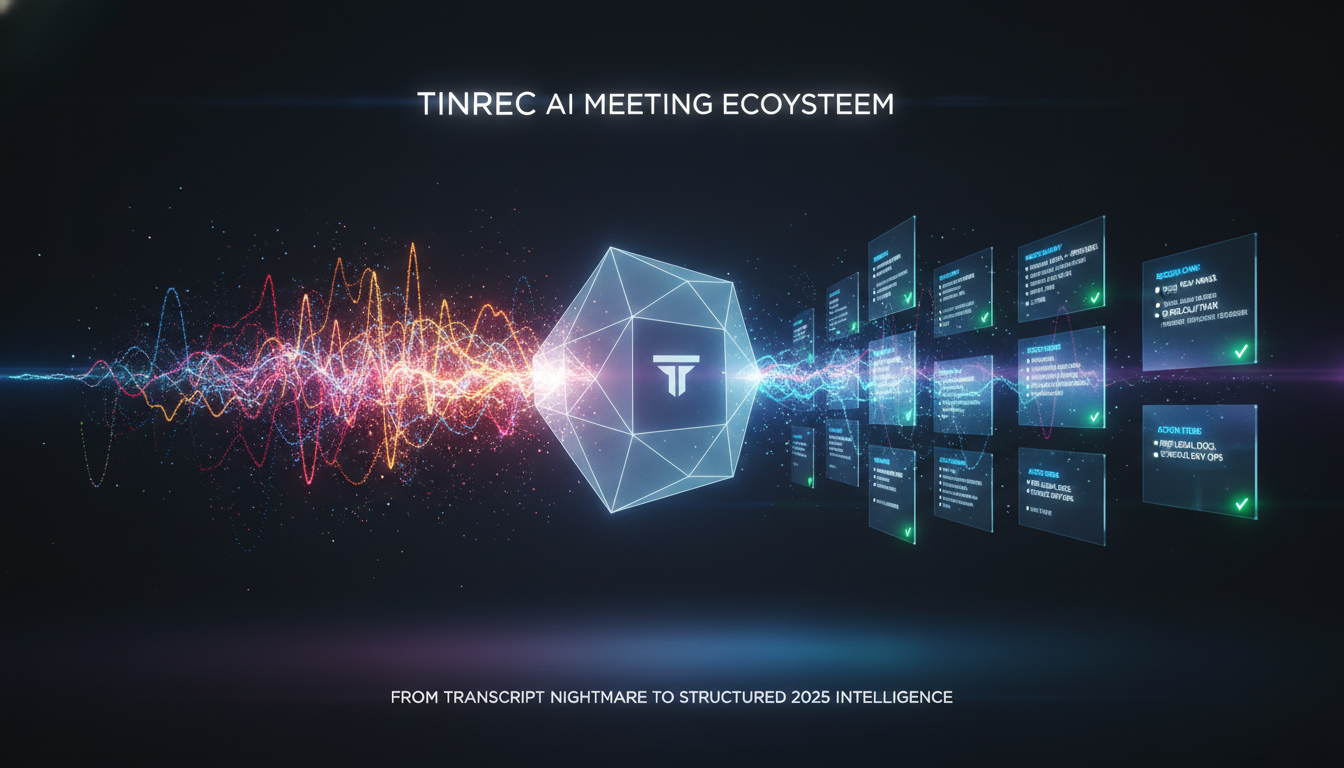
In-Depth Review: Why Tinrec Makes Recordings "Come Alive"
The problem with many tools is: They produce a transcript, but nobody has time to read it. Tinrec's design logic is to solve the pain point of "no action after the meeting."
Stop organizing recordings by hand
Upload audio or video and automatically get a transcript, summary, and action items
1. Not Just a Transcript, But an "Executable Note"
Traditional tools give you a wall of text; Tinrec automatically analyzes conversation logic and generates structured "meeting minutes" and "action items." This means the moment the meeting ends, your draft meeting minutes are ready.
2. No More Passive Searching: Proactive "AI Chat Query"
Imagine you have a 3-hour lecture or meeting recording and need to find a specific point. The traditional way is to re-listen or search for keywords in messy text. Tinrec's AI Chat Query lets you retrieve information as if chatting with a person, drastically reducing the cost of re-listening.
3. Truly Breaking Format Limitations
Beyond meeting recordings, Tinrec is also a learning tool. It supports podcast/video to text—just paste a link to turn video content into notes. This is a huge efficiency boost for those who need to organize podcast interviews or online courses.
Full Comparison Table: 9 Tool Specs at a Glance
To help you choose more intuitively, here are test data and core specs of each tool:
| Tool | Core Strength | Language Support | Processing Speed/Real-time | Summary & Action Items | Pricing |
|---|---|---|---|---|---|
| Tinrec | Real-time transcription + AI Chat Query | 10 languages (incl. Cantonese/Taiwanese) | Very fast (real-time display) | Supports meeting minutes/action items/conclusions | Free (100 min/month) / Pro ($8.25/month) |
| Meeting Ink | Smooth workflow, balanced | Multilingual | Fast (transcription ~2 min) | Supports structured summaries | Subscription (approx. $18/month) |
| Otter.ai | English recognition, Zoom integration | Excellent English, weak Chinese | Moderate (transcription ~3.5 min) | Good English summaries | Free/Subscription ($16.99/month) |
| Plaud | Hardware integration, call recording | Multilingual | Fast (transcription ~49 sec) | Requires paid plan | Hardware + subscription |
| Yating Transcriber | Taiwan localization (Mandarin/Taiwanese) | Chinese/Taiwanese | Fast upload, slow transcription | Summary queue | Pay-per-hour |
| Good Tape | Minimal interface | Multilingual | Slow (free queue 1hr+) | None (free) | Free/Subscription (€15/month) |
| Vurbo.ai | Translation feature | Multilingual | Slow (long process) | Supports | Subscription (approx. $66/month) |
| SeaMeet | Teams/Google Meet integration | Multilingual | Average | Supports | Subscription (approx. $10/month) |
| Vocal.ai | Email notification workflow | Multilingual | Slow (transcription ~3.5 min) | Supports | Credit packs |
Hands-On Tutorial: How to Build an Automated Meeting Workflow with Tinrec
Want to completely eliminate the pain of manual meeting notes? Here's an efficient workflow based on Tinrec:

Step 1: Record or Import Audio in Real-Time
- In-person meetings: Open the Tinrec mobile app or web recorder, tap start, and the system will convert speech to text in real-time. You can listen and read simultaneously.
- Online meetings (Meet/Teams): If you have a recording file, use the audio-to-text feature to upload; for learning, you can even paste a YouTube link directly.
Step 2: Auto-Generate Summary and Action Items
Once the recording ends, Tinrec automatically processes the content. No manual intervention needed; within minutes, you'll receive an AI summary containing "key conclusions" and "action items." This summary can be sent directly to your team as meeting minutes.
Step 3: Use AI Chat to Query Details
When writing a detailed report and you forget a specific point (e.g., "What was the vendor's exact quote?"), just use the AI Chat Query feature to ask, and the system will pinpoint the relevant audio and text, saving you from re-listening to hours of recording.
Step 4: Export and Share in Multiple Formats
After confirming the content, you can export the transcript or summary as TXT, PDF, or Word, and save it to your company's knowledge base or Notion.
Frequently Asked Questions
Q1: Do all these tools have free versions? What is Tinrec's free quota? Most tools offer limited free trials. Meeting Ink and Otter have free plans but with restrictions (e.g., cannot export or limited hours). Tinrec offers 100 minutes of free transcription per month, sufficient for occasional meeting or lecture note-taking.
Q2: How accurate is speech-to-text? Does it support Taiwanese Hokkien? Accuracy depends on recording quality and the model. Otter is excellent for English; Yating is best for Taiwanese Hokkien. Tinrec uses advanced speech recognition models supporting 10 languages including Chinese, English, Japanese, Korean, Taiwanese Hokkien, and Cantonese, performing well in mixed-language meetings.
Q3: Do these tools support Google Meet or Microsoft Teams? Otter and SeaMeet focus on joining online meetings via "virtual bots." Tinrec takes a more flexible approach: you can use the mobile app to record alongside, or upload the meeting recording/audio file to Tinrec web for transcription, avoiding meeting software permission restrictions.
Q4: If I have an iPhone, do these tools have iOS apps? Yes, Tinrec, Otter, and Plaud (requires hardware) support iOS. Tinrec's app lets you record anywhere and sync to the web version for viewing, ideal for iPhone users.
Q5: Is my data secure? Always check privacy policies when choosing a tool. Tinrec uses encrypted transmission to ensure your meeting recordings and transcripts are only accessible to you.
Q6: What if the generated summary is inaccurate? AI summaries may sometimes miss details. We recommend tools like Tinrec that offer "AI Chat" functionality. If the summary doesn't cover a key point, you can directly ask the AI to supplement specific details without having to search through the transcript yourself.
Turn every recording into actionable outcomes
Get 60 free transcription minutes when you sign in. No credit card required.
Related Reading
You might also like

2026 Smart Meeting Collaboration Apps Compared: Stop Just Recording—How to Choose AI Minutes and Team Knowledge Retention
Many people treat smart meeting apps as recording-to-text tools, only to manually organize everything afterward. This article starts with common misconceptions, outlines 4 key purchasing criteria, compares Tinrec, Otter.ai, Granola, and Notta for different use cases, and provides step-by-step guidance on connecting recording, summaries, action items, AI Q&A, and team spaces into an executable workflow.

2026 Comparison of 4 Sales Meeting Note Tools: Which Best Organizes Customer Needs and Action Items?
Sales meeting notes are not verbatim transcripts. This article provides field templates and practical writing tips you can apply directly, and compares Tinrec, Otter.ai, Notta, and Granola on Chinese meeting support, post-meeting organization, and team handoff to help you choose the right tool.

2026 Sales Meeting Notes Tools Compared: Which One Turns Client Promises into Action Items?
Sales meeting notes aren't verbatim transcripts—they capture client needs, budget, decision process, concerns, and our commitments in a trackable record. This article explains what sales meeting notes are and the five key points to record, then compares Tinrec, Otter.ai, Notta, and Granola from four angles: no-bot recording, Chinese recognition, post-meeting AI Q&A, and team data ownership. Includes pitfalls to avoid and selection advice.

2026 Smart Meeting Collaboration Free Plans: 4 Tools Compared
Meetings take time, but post-meeting organization is where the real hours go. This guide reviews the free plans of four smart meeting collaboration tools in 2026, breaking down how audio gets into the tool, what you get after transcription, performance with mixed Chinese-English speech, and team management. It also hands-on tests Tinrec's bot-free recording, AI Q&A, and team spaces to help you decide which one is truly sufficient.

2025 Smart Meeting Collaboration Tools Compared: Which Handles Chinese Meeting Notes and Team Knowledge Best?
How to choose a smart meeting collaboration tool in 2025? This article examines four key criteria: how meetings are recorded, whether audio is retained, whether you can query meetings afterward, and team seats and data ownership. It compares Tinrec, Otter.ai, Granola, and PLAUD in terms of positioning, limitations, and pricing to help you pick the right one for Chinese-speaking teams.

2026 AI Meeting Notes Tools Tested: How to Write Sales Meeting Notes Without Missing Deal Signals
The hard part of sales meeting notes isn't typing speed—it's deciding what will still matter three months later. Starting from 'who will read these notes,' this article covers 4 key judgments for sales meeting notes, 4 common mistakes, and compares Tinrec, Otter.ai, Notta, and Granola on Chinese meetings, bot-free recording, and post-meeting organization to help you choose the right approach for your team.

2026 Sales Meeting Notes Tools Compared: Which One Turns Customer Words into Action Items?
How do you write sales meeting notes without them turning into a transcript? Starting from the real pain points salespeople face after customer meetings, this article covers 4 key selection criteria, compares Tinrec with Otter.ai, Notta, and Granola, and highlights the 4 most common note-taking mistakes.

2026 Smart Meeting Collaboration Tools Comparison: Tinrec vs Otter.ai Across 5 Dimensions — Which Handles Chinese Meetings Better?
Meeting tools aren't just about transcription speed. This article starts with common purchasing pitfalls and compares Tinrec and Otter.ai across 5 dimensions: meeting capture methods, Chinese and mixed Chinese-English recognition, post-meeting organization and AI follow-up, team governance, and quota and pricing. It includes a comparison table and FAQ to help you decide which tool better fits your meeting scenarios.

2026 Smart Meeting Collaboration Platform Buying Guide: 4 Hands-On Tests and Selection Advice
Can't find conclusions after a meeting? The problem often isn't transcription accuracy—it's choosing the wrong approach from the start. This guide focuses on three decision points: how meetings are recorded, what you get afterward, and who ultimately holds the data. We hands-on test Tinrec and compare it with Otter.ai, Notta, and Granola, including quota calculations and tips to avoid pitfalls with roles and seats, helping you choose the platform that truly works for you.