
Turn recordings into transcripts and summaries in minutes
Upload audio or video for multilingual transcription, AI notes, and action items
"Just finished writing down the last sentence, and the boss's next key point is already missed," "A 1-hour meeting recording takes 3 hours to transcribe manually," "International meetings mix English and technical jargon—how can I take notes when I can't even understand?" These are the everyday nightmares of many administrative staff, project managers, and students. Traditional manual transcription is not only inefficient but also prone to missing critical decisions.
If you're looking for tools to solve these problems, this article surveys and reviews the popular recording-to-text apps on the market. We'll compare them across recognition accuracy, real-time performance, AI summary capabilities, pricing, and collaboration features, and provide a detailed specification comparison table.
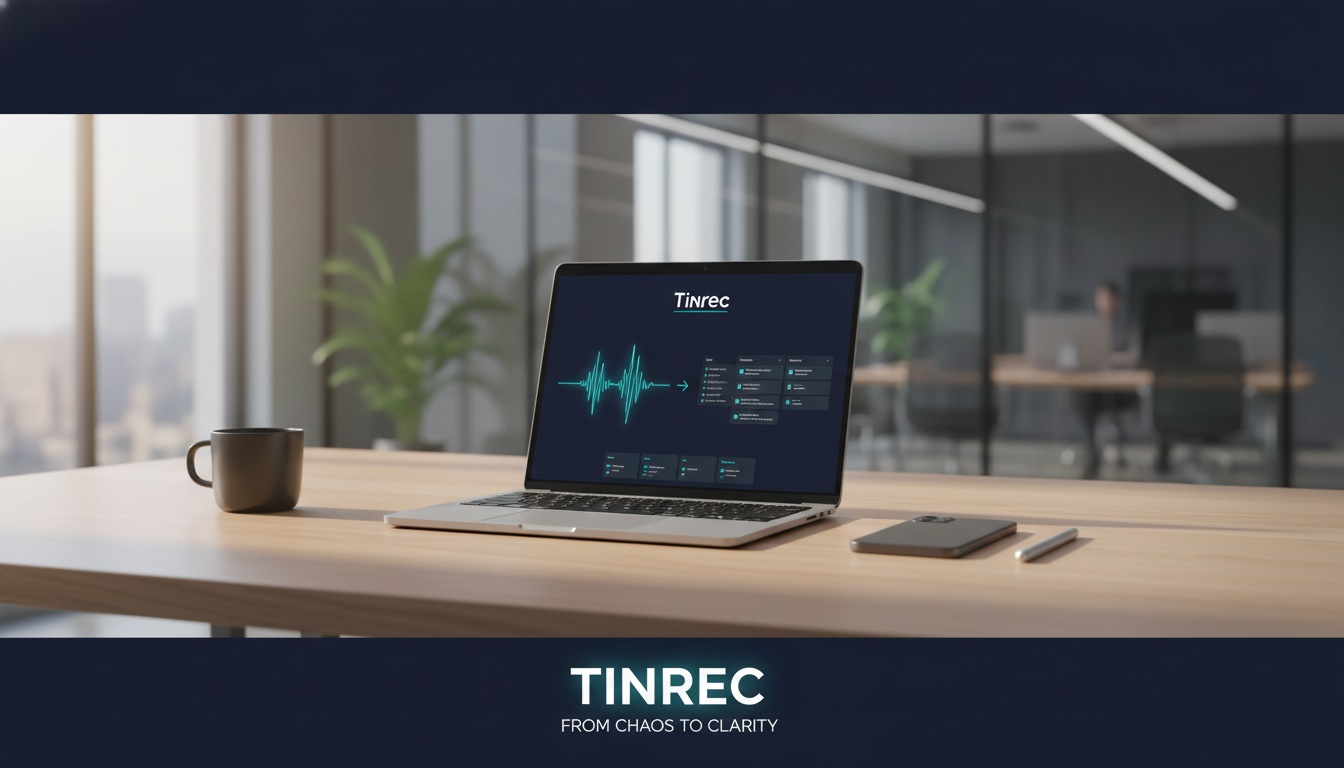
Quick Buying Conclusions:
- If team collaboration and free quotas matter most: Go with Lark Miaoji.
- If hardware integration and professional voice recorders are key: Choose the veteran iFLYREC.
- If you need online video parsing and AI chat queries: Try Tinrec (Second Listening Recorder).
- If you just need simple notes: Use your phone's built-in features or Doubao.
Key Reviews of Popular Recording-to-Text Apps in 2026
There are many transcription tools on the market. Below, we've selected representative ones based on actual features and user reviews.
1. Lark Miaoji: The All-Rounder for Team Collaboration
Lark's voice transcription feature focuses on "transcription + collaboration." Its core strengths lie in accuracy and ecosystem integration.
- Key Features: Supports multilingual translation; the company claims up to 98% accuracy. Automatically identifies speakers and generates smart keywords.
- Pros: Strong collaboration features, supporting multi-user annotations and comments, and turning action items directly into task lists. The basic plan offers 300 free minutes per month, very friendly for small to medium teams.
- Cons: Requires use within the Lark ecosystem. For individual users who only need simple transcription, the app is relatively heavy.
2. iFLYREC: The Veteran Tech Player
iFLYTEK is a seasoned player in speech recognition with deep technical expertise.
- Key Features: Excellent recognition of Chinese and dialects (e.g., Cantonese, Sichuanese), suitable for serious interviews or formal meetings.
- Pros: Offers professional manual proofreading service (paid) and dedicated hardware (voice recorders) for offline transcription.
- Cons: Relatively high price. Machine transcription quotas are used up quickly; after the trial period, you usually need to purchase VIP or pay per minute (e.g., 1 hour of recording takes a few minutes to 8 minutes to process).
3. Tinrec (Second Listening Recorder): An AI Assistant Centered on "Action"
Tinrec is an emerging AI tool focused on turning "recordings" into "actions." It offers not just transcripts but also post-meeting information retrieval and summaries.
- Key Features: Supports multi-platform sync across iOS, Android, and Web. In addition to recording-to-text, it supports converting YouTube/Podcast links directly to text and features "AI Chat Query."
- Pros:
- AI Chat Query: The biggest difference from traditional tools. You can directly ask the AI, "What was the conclusion about the budget in this meeting?" without searching for keywords in the transcript.
- Multi-scenario Support: Includes live recording, audio file upload, and online video parsing.
- Decision Summaries: Automatically generates meeting notes, conclusions, and action items.
- Use Cases: International meetings (supports 10 languages including Chinese, English, Japanese, Korean), online course learning, content creator material organization.
- Pricing: Free version offers 100 minutes of recording per month; Basic plan is about $4.9/month (600 minutes).

4. Tencent Meeting / DingTalk Flash Notes: Native Meeting Tools
These are built-in features of Tencent Meeting and DingTalk, suitable for enterprise users already using these platforms for meetings.
Stop organizing recordings by hand
Upload audio or video and automatically get a transcript, summary, and action items
- Pros: Seamless integration—just start recording during the meeting to generate notes. DingTalk Flash Notes automatically pushes notes to the group after recording ends.
- Cons: Usually limited to meetings within the app (or require file upload). Tencent Meeting's free version offers only 120 minutes per month; some advanced AI features in DingTalk Flash Notes require payment or an enterprise plan.
5. NetEase Jianwai Workstation: Preferred by Video Subtitle Creators
- Key Features: Automatically generates SRT subtitle files with timestamps.
- Pros: Simple interface, supports video transcription, very convenient for content creators who need to subtitle videos. Provides 2 hours of free quota per day.
- Cons: Transcription speed is relatively slow (16 minutes of recording takes about 3 minutes), and lacks multi-user collaboration and deep AI analysis.

Tool Specification and Feature Comparison Table
To help you choose more intuitively, here is a horizontal comparison of the main tools:
| Dimension | Tinrec (Second Listening Recorder) | Lark Miaoji | iFLYREC | Tencent Meeting | NetEase Jianwai |
|---|---|---|---|---|---|
| Core Positioning | Recording/video to action items AI | Team collaboration and documentation | Professional recording and hardware | Online meeting notes | Video subtitle creation |
| Real-time Transcription | Yes (App/Web) | Yes | Yes | Yes (during meeting) | No (upload only) |
| AI Summary/Action Items | Yes (including AI chat Q&A) | Yes (smart notes) | Yes (AI quick view) | Yes (smart summary) | No |
| External Link Parsing | Yes (YouTube/web pages) | No | No | No | No |
| Language Support | 10+ (including Chinese, English, Japanese, Korean, Cantonese) | 19+ | 8 languages + dialects | Chinese, English | 8 languages |
| Free Quota | 100 min/month | 300 min/month | Limited trial for new users | 120 min/month | 2 hours/day |
| Main Pricing Model | Subscription (starting at $4.9) | Enterprise subscription | Per-minute / Membership | Membership | Mostly free |
Practical Tutorial: How to Turn Meeting Recordings into Action Lists with AI Tools
Plain "transcripts" often have too low information density and are hard to read. Below, we demonstrate how to use an AI analysis tool (using Tinrec's workflow as an example) to turn a chaotic 60-minute meeting into a decision list you can read in 3 minutes.
Step 1: Record or Import a File
Start the app's "live recording" feature. For online meetings on Zoom, Teams, or Google Meet, you can use the web version to start recording, or directly upload an audio file (MP3/WAV/M4A).
- Tip: If the meeting includes playing a video or referencing YouTube content, some tools (like Tinrec) allow you to paste the link directly for parsing.

Step 2: Start Transcription and Language Recognition
Make sure to select the correct recognition language. If the meeting mixes Chinese and English, enable "mixed recognition" or similar options to improve accuracy.
- Tinrec Feature: The system automatically differentiates speakers, which is crucial for clarifying who said what.

Step 3: Use AI to Extract To-Do Items (To-Do List)
After transcription, don't just look at the transcript. Use the AI feature to automatically generate "summaries" and "action items." This helps filter out small talk and directly pinpoint decisions.


Step 4: Use AI Chat to Query Details
If the summary isn't detailed enough, no need to re-listen to the recording. Use the "AI Chat" feature to ask the system directly.
- Example Questions: "What is the marketing department's KPI for next month?" "What specific feedback did the client have on the pricing?"
- Advantage: This is the key step to turning unstructured voice into structured data.

Step 5: Export and Share
Finally, export the organized content as Word, PDF, or Markdown and send it to attendees. A complete record should include: meeting topic, decision summary, action items, and a link to the original transcript.
FAQ
Q1: Can these apps transcribe phone calls on iPhone? Due to iOS privacy restrictions, most apps cannot directly record internal audio from "phone calls" or "LINE calls." You usually need to use speakerphone mode or a dedicated magnetic recording hardware device.
Q2: Are free versions of recording-to-text apps sufficient? It depends on your usage frequency. Quotas like Lark Miaoji (300 min/month) or Tinrec (100 min/month) are usually enough for 1-2 important meetings per week. If you have heavy interview needs, consider a paid subscription to unlock unlimited time or advanced AI features.
Q3: How accurate are they with dialects or technical jargon? Currently, mainstream tools achieve over 90% accuracy for standard Mandarin. However, in specialized fields like medicine, law, or engineering, or with heavy accents, manual proofreading is still recommended. iFLYREC performs well on dialects; Tinrec and Lark have AI advantages in context understanding and term correction.
Q4: Is it safe to upload data to the cloud? Most enterprise-grade tools (like Lark, iFLYREC, Tinrec) use encrypted transmission and storage. For highly confidential business negotiations, check whether the tool has a privacy policy for "deletion without leaving traces" or consider an offline voice recorder.
Q5: Can I transcribe YouTube videos to text? Not all tools support this. NetEase Jianwai supports video file upload; Tinrec supports direct parsing of YouTube, TikTok, or podcast URLs, which is very convenient for learning or content creation.
Q6: How long does it take to transcribe a recording to text? Generally, machine transcription speed is about 1/5 to 1/10 of the audio duration. For example, a 60-minute recording can be transcribed and AI-analyzed within 3-10 minutes.
Turn every recording into actionable outcomes
Get 60 free transcription minutes when you sign in. No credit card required.
Related Reading
You might also like

2026 Hands-On Comparison of 3 AI Recording Tools: Plaud Audio to Text, Why Tinrec Is Better for Teams
This article compares Plaud recording hardware with Tinrec AI meeting notes tool, explains how to handle Plaud audio files, and analyzes Tinrec's advantages in transcription, summarization, and team collaboration. It's ideal for readers seeking efficient recording and organizing solutions.

2026 AI Voice Recorder Comparison: Tinrec vs Plaud Note – Costs and Features Fully Analyzed
This article compares Tinrec and Plaud Note in terms of costs, hardware expenses, online meeting recording, historical audio organization, team collaboration, and AI post-processing capabilities to help you decide which is better for users in the U.S.

Tinrec vs Plaud Note in 2026: A 5-Dimension Comparison for Hong Kong Professionals
Thinking about buying a Plaud voice recorder? This article compares Tinrec and Plaud Note across five dimensions—cost, online meetings, post-transcription processing, team collaboration, and language support—to help you choose the best AI recording solution for Hong Kong office workers.

2026 Hands-On Test: 3 AI Recording Tools Compared—Is Tinrec's Free Plan More Practical Than Buying a Plaud Recorder?
Want to use AI recording tools to organize meetings and interviews but torn over whether to buy a Plaud recorder? This hands-on comparison tests hardware recorders, phone recording apps, and Tinrec's meeting notes tool to show which one suits office workers best.
2026 AI Recording Tool Buying Guide: PLAUD vs Tinrec Hands-On Recommendations
Still deciding between a PLAUD recorder and a software solution? This article compares hardware recording with Tinrec's AI meeting tool in real meeting, interview, and team collaboration scenarios to help you find the truly time-saving choice.

2026 Notion Alternatives: 5 Steps to Take Meeting Minutes with Tinrec
Still using Notion for meeting minutes? This article starts from real pain points, compares Tinrec and Notion for meeting notes, and provides a 5-step tutorial on how to use Tinrec to record online meetings without bots, auto-generate summaries and action items, turning meetings into searchable, collaborative team knowledge.

How to Take Meeting Minutes in 2026: 5 Steps to Replace Notion Free with Tinrec
Notion's free plan has trial limits for meeting notes. Switch to Tinrec for bot-free recording, AI summaries, to-dos, and team collaboration. Complete efficient meeting minutes in 5 steps.

What Does "Meeting Minutes" Mean? A Guide to Writing Meeting Minutes in English
Searching for "meeting minutes 中文" usually means you want to know how to say and write meeting minutes in English. This article covers the correct usage of "meeting minutes," common sections in meeting minutes, useful phrases, and introduces tools like Tinrec that can help you create meeting minutes quickly, saving you from overtime work.

Notion AI vs Tinrec in 2026: A 5-Dimension Comparison to Choose Your Meeting Notes Tool
Notion AI meeting notes may seem convenient, but limitations like the free plan, browser audio capture, and transcript retention could trip you up. This article outlines 5 common limitations of Notion AI and compares 7 meeting notes tools including Tinrec, Otter, Fireflies, Notta, TurboScribe, and Granola to help you find the best AI meeting assistant.