
Turn recordings into transcripts and summaries in minutes
Upload audio or video for multilingual transcription, AI notes, and action items
2026 Guide: Manage Google Meet Meetings with Tinrec - Auto Minutes & Smart Tasks
After a recent corporate training session, a student asked me, "Teacher, I have Google Meet meetings back-to-back every day, and post-meeting notes take up half my work time. Any way to save me?" I asked him to open his phone, download Tinrec, and demonstrated a simple workflow. Two weeks later, he reported that he could now send key points and tasks to his team within 5 minutes after a meeting.

This isn't magic—it's just handing the tedious task of "recording" over to AI and pulling yourself back to the decisions that really need thinking. And the "Upcoming meetings" list in Google Meet is exactly the starting point to kick off this method.
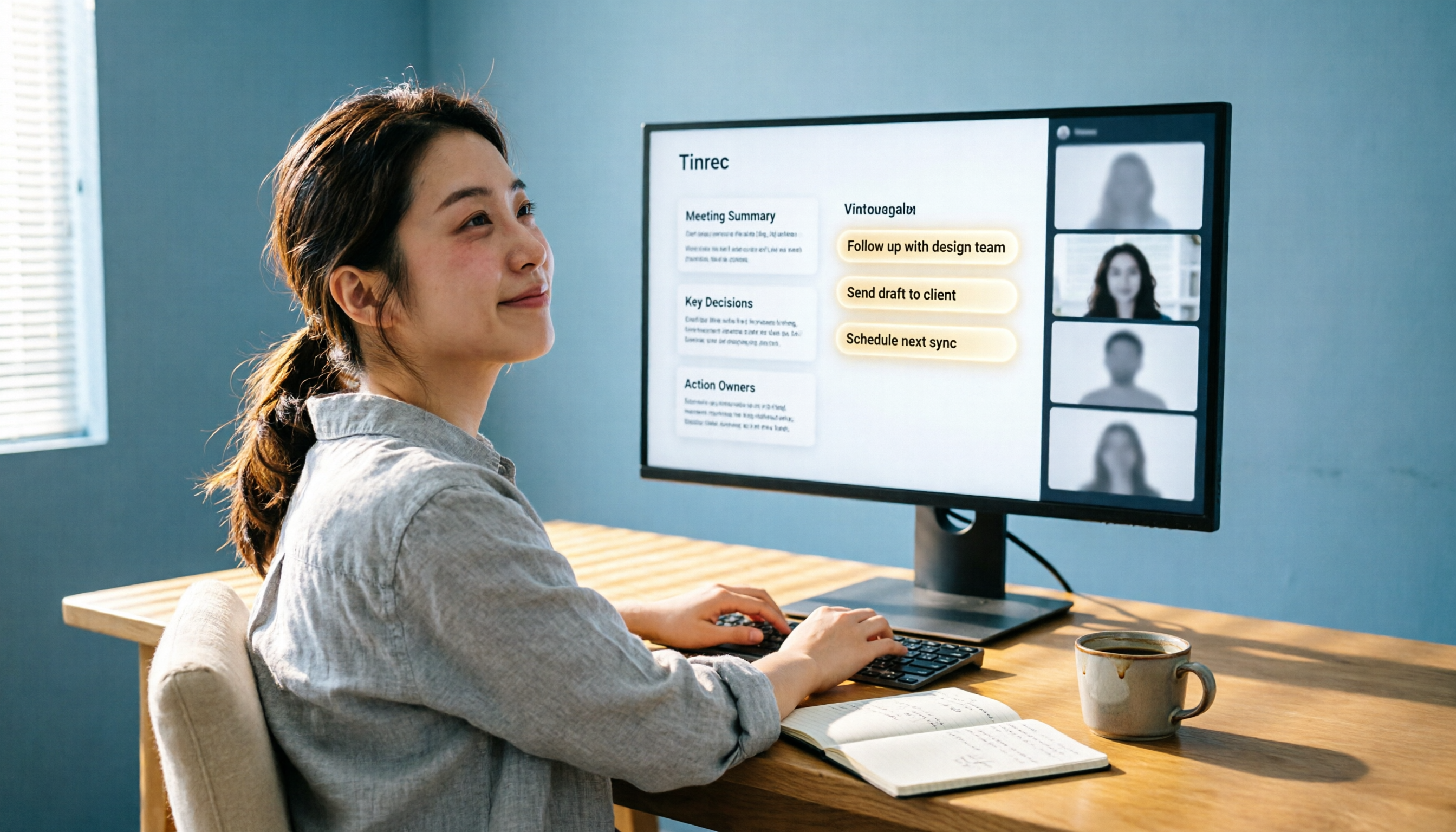
(Screenshot here: Tinrec's live recording interface, arrow pointing to start recording button, showing you can record while in a Google Meet call)
Google Meet Meeting Notes: What Can AI Do for You?
Before diving into features, let's think about some real scenarios.
Scenario 1: Too busy discussing during the meeting to take notes
Before, you had to talk and type at the same time, ending up with scattered notes and missing key decisions. Now, just open Tinrec before the meeting starts, and it will transcribe every word in the background in real time. When the meeting ends, a full transcript is waiting for you.
Scenario 2: Two-hour meeting—where are the key points?
Long meetings are scary to review later; re-listening to recordings takes too much time. Tinrec's AI summary automatically extracts discussion topics, conclusions, and action items, so you don't have to listen from start to finish to grasp the core of the meeting.
Scenario 3: Many decisions made in the meeting, but who is responsible?
A common situation: meeting ends, but action items are not followed up. Tinrec can extract to-do lists from the discussion, clearly showing "who, what, and by when." I directly convert it into a team task tracker.
These are not distant future—this is how I work every day. The key is choosing a tool that can "understand meeting content" rather than just "record it"—that's the biggest difference between Tinrec and built-in recording.
Tinrec's Core Capabilities: More Than Just Transcripts—A Meeting Knowledge Base
In my use of Tinrec, I've identified four abilities that truly change the workflow.
Capability 1: Real-time transcription—text while you meet
Tinrec's transcription latency is very low. I have Google Meet open while watching Tinrec's captions appear almost in sync. This not only helps with searching later but also lets me quickly check a particular statement during the meeting.
Capability 2: AI summary—structured organization
It doesn't just give you a condensed paragraph; it breaks it down into sections like "Meeting Summary," "Key Conclusions," and "Discussion Items." I usually paste this summary directly into my team's shared document, saving time reorganizing information.
Capability 3: Task extraction—actions appear automatically
This is my favorite feature. Whenever someone says "Next, we need to..." or "Who will handle...", Tinrec automatically picks it up and generates a to-do list. I've tested it several times, and the accuracy is high. Occasionally minor tweaks are needed, but it's much faster than manually listing tasks.
(Screenshot here: Tinrec's extracted to-do list screen, each item with speaker and time)
Capability 4: AI conversation query—use your meeting notes as a database
After transcription, you can also ask questions about the content. Like this:
"Based on today's meeting recording, list the three customer requirements and our proposed responses."
Tinrec gives answers based on semantic understanding, so you don't have to comb through the transcript yourself. This is very helpful for cross-department projects or client communications—historical meetings are no longer just files sitting there.
Stop organizing recordings by hand
Upload audio or video and automatically get a transcript, summary, and action items
Practical Application Demo: Full Workflow from Meeting Recording to Action List
Let me illustrate with a real consulting meeting. The meeting was held via Google Meet to discuss the launch plan for a new product.
Step 1: Start recording
I open Tinrec on my phone or computer, select "Live Recording," and set it aside. Then I join the Google Meet meeting and discuss normally.

Step 2: Meeting in progress, AI real-time transcription
On the left side of the screen is Google Meet, on the right is Tinrec's transcription text. I glance at it occasionally to check for obvious errors, but almost no manual correction is needed.
Step 3: Meeting ends, auto-generated summary and tasks
After stopping the recording, Tinrec completes AI processing in tens of seconds. I click "Meeting Summary" and see it accurately captured the three key points we discussed, plus listed actions: who contacts the vendor, who organizes the timeline, and deadlines.
Step 4: Export and share
I export the to-do list as Markdown, paste it into my team's Notion page, and email the summary to absent managers. The whole process takes about 3 minutes.
That's the method I recommend: use Google Meet to meet, use Tinrec to organize. You don't need to change your meeting habits—just one extra step: open Tinrec and record.
If You're Looking for a Google Meet Meeting Note Tool, Consider These 4 Points First
Many friends who use Google Meet ask me if there's a better option than built-in recording. I ask them to think about these 4 points first before choosing a tool.
1. Transcription quality and language support
Not every tool can handle mixed oral Chinese, Chinese-English code-switching in meetings. Tinrec impressed me in mixed-language scenarios and supports 14 languages, which is more than enough.
2. More than just transcription—it must organize
If a tool only gives you a huge transcript, you still have to digest it. Tinrec's summary, chapters, and task extraction do a first round of organizing for you, offering much more value.
3. Ability to build a long-term knowledge base
Built-in recordings are stored scatteredly, making it painful to find a past decision later. Tinrec stores all meeting notes in one place and allows cross-meeting queries via AI conversation. This is important for those who need to review historical decisions.
4. Cross-platform and ease of use
Some tools require installing a meeting bot, but Tinrec only needs to record on your device. No meeting host permissions needed, and no compliance concerns. It supports iOS, Android, and web, so you can use it regardless of device.
I hope when you choose, you don't just compare "who has more free minutes" but think about "who can truly extract the value of my meetings." That's the role a tool should play.
Frequently Asked Questions
Q1: How does Tinrec record Google Meet meetings? Do I need to install a plugin?
Not at all. Just open Tinrec on your computer or phone, tap record, and proceed with your Google Meet meeting normally. It can record system audio or microphone audio—set it up once and you're done.
Q2: Is the free tier sufficient?
The free plan includes a basic monthly transcription allowance, roughly enough for 3-4 average meetings. If you have frequent meetings, consider the Pro plan. The monthly cost is low in the long run.
Q3: Is the accuracy really reliable?
From my experience, with clear audio and standard accents, Chinese transcription accuracy is very high. However, if there are echoes or overlapping voices, some errors may occur. I recommend double-checking important decisions against the original, but for daily records, it's more than enough.
Q4: Where are recording files uploaded? Is privacy secure?
Tinrec's recordings and transcriptions are encrypted and not arbitrarily used for model training. If you handle confidential meetings, check the official privacy policy or choose offline transcription options.
Conclusion: Your First Step to Escape the Meeting Pit
My own takeaway: instead of being chased by meeting notes, let AI extract the key points for you, saving your brainpower for things that truly need judgment. If you're a heavy Google Meet user, instead of struggling with built-in features, give this workflow a try.
Below is a "7-Day Quick Start Tinrec Meeting Organization Method" I put together for you. Follow it step by step:
- Download Tinrec: Install it on your phone or computer and log in.
- Familiarize with recording settings: Spend 5 minutes configuring audio source (system/microphone) to ensure it captures Google Meet sound.
- Record one internal meeting first: Run through the actual process and experience real-time transcription.
- Generate your first summary: After stopping recording, click AI summary and see what key points it captured.
- Adjust the task list: Check if extracted tasks are correct and manually fine-tune.
- Try AI Q&A: Ask 2-3 questions about the meeting to get familiar with conversation queries.
- Build an export habit: Export summaries or tasks to your favorite note app to form a fixed workflow.
Test step by step, and you'll gradually master this method. Don't let meeting notes slow down your productivity. Give Tinrec a try—maybe the day you leave at 5 PM isn't far off.
Turn every recording into actionable outcomes
Get 60 free transcription minutes when you sign in. No credit card required.
Related Reading
You might also like

2026 Comparison of 4 Meeting Transcription Tools: Which AI Summarization and Examples Save the Most Time?
We tested 4 meeting transcription tools in 2026, providing transcript examples and buying tips. Tinrec wins with bot-free recording, AI summary Q&A, and team collaboration, making it ideal for Chinese meetings and team knowledge retention.

Best Speech-to-Text Tools in 2026: 4 Tested, Top Pick for Chinese Meetings
How to choose a speech-to-text tool? This guide explains the difference between real-time dictation and audio file transcription, tests Tinrec, Otter.ai, Notta, and PLAUD Note, and covers 4 key buying criteria, step-by-step instructions, team plan seat and quota differences, and 4 common pitfalls to help you pick the right transcription tool for Chinese meetings.

How to Transcribe Audio to Text in 2026: A Complete 5-Step Guide
The latest audio-to-text tools don't just transcribe accurately—they turn recordings into usable transcripts, summaries, action items, and team data. This guide breaks down the audio-to-text workflow in 5 steps and compares Tinrec, PLAUD, Granola, and TurboScribe by use case and limitations.

Tinrec vs Notta 2026: 5-Factor Comparison of the Best Free Audio-to-Text Tools
How to choose the best free audio-to-text tool in 2026? This article compares Tinrec and Notta across 5 dimensions: free quota, meeting capture method, post-meeting organization, Chinese language experience, and team knowledge retention. It also covers the free plans and limitations of Granola and TurboScribe. Honestly, free isn't just about minutes—it's about whether the tool can still help you organize your meeting after the quota runs out.
Best Audio-to-Text Tools in 2026: 4 Latest Versions Tested, Top Pick for Chinese Meetings and Team Organization
Starting from the pain points of organizing a 90-minute meeting, we tested four latest 2026 audio-to-text tools—Tinrec, Granola, TurboScribe, and PLAUD—comparing Chinese recognition, bot-free meeting recording, post-meeting AI organization, team collaboration, and pricing to help you choose the right solution.

Tinrec vs Otter.ai in 2026: 5-Dimension Comparison — Which Is Better for Chinese Meetings and Team Knowledge Retention?
Compare Tinrec and Otter.ai across 5 dimensions — free tier, Chinese recognition, bot-free recording, post-meeting organization, and team governance — to help you decide which is better suited for Chinese meetings and team knowledge retention.

Tinrec vs Otter.ai: Which Speech-to-Text Translation Tool Handles Mixed Chinese-English Meetings Better in 2026?
How do you translate speech-to-text? Most people get stuck not on the translate button, but on confusing transcription with translation. This article compares Tinrec and Otter.ai across five dimensions—mixed Chinese-English transcription, real-time bilingual comparison, post-meeting organization, and team collaboration—to help you decide which workflow truly saves time on re-listening to recordings.

2025 Audio-to-Text Guide: Tinrec vs. Notta — No-Bot Recording + Automatic Meeting Minutes
How to choose an audio-to-text tool in 2025? This guide focuses on real decision points for meeting notes, comparing Tinrec and Notta on meeting capture, Chinese transcription, post-meeting organization, and team collaboration. It also covers Tinrec's live transcription, AI summaries, action item extraction, and team workspace features to help you pick the right tool and skip extra work.

2026 Comparison of 2 Audio-to-Text Tools: Tinrec vs Yating Transcript, Which AI Meeting Notes Really Save Time?
Which audio-to-text tool should you choose? This article compares Tinrec and Yating Transcript across 5 dimensions: online meeting recording methods, multilingual and real-time translation, post-transcription organization, post-meeting output and export, and team collaboration governance. It also includes each tool's unique advantages and purchasing advice to help you decide which one to use.