
Turn recordings into transcripts and summaries in minutes
Upload audio or video for multilingual transcription, AI notes, and action items
The Ultimate 2026 Student Voice Recorder Guide: Turn Lectures into a Note Library with Tinrec
How Can Student Recording Help You?
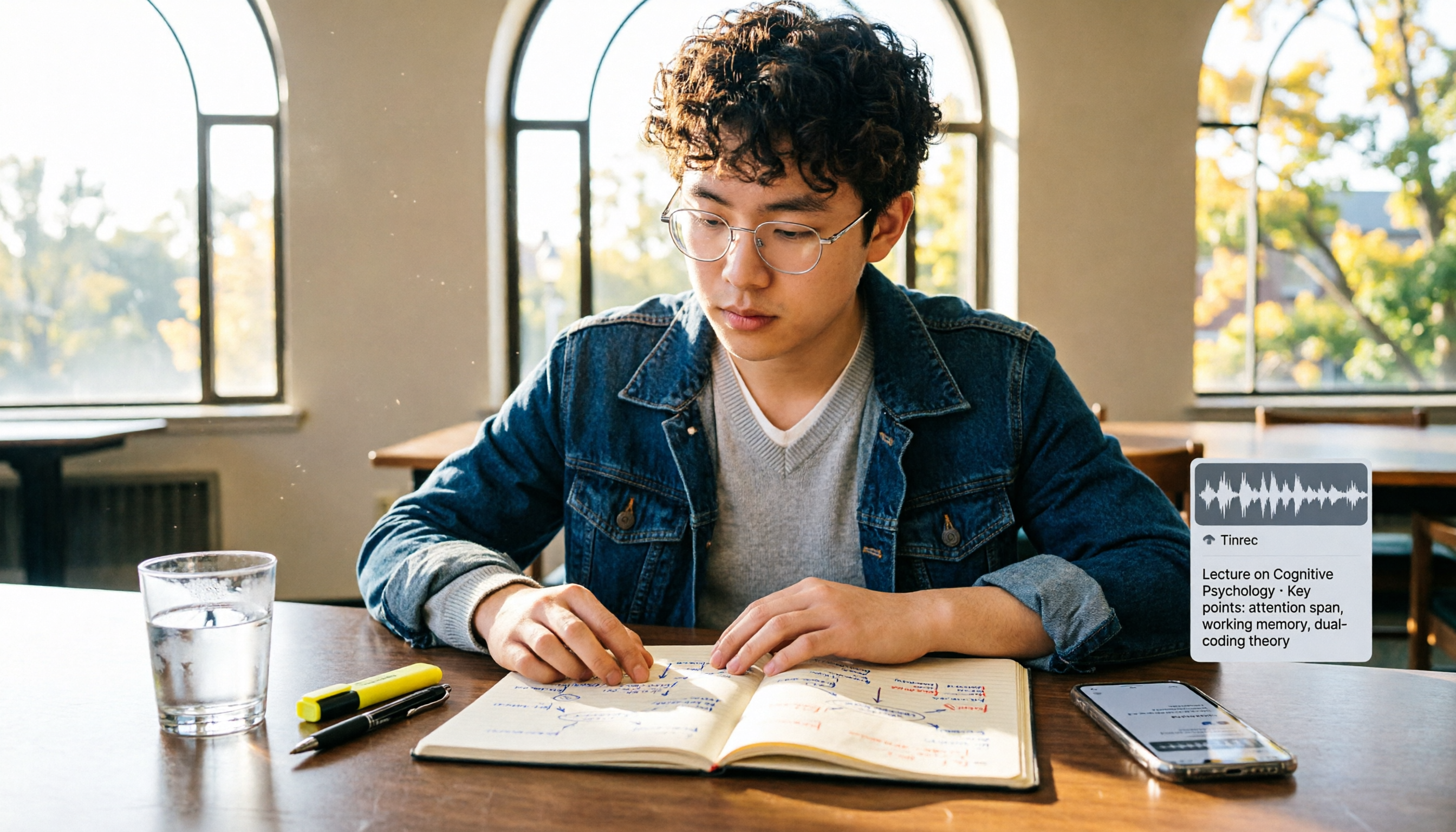
The first week of school, the professor hands out a long reading list and syllabus. They speak fast at the podium while you scramble to take notes. Not to mention courses taught in English or with heavy accents—hard enough to follow, let alone organizing key points. If this sounds familiar, you need a solution more efficient than a traditional voice recorder.

Take Tinrec for example. It's not just a "voice recorder"—it's an AI recording and organizing tool installed on your phone and computer. During class, open the app to start recording. It transcribes in real time and automatically uses AI to summarize, create chapters, and highlight key points after class. Previously you might spend an entire evening re-listening to recordings to organize notes; now Tinrec delivers the organized highlights directly to you.
Tinrec's Core Recording and Organizing Capabilities
Tinrec is ideal for students because it not only captures audio but also helps you understand and organize it. The following capabilities will change how you study:
- Real-time transcription: Open Tinrec in class, and audio is transcribed into text with less than 1 second delay. You can read the transcript while listening, ensuring no important concepts are missed.
- AI summaries and chapters: For a two-hour lecture, Tinrec automatically splits it into chapters with key summaries for each. No need to listen from start to finish—just click the segment you want to review.
- Action item extraction: When the professor says "submit your report next week" or "midterm covers up to chapter 8," Tinrec automatically extracts these action items into a list, so you won't forget.
- AI query chat: Reviewing feels like having a tutor by your side—you can ask Tinrec questions like "What three theories were discussed?" or "What examples did the professor give?" and it answers based on the recording.
- Multi-format export: The organized summaries, transcripts, or notes can be exported as PDF, Word, or synced to Notion or Google Docs, ready to use for midterm review.
Real-World Student Scenarios
Scenario 1: Taking notes without chasing the professor
In a general education course or large lecture, the professor speaks fast and slides change quickly. With Tinrec recording in real time, it transcribes and automatically generates a summary after class. You just focus during class, then review the organized content at home.
Stop organizing recordings by hand
Upload audio or video and automatically get a transcript, summary, and action items
Scenario 2: Savior for English-taught courses or textbooks
In full English courses or when using original textbooks, it's normal to struggle with listening. Tinrec's real-time transcription lets you read along with the text and even search for unfamiliar words, so you never miss key concepts.
Scenario 3: Group discussions and project meetings
During group reports, everyone talks at once, making it hard to remember who said what and the conclusions. Use Tinrec to record the discussion. Afterward, it automatically generates a summary and action items, clarifying who needs to do what and the deadlines.
Scenario 4: Online courses and open courseware
There are many free YouTube courses and open courseware online. Just paste the video link into Tinrec, and it analyzes the audio content, generating key notes for you, saving time from repeated playback.
4 Things to Consider When Choosing a Student Recording Tool
1. Not just recording, but organizing
Traditional voice recorders only capture audio; you still have to listen again later. A tool that truly saves time must transcribe, summarize, and highlight key points. Tinrec handles everything from recording to note creation seamlessly, cutting your review time in half for the same two-hour lecture.

2. Accuracy and language support
Recording quality directly affects transcription accuracy. Tinrec delivers stable transcription for Mandarin and Cantonese in classroom environments (normal volume, minimal background noise), accurately recognizing academic terms. It also supports mixed Chinese-English content, making it especially useful for bilingual courses.
3. Cross-device convenience
Dedicated voice recorders require carrying, charging, and file transfers. Tinrec is installed on your phone and computer—just open it in class, and recordings auto-save to the cloud, accessible on phone, tablet, or laptop. No extra device needed, no forgetting cables.
4. Post-processing and export
It's important that organized notes can be exported to your usual tools. Tinrec can export as Word or PDF, and sync to Notion or Google Docs, integrating directly into your assignments and reports without extra file conversion.
Frequently Asked Questions
Q: Do I need the professor's permission to record in class? A: Recording for personal study use generally does not require consent, but avoid public distribution. It's advisable to check your school's policy or politely inform the professor.
Q: Is the free version enough? A: The free version of Tinrec includes a monthly transcription quota, enough for about 2-3 lectures. For long-term use or to organize every class, consider the Pro monthly or yearly subscription—costs less than a cup of coffee per month.
Q: Will recognition be poor in noisy or echoey classrooms? A: Generally, clearer audio sources yield better transcription. Mild echoes or ambient noise usually don't affect recognition of main content, but sitting too far away or having unclear audio reduces accuracy. Try to sit near the podium or use an external microphone to improve quality.
Q: Can I export recordings as text transcripts? A: Yes. Tinrec supports exporting transcripts, summaries, and even to-do lists in formats like TXT, Word, and PDF, making it easy to print or add to note apps.
Conclusion
The era of traditional voice recorders is over. Today's students need an all-in-one tool for recording, transcribing, and organizing. Tinrec turns audio files into a searchable, queryable, exportable digital note library, preserving every lecture for final review. Download the free version of Tinrec and try it on one class—once AI organizes your notes, you'll never go back.
Turn every recording into actionable outcomes
Get 60 free transcription minutes when you sign in. No credit card required.
Related Reading
You might also like

2026 Speech-to-Text App Review: Tinrec Bot-Free Meeting Recording + AI Summaries & Action Items
2026 speech-to-text app review and buying guide, covering Chinese meetings, mixed Chinese-English, post-meeting summaries and action items, and team knowledge retention. Compare Tinrec, Otter.ai, Granola, and TurboScribe to choose the right meeting notes tool.

2026 Free Speech-to-Text Tools Buying Guide: 4 Hands-On Tests and Recommendations
There are plenty of free speech-to-text tools, but free quotas, Chinese recognition, and post-meeting organization capabilities vary widely. This article starts from actual usage workflows and compares the free plans and limitations of Tinrec, Google Docs voice typing, Monica, and MyEdit to help you choose a tool that truly saves transcription time.

2026 Tinrec Free Speech-to-Text Review: 3 Key Factors + Automatic Meeting Minutes
There are many free speech-to-text tools, but what really matters is free quota, Chinese recognition, post-meeting organization, and team collaboration. This article breaks down the differences between Tinrec, Otter.ai, Notta, and TurboScribe using 4 key purchasing factors, and summarizes 3 common pitfalls to help you choose a tool that turns meetings into usable data.

5 iPhone Speech-to-Text Solutions Compared for 2026: From Built-in Dictation to AI Meeting Notes
Built-in iPhone dictation, Voice Memos transcripts, or AI meeting note tools—which should you choose? This article splits the decision into two paths: real-time input and post-meeting organization. It compares 5 iPhone speech-to-text solutions, outlines selection criteria, common mistakes, and my own workflow, so you can figure out which one fits your needs.
WhatsApp Voice to Text vs Tinrec in 2026: Which Is Better for You?
Many people think WhatsApp will automatically convert voice messages to text after an update, but the feature is rolling out gradually and depends on OS version, Siri, and language settings. This article addresses common misconceptions and compares WhatsApp's built-in transcription with Tinrec in terms of setup requirements, post-meeting organization, multi-source support, team collaboration, and cost to help you decide which is more suitable.

4 Free Speech-to-Text Solutions Tested for 2026: Which One Has the Best Free Tier, Export, and Chinese Recognition?
Many people looking for free speech-to-text tools only check the free minutes, but overlook per-recording limits, export restrictions, audio retention, and Chinese recognition. This article compares free plans across 4 practical dimensions and uses Tinrec to demonstrate a complete workflow from recording, transcription, summarization, action items, to team knowledge retention.

Buzz Speech-to-Text Tutorial 2026: 5-Step Walkthrough and 3 Common Mistakes
Buzz is free, open-source, and works offline, but most people are disappointed on their first try—usually because of the default tiny model. This guide starts with common mistakes, then walks through 5 steps covering model selection, language settings, importing or recording, the difference between Transcribe and Translate, and exporting for proofreading. It also lists 6 alternative speech-to-text options with selection advice.

Tinrec vs Notta 2026: 5-Dimension Comparison — Which Speech-to-Text Tool Fits US Users After the Tutorial?
Most speech-to-text tutorials only show you how to turn recordings into text, but skip what to do afterward. This guide starts with common misconceptions and compares Tinrec and Notta across 5 dimensions: online meeting recording methods, post-meeting outputs, Chinese and mixed-language handling, team governance, and audio retention. It also breaks down free and paid plan quotas to help you decide which tool better fits your actual workflow.

2026 Comparison of 4 Free Speech-to-Text Tools: Whose Free Tier Is Enough and Which Is Worth Paying For
There are many free speech-to-text tools, but the real time sink is what happens after transcription. This article compares Tinrec, Notta, Otter.ai, and TurboScribe in real meeting scenarios, focusing on how their free tiers are calculated, post-meeting organization capabilities, and team collaboration differences. It also lists 4 common purchasing pitfalls to help you validate which tool fits your workflow before spending money.