

Turn recordings into transcripts and summaries in minutes
Upload audio or video for multilingual transcription, AI notes, and action items
How to Change Your Virtual Background in Google Meet?
Google Meet has a built-in background change feature, allowing you to replace a messy room without a green screen. The steps are simple: before or during a meeting, click the "More options" icon in the bottom right corner, select "Change background," and you can blur the background, use built-in images, or upload your own photo. If you're a first-time user, try "Slight blur" first—it protects your privacy without being too distracting.
But no matter how nice the background is, the focus of a meeting is still the "content." Instead of spending time looking for a background image, think about this: how much of the meeting's conclusions, action items, and important discussions do you remember? If you rely on frantic typing during every meeting, you'll not only miss key points but also waste time organizing afterward. That's when you need a tool that can automatically record and organize key points for you.
Why Not Just Rely on Google Meet's Built-in Transcription or Old-School Note-Taking?
Google Meet offers live captions in some versions, but its transcription is "one-time"—once the meeting ends, the captions disappear with no archive, no search, let alone automatic summaries or action item extraction. If you're used to typing along in Word while listening, a 30-minute meeting might take another 20 minutes to clean up, and you'll often miss key phrases like "who is responsible for what."
If you think "meeting notes" need a solution more than "virtual backgrounds," then Tinrec (Miao Ting Lu Yin) is worth a few minutes of your time. It's not just voice-to-text; it turns the entire meeting into a searchable, queryable database that can be exported as reports.
Tinrec vs. Google Meet Transcription: What's the Core Difference?
1. What Do You Get After the Meeting?
Google Meet transcription gives you chunks of captions. While they help in the moment, nothing remains afterward. With Tinrec, after recording a meeting, you get not only a transcript but also an AI-generated summary, chapter highlights, and an action item list. You can even ask it: "What was the conclusion of this meeting?" or "Who is responsible for updating the website?"—it finds answers from the recording, so you don't have to flip through 50 pages of transcript.
2. Recognition Quality in Chinese Environments
Google Meet's captions work well in English, but when it comes to Chinese meetings—especially with mixed Chinese and English, Taiwanese, or different accents—accuracy drops significantly. Tinrec is deeply optimized for Chinese. In typical meeting environments (slight background noise, 2–5 people speaking), the transcript readability is high. In a 15-minute product discussion meeting, we only needed to tweak a few proper nouns, and the entire record was ready to use as meeting minutes.
3. Cross-Platform and Offline Recording
Google Meet transcription is only available on desktop and certain plans, and you can only view it during the meeting. Tinrec has iOS, Android apps, and a web version, so no matter what device you use for meetings, you can sync recordings. Even if you're not in an online meeting but having a face-to-face discussion, you can record directly with the mobile app, and all content is stored in the same account.
4. Turning Records into Action
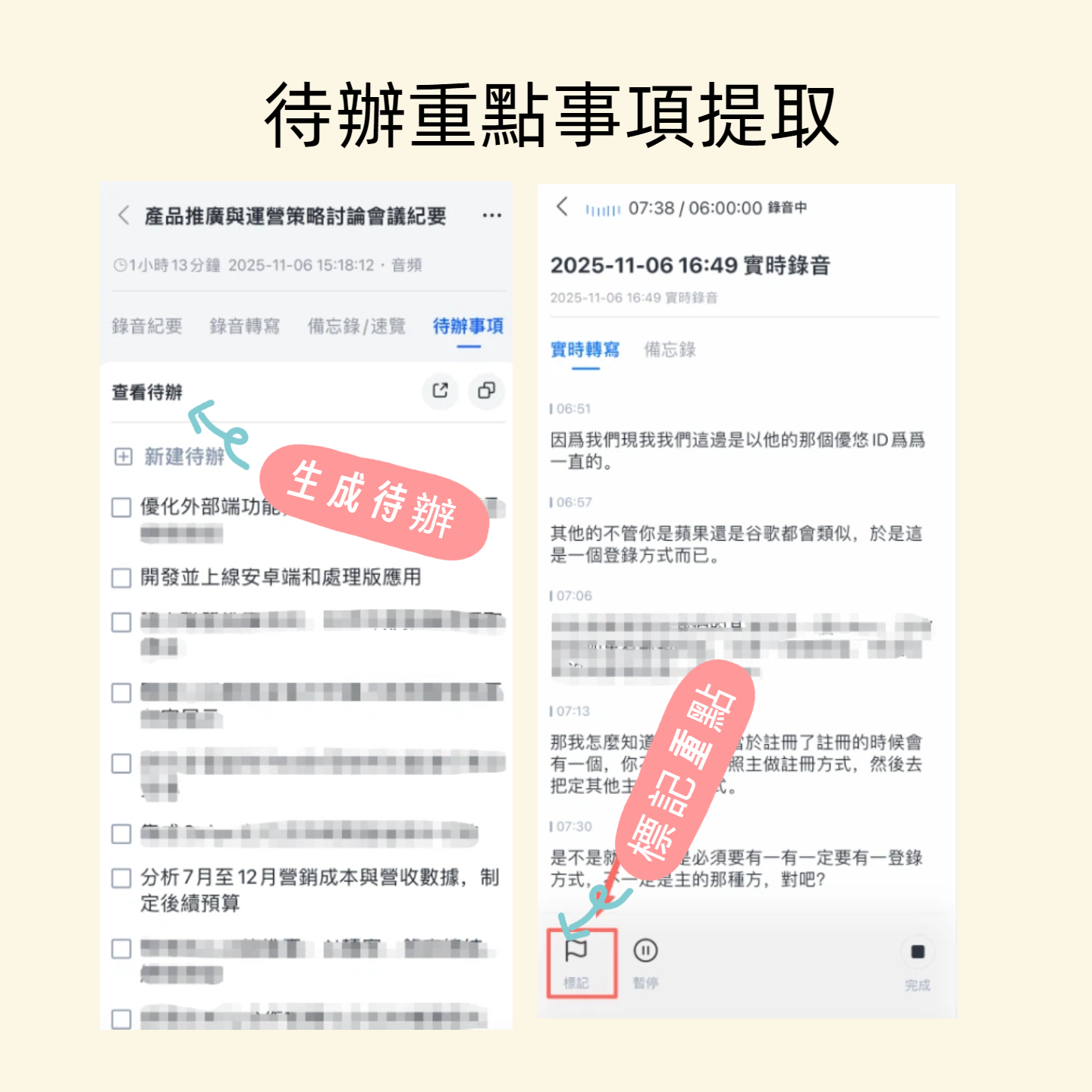
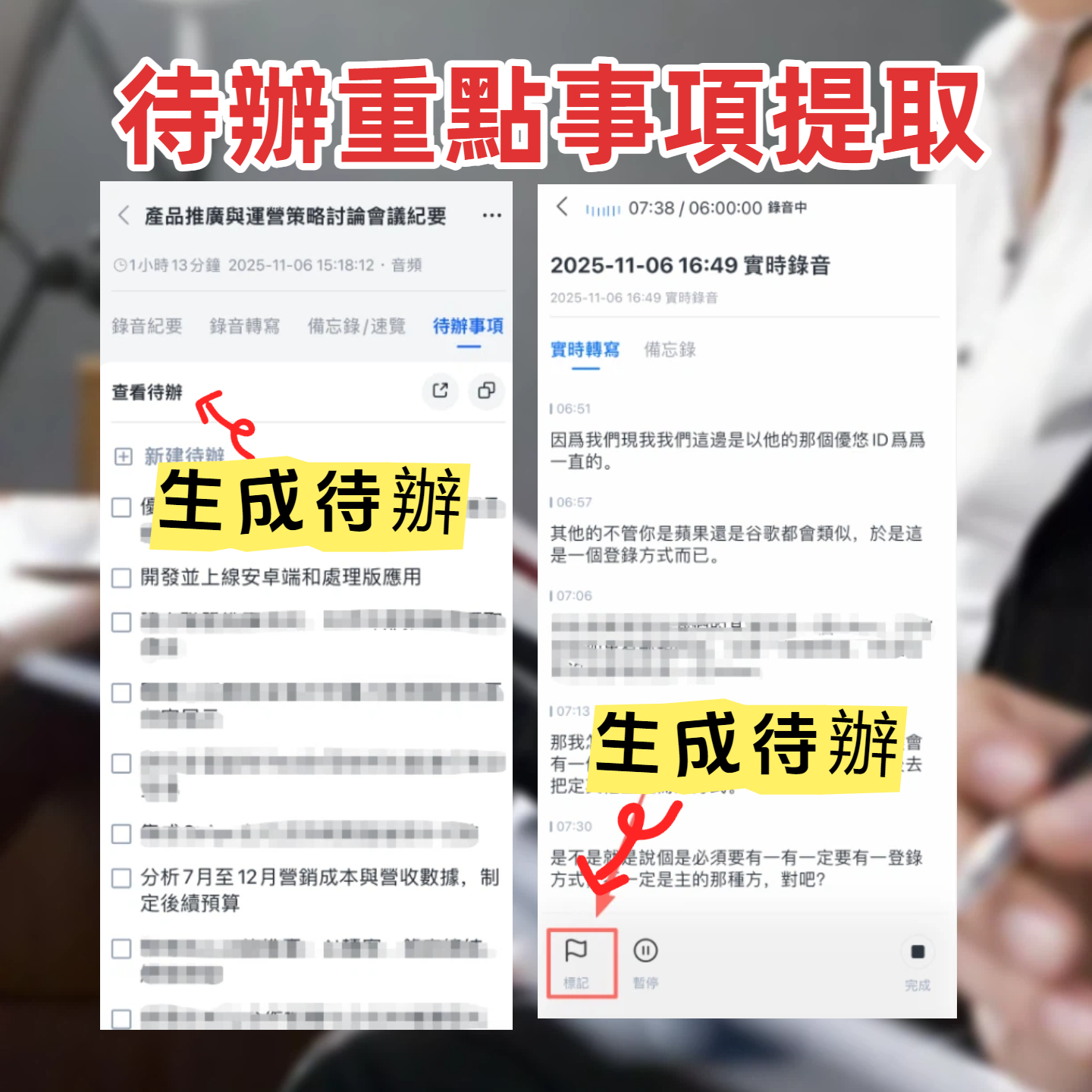
This is the most practical difference: Tinrec doesn't just "record"—it helps you "understand." After recording, you can use AI chat queries to find all paragraphs mentioning "budget" or automatically extract action items, then export them to Notion, Google Docs, or Dropbox with one click. Google Meet captions can't do any of that; you have to handle everything yourself.
Key Features of Tinrec at a Glance
Real-Time Voice-to-Text
Open Tinrec, press the record button, and text appears in real time with less than 1 second lag. During meetings, you can watch the text to ensure you don't miss anything, and the moment the meeting ends, the transcript is ready. It also supports pause and resume, so breaks aren't a problem.
Stop organizing recordings by hand
Upload audio or video and automatically get a transcript, summary, and action items
AI Summary and Smart Chapters
After recording a 40-minute meeting, tap "Generate Summary," and Tinrec will tell you the meeting's purpose, discussed topics, and conclusions in a few paragraphs. It also cuts the long recording into small chapters, each with a title, so you can jump directly to the section you're interested in—like a book with a table of contents.
Automatic Action Item Extraction
This is a game-changer for team meetings. Tinrec automatically identifies action-oriented phrases like "You'll contact the vendor" or "Send the report by next Friday" and compiles them into a to-do list. You might wonder: "How does it know we're assigning tasks?" It's really thoughtful.
Online Video Link Parsing
Not just meetings—if you need to process public videos from YouTube, TikTok, or Xiaohongshu, just paste the link into Tinrec, and it will generate text, summaries, and key points. This is especially useful for content creators and researchers, saving hours of watching and typing.
Multi-Format Export and Subsequent Use
Transcribed content can be exported as TXT, PDF, Word, or subtitle files, and can also be synced directly to Notion, Google Docs, or OneNote. More advanced, you can use Tinrec's Agent feature to let AI generate formal meeting minutes, reports, or tables based on the recording—minimizing post-meeting work.
Practical Use Cases
Meeting Minutes: From Recording to Action Items in One Go
For weekly department meetings, I used to record, then transcribe manually, and finally compile meeting minutes by hand. Now I use Tinrec to record and transcribe simultaneously. After the meeting, I tap "AI Summary" and "Action Items," and within 5 minutes, I can post key points and tasks to Slack. My colleagues think I'm a typing wizard, but it's Tinrec working behind the scenes.
Lecture Notes: Long Sessions, No More Mindless Note-Taking
Listening to a 2-hour online lecture, I can't possibly take notes fast enough. I record the whole session with Tinrec, then use the "Chapters" feature to jump to each topic, supplemented by AI Q&A: "What are the core arguments of this lecture?" Review efficiency is way higher than re-listening from scratch.
Interview Compilation: Finding Key Quotes Matters More Than Typing
During user interviews, the most important thing is to ask questions and listen, not to type furiously. Tinrec lets me focus on the conversation. After recording, I can search by keyword for the guest's key points, or even ask the AI: "What suggestions did the interviewee have for our interface design?"—instantly getting a string of quotes from the original dialogue.
Key Points to Consider When Choosing a Voice-to-Text Tool
- Need More Than Just Transcripts—You Need "Organization": Many tools give you long transcripts, but Tinrec provides summaries, chapters, and action items, helping you jump to the key points without reading everything from start to finish.
- Chinese Recognition and Mixed Languages: If your meetings often mix Chinese and English or have different accents, test with real recordings. Tinrec is very Chinese-friendly with stable recognition quality.
- Cross-Device and Offline Capability: Meetings aren't always at a computer. Tinrec's iOS and Android apps let you record and transcribe on your phone, with all content synced in the cloud—work doesn't stop.
- Export and Integration with Your Existing Workflow: Can transcribed data be placed into your existing note-taking tools or documents? Tinrec supports multiple export formats and third-party sync, so you're not trapped in a closed ecosystem.
- Is the Free Tier Sufficient?: Tinrec's free tier offers a decent monthly transcription quota, enough for occasional personal use. If you have frequent meetings, the Pro plan is reasonably priced for a painless upgrade.
Conclusion: Is Tinrec Worth a Try?
If you're already proficient with Google Meet background changes but still struggle to organize meeting notes afterward, Tinrec is the tool to upgrade. It's not just "voice-to-text"; it's a complete workflow from recording to understanding to action. Especially for Chinese meetings, Tinrec's summaries, Q&A, and action item features will make you realize how much easier meeting notes can be. I recommend downloading the free version and trying it with your next real meeting—it's more convincing than any review.
Frequently Asked Questions
Q: What are the limitations of Tinrec's free version? A: The free version includes a basic monthly transcription quota, and you can use core features like real-time recording, file import, and online link parsing. If you need higher volume or advanced export options, consider the Pro plan.
Q: My meetings often have a lot of background noise. Is Tinrec accurate? A: In typical office environments (slight keyboard clicks, air conditioning), Tinrec's recognition rate is very high. However, in extremely noisy settings or with multiple people talking simultaneously, accuracy may be affected. We recommend testing the free version in your own scenario.
Q: What languages does Tinrec support? A: Tinrec supports multiple languages, including Chinese, English, Japanese, Korean, etc., and also recognizes mixed Chinese-English content. It handles commonly used meeting languages well.
Q: Where are recording files stored? Are they secure? A: Audio and transcription data are encrypted and stored in the cloud. Only your account can access them. You can delete them at any time, and Tinrec does not use your content without permission.
Q: Can I record audio without transcription? A: Tinrec's main function is voice-to-text, but you can also record first and then decide whether to transcribe. However, transcribing simultaneously saves the most time.
Q: What formats can Tinrec export to? A: Currently supports multiple formats including TXT, PDF, Word, and subtitle files (SRT). It also syncs directly to Notion, Google Docs, OneNote, Dropbox, and more.
Turn every recording into actionable outcomes
Get 60 free transcription minutes when you sign in. No credit card required.
Related Reading
You might also like

Best Free AI Meeting Notes Tools in 2026: 4 Options Compared
Spending two hours after a meeting to organize transcripts? This article compares 4 free AI meeting tools: whether the free tier is truly usable, if there's a per-meeting length limit, whether recordings are kept, and if you can ask the AI questions afterward. It also tests Tinrec's desktop version for recording online meetings without a bot, including its limitations.

2026 AI Meeting Tools Compared: Tinrec, Otter.ai, Notta & Granola — From Transcripts to Team Collaboration
A side-by-side comparison of four AI meeting productivity tools in 2026. This article examines how meetings are recorded, what you get after the meeting, whether audio files are retained, and how teams manage data. It compares Tinrec, Otter.ai, Notta, and Granola on positioning, pricing, and limitations, and highlights four common pitfalls when choosing an AI meeting tool to help you find the one that truly saves time.

How to Use AI Agents to Generate Documents in 2026: 5 Steps from Recording to Report
Many people use AI agents to generate documents but end up with vague templates—often because the AI lacks meeting context. This article walks you through 5 steps, starting from meeting recordings, using Tinrec's transcripts, summaries, action items, and agent post-processing to produce deliverable meeting minutes, reports, and tables. It also covers key purchasing considerations, team plan benefits, and FAQs.

5 AI Meeting Transcription Tools Compared for 2026: From Free to Team Plans, Which One Best Boosts Meeting Efficiency?
Instead of just looking at transcription minutes, first assess recording method, Chinese language support, post-meeting organization, team governance, and budget. This article compares common AI meeting solutions across five decision factors and uses Tinrec as an example to show how to turn meetings into searchable, collaborative, and actionable data.

Tinrec vs Otter.ai 2026: 4-Dimension Comparison — Which AI Agent Structured Output Is More Practical?
When AI Agent responses don't match your expected format, many teams only discover the pain after deployment. This article examines four dimensions — JSON Mode, JSON Schema, Function Calling, and observability — to explain how to evaluate structured output, and compares Tinrec and Otter.ai on structuring meeting content. Includes pitfalls to avoid and scenario-based selection advice.

Tinrec vs Notta 2026: 5-Dimension Comparison — Which Handles End-to-End Meeting Processing Better?
The value of an AI Agent isn't just having an 'AI button' — it's whether it can take a meeting from recording to transcript, summary, and action items all the way to deliverable documents. This article compares Tinrec and Notta across 5 dimensions, breaking down processing chain completeness, follow-up Q&A and verification, team governance, language support, and actual cost to help you make a purchasing decision.

2026 AI Meeting Assistant Comparison: Why Tinrec May Fit Chinese Meetings Better Than Fireflies
Starting from the pain point of rushing to write meeting minutes after a meeting ends, this compares Tinrec and Fireflies on meeting capture, Chinese-language experience, post-meeting workflows, team governance, and pricing/quotas, and summarizes Tinrec's core features, real-world scenarios, and buying considerations.

2026 AI Meeting Recorder Showdown: Tinrec vs Granola — Which Is Better for Chinese-Speaking Teams?
This comparison of Tinrec and Granola, two bot-free AI meeting note tools, covers meeting capture, input sources, audio retention, Chinese-language experience, post-meeting outputs, and team management. It outlines each tool's ideal use cases and pricing to help you decide which fits your meeting workflow.

2026 AI Meeting Productivity Tools Buyer's Guide: 4 Hands-On Tests and Selection Advice
How do you choose an AI meeting tool? This guide examines four key criteria—meeting capture method, post-meeting outputs, Chinese-language experience, and team data governance—and hands-on tests Tinrec, Otter.ai, Notta, and Granola to compare their differences. It also includes a pitfalls guide and scenario-based selection advice to help you pick the one tool you'll actually use after meetings.