

Turn recordings into transcripts and summaries in minutes
Upload audio or video for multilingual transcription, AI notes, and action items
3 Google Meet Capacity Solutions Tested in 2026: Which One Actually Saves You Time?
A while ago, a friend who runs online events came to me with a problem.

"My team uses Google Meet, but the free version only allows 100 participants and 60-minute sessions. We often get cut off mid-conversation," he said with some frustration.
But that wasn't all.
What bothered him more was that even after paying for a larger capacity plan, after a two-hour multi-person meeting, he still had to spend over an hour cleaning up meeting notes.
The participant and time limits are just surface issues.
The real key is: After the meeting, what actually remains of the discussion?
So I helped him try several approaches.
First, he tried recording the entire meeting with screen recording software. But afterward, finding which minute covered which point took way more time than expected.
Next, he tried another meeting platform that claimed unlimited capacity. But the whole team had to re-register and rebuild scheduling habits—too costly, so he gave up.
Finally, we reframed the problem—
Instead of thinking "how to get more people and longer sessions into the same meeting," we asked ourselves: "Is there a way to automatically turn every meeting's content into reusable data afterward?"
That's when I recommended he try Tinrec.
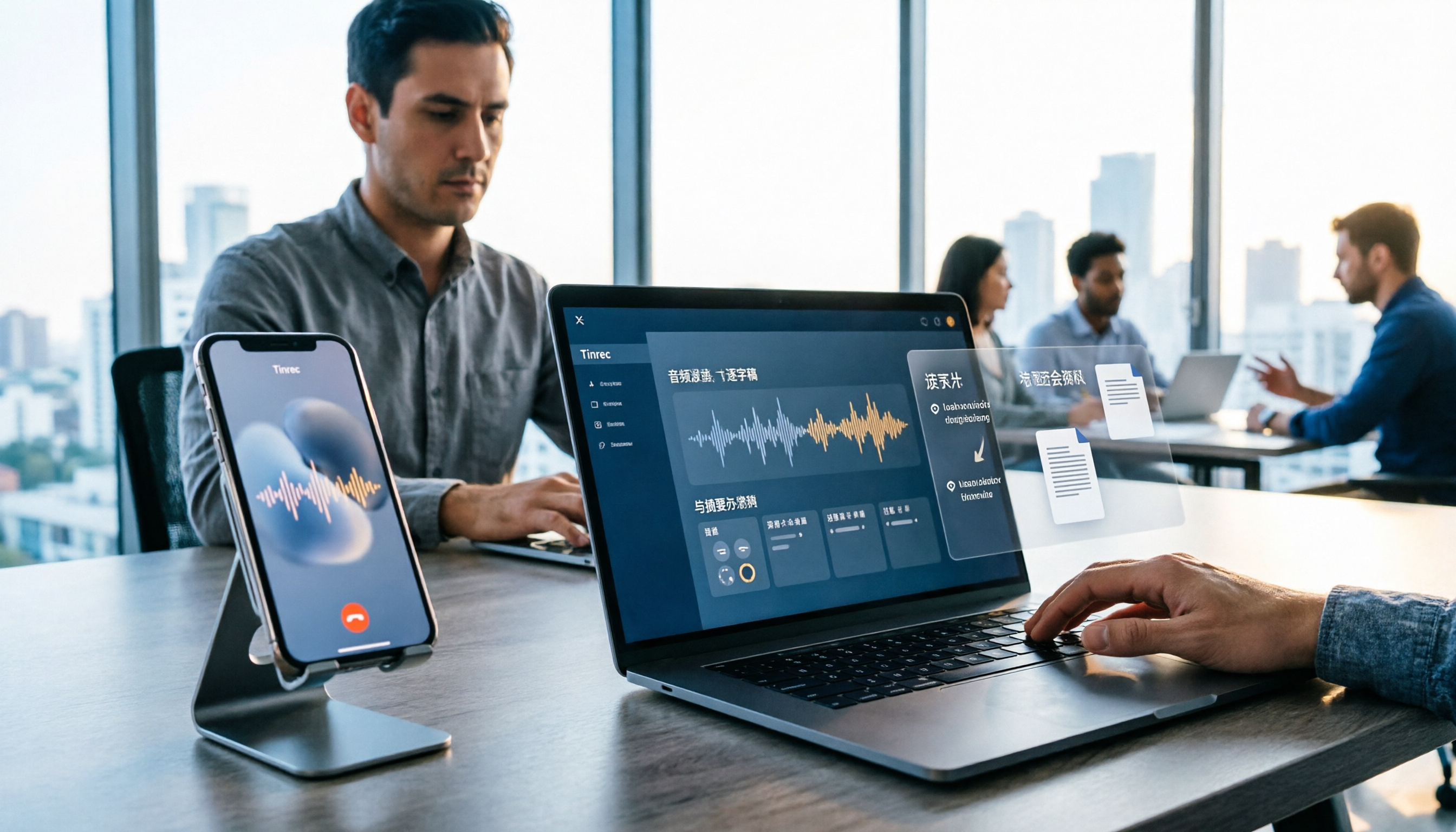
(Screenshot: Tinrec recording → understanding → action workflow, arrow pointing to the recording start screen)
What Can Meeting Recording Transcription Do for You?
Let's get to the point: Turning meeting recordings into actionable knowledge is more worth prioritizing than breaking capacity limits.
In other words, even if you expand Google Meet's participant limit to 500 and time to 3 hours, if you still have to manually re-listen, transcribe, and remember action items, you're still wasting time.
But conversely, if you have a system that automatically generates structured notes, summaries, and to-do lists as soon as the meeting ends, the original capacity constraints won't be your bottleneck anymore.
That's why, in many teams I've worked with, the approach I introduced wasn't about finding a larger meeting room, but about optimizing the post-meeting organization phase.
Take Tinrec as an example—it can be directly useful in these scenarios:
Scenario 1: Multi-person brainstorming sessions, get a summary in 5 minutes
You run your Google Meet as usual while starting Tinrec for recording. Regardless of the number of participants or meeting length, Tinrec transcribes in real time.
When the meeting ends, it automatically generates a summary including the meeting topic, key discussion points, decisions made, and who is responsible for what.
You don't need to rely on memory to piece things together.
(Screenshot: Tinrec meeting summary screen, arrow pointing to the summary block)
Scenario 2: Cross-department project meetings, action items become a to-do list
After such meetings, people used to say things like "I'll confirm later" or "I'll send you the info," and nobody clearly remembered who did what.
Now, Tinrec automatically extracts action items from the transcript and lists them. You can manually add due dates or export to Notion, Google Docs, etc., to track progress.
(Screenshot: Tinrec to-do list screen)
Scenario 3: Client requirement interviews, ask questions like searching a database
Client requirements, change directions, budget ranges—often scattered across the conversation.
With Tinrec, you don't need to replay the entire recording. Use the AI chat feature to ask: "What did the client say about the budget cap for Phase 2?" or "Who mentioned a competitor's name?" It will answer based on the transcribed content.
(Screenshot: Tinrec AI Q&A interface, arrow pointing to the question input box)
What Are Tinrec's Core Capabilities?
These scenarios work because Tinrec is not just a simple recording-to-text tool. It's designed with recording as the starting point, not the endpoint.
From my actual usage, four core capabilities stand out:
Real-time transcription: see text as it's recorded
You don't have to wait until the meeting ends to get the transcript. Tinrec generates the transcript in real time with very low latency. This is especially helpful for those who need to confirm key points while the meeting is ongoing.
(Screenshot: Tinrec live transcription screen, arrow pointing to the real-time transcript area)
Stop organizing recordings by hand
Upload audio or video and automatically get a transcript, summary, and action items
AI-structured summary: not just a paragraph, but bullet points
Many tools give a condensed paragraph summary that you still need to break down yourself. But Tinrec's summary is organized by "topic, conclusions, action items, responsible persons"—directly usable as a draft for meeting minutes.
Action item extraction: turn discussions into tasks
This is my personal favorite. It automatically identifies phrases like "who will do what next" and compiles them into a to-do list. You immediately know what actions were decided, no manual listing needed.
(Screenshot: Tinrec action item extraction result)
AI chat search: turn past meetings into a searchable database
I mentioned this earlier, but let me emphasize it again.

After any recording is transcribed, you can use the chat feature to ask about what happened in the meeting. For anyone who frequently needs to revisit past decisions or dig through details from months ago, this is like having a search engine that doesn't rely on memory.
(Screenshot: Tinrec AI chat example, arrow pointing to the answer after a question)
Real-World Applications: Beyond Meetings, Anything Audio Can Be Organized
Although this article started with Google Meet's capacity limits, Tinrec's use cases go far beyond online meetings.
I also use it regularly for:
Online courses and lectures
Record a teacher's two-hour lecture, and it automatically transcribes and generates chapter highlights. For review, you don't listen from start to finish; just jump to the AI-identified chapters and read the summary.
User interviews and research recordings
The biggest pain point in field research or product interviews is the lengthy transcription process afterward. Now, import the recording into Tinrec, and within minutes you get a full transcript and preliminary summary. I can directly highlight key points and start analyzing, saving massive prep time.
(Screenshot: Tinrec audio/video file import and transcription screen)
Repurposing online video content
When I find a YouTube, TikTok, or Xiaohongshu (RED) video worth organizing, I paste the link into Tinrec, and it extracts text and a summary. Great for research, writing, or reporting.
(Screenshot: Tinrec online video link parsing result)
3 Things to Watch When Choosing a Meeting Organization Tool
There's no shortage of recording-to-text tools, but for one that truly integrates into your workflow and lasts, I focus on three things:
1. Post-transcription organization is more important than transcription itself
Some tools only give you a transcript—the rest is up to you. That just shifts the problem from "listening to the recording" to "reading the transcript," saving little time.
Tinrec goes further with summaries, action items, chapters, and Q&A—that's what makes the data truly usable.
2. Accuracy and comprehension for Chinese content
Many international meeting bots are primarily designed for English; their Chinese summary quality can be inconsistent. Tinrec performs more reliably in Chinese meetings, courses, and interviews, especially handling mixed Chinese-English, Taiwanese Hokkien, or Cantonese speech patterns. Of course, actual accuracy depends on recording environment, accents, and background noise, but at least it's not limited to pure English content.
3. Can the output be integrated into your existing workflow?
Even the best-organized results become an island if locked inside an app. Tinrec supports multiple export formats (text, subtitles) and can sync directly to Notion, Google Docs, etc., for further editing, archiving, and collaboration.
(Screenshot: Tinrec multi-format export options)
Frequently Asked Questions
Q: Can Tinrec record Google Meet meetings?
Yes. Just open Tinrec on your computer or phone while running a Google Meet. It captures audio via the microphone and transcribes/summarizes the meeting. It's not a bot, so it's not limited by Google Meet's internal settings.
Q: How long can I record with the free plan?
Tinrec's free plan offers a basic monthly transcription quota—great for a trial. If you have frequent meetings or courses, consider a weekly card; for heavy monthly usage, Pro is more cost-effective. Check the product page for current quotas.
Q: Where are my recordings stored? Is it secure?
All recordings and transcripts are encrypted and stored in the cloud. You can replay, ask questions, or download anytime. For typical workplace use, privacy protection is sufficient.
Q: Is transcription accuracy guaranteed?
I avoid using "guaranteed X%" because it's misleading. In my experience, in a quiet environment with clear speech, the output is usable. However, accuracy drops with multiple speakers, background noise, or heavy accents. Always cross-check important sections against the original audio.
Q: How is it different from typical meeting bots?
Most meeting bots join your online meeting stream and focus on automatic recording. Tinrec is more like an audio data workstation: it not only records meetings but also handles course recordings, interview files, online videos, etc., and lets you query, organize, and export afterward. For anyone who needs to organize diverse audio sources, it's more practical.
Summary: Stop Chasing Capacity—Make Your Meeting Content Actionable
When you stop focusing on how many people or minutes, and start thinking "what can I take away from this meeting," you'll realize the real bottleneck has never been Google Meet's limits.
If you have more than three meetings a week, or often need to revisit meeting recordings or course audios, I highly recommend giving Tinrec a try.
Download the free version, use your monthly quota for one or two meetings, and see if the AI-generated summaries and to-do lists actually make your follow-up work easier.
Quick Start Guide
- Install Tinrec on your phone or computer and sign up for a free account.
- Next time you start a Google Meet, also start Tinrec recording.
- After the meeting, open the auto-generated summary and to-do list.
- Try the AI chat feature by asking a question about the meeting.
- Export the organized to-do list to your favorite notes or project management tool.
- Repeat three times to build a new habit of automatic post-meeting organization.
Step by step, you'll make your meeting content truly work for you.
(Screenshot: Tinrec available on iOS, Android, and web)
Turn every recording into actionable outcomes
Get 60 free transcription minutes when you sign in. No credit card required.
Related Reading
You might also like
2026 LINE Call Recording Guide: 5 Methods Tested and Recommendations
LINE doesn't offer built-in call recording, so users rely on screen recording, third-party apps, hardware recorders, or computer-based recording—each with limitations. This article covers five practical LINE recording methods and explains that the real challenge isn't recording but what to do with the audio afterward. It demonstrates how Tinrec turns recordings into transcripts, summaries, action items, and searchable team meeting notes.

5 Ways to Edit iPhone Voice Recordings in 2026: Trim, Cut Middle, or AI Highlights?
How do you edit iPhone voice recordings? This article compares Voice Memos built-in trimming, GarageBand, Audacity, recording hardware, and AI meeting note tools, explaining which can trim ends, which can cut middle sections, and how to save time if your goal is to extract key points instead of shuffling files and fast-forwarding.
iPhone Built-in Voice Memos vs Tinrec in 2026: 5-Dimension Comparison — Which Is Better for Transcripts?
Three common pitfalls when transcribing iPhone recordings: thinking you have to pay, assuming built-in is enough, and losing files. This guide breaks down the complete workflow—recording, transcription, proofreading, meeting minutes, and export—in 5 steps, and compares iPhone's built-in Voice Memos with Tinrec across 5 dimensions to help you decide when built-in suffices and when to switch tools.

5 LINE Recording Apps Tested for 2026: Which One Turns Calls into Transcripts and To-Dos?
LINE doesn't have built-in recording, and Android and iOS restrictions have broken many call recording apps. This article covers 5 common LINE recording methods and shows how Tinrec turns call audio into transcripts, summaries, and to-dos—solving the pain of re-listening. Includes buying tips, personal vs. team plan differences, and FAQs.

How to Record LINE Calls in 2026: 4 Tested Methods + Auto Transcription
LINE doesn't have a built-in call recording feature, and the solutions for iPhone and Android are completely different. This guide, based on real student testing, covers 4 methods for recording LINE calls, explains which ones only capture your own voice and which actually record the other person, and shows how to use Tinrec to turn recordings into searchable transcripts, summaries, and action items.

4 LINE Call Recording Tools Tested for 2026: Which One Actually Organizes Your Recording?
LINE has no built-in recording feature, and on iPhone it's nearly impossible to record within the app. This article starts with common mistakes and tests four viable solutions—Tinrec, PLAUD Note, Granola, and Notta—comparing how to obtain audio files, organization efficiency, and free quotas to help you find a truly usable LINE call recording workflow.

4 LINE Call Recording Methods Tested and Compared for 2026: How to Record on iPhone and Android, and How to Organize with Tinrec
LINE doesn't have a built-in recording button, and iPhone and Android have different limitations. This article covers 4 common LINE call recording methods and compares how to use Tinrec to turn recordings into transcripts, summaries, and action items so your calls can be reused.

How to Record LINE Calls on iPhone in 2026: 3 Tested Methods + AI Transcription
iPhone doesn't have built-in LINE call recording, but there are plenty of dubious workarounds online. Starting from what you actually need, this guide covers three viable methods for recording LINE calls on iPhone in 2026, their limitations and common failure reasons, and explains how to use Tinrec to turn recordings into searchable transcripts, summaries, and action items.

What Format Are iPhone Recordings? 3 Transcription Tools Tested: The M4A Workflow
iPhone recordings are typically saved as .m4a files, but the real challenge is accessing them. This article explains the iOS sandbox mechanism, walks through exporting Voice Memos, and compares Tinrec and Otter.ai across five dimensions for organizing iPhone recordings—helping you turn audio into usable transcripts and meeting notes.