

Turn recordings into transcripts and summaries in minutes
Upload audio or video for multilingual transcription, AI notes, and action items
What Format Are iPhone Recordings? The Short Answer
Last week a reader emailed me: after recording a two-hour interview, he connected his phone to his computer to pull out the file, but the folder only showed items named things like "New Recording 1" and "New Recording 2"—he had no idea where to start.
That's not really his fault.
The short answer: files recorded with Apple's Voice Memos are in .m4a format, with audio encoded in AAC.
But the real pain isn't the format name—it's that you can't get to it.
iOS uses a sandbox mechanism. Voice Memos is a standalone system-level app, and its original audio files don't appear directly in the Files app.
So the first thing you need to do isn't find a tool—it's understand this design: recordings live inside the app, not in your file system.
My own approach: after recording, I always manually export once. Tap the recording, hit Share, choose "Save to Files"—only then does that .m4a become an independent file you can transfer, upload, and back up freely.
By the way, call recordings on iOS 18 and later are automatically saved to Voice Memos after the call ends, in the same place as regular recordings.
So It's M4A—Now What?
This is where I see most people get stuck.
Knowing the format is .m4a only answers "what is it"—not "what do I do with it."
A two-hour .m4a leaves you with exactly one option: listen to it again.
And re-listening is the black hole that eats your entire afternoon.
So I've broken down iPhone recording processing into three approaches: native Voice Memos, Tinrec, and Otter.ai.
It's not about comparing feature counts—it's about which path from pressing stop to getting usable data is shorter.
Three Approaches at a Glance
| Approach | One-line positioning | Platform | What you get after recording |
|---|---|---|---|
| Voice Memos | Built-in iPhone recorder | iOS | .m4a audio file, requires manual export |
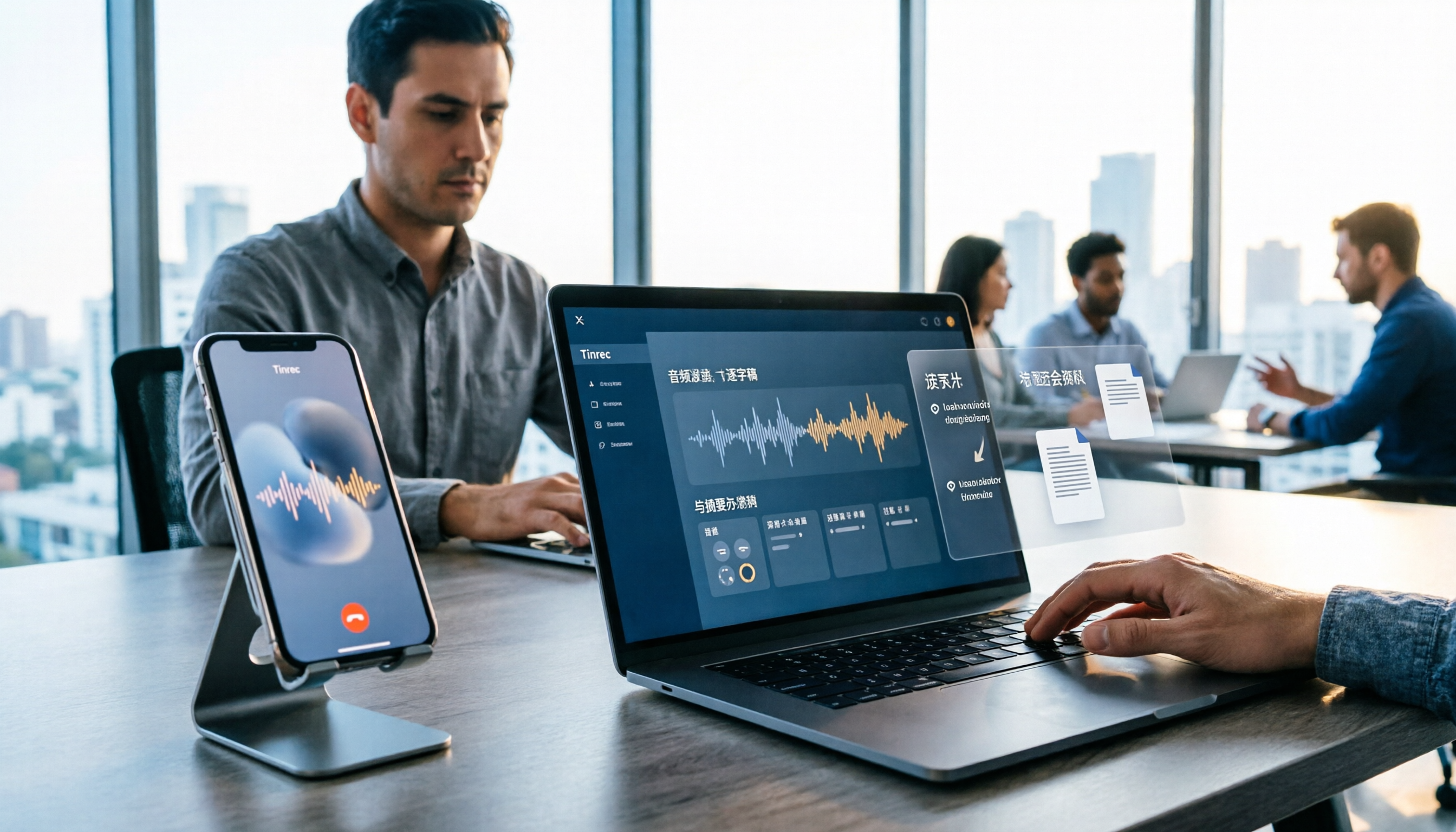
| Tinrec | AI meeting notes and team collaboration tool | Web, desktop, mobile | Transcript, summary, chapters, action items, queryable meeting data |
| Otter.ai | Mature AI meeting assistant | Primarily online meetings and English business scenarios | Transcript, summary, AI Q&A, team management |
Below I'll break down the comparison across five dimensions, each returning to the same question: for someone recording on an iPhone, is this path smooth?
Dimension 1: How the Recording Leaves the iPhone
The Voice Memos flow: record, stop, find the recording, tap Share, save to Files, then upload elsewhere.
One extra step—but that step is often where procrastination begins.
Otter.ai on iPhone treats it as a meeting recording entry point: you can record and transcribe directly in the mobile app, and online meetings can be connected through its method. For English-dominant meetings, this path works.
Tinrec takes a different approach. On mobile it supports real-time recording-to-text—transcribing as you record, no need to wait until the end. If recordings already exist on your phone, you can upload exported .m4a or .mp3 files directly for transcription.
My hands-on impression: if you're used to "record first, deal with it later," Tinrec's real-time transcription saves you the "catch-up" step.
→ This dimension: Tinrec's acquisition path is shorter, especially with real-time transcription while recording.
Dimension 2: Chinese and Mixed Chinese-English Transcription Experience
This is what I care about most, because meetings in Taiwan are almost never pure Chinese.
A sentence mixing two English product names, an acronym, and a Taiwanese phrase is the norm.
Otter.ai's strength is English business meetings—that's where it has deep experience. But with Chinese-dominant content mixed with English terminology, you'll spend more time fixing things afterward.
Tinrec focuses on Chinese, Traditional Chinese, and mixed Chinese-English content, and also supports multilingual meeting transcription and real-time translation, with options to view original text, translation, or bilingual view.
A caveat: no tool should promise a fixed accuracy rate. Recording quality, background noise, accents, and overlapping speakers all directly affect results. The segment I recorded in a noisy café wasn't great with any of the three.
→ This dimension: for Chinese and mixed Chinese-English scenarios, Tinrec is closer to actual needs.
Dimension 3: What You Get After Recording
This is the key to the whole thing, in my view.
Voice Memos gives you an audio file. That's it.
Otter.ai gives you transcripts, summaries, and AI Q&A—very helpful for meeting review.
Stop organizing recordings by hand
Upload audio or video and automatically get a transcript, summary, and action items
Tinrec extends the post-meeting output further: transcript, AI summary, chapters and highlights, action items, mind map, plus an Agent post-processing layer that can generate reports, tables, and documents based on meeting content.
My own workflow: after an interview, I check the summary first to grasp the big picture, then use AI Q&A to ask "what were the three main obstacles the interviewee mentioned," and finally pull out action items to turn directly into a next-step to-do list.
What's the difference? You don't need to "listen through to know what to do."
→ This dimension: Tinrec covers a more complete post-meeting workflow.
Dimension 4: Keeping the Audio File and Taking It With You
Something many people don't consider: will you need to go back and listen to the original audio later?
Tinrec retains audio, and transcripts can be matched back to timestamps so you can verify important content. It also supports multi-format export, letting you take results to Notion, Google Docs, OneNote, Dropbox—places you already use.
Otter.ai also has mature export and integration capabilities, suitable for those who've built their workflow in the English tool ecosystem.
My principle: AI-organized results can be fast, but always keep the original recording.
Because AI may miss things or misunderstand—especially numbers and proper nouns. For important decisions, I always go back and verify against the original audio.
→ This dimension: both retain and export, but Tinrec's chain for post-export processing is a bit longer.
Dimension 5: Multi-person Collaboration and Data Ownership
If you're just organizing your own recordings, you can skip this section.
But once your recordings become data your team uses, things get more complex.
Otter.ai has mature team and enterprise capabilities—the result of years in the enterprise market.
Tinrec's team version takes an "independent team space" approach: you can create multiple team spaces, invite members via link, set Owner/Admin/Member roles, and distinguish "roles" from "seats"—roles govern administration, seats govern whether one can record, upload, edit, and export.
Worth clarifying: members without a seat can still view, play, and read team data, but cannot upload, edit, or export.
The team version also includes team hotwords (maintain common terminology), usage analytics, audit logs, and an audio recycle bin (currently retained for 30 days, recoverable or permanently deleted).
Current team pricing: USD 29.80 per paid seat per month, or USD 199 per paid seat per year (about USD 16.58/month), with each paid seat providing 2,000 minutes of shared team import quota per month; eligible teams get a 7-day trial, 1 free seat, and 300 minutes of shared import quota on first signup. Actual prices and benefits are subject to the official purchase page.
→ This dimension: Otter's enterprise capabilities are more mature; Tinrec's advantage is in Chinese teams and clear role/seat separation.
What Are the Unique Advantages?
Tinrec's unique advantages
First, the desktop version directly captures computer system audio, so you don't need to add a bot to Zoom, Google Meet, Microsoft Teams, or Webex meetings.
Second, post-meeting output goes beyond transcripts to include summaries, chapters, action items, mind maps, and AI Q&A you can keep querying.
Third, team spaces turn meeting data into team assets—when members change, data doesn't leave with individuals.
Fourth, real-time translation and bilingual view are supported, so cross-language meetings don't require separate tools.
Otter.ai's unique advantages
First, its maturity and user habits in English business meetings are its solid foundation.
Second, workflow integrations and enterprise management capabilities were built early, making it low-friction for pure English teams.
Conclusion: Which Should You Choose?
- If you just want to know what format iPhone recordings are and back up the file → built-in Voice Memos is enough; remember to export as .m4a
- If you record Chinese meetings, interviews, or courses and need transcripts plus summaries → Tinrec
- If you need real-time transcription while recording and don't want to wait until the end → Tinrec's mobile real-time recording-to-text
- If you need to turn transcripts into action items, reports, or documents → Tinrec's Agent post-processing
- If you want a team-shared meeting database with role and seat management → Tinrec Team
- If your meetings are almost entirely in English and your team is already used to the Otter ecosystem → Otter.ai is a reasonable choice
In one sentence: for most people recording Chinese content on iPhone, Tinrec is the more complete choice for the path from "file" to "usable data."
Quick Start Checklist
- Open Voice Memos and rename every recording—don't leave "New Recording 1"
- Right after recording, tap Share, choose "Save to Files," and export the .m4a as an independent file
- When you need a transcript, upload the .m4a to Tinrec or use real-time recording-to-text directly
- Check the AI summary first to grasp the big picture—don't start re-listening from minute one
- Use AI Q&A to ask specific questions, e.g., "What was the conclusion about the budget in this meeting?"
- Pull out action items and export to the tools you already use
- Build the habit: verify important content against the original audio; don't fully trust AI
The recording tool itself isn't hard—the hard part is the "after recording" habit.
I started out just wanting to know what format iPhone recordings are, and later realized the real design challenge is the path after the file leaves your phone.
Test step by step, and you'll gradually master this method too.
References
- Where Are iPhone Recording Files? 2026 Complete Guide: From Finding the Path to AI Transcription - Tinrec Blog
- 2026 Guide | Where Are iPhone Recording Files? 3 Quick Ways to Find Them, Plus Tinrec AI Recording Assistant for Easy Transcription - Tinrec Blog
- Where Are iPhone Recordings Stored? File Path Decoded and 5 Efficient Speech-to-Text Tools Tested - Tinrec Blog
- How to Record iPhone Calls? 5 iPhone Call Recording Methods Revealed!
- Record in Voice Memos on iPhone - Apple Support (Hong Kong)
Turn every recording into actionable outcomes
Get 60 free transcription minutes when you sign in. No credit card required.
Related Reading
You might also like
2026 LINE Call Recording Guide: 5 Methods Tested and Recommendations
LINE doesn't offer built-in call recording, so users rely on screen recording, third-party apps, hardware recorders, or computer-based recording—each with limitations. This article covers five practical LINE recording methods and explains that the real challenge isn't recording but what to do with the audio afterward. It demonstrates how Tinrec turns recordings into transcripts, summaries, action items, and searchable team meeting notes.

5 Ways to Edit iPhone Voice Recordings in 2026: Trim, Cut Middle, or AI Highlights?
How do you edit iPhone voice recordings? This article compares Voice Memos built-in trimming, GarageBand, Audacity, recording hardware, and AI meeting note tools, explaining which can trim ends, which can cut middle sections, and how to save time if your goal is to extract key points instead of shuffling files and fast-forwarding.

iPhone Built-in Voice Memos vs Tinrec in 2026: 5-Dimension Comparison — Which Is Better for Transcripts?
Three common pitfalls when transcribing iPhone recordings: thinking you have to pay, assuming built-in is enough, and losing files. This guide breaks down the complete workflow—recording, transcription, proofreading, meeting minutes, and export—in 5 steps, and compares iPhone's built-in Voice Memos with Tinrec across 5 dimensions to help you decide when built-in suffices and when to switch tools.

5 LINE Recording Apps Tested for 2026: Which One Turns Calls into Transcripts and To-Dos?
LINE doesn't have built-in recording, and Android and iOS restrictions have broken many call recording apps. This article covers 5 common LINE recording methods and shows how Tinrec turns call audio into transcripts, summaries, and to-dos—solving the pain of re-listening. Includes buying tips, personal vs. team plan differences, and FAQs.

How to Record LINE Calls in 2026: 4 Tested Methods + Auto Transcription
LINE doesn't have a built-in call recording feature, and the solutions for iPhone and Android are completely different. This guide, based on real student testing, covers 4 methods for recording LINE calls, explains which ones only capture your own voice and which actually record the other person, and shows how to use Tinrec to turn recordings into searchable transcripts, summaries, and action items.

4 LINE Call Recording Tools Tested for 2026: Which One Actually Organizes Your Recording?
LINE has no built-in recording feature, and on iPhone it's nearly impossible to record within the app. This article starts with common mistakes and tests four viable solutions—Tinrec, PLAUD Note, Granola, and Notta—comparing how to obtain audio files, organization efficiency, and free quotas to help you find a truly usable LINE call recording workflow.

4 LINE Call Recording Methods Tested and Compared for 2026: How to Record on iPhone and Android, and How to Organize with Tinrec
LINE doesn't have a built-in recording button, and iPhone and Android have different limitations. This article covers 4 common LINE call recording methods and compares how to use Tinrec to turn recordings into transcripts, summaries, and action items so your calls can be reused.

How to Record LINE Calls on iPhone in 2026: 3 Tested Methods + AI Transcription
iPhone doesn't have built-in LINE call recording, but there are plenty of dubious workarounds online. Starting from what you actually need, this guide covers three viable methods for recording LINE calls on iPhone in 2026, their limitations and common failure reasons, and explains how to use Tinrec to turn recordings into searchable transcripts, summaries, and action items.

2026 AI Meeting Notes Tools Compared: Stop Taking Notes Yourself—The Real Key Is What Happens After the Meeting
Just finished a meeting and realized no one remembers the conclusions? This article starts from real meeting scenarios, outlines 4 key factors for choosing an AI meeting notes tool, and compares Tinrec, Otter.ai, Notta, and Granola. The focus isn't just speech-to-text—it's whether you can directly ask for conclusions and action items after the meeting, and whether your team's data stays with you.