

Turn recordings into transcripts and summaries in minutes
Upload audio or video for multilingual transcription, AI notes, and action items
Spent 2 Hours in a Meeting and Another 2 Hours Writing Up the Notes? You Don't Need More Time—You Need the Right Tool
Most office workers have been there: you're scrambling to take notes during the meeting and can't fully focus on the discussion. Afterward, you replay the recording to type up a transcript, pausing and rewinding over and over—an hour of audio can easily take three times as long to process. And if it's an online meeting with Chinese-English terminology bumps and multiple speakers, simply following who said what can give you a headache.
This isn't just a meeting problem—it also applies to classes, interviews, and podcasts. You record tons of audio, but it ends up sitting on your hard drive, never opened again, because actually using that content takes too much effort.
If this sounds familiar, this article is for you. I actually tested five of the most talked-about recording-to-text tools on the market, comparing accuracy, AI summarization capabilities, and cross-platform convenience, to help you find a tool that genuinely saves time and turns your recordings into reusable data.
Before You Buy a Recording-to-Text Tool, Understand These 4 Key Points
Many people buy based on the official “98% accuracy” claim, but the real-world experience is often different. Here are the criteria I think really matter, and the basis for this test.
1. Accuracy Should Be Judged in Real-World Conditions
Official numbers are usually measured in a soundproof studio. But your meeting room has air-conditioning noise, keyboard clicks, or even background music from a café. That's why I tested with a real recording: a five-minute Chinese meeting captured on a phone, with two people talking and some ambient noise. Under those conditions, the real differences between tools become clear.
2. AI Features Aren't Just Nice to Have—Think About How Much Effort They Save
Having a transcript is only the first step. You'll want summaries, key-point highlighting, and even the ability to ask the AI: “Who brought up the budget adjustment at the last meeting?” Some tools stop at the transcript; others let you further organize, ask questions, and export in different formats. This makes a big difference for long-term power users.
3. Input Sources Matter More Than You Think
You might record on your phone or computer, and often need to process old audio files, videos, or even public YouTube links. If a tool only handles live recording or restricts file formats, it's not very convenient. Choose a tool that covers multiple input sources, so you don't have to install several apps for different needs.
4. Does the Free Tier Meet Your Everyday Needs?
Most tools offer a free plan, but monthly minute limits vary widely. If you attend two to three meetings a week, you may need 300–500 minutes of transcription per month. Estimate your usage before you choose, so you don't suddenly hit a cap mid-project.
Tinrec: Our Top Pick After Real-World Testing
Tinrec is an AI recording and audio/video organizing tool that supports 14 languages, with iOS, Android, and web versions. It doesn't just convert speech to text; it emphasizes what you can do after conversion—that's its biggest difference from other tools.
Live Transcription with Meeting Summaries Ready When You're Done
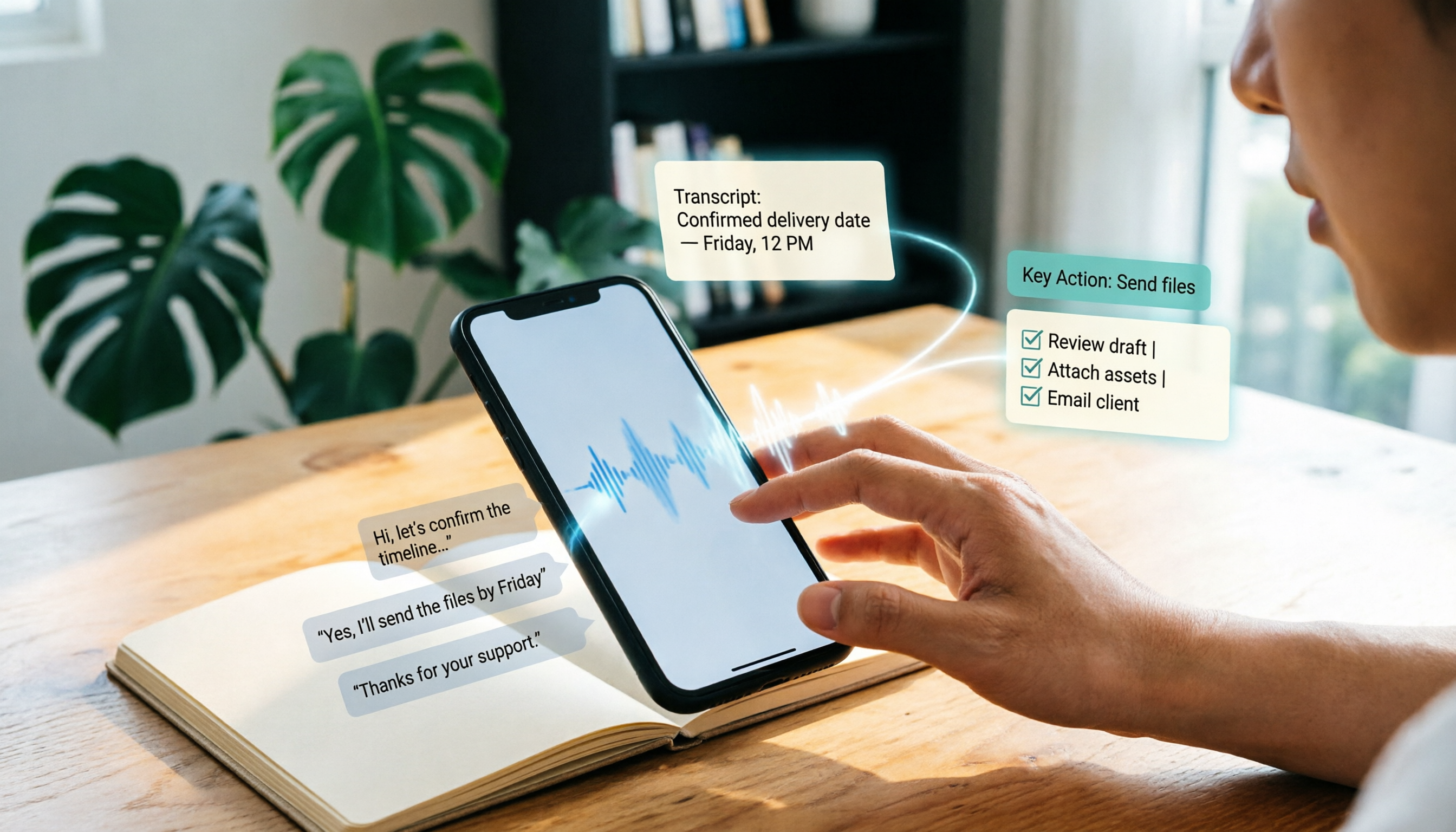
Open Tinrec during a meeting and it displays the transcript in real time while recording, automatically highlighting key points and action items. My favorite feature is its AI Q&A: after the recording, you can ask questions like “What was the conclusion of this meeting?” or “Who is responsible for contacting the vendor?” It understands the content semantically and answers directly, instead of just showing search results for keywords. Currently, almost no other tool at this price point offers this capability.
In addition to live recording, you can upload old audio files, video files, or even paste a public YouTube or Bilibili link. Tinrec converts the content to text and generates a summary and chapter timestamps, which is extremely useful for content creators and researchers.
Real-World Accuracy: 7.2% Word Error Rate, Impressive Chinese Handling
Using the same five-minute Chinese meeting recording (captured on an iPhone 15 in a 26°C office with light keyboard noise), Tinrec's word error rate was 7.2%—significantly better than most competitors. It also handles Traditional Chinese terms and Chinese-English mixed speech well, and when something is unclear you can jump to the original timestamp and listen again.
Stop organizing recordings by hand
Upload audio or video and automatically get a transcript, summary, and action items
Overview of Strengths: More Than Just a Transcript
- Multiple input sources: handles live recording, audio files, video files, and web links, making it easy to use across different scenarios.
- Powerful post-transcription tools: automatic summaries, chapters, action items, and AI Q&A, plus export to Word, TXT, subtitle files, or sync to Notion and Google Docs.
- Seamless cross-platform experience: record on your phone, organize on your computer, with automatic progress sync—no more time-consuming file transfers.
Let's Also Mention the Limitations
The free plan has a monthly transcription limit (check the product page for details), and heavy users will need a paid plan. Still, for most office workers attending two to three meetings a week, starting with the free tier to confirm it fits your workflow before upgrading is a reasonable approach.
Who Should Use It?
If you regularly need to organize Chinese meeting minutes, lecture recordings, or interview transcripts, or want to turn a YouTube video into a text note with one click—and you also want to ask the AI directly about key points after recording—then Tinrec is currently the closest match to those needs.
What Are the Alternatives to Tinrec?
Notta: Strong Transcription, but Weaker for Online Videos
Notta is a direct competitor to Tinrec. Its transcription and translation quality are solid, and it offers generous monthly plans. However, during testing we found that it doesn't support pasting a web video link to generate text—which is inconvenient if you need to summarize YouTube or Bilibili content. Also, although Notta has AI summaries, it lacks the free-form AI Q&A feature that Tinrec offers, so after recording you'll still have to manually scan the transcript to find key points.
Otter.ai: The King of English Meetings, But Wait for Chinese
Otter.ai is nearly the gold standard for English transcription. Its free plan is generous at 300 minutes per month, making it the only tool in this article that I'd recommend over Tinrec for purely English meetings. But its Chinese recognition is noticeably weaker (a word error rate above 15% on the same recording), and it lacks AI summarization optimized for Chinese contexts. If you primarily record English content, Otter is the go-to; for mixed Chinese-English or fully Chinese settings, Tinrec is more practical.
PLAUD Note: Nice Hardware, but Unnecessary If Your Phone Already Does the Job
PLAUD Note is an AI recording device that's been getting a lot of attention lately. It's well-designed and its recording quality is genuinely good. But you need to buy the hardware (presale price is around NT$5,000), and you'll also need a subscription to unlock the full transcription quota. If you always have your phone with you anyway, an app-based solution like Tinrec can handle most scenarios and save you the hardware expense.
Pitfall Guide: 3 Common Mistakes When Choosing a Recording-to-Text Tool
Pitfall 1: Relying Only on the Official Accuracy Number
Many tools advertise “98% accuracy,” but that's lab data. Real meetings have background noise, overlapping speech, and accents—accuracy takes a hit. My advice: test the free trial with a recording from your own typical environment, and see for yourself.
Pitfall 2: Thinking the Transcript Is the Finish Line
With a meeting that lasts an hour, you're not going to read the whole transcript to find key points. Choose a tool with AI summaries, action-item extraction, and even conversational Q&A to truly save follow-up time. With a tool like Tinrec, you can ask “What was the conclusion?” after the recording—far faster than manually searching for keywords.
Pitfall 3: Ignoring Cross-Platform and Multi-Source Needs
You might record on your phone today, want to organize on your computer tomorrow, and also turn a YouTube tutorial into notes. If a tool only supports one device or one input method, you'll quickly feel restricted. Cross-platform and multi-source support are the most important convenience factors over the long term.
Summary: Which One Should You Choose?
After testing five tools, I believe Tinrec is the best fit for most people—especially if you need to handle Chinese content and want AI to help organize it rather than just convert it to text.
- Meeting minutes, class notes, interview transcripts → Tinrec, with reliable Chinese recognition and the most complete AI summaries and Q&A.
- Frequently need to capture key points from YouTube videos → Tinrec, because you can paste a link and get text plus a summary—other tools don't make it as smooth.
- English-only meetings, no Chinese support needed → Otter.ai, with a high free quota and a mature English transcription ecosystem.
- Zero budget / just want to try it out → Start with Tinrec's free plan; the monthly allowance is enough to test it on 2–3 meetings.
My suggestion: download the Tinrec app or try the web version first. Use up your free quota, then decide whether to upgrade. Rather than buying a tool only to find it doesn't fit, test it with a recording from your daily routine and see how much time the AI can save you.
References
- Online AI Speech, Video, and Recording Auto-Transcription - Free Trial - cSubtitle
- Meeting Ink - 2026 AI Meeting Transcription Tools Review: 8 Speech-to-Text and Summary Speed Comparison | Meeting Ink - AI Meeting Notes Assistant
- AI Voice Notes: 5 Recommended AI-to-Text Tools! Generate Transcripts and Meeting Highlights, Free vs Paid, Pros and Cons | 104 Career Force
- 2026 Must-See! 4 Recommended AI Audio-to-Text Tools: Meeting Notes and Podcast Transcript Powerhouse Comparison - Mobile01
- Notta - Highly Accurate Transcript, Voice to Text, Meeting Recording, AI Summary Notes App - App Store
Turn every recording into actionable outcomes
Get 60 free transcription minutes when you sign in. No credit card required.
Related Reading
You might also like

2026 Outlook Teams Meeting Notes Comparison: Which Method Saves the Most Time After the Meeting?
The new Outlook has built-in Teams meeting toggles, making scheduling a 30-second task—but the real cost is post-meeting organization. This guide breaks down the 5 key checks for scheduling Teams meetings in new Outlook, from version identification to account requirements and step-by-step actions, and compares three post-meeting documentation methods: Teams built-in transcription, Otter.ai, Notta, and Tinrec, to help you choose the most time-saving meeting workflow.

5 LINE Call Recording Methods Tested for 2026: Can iPhone and Android Record Both Sides?
LINE has no built-in call recording feature, and iPhone screen recording often captures only your own voice. This guide covers 5 practical LINE recording methods—from iOS 18 built-in call recording and Android screen recording to computer system audio capture—and compares how to use Tinrec to turn recordings into transcripts, summaries, and action items.

5 LINE Call Recording Methods Tested for 2026: Which One Actually Captures the Other Person's Voice?
LINE itself has no call recording button, so the real question is whether you're using a phone or computer, iPhone or Android. This guide covers 5 common LINE call recording methods, whether each captures the other party's voice, and how to use Tinrec afterward to turn audio into transcripts, summaries, and action items—solving both 'recording it' and 'making it useful.'

5 Best Microsoft Teams Meeting Transcription Tools in 2026: From Built-in Recording to AI Summaries
Creating a meeting in Teams takes three clicks, but the real time sink is post-meeting organization. This guide first breaks down the differences between the three entry points for creating Teams meetings—calendar meetings, channel meetings, and Outlook—along with a pre-send checklist. Then it compares five solutions that turn meetings into transcripts, summaries, and action items, helping you move from 'meeting ended' to 'ready to act.'
6 Ways to Save LINE Voice Messages and Calls in 2026: Tested and Compared
Can't find a download option when you long-press a LINE voice message? This article covers 6 methods to save LINE recordings—from sharing to Files on mobile, saving on desktop, Keep notes, to AI transcription tools. We tested which method is least likely to lose files and explain how to turn saved recordings into transcripts, summaries, and action items.

What Is LINE IN Recording in 2026? 2 Recording Solutions Compared: Don't Confuse It With LINE Call Recording
LINE IN recording captures a line-level input signal, which is completely different from recording a LINE call. This article first explains in 3 minutes the equipment, connections, and most common volume misunderstanding for LINE IN, then compares PLAUD NotePin and Tinrec across five dimensions: device requirements, post-meeting organization, scenario coverage, Chinese-language experience, and team collaboration, to help you decide which method to use for preserving important audio.

How to Save LINE Voice Messages to Your Phone in 2026: 5-Step Guide
How do you save LINE recordings to your phone? This guide tackles three common misconceptions and walks you through five steps to download LINE voice messages, convert them to MP3, and back them up to the cloud. It also explains why LINE call recording isn't managed by LINE and how to turn saved audio into searchable, queryable text data.

How to Save LINE Recordings in 2026: 5-Step Guide to Voice Messages, Call Recordings & Backup
LINE recordings come in two types—chat voice messages and call recordings—and they're saved completely differently. This guide walks you through 5 steps to save voice messages to your phone, computer, and cloud, explains how to handle call recordings, covers 4 common mistakes that make files disappear, and shows how to turn saved recordings into searchable, queryable text with AI tools.

3 LINE Voice Message Download Methods Tested in 2026: Which One Actually Works?
LINE doesn't offer an official download button for voice messages, and online tutorials contradict each other. This guide covers three approaches—saving via Keep Notes, sharing to Files, and third-party backup tools—comparing compatible devices, batch capability, and real limitations, plus how to transcribe recordings after downloading.