

Turn recordings into transcripts and summaries in minutes
Upload audio or video for multilingual transcription, AI notes, and action items
Introduction: Can't Seem to Grasp the Key Points in Long Videos?
Have you ever been in this situation: a friend sends you a "must-watch" YouTube video, you click it and find it's 40 minutes long, so you scrub through the timeline and worry you'll miss something important? Or you search for tutorials online and find a bunch of videos, each over ten minutes long, and you want to quickly compare which one is useful but have no idea where to start.
Honestly, I used to be the same way—until I started using an AI video summarizer and realized how much time it could save.
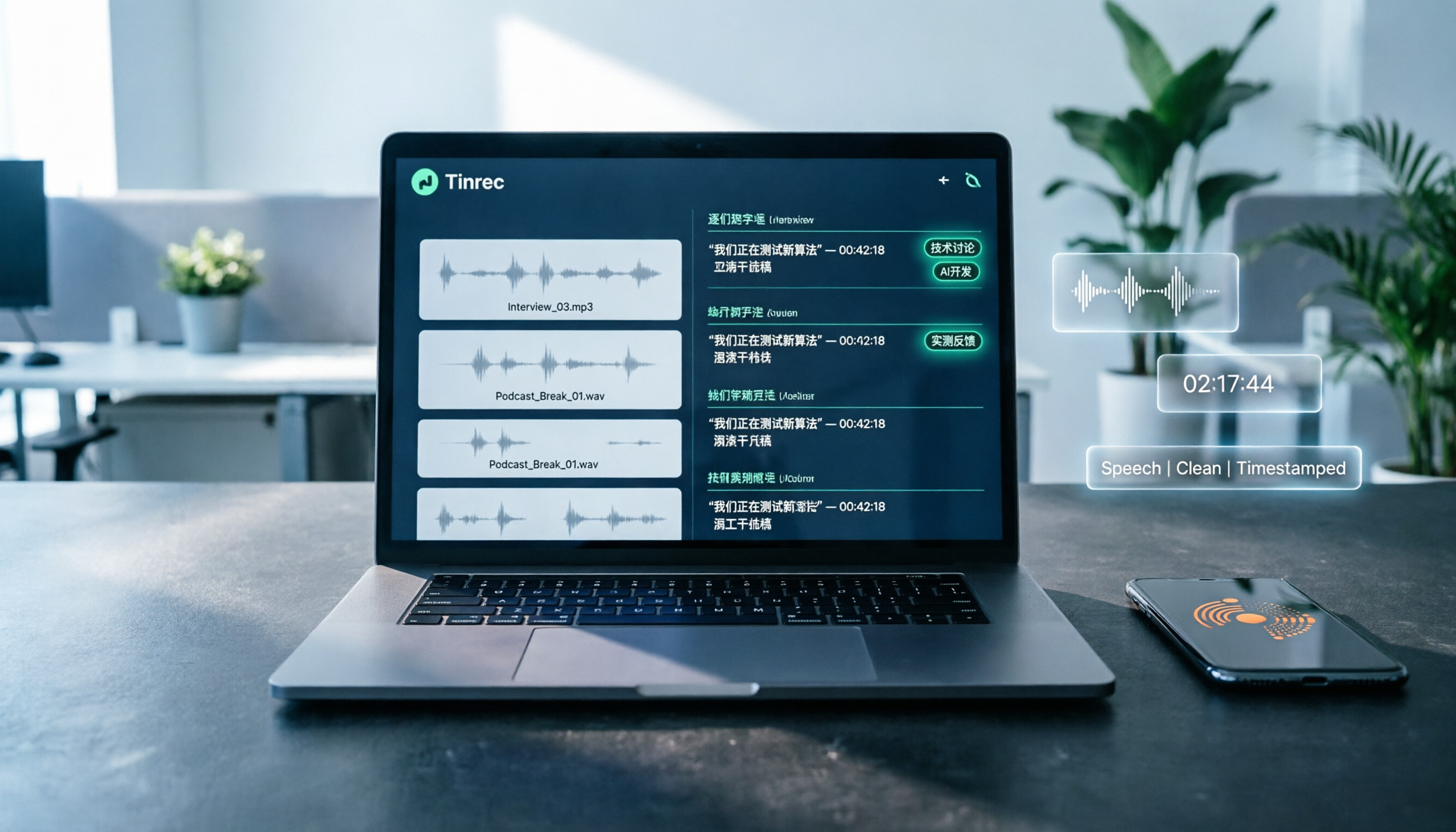
The tool this article introduces, Tinrec (秒听录音), is a completely free AI audio/video organization tool to get started with. It not only transcribes videos into text for you, but also automatically generates summaries, chapters, and key points. It supports public video links such as YouTube—just paste the URL and it analyzes it directly.
Below, I'll walk you through 5 practical steps and share how to choose a free video summarizer that suits your needs.
What Is Tinrec?
Simply put, Tinrec is an AI recording and audio/video organization tool. But it's not just for meeting recordings—it can also transcribe public videos from the internet (such as YouTube, Bilibili, TikTok, etc.) into text and automatically generate summaries, chapters, and to-do items.
For the average user, you can think of it as a "video key-point organizer": if you want to watch a video but don't want to spend too much time, let Tinrec pick out the highlights for you.
Even better, it offers a free tier with a basic monthly transcription allowance that's enough to try several videos—ideal for people who occasionally need to organize video content.
What Can a Free Video Summarizer Do for You?
You might think: "So it turns video into text—now what? I still have to read it myself." Actually, Tinrec does far more than just transcription:
Scenario 1: Quickly decide whether a video is worth watching After pasting the link, you can get the AI summary in minutes and see at a glance what the video is about and whether it contains the information you need. No more scrubbing or gambling on luck.
Scenario 2: Turn tutorial videos into text notes Want to learn a new skill and found a great tutorial, but don't want to keep pausing to take notes? Tinrec provides the full transcript, and it can even split sections and mark chapters for easy review later.
Scenario 3: Organize key points from interviews, lectures, or podcasts Some in-depth conversations can last one or two hours, and after listening you might remember only 30% of it. Tinrec's AI summary lists the topics and key points discussed, and can even pull out to-do items or quotable lines.
All of these scenarios are achievable with Tinrec's free version, and the operation is very intuitive.
Tinrec's Core Features and Highlights
What makes Tinrec so useful is that it's not just a "text generator"—it actually helps you turn video content into usable information:
- Web video link parsing: Supports public videos like YouTube, Bilibili, and TikTok—just paste the URL to start transcription.
- AI summaries and chapters: Automatically picks out the core points of a video and breaks long content into structured chapters for easy skimming.
- To-do item extraction: If the video mentions action items, Tinrec pulls them out for you (e.g., "Turn in the report by next Friday").
- AI Q&A: After transcription, you can ask Tinrec things like "Does this video mention a budget?" or "What book did the speaker recommend?" and it will answer based on the content—like chatting with your own database.
- Multi-format export: Finished transcripts and summaries can be exported as TXT or Markdown, or directly saved to tools like Notion and Google Docs for further editing.
Worth noting: Tinrec handles Chinese content well, with quite good transcription and summarization quality for Traditional Chinese—that's one of the main reasons I recommend it.
Plans and Pricing: Is the Free Version Enough?
Tinrec offers several plans, so you can choose based on how often you plan to use it:
- Free plan: Includes a basic monthly transcription allowance. You can use it to try live recording, file imports, and web video parsing. If you only watch a few videos a month, the free version is more than enough.
- Weekly pass: Great for people who need to process a large number of videos in a short time, such as during exam prep, intensive interviews, or a project period.
- Pro monthly/yearly: Offers a higher monthly transcription quota, suitable for regularly organizing meetings, courses, or for content creators. The yearly plan works out cheaper per month.
Stop organizing recordings by hand
Upload audio or video and automatically get a transcript, summary, and action items
For typical entry-level video organizing needs, I'd recommend starting with the free plan. Once you're really seeing the value, you can consider a paid plan later.
Tutorial: Summarize a Video with Tinrec in 5 Steps
Step 1: Go to the Tinrec website or download the app
Open your browser and go to the Tinrec official website (search for "Tinrec 秒听录音"), or download the "秒听录音" app from the App Store or Google Play on your phone. It's available on web, iOS, and Android—pick the device you use most.
Step 2: Find the link to the video you want to summarize
Open the video on YouTube or another supported platform, and copy the full URL from the address bar. Tinrec mainly supports public videos; if a video is private or requires login to watch, it may not be able to parse it.
(Screenshot location: YouTube video page, with the URL highlighted)
Step 3: Paste the link in Tinrec and start parsing
Back in Tinrec, click the "Web Video" or "Paste Link" option and paste the URL you just copied. The system will automatically recognize it, start extracting the video's audio, and then transcribe it.
(Screenshot location: Tinrec main screen, the field for pasting your link)
Step 4: Get the transcript and AI summary
Wait a few minutes (depending on the length of the video). Once transcription is complete, you'll see the full verbatim transcript. More importantly, the right side or bottom will automatically generate an "AI summary" that lists the video's core points. Some videos also have chapters that let you jump to a specific section with a click.
(Screenshot location: Tinrec transcription completion screen, showing summary and transcript)
Step 5: Ask questions or export
If you want to dive deeper into something in the summary, just type a question in the chat box, such as "What is the speaker's stance on XX?" Tinrec will answer based on the video's content. Finally, you can export the transcript or summary to a file, or transfer it to tools like Notion with one click.
(Screenshot location: Tinrec's AI Q&A feature screen)
And that's it! The whole process doesn't require downloading the video or installing extra software—just one link does the job.
Practical Use Cases
Beyond quickly skimming YouTube, Tinrec is also super handy in these situations:
- Class recording review: After a teacher posts recorded lectures online, use Tinrec to turn them into text notes so you can search for keywords and jump to the relevant segment.
- Interview organization: After an interview, media professionals or graduate students don't need to re-listen to the whole recording—Tinrec can directly produce a quotable transcript and summary of viewpoints.
- Content creation: If you want to draw inspiration from others' videos, use Tinrec to grab the key points, then combine them with your own ideas to write an article or make a video—double the result with half the effort.
4 Things to Keep in Mind When Choosing a Video Summarizer
There are many AI video summarizers on the market. If you're still deciding, evaluate them from these perspectives:
- Supported platforms: Some tools are limited to YouTube and can't handle other platforms. Tinrec supports YouTube as well as Bilibili, TikTok, and more—making it friendlier for Chinese-speaking users.
- Chinese transcription quality: Some tools are primarily designed for English, and their Chinese accuracy may suffer. Tinrec performs quite consistently in Chinese (including Traditional Chinese), accurately transcribing general conversations or lectured content.
- More than just transcription: Turning video into text is only the first step; what matters is what happens afterward. Tinrec provides summaries, chapters, and AI Q&A, transforming content into searchable, reusable material.
- The value of the free plan: Some tools' free versions are heavily restricted—for example, only one use per day or forced watermarks. Tinrec's free plan offers a reasonable monthly allowance with full features, making it great for trying things out first.
Frequently Asked Questions
Does Tinrec's free version have usage limits?
The free version provides a basic transcription allowance every month; see the official website for current quotas. For occasional light use (organizing a few videos a month), it's sufficient.
Which platforms' videos can be summarized?
Currently, it supports public video platforms like YouTube, Bilibili, and TikTok. As long as the link is publicly shared, it can usually be parsed.
Is there a limit on video length?
Long videos can also be processed, but transcription time increases with length. If a video is over an hour, we recommend being patient or using the Pro plan for faster processing.
Is the transcribed text accurate?
Accuracy can be affected by factors such as audio quality, background noise, the speaker's accent, and specialized terminology. With clear audio, accuracy for general conversation or educational content can reach over 90%. For important information, it's best to cross-check with the original video.
Besides video summarization, what else can Tinrec do?
Tinrec also supports real-time recording transcription and uploading audio files to get verbatim transcripts—it's an all-around audio/video data organization tool. You can use it for meetings, courses, and interviews alike.
Conclusion
If you often struggle with watching long videos or need to quickly organize large amounts of video information, Tinrec's free video summarization feature is definitely worth a try. It's easy to use, has good Chinese support, and the free version already offers useful transcription and summarization capabilities.
Instead of spending time scrubbing through videos and taking notes, let the AI pull out the key points for you. Next time you come across a video you want to watch, try dropping the link into Tinrec and see how efficient it is to go from "watching" to "reading".
References
Turn every recording into actionable outcomes
Get 60 free transcription minutes when you sign in. No credit card required.
Related Reading
You might also like

Notta Review 2026: 5 Key Comparisons with Tinrec — Which Is Better for Chinese Meeting Transcription?
Is Notta worth using? This article compares Notta and Tinrec across five dimensions: Chinese transcription, online meeting recording methods, free tier and pricing, post-meeting AI organization, and team collaboration governance. It also summarizes real user feedback from third-party review sites to help you decide which tool better fits your meeting scenarios.

Shahnawaz Notta DO: Resident Physician Research Profile and Publications (2026)
A review of Shahnawaz Notta DO's institutional affiliation, research topics, and representative publications from public academic profiles, with practical steps to verify author identity and avoid confusion with namesakes.
How to Download Nottam Ringtone in 2026: 5 Steps from Search to Setup
Struggling with Nottam ringtone downloads that are in the wrong format, too long, or lost in your files? This guide walks you through 5 steps: finding the audio, converting to iPhone-compatible M4R, setting it as your ringtone, and using Tinrec to turn downloaded audio into a searchable transcript library—solving the 'download and disappear' problem for good.

2026 AI Meeting Recorder Comparison: PLAUD Note PTT Reviews and a Better Alternative
PTT opinions on the PLAUD Note are split—some say an app can do the same thing, while others say the time saved is well worth it. This article starts from the decision point of 'do you actually need hardware or a workflow,' compares a recording card with software-based tools, and uses Tinrec to demonstrate a complete workflow for bot-free online meeting recording, AI summaries, action item extraction, and team spaces.

Nottambulando vs Nottambulando Olbia in 2026: A 5-Dimension Comparison to Help You Search the Right One
Searching for 'nottambulando' brings up both a photography and events page and a pizzeria in Olbia, Italy—two different entities with the same name. This article breaks down the name positioning, services, reputation, price clues, and platform traceability across five dimensions to help you determine which one you're looking for, and highlights rating discrepancies and information sources to watch for during verification.

Nottam Shopping Guide 2026: 3 Price Traps and a Pre-Order Checklist
Nottam (nottam.co) positions itself as "The Smart Price Shop," displaying "Other Shop Price" alongside "Whole Sale Price" on product pages. Using eight real prices from the official site, this guide breaks down how to interpret these dual price tags, the free-shipping threshold trap at ₹500, and four things to confirm before ordering—so you can calculate the true total cost.
Nottawa Gas Propane Prices: 2026 Comparison of 3 Local Suppliers — Price Transparency Is Key
Nottawa Gas doesn't list live propane prices on its website. This article outlines practical ways to check prices in 2026 (FuelWonk pages for ZIP codes 49075 and 49092) and compares Nottawa Gas, Caywood Propane Gas, and Sheets LP Gas across five dimensions: price transparency, bill predictability, risk of running out, delivery area, and supply scale—so you know what to ask and how to judge before you call for a quote.

Nottambulando Olbia Review 2026: Menu, Prices & 5 Must-Know Tips
Nottambulando is a pizzeria, paninoteca, and focacceria near Olbia's old town in Sardinia. This guide covers its location, wood-fired thin-crust pizza, fixed-price custom toppings, typical costs, and why ratings vary across platforms—so you can decide if it's worth fitting into your itinerary.

2026 Notta vs. AI Meeting Recorder Buying Guide: 7 Tools Tested and Recommended
People searching for 'now Notta' are usually trying to decide if Notta is still worth using. This article reviews 7 AI meeting transcription and recording tools, comparing pricing, Chinese language support, meeting capture methods, and team collaboration, with recommendations based on different scenarios.