

Turn recordings into transcripts and summaries in minutes
Upload audio or video for multilingual transcription, AI notes, and action items
2026 Hands-On Test: 3 AI Year-End Review Tools Compared – Recording Recap, Report Generation, Which Is Easiest?
Your Pain Point: Can’t Find Work Evidence, So Your Annual Summary Won’t Write Itself
Every year-end, the hardest part of writing your “personal summary” and preparing for your annual review isn’t that you didn’t do the work—it’s that the evidence is scattered everywhere. Project discussions, manager feedback, and brainstorming sessions from the past year are mostly buried in hundreds of hours of meeting recordings, chat logs, or emails. Manually re-listening and digging through each item is time-consuming and easy to miss the highlights, not to mention having to stitch scattered details into a convincing report. If that sounds familiar, this article can help you find a solution.
Before Buying an AI Year-End Review Tool, Understand These 3 Key Points
1. Can It Pull Achievements Directly From Recordings?
Meetings are the most complete record of your work, but most people forget the details as soon as they leave the room. A good AI tool should automatically turn recordings into searchable text—and even let you ask questions like “What was the conclusion on last quarter’s marketing budget?” If it only lets you upload files after the fact, you’ll still have to rely on your own memory, and efficiency drops sharply.
2. Is Cross-Platform Integration Smooth?
You probably switch between your phone, computer, and tablet for work. If a tool only supports one device, it adds friction to your workflow. The ideal tool should let you record and review anywhere, and integrate with the office apps you already use (like Notion or Google Docs), so you can export the results directly.
3. Does the Report Generation Sound “Human”?
A year-end review isn’t just a list of tasks. It needs to connect your work to company values, and ideally be expressed with emotional intelligence. Some AI tools just spit out cold bullet-point summaries, but better ones understand context and help you turn raw material into a persuasive story that fits your company culture.
Tinrec – Our Hands-On Top Pick
Imagine a tool that turns a whole year of meeting recordings into a searchable, queryable database—so writing your review feels like browsing your own “work brain.” That’s Tinrec.
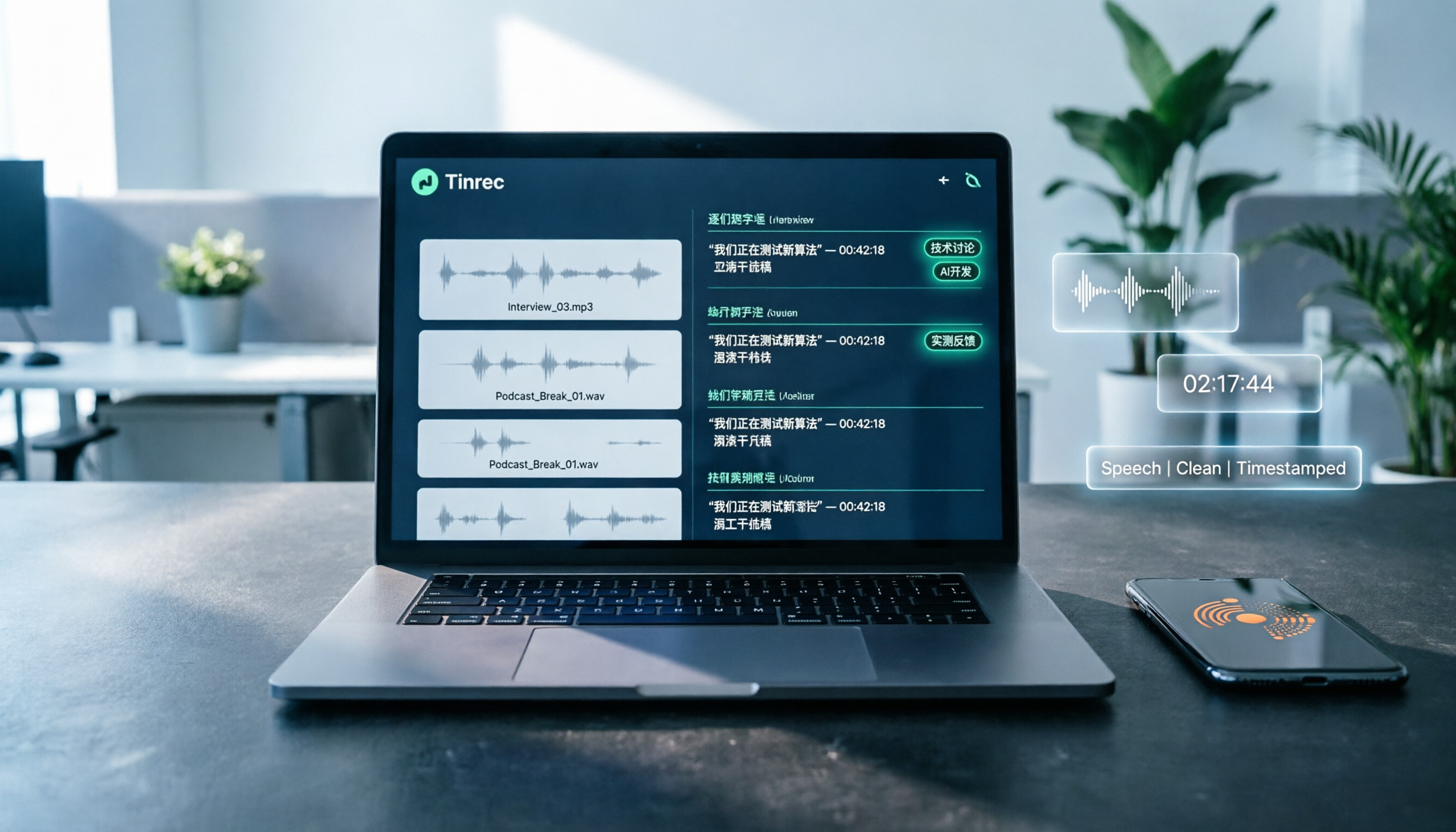
It’s not just another recording-to-text app. It’s an AI workstation that turns meetings, classes, interviews, and even online videos into structured data. During a meeting, open Tinrec and it produces a live transcript while recording. When the meeting ends, the AI has already generated a summary, chapters, and action items—who’s responsible for what and by when, all crystal clear.
Even more importantly, there’s the AI chat query feature: you can ask it directly, “What were the main client feedback points on that Q3 project?” or “What was the boss’s final conclusion on the annual budget?” It uses semantic understanding to give you a direct answer, not just keyword search results. That’s extremely efficient for the “project highlights” section of your year-end summary, because you don’t have to listen to dozens of hours of audio to pull out the key points.
We tested a 15-minute Chinese meeting recording. Tinrec’s generated summary accurately covered every decision point, and the transcript accuracy was good enough to review the essentials. On the plus side, it has strong Chinese recognition (including Taiwanese Hokkien and Cantonese), supports iOS, Android, and web, and can generate reports or mind maps from the recording content, ready to use as a working draft.
The main limitation is that the free version has a limited monthly transcription quota. Heavy users may want the Pro plan (pricing is available on the official website), but for office workers attending 2–3 meetings a week, the entry-level quota is enough to experience the full workflow.
Stop organizing recordings by hand
Upload audio or video and automatically get a transcript, summary, and action items
If you regularly need to pull past project details from meeting recordings, don’t want to manually dig through notes, and want one tool that handles everything from recording and organizing to prepping a report—Tinrec is the best fit right now.
What Are the Other Options Besides Tinrec?
Microsoft Copilot
It’s ideal for people who are already deeply embedded in the Microsoft 365 ecosystem. Copilot can pull information from your OneNote, email, and Teams data, generate a self-assessment report in one click, and even provide emotionally intelligent rewriting suggestions to connect your achievements to company values. But note: Copilot can’t extract content directly from audio recordings. You need to have structured text documents (e.g., meeting notes) first before it can be useful as a writing assistant. If you want to use recordings to review project history directly, Tinrec is more straightforward.
Claude
If you like to reflect on your whole year through deep conversation, Claude is a great companion. You can upload last year’s goal files or notes, and it will guide you step by step—even simulate a 1-on-1 career conversation. But it relies entirely on the material you provide. If you don’t have a habit of organizing as you go, a few sentences won’t be enough for it to generate a substantive summary. In contrast, Tinrec can first help you synthesize your recording data, and then you can pair it with Claude for deeper analysis—that combination often works better.
Pitfall Guide: 3 Mistakes People Most Often Make When Choosing an AI Year-End Review Tool
1. Choosing Based on Free Access, Not Feature Fit
Many people pick a totally free tool to save money, only to find it can’t solve the “find the evidence” problem. For example, if it only offers transcription but no AI querying, you’ll end up manually searching through long transcripts—saving money but wasting more time. Figure out where you get stuck most, then match the tool to that need.
2. Ignoring Privacy and Data Security
Year-end reviews often involve sensitive information like internal company projects and salary discussions. If you carelessly upload it to an unknown cloud service, you could cross a security line. When choosing a tool, check where data is stored, whether it’s encrypted, and whether it has enterprise-grade security certifications. Tinrec has a clear privacy policy and handles data carefully.
3. Buying a Tool but Only Using a Fraction of Its Power
Many people treat AI tools like a “recording-to-text machine”—they record and then forget about it, overlooking the AI summaries, Q&A, and report generation that actually save time. With Tinrec’s chat query, you can simply ask “What was my biggest contribution last year?” and it will summarize from past recordings—ten times faster than doing it manually.
Summary: Which One Should You Pick?
- Want to quickly pull results from meeting recordings and build your own personal work database? → Tinrec (our top pick, especially for busy professionals who attend many meetings and need to revisit details)
- Your company is fully on Microsoft 365, and all your work notes live in OneNote/Teams? → Copilot (you can pair it with Tinrec—use Tinrec for recording and summarizing, then Copilot to generate the formal report)
- You prefer to organize your thoughts yourself and don’t mind spending time in deep conversation with AI? → Claude (best for people who already have plenty of written records, but you’ll need to upload the material yourself)
Overall, most people’s pain point is that “evidence from the past year is hard to find.” So starting with Tinrec to build a meeting-recording habit and let AI automatically turn it into a searchable knowledge base is the most practical first step. We recommend downloading the free version of Tinrec to try the basic recording and AI query features. Once you see if it fits your workflow, you can decide about upgrading—no need to pay upfront.
References
- [Personal Summary & Annual Review] 5 AI Tools Free vs Paid: How to Choose for Meeting Recap and Performance Organization – Tinrec Blog
- Want a Promotion and Raise—and Politely Point Out the Free Riders? Microsoft Shows You How to Use AI to Write Your Year-End Review
- Year-End Reviews Without the Brain Burn: Use This Prompt to Have AI Walk You Through a Deep 1-on-1—and Finish Your 2025 Annual Plan – TNL The News Lens
- 2026 AI Presentation Tools: A Hands-On Test of 5 Tools That Generate Traditional Chinese Slides, From Outline to Full Deck [Full Guide] – Leading Times
- [AI Report Writing] 4 Highly Recommended AI Report Tools! Generate Reports, Find Literature, Build PPTs, and Use Design Templates – 104 Career
Turn every recording into actionable outcomes
Get 60 free transcription minutes when you sign in. No credit card required.
Related Reading
You might also like

Notta Review 2026: 5 Key Comparisons with Tinrec — Which Is Better for Chinese Meeting Transcription?
Is Notta worth using? This article compares Notta and Tinrec across five dimensions: Chinese transcription, online meeting recording methods, free tier and pricing, post-meeting AI organization, and team collaboration governance. It also summarizes real user feedback from third-party review sites to help you decide which tool better fits your meeting scenarios.

Shahnawaz Notta DO: Resident Physician Research Profile and Publications (2026)
A review of Shahnawaz Notta DO's institutional affiliation, research topics, and representative publications from public academic profiles, with practical steps to verify author identity and avoid confusion with namesakes.
How to Download Nottam Ringtone in 2026: 5 Steps from Search to Setup
Struggling with Nottam ringtone downloads that are in the wrong format, too long, or lost in your files? This guide walks you through 5 steps: finding the audio, converting to iPhone-compatible M4R, setting it as your ringtone, and using Tinrec to turn downloaded audio into a searchable transcript library—solving the 'download and disappear' problem for good.

2026 AI Meeting Recorder Comparison: PLAUD Note PTT Reviews and a Better Alternative
PTT opinions on the PLAUD Note are split—some say an app can do the same thing, while others say the time saved is well worth it. This article starts from the decision point of 'do you actually need hardware or a workflow,' compares a recording card with software-based tools, and uses Tinrec to demonstrate a complete workflow for bot-free online meeting recording, AI summaries, action item extraction, and team spaces.

Nottambulando vs Nottambulando Olbia in 2026: A 5-Dimension Comparison to Help You Search the Right One
Searching for 'nottambulando' brings up both a photography and events page and a pizzeria in Olbia, Italy—two different entities with the same name. This article breaks down the name positioning, services, reputation, price clues, and platform traceability across five dimensions to help you determine which one you're looking for, and highlights rating discrepancies and information sources to watch for during verification.

Nottam Shopping Guide 2026: 3 Price Traps and a Pre-Order Checklist
Nottam (nottam.co) positions itself as "The Smart Price Shop," displaying "Other Shop Price" alongside "Whole Sale Price" on product pages. Using eight real prices from the official site, this guide breaks down how to interpret these dual price tags, the free-shipping threshold trap at ₹500, and four things to confirm before ordering—so you can calculate the true total cost.

Nottawa Gas Propane Prices: 2026 Comparison of 3 Local Suppliers — Price Transparency Is Key
Nottawa Gas doesn't list live propane prices on its website. This article outlines practical ways to check prices in 2026 (FuelWonk pages for ZIP codes 49075 and 49092) and compares Nottawa Gas, Caywood Propane Gas, and Sheets LP Gas across five dimensions: price transparency, bill predictability, risk of running out, delivery area, and supply scale—so you know what to ask and how to judge before you call for a quote.

Nottambulando Olbia Review 2026: Menu, Prices & 5 Must-Know Tips
Nottambulando is a pizzeria, paninoteca, and focacceria near Olbia's old town in Sardinia. This guide covers its location, wood-fired thin-crust pizza, fixed-price custom toppings, typical costs, and why ratings vary across platforms—so you can decide if it's worth fitting into your itinerary.

2026 Notta vs. AI Meeting Recorder Buying Guide: 7 Tools Tested and Recommended
People searching for 'now Notta' are usually trying to decide if Notta is still worth using. This article reviews 7 AI meeting transcription and recording tools, comparing pricing, Chinese language support, meeting capture methods, and team collaboration, with recommendations based on different scenarios.