
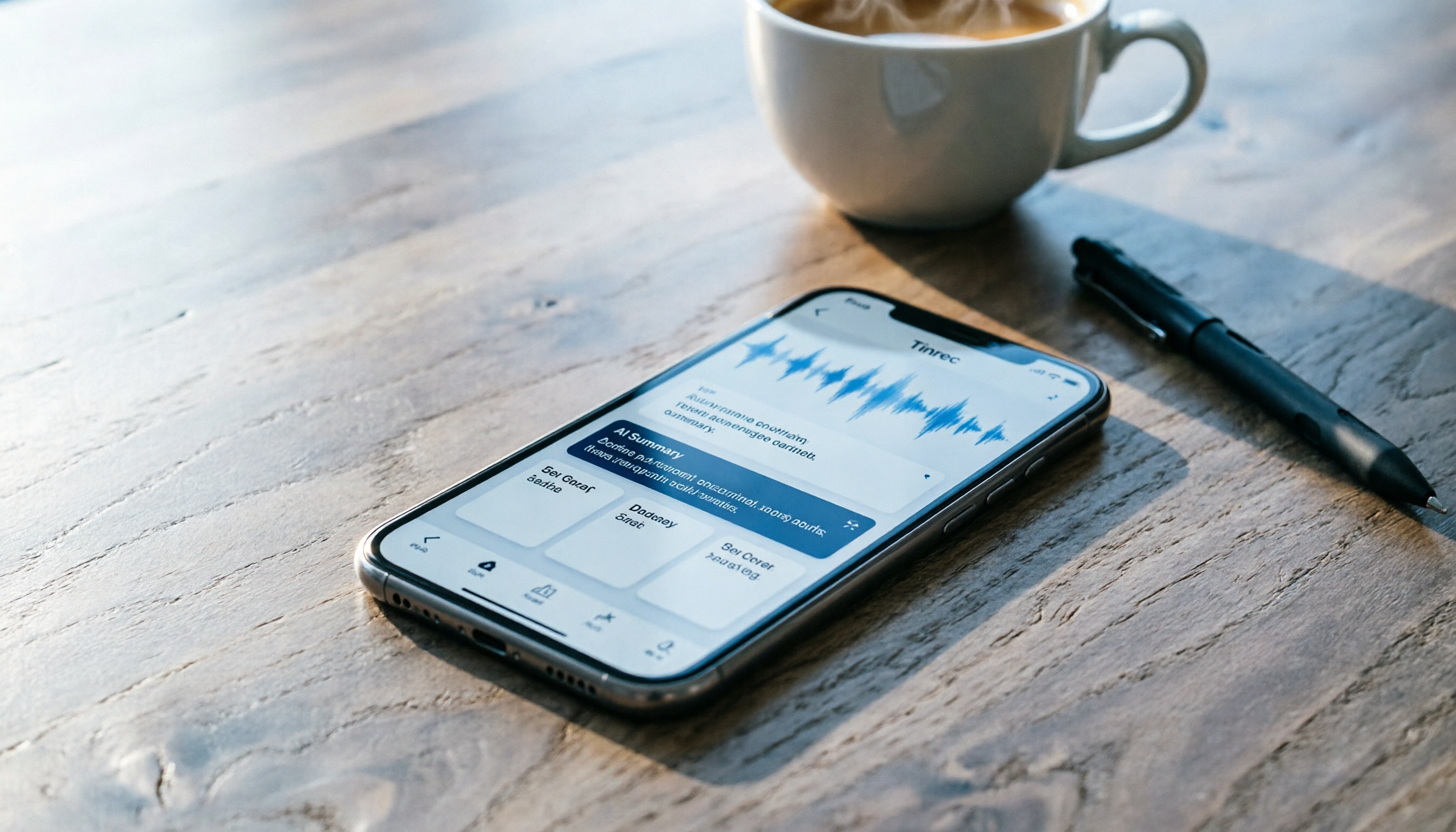
Turn recordings into transcripts and summaries in minutes
Upload audio or video for multilingual transcription, AI notes, and action items
Lately, I've been completely fed up with manually creating meeting minutes.
After a two-hour meeting, the recording sits in my phone, but the last thing I want to do is listen to it again. It’s the same with class notes: typing while listening means missing key turning points, and when I review, I always feel like something’s missing.
Worse, some important client interview recordings mix Mandarin and English with background noise—turning those into transcripts is pure mental torture.
So I started seriously looking for a solution.
The built-in iPhone Notes app can transcribe in real time, but it’s only good for short snippets. When you open a long recording, you get a bare wall of text with no organization or highlights. I also tried several dedicated speech-to-text apps. Some just gave me a plain transcript and left me to figure out the key points myself. Others supported Taiwanese Mandarin but couldn’t handle online videos I had downloaded.
Then I changed my approach: I didn’t need just a "transcription tool." I needed a workflow that turns recordings into "usable, organized material."
I finally settled on Tinrec, an AI-powered recording and audio/video organizing tool. It helped me build a complete pipeline from recording to output, and the iOS version is very intuitive. Here’s how I use it.
What Can Speech-to-Text Do for You? Three Real Scenarios
Before we dive in, let’s clarify: a good speech-to-text tool doesn’t just turn sound into words. It should turn content into material you can actually work with next.
Using Tinrec as an example, here are three situations it helped me handle:
Scenario 1: Meeting ends, and you have a to-do list in 5 minutes
In the past, after a meeting I’d have to listen to the recording, take notes, then compile action items and email them to the team. Now, I record the entire meeting with Tinrec. The AI automatically generates a summary, chapters, and a to-do list that directly captures "who, what, when." I just review it and send it out.
Scenario 2: Turn a classroom recording into structured notes
During a two-hour lecture, I no longer have to bury my head in note-taking. Tinrec transcribes as I record, then generates sections with headings automatically. I just follow the outline to review. I can even ask the AI, "What three theories were mentioned in this class?" It pulls answers from the recording, saving tons of replay time.
Scenario 3: Turn online videos directly into article material
I often need to reference speeches or tutorials on YouTube. I used to take notes manually. Now I just drop the video link into Tinrec. It gives me the full transcript, plus an automatic summary and key points. I can quickly skim and decide whether to use it, or even directly quote it.
So the point isn’t “transcription” itself—it’s “usability after transcription.”
Core Capability: Not Just Transcripts, but Content Organized and Delivered to You
Most speech-to-text tools stop at a transcript. But Tinrec goes a few steps further, turning the tool into your personal organizing assistant:
Real-time transcription and post-processing in one
Getting text as you record is just the baseline. Tinrec also analyzes the content structure in the background. The moment you stop recording, the summary, chapters, and to-dos are already generated—no need to open another app to process things.
AI semantic summary: not condensation, but restructuring
Many tools’ summaries simply grab the first few lines or shorten the transcript. Tinrec’s summary follows the logic of the conversation and produces structured content with "topic, conclusion, key discussion points." Reading it feels like reading actual meeting minutes.
Ask questions like querying a database
This is my favorite feature. After processing a recording, I can type a question directly: "What were the client’s concerns about pricing in the last meeting?" or "Which case studies did the teacher mention in this class?" It uses semantic understanding to give answers directly—no need to flip through the transcript manually.
Cross-source organization with a unified workspace
Whether it’s live recording, uploading an audio file, or pasting a link to an online video, Tinrec handles it all with the same workflow. I don’t have to learn different tools for different content types; everything ends up in one searchable database.
Export to your favorite tools—no dead ends
Tinrec can export organized content as PDF or TXT, sync to Notion or Google Docs, or even use AI to generate meeting reports or tables. It’s not an island in my workflow; it’s a connector.
Real-World Application: My Five-Step Workflow
Here’s the standard process I use with Tinrec to organize any voice content. From recording to output, every step happens inside Tinrec.
Step 1: Choose the source and record or import
Open Tinrec on your iPhone, and you can:
- Press the record button to capture a meeting or class right then and there.
- Import an audio or video file you already have from the Files app.
- Paste a link to a YouTube video or other public video.
For a meeting, I open Tinrec as I walk into the conference room and set it on the table to record. It automatically detects speech and starts transcribing—no extra setup needed.
(Screenshot: Tinrec iOS main screen with arrows pointing to the "Start Recording" button and the "Import File" option.)
Step 2: Watch the real-time text as you record
While recording, text appears on the screen in real time. I glance at it occasionally to make sure the speaker’s main points are being captured correctly. If I notice a missing word or an obvious error, I can jot down a keyword on the spot for later verification.
Stop organizing recordings by hand
Upload audio or video and automatically get a transcript, summary, and action items
But in most cases I don’t need to intervene—Tinrec handles multi-person meetings and mixed-language scenarios well. Even with Taiwanese Mandarin or code-mixing, the recognition accuracy is better than I expected.
(Screenshot: Live transcription during recording with an arrow pointing to the moving text block.)
Step 3: Stop recording and immediately review the AI-processed result
After pressing stop, you don’t wait—the summary, chapters, and to-do list appear right on screen. I quickly scan the summary to confirm the meeting topic and conclusions are on point; then check the to-do list to ensure all action items are complete.
If you don’t have time to review right away, no problem. All recordings and processed results are kept in the cloud and can be pulled up anytime across devices.
(Screenshot: Post-recording results overview page with arrows pointing to the "AI Summary," "Chapters," and "To-Do Items" sections.)
Step 4: Use AI chat to dig deeper
Sometimes, even though the summary is complete, I want to know a specific detail. For example: "What was the budget cap the client mentioned?" or "Which books did the speaker recommend?" I tap into the AI chat box and type my question.
Tinrec’s AI doesn’t just do keyword search—it understands the semantics of the entire conversation, so answers are usually accurate. It also provides timestamps so you can jump back to the original audio.
(Screenshot: AI chat interface with arrows pointing to the question input area and the timestamp included in the AI’s answer.)
Step 5: Export or continue generating documents
Finally, I choose how to output based on the purpose:
- If I need to send it to the team, I export as PDF or copy the text directly to Slack.
- If I need a formal meeting record, I use Tinrec’s Agent feature to have the AI generate a standard formatted report from the recording, then download it to Google Docs.
- If it’s for study notes, I sync to Notion and create mind maps or add annotations there.
The whole process, from recording to usable file, takes less than 5 minutes when I’m quick.
(Screenshot: Export menu with arrows pointing to "Generate Meeting Report" and "Sync to Notion.")
4 Things to Watch Out for When Choosing a Speech-to-Text Tool
If you’re also looking for a suitable iOS speech-to-text app, here are a few things to think through so you don’t buy something that doesn’t fit.
1. Look at post-transcription organization, not just minutes per month
Many tools advertise monthly transcription minutes, but they just hand you a transcript. The real value is whether the tool can help you summarize, create chapters, and extract to-dos. Tinrec does this well—it gives structured organization right after transcription, so you don’t have to process it yourself.
2. Check how many audio sources are supported
If you handle more than just meeting recordings—like course audio and online videos—your tool needs to cover those sources. Some apps only do live recording transcription, but Tinrec supports local file uploads and links to public videos, which is convenient for someone like me who collects a lot of material.
3. Recognition quality for Mandarin and code-mixed speech
For users in Taiwan, Mandarin, Taiwanese, and code-mixing are common. When testing, it’s a good idea to try a recording that matches your real context. I’ve been satisfied with Tinrec’s recognition accuracy for Chinese, and it correctly transcribed even something like "我等一下要 present 的 slide." (That’s Taiwanese Mandarin mixing English: “The slide I’m going to present.”)
4. Cross-platform support and downstream integrations
You might record on your phone but edit on your computer. Make sure the tool offers a web or desktop version, and that you can export to Notion, Google Docs, etc. Tinrec has iOS, Android, and a web version, with real-time sync, so I don’t worry about getting stuck when switching devices.
Frequently Asked Questions
Q: How accurate is speech-to-text? Can it completely replace human transcription?
A: Accuracy depends on the recording environment, speaker accents, and background noise. In a normal meeting or classroom, Tinrec’s accuracy is more than enough to help you organize key points easily. But for important documents or contracts, I recommend double-checking against the original recording. Treat it as an assistant that saves you 80% of manual work, not a machine that produces perfect output 100% of the time.
Q: Is the free version enough? Which plan should I choose?
A: The Tinrec free version includes a monthly base transcription allowance. If you only need to transcribe a short clip occasionally, you can try it out. Since I have five meetings a week and often process online videos, I use the Pro monthly plan because it fits my usage. If you have a project or exam coming up, the weekly plan is also a lightweight option.
Q: How is this different from the built-in voice memo transcription on iPhone?
A: The built-in memo transcription only provides a raw transcript, and the supported languages are limited. Tinrec adds AI summaries, chapters, to-dos, Q&A, and export features, turning recordings into "usable data" instead of just text files.
Q: Is my privacy safe? How are my recordings handled?
A: Tinrec encrypts data during transmission and in cloud storage. You can check the privacy policy on the official website. For my own use, I keep sensitive business recordings on the device and only upload general meeting or learning content. I hope that gives you a useful reference.
Summary: Your Recordings Deserve to Become Smarter Data
Audio recordings are just raw material. The organized content is the finished product.
Instead of zoning out while listening to recordings or spending time manually condensing transcripts, let AI automate that process. All you need to do is make the final judgment and apply it.
If you’re also fed up with chaotic audio files, try downloading the free version of Tinrec. Process two or three meetings or a class or two, and experience the journey from “sound” to “organized data.” You might never go back to manual note-taking.
(Screenshot: Tinrec official website or App Store download page with an arrow pointing to the "Free Download" button.)
References
Turn every recording into actionable outcomes
Get 60 free transcription minutes when you sign in. No credit card required.
Related Reading
You might also like

2026 Meeting Transcription Tools Compared: Risks of Notta Mod APK and Legal Alternatives
Many people search for the latest Notta Mod APK to bypass free usage limits. This article explains the practical risks of cracked versions—version confusion, update and account data issues—and compares Tinrec, Notta, Otter.ai, and TurboScribe in meeting notes, summary action items, AI Q&A, and team collaboration to help you choose a solution that truly saves time.

4 Paid AI Meeting Recorder Tools Tested for 2026: What to Know Before Buying Notta
Many people search for 'notta purchase' and immediately enter their card details, overlooking the per-recording limit, in-app purchase vs. web pricing differences, and whether the transcription is actually usable. This article covers Notta's purchase channels and plan differences, and compares the paid value of Tinrec, Otter.ai, and PLAUD through hands-on testing to help you avoid common pitfalls before paying.

Notta vs Tinrec (2026): Hands-On Comparison to Avoid 3 Buying Mistakes and Find a Faster Meeting Notes Workflow
People searching for "notta" either want its meaning or the Notta transcription tool. This article tackles three common buying mistakes and compares Notta and Tinrec in meeting capture, post-meeting organization, and team data retention to help you decide which workflow fits your meeting style.

4 Online Transcription Tools Reviewed for 2026: Beyond Notta, How to Choose for Chinese Meeting Notes
Notta's online tool requires no registration and transcribes text upon upload, but the free version is limited to 3 minutes per file. This article compares Notta, Tinrec, Otter.ai, and TurboScribe based on three needs—occasional transcription, weekly meetings, and team knowledge retention—covering free quotas, meeting capture methods, and post-meeting outputs to help you choose the right tool at a glance.

Tinrec vs Notta 2026: 5-Factor Comparison for Italian Meetings
People searching 'notta in italian' likely want to know if Notta can handle Italian meetings. This article first addresses Notta's current Italian language support, then compares it head-to-head with Tinrec across 5 practical dimensions: meeting audio capture, post-transcription workflow, cross-language real-time understanding, free tier flexibility, and team governance. It concludes with clear scenario-based recommendations.

Notta Integrations in 2026: 7 Ways to Connect and What's Free
What Notta integrations are available, how to connect them, and whether they work on the free plan? This guide covers Notta's official integrations directory, Zapier's 9,000+ apps, Slack, Zoom, Notion, Salesforce, Zoho CRM, and Kintone—seven connection methods with step-by-step instructions—and honestly lists plan and platform limitations. It also compares Tinrec's bot-free meeting recording and team workspace approach to help you decide which meeting data workflow fits you best.

5 Best AI Meeting Notes Tools in 2026: Notta vs Otter vs Fireflies vs Granola vs Tinrec
Get a clear breakdown of Notta Inc.'s corporate structure—Japanese entity Notta株式会社, overseas parent NOTTA INC., founder, and latest funding—plus a side-by-side comparison of Notta, Tinrec, Otter, Fireflies, and Granola across 5 dimensions: meeting capture, post-meeting workflow, team governance, audio retention, and pricing, so you can decide which tool fits your meeting scenario.

2026 Comparison of 3 Meeting Transcription Tools: Notta Japan, Tinrec, and Built-in Transcription
Many people search for Notta Japan looking for a transcription tool that can handle Japanese or Chinese meetings. This article compares Notta, built-in platform transcription, and Tinrec from three angles: free limitations, post-meeting organization, and team collaboration, to help you determine which is more suitable for your workflow.

4 Best Hindi Transcription Tools in 2026: What 'notta in hindi' Means and Which Handles Meetings
People searching for 'notta in hindi' usually face two issues: they want to know the meaning of the word 'notta' in Hindi, or they want to know if Notta, the transcription tool, supports Hindi. This article separates these two paths and compares Tinrec, Notta, TurboScribe, and Otter.ai across transcription, translation, meeting recording, and post-meeting organization, including official quotas, to help you decide which tool to choose.