
Turn recordings into transcripts and summaries in minutes
Upload audio or video for multilingual transcription, AI notes, and action items
Every day there are recordings to organize—meetings, classes, interviews, podcasts... With piles of audio files, the thought of manually transcribing them is a headache.
Recently, I've seen many people on PTT and Dcard discussing the trick of "using Google AI Studio to convert speech to text for free." Just choose the right model (Gemini 3 Flash Preview or Experimental 1206) and write a proper prompt, and you can turn audio files into Traditional Chinese transcripts—and the best part is it's "completely free."
Of course, freebie lovers have to try it, but after actually using it, I found several major drawbacks with this method:
- Each transcription session is cut off after 30 minutes; longer meetings or classes require manual splitting, and then you have to manually stitch the transcripts back together.
- You need to manually write prompts and specify conditions like speakers and timestamps, which is a steep learning curve for people unfamiliar with AI.
- You only get a plain text output with no summaries, to-do lists, or chapters for further organization—you'll need extra time to digest the content on your own.
If you only transcribe a short recording occasionally, Google AI Studio is indeed a good way to save money. But if you have meetings, classes, or interviews to organize every week, rather than spending time playing jigsaw puzzles with AI, you should just find a more complete solution.
Tinrec (秒聽錄音) is the tool I found during testing that truly helps me turn audio files into "usable data." It's not just transcription software; it turns meetings, classes, interviews, online videos, and other audio/video content into a searchable, queryable knowledge base that you can export and keep using.
Who Is Google AI Studio Speech-to-Text For?
Google AI Studio is a free online developer platform that lets you test Google's latest AI models. Just log in with your Google account, select the Gemini 3 Flash Preview or Gemini Experimental 1206 model, upload an audio file, and write a prompt (for example, "Please transcribe into Traditional Chinese, with speakers and timestamps") to generate a transcript.
This approach has two advantages: it's free and supports long text (some models have up to 2 million tokens).
But the limitations are also obvious:
- 30-minute cutoff: Recordings over 30 minutes are forcibly interrupted, and long files need to be split manually.
- No further organization: You only get plain text; you'll have to handle summaries, key points, and to-do lists yourself.
- Learning curve: The prompts need fine-tuning, and timestamps or speaker labels aren't always accurate.
So, if you only need to transcribe a short clip occasionally and don't mind manual cleanup, AI Studio is worth playing around with. But if your need is to "turn everyday recordings into quickly reviewable data," keep reading.
What Is Tinrec?
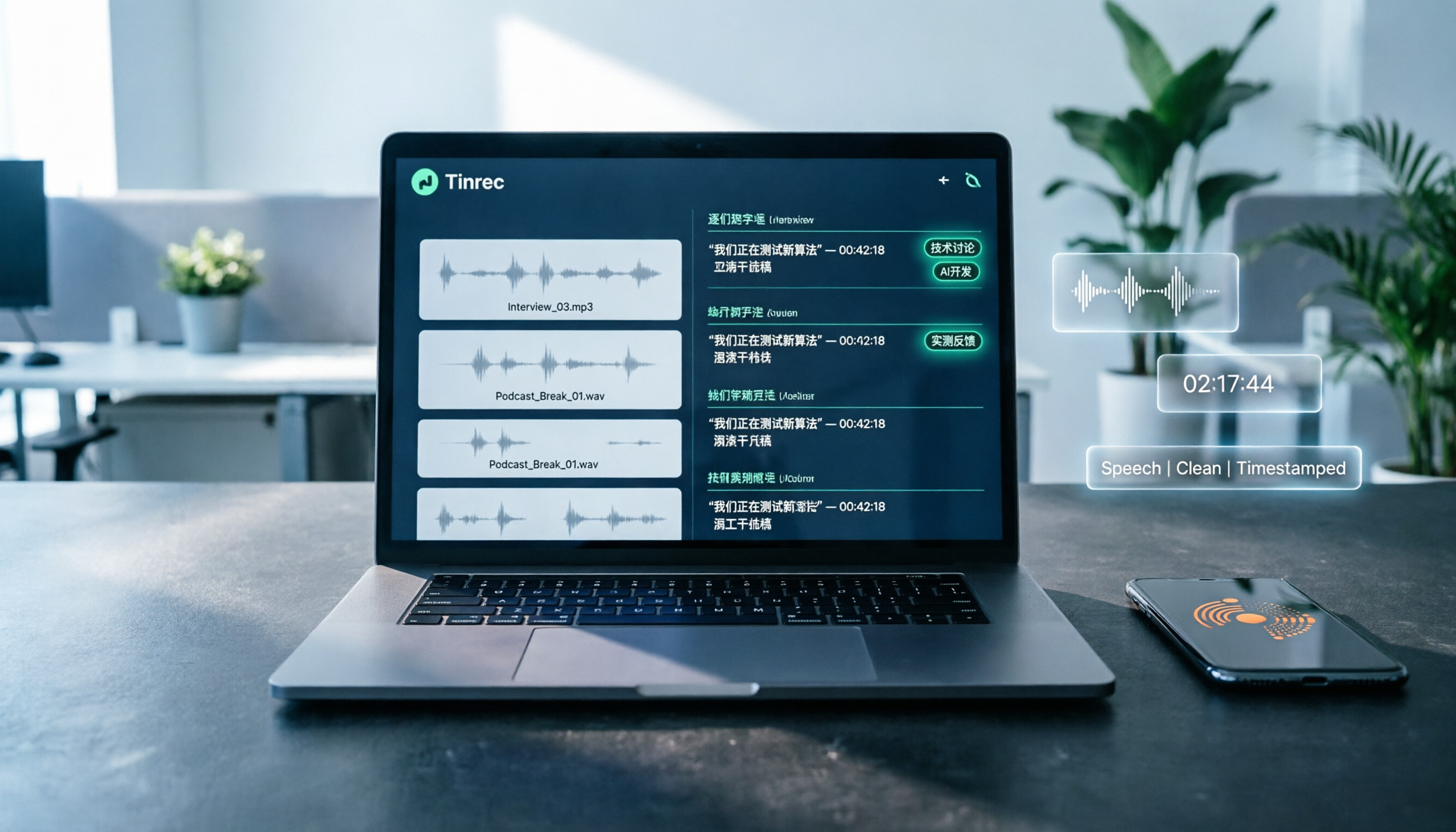
Tinrec (秒聽錄音) is an AI recording and audio/video organization tool that supports iOS, Android, and web versions, with a free plan. It doesn't just convert speech to text; it helps you automatically generate summaries, chapters, and to-do items from meeting minutes, lecture recordings, interviews, podcasts, and online videos. You can also ask follow-up questions about the recording as if querying a database, and finally export it into the format you need.
In short, if you need to organize audio/video from various sources over the long term, Tinrec is more useful than a pure transcription tool.
Tinrec's Core Features and Highlights
Not Just Transcription—It Helps You Understand the Content
Typical transcription tools just give you a transcript and that's it. In addition to real-time recording-to-text, audio file upload-to-text, and online video link-to-text, Tinrec also automatically:
- AI Summaries: Quickly grasp what a recording is about without listening to the whole thing.
- Chapter Organization: Automatically splits long content into meaningful sections, making it easy to browse like a table of contents.
- To-Do Extraction: Decisions and task assignments from meetings are listed for you by AI.
- AI Q&A: You can ask Tinrec, "Who mentioned the budget in the meeting?" or "What are the key points from customer feedback?" It answers directly based on the content.
Broader Input Sources
Typically, meeting bots can only join online meetings or support file uploads. Tinrec handles more scenarios:
- Live recording (meetings, classes, interviews)
- Uploaded audio/video files (old recordings, podcasts, video footage)
- Pasted public video links (YouTube, Bilibili, Xiaohongshu, TikTok, etc.)
- Computer meeting recordings (Zoom, Google Meet, Teams)
No matter where your audio file comes from, Tinrec can organize it into text.
Rich Export Options for Easy Integration
Transcription isn't the end. Tinrec can export into multiple formats so you can plug into your existing workflow:
Stop organizing recordings by hand
Upload audio or video and automatically get a transcript, summary, and action items
- Transcripts, subtitles
- AI summaries, chapters, to-dos
- Mind maps
- Meeting minutes, reports, tables (generated via Agent post-processing)
- Direct export to Notion, Google Docs, OneNote, Dropbox, and more
Practical Use Cases for Tinrec
Meetings: Meeting Minutes in 5 Minutes After the Meeting
With Tinrec's live recording, by the time the meeting ends, the summary, conclusions, and to-do items are already organized—who should do what and deadlines are clear at a glance. No more spending an hour writing meeting minutes by hand.
Learning: Turn Lecture Recordings into Chaptered Notes
During class or a lecture, Tinrec records and transcribes in real time. Afterward, you can directly view AI-generated chapters and key points to quickly review the topic, and even ask questions about the content, like a private tutor.
Interviews: From Transcript to Key Point Summary in One Click
After a researcher or journalist conducts an interview, they upload the audio file. Tinrec produces the transcript and also highlights key points. You can use AI Q&A to quickly find keywords mentioned by the interviewee, saving hours of manual searching.
Content Creation: Turn Videos and Podcasts into Text Assets
If you need to quote a YouTube video or turn your own podcast into an article, just paste a link or upload a file. Tinrec will generate a transcript, and combined with AI summaries and Q&A, you can extract exactly what you need, greatly speeding up your creative workflow.
4 Things to Consider When Choosing a Speech-to-Text Tool
1. Accuracy: Test with Your Real Recordings
Official stats are just for reference—the most important thing is to test with your own recordings. Tinrec delivers high-quality transcription results in clear audio and standard accent situations, but real-world performance can be affected by background noise, overlapping speakers, and jargon. It's recommended to try the free version and run it on one of your meeting or course recordings.
2. More Than Transcription—Organization Capability Is Key
Getting a transcript is only the first step; the real challenge is quickly identifying the key points. Tinrec's automatic summaries, chapter segmentation, and AI Q&A let you skip reading everything and go straight to the critical information.
3. Language Support: Make Sure Your Frequently Used Languages Are Covered
Tinrec's interface and text are fully localized for Traditional Chinese, and its transcription covers Chinese, English, and multiple other languages, making it especially suitable for Chinese meetings, classes, and content organization. If you need Taiwanese Hokkien or mixed Chinese-English scenarios, it's still a good idea to test first.
4. Plans and Pricing: Check Whether the Free Allowance Suits Your Daily Use
- Free version: Provides a monthly basic transcription allowance, allowing you to try live recording, file upload, and link transcription. Suitable for light users with occasional needs.
- Weekly card: For short periods with heavy meeting, class, or event loads, use it for intensive transcription.
- Pro monthly/yearly: For those with regular weekly transcription needs, the yearly plan offers a lower monthly cost, ideal for long-term audio/video database management.
Don't buy the yearly plan right away—start with the free version and upgrade only if it works well for you.
Frequently Asked Questions
Which Is Better: Google AI Studio or Tinrec?
Google AI Studio's advantage is that it's free, making it suitable for occasional, light transcription of short clips. But if you need long recordings, post-processing (summaries, chapters, to-dos), or multi-source input, Tinrec's automated organization will save you much more time.
Is Tinrec's Free Version Enough?
The free version provides a monthly transcription allowance, enough for trying a few meetings or class recordings. If you don't have heavy usage, the free version should cover your basic needs; if you need transcription every week, consider upgrading to Pro.
What Languages Does Tinrec Support?
Tinrec supports Traditional Chinese, English, and several major languages, and it's especially good at organizing and summarizing Chinese content. Mixed Chinese-English recordings can also be effectively recognized.
How Accurate Is the Transcription?
In a clear audio environment, Tinrec provides high-quality transcription, but accuracy can be affected by background noise, accents, multiple people speaking at once, and jargon. For important documents, it's still recommended to double-check against the original recording.
Can It Transcribe Online Videos?
Yes. Just paste a public video link (e.g., YouTube, Bilibili, Xiaohongshu) and Tinrec will generate a transcript and also provide summaries and chapter organization.
How Do I Get Started with Tinrec?
You can go to Tinrec's official website or download the app (iOS/Android) to register and start using the free version immediately. No credit card is required—try it first and then decide whether to upgrade.
Summary
There are plenty of speech-to-text tools out there, but if you want more than just a transcript—if you want to turn your recordings into truly usable knowledge—Tinrec is a choice worth trying. It not only saves you from manual transcription but also lets you use AI to organize, search, ask questions, and then export to your notes or document tools, creating a complete data handling workflow.
Google AI Studio's free method is fine for emergencies or extremely light use, but in the long run, a stable, convenient tool with organizational features will truly fit into your work habits. Download the free version of Tinrec—you get a monthly allowance enough for a few meetings or classes—and experience the ease of having your recordings organized for you.
References
- Speech-to-Text: AI-Powered Voice Input and Transcription | Google Cloud
- [AI Academy] Use AI Studio to Save on Speech-to-Text Fees and Be a Happy "Freebie Lover" - Business Insider Taiwan
- Speech-to-Text | Gemini Enterprise Agent Platform | Google Cloud Documentation
- From Recording to Text: Gemini Helps You Get a Transcript - Attorney Zhang Qinghao's Blog
- Google AI Studio Now Also Does Text-to-Speech! More Natural Voices and a Podcast Conversation Mode - Computer King Ada
Turn every recording into actionable outcomes
Get 60 free transcription minutes when you sign in. No credit card required.
Related Reading
You might also like

Notta Review 2026: 5 Key Comparisons with Tinrec — Which Is Better for Chinese Meeting Transcription?
Is Notta worth using? This article compares Notta and Tinrec across five dimensions: Chinese transcription, online meeting recording methods, free tier and pricing, post-meeting AI organization, and team collaboration governance. It also summarizes real user feedback from third-party review sites to help you decide which tool better fits your meeting scenarios.

Shahnawaz Notta DO: Resident Physician Research Profile and Publications (2026)
A review of Shahnawaz Notta DO's institutional affiliation, research topics, and representative publications from public academic profiles, with practical steps to verify author identity and avoid confusion with namesakes.
How to Download Nottam Ringtone in 2026: 5 Steps from Search to Setup
Struggling with Nottam ringtone downloads that are in the wrong format, too long, or lost in your files? This guide walks you through 5 steps: finding the audio, converting to iPhone-compatible M4R, setting it as your ringtone, and using Tinrec to turn downloaded audio into a searchable transcript library—solving the 'download and disappear' problem for good.

2026 AI Meeting Recorder Comparison: PLAUD Note PTT Reviews and a Better Alternative
PTT opinions on the PLAUD Note are split—some say an app can do the same thing, while others say the time saved is well worth it. This article starts from the decision point of 'do you actually need hardware or a workflow,' compares a recording card with software-based tools, and uses Tinrec to demonstrate a complete workflow for bot-free online meeting recording, AI summaries, action item extraction, and team spaces.

Nottambulando vs Nottambulando Olbia in 2026: A 5-Dimension Comparison to Help You Search the Right One
Searching for 'nottambulando' brings up both a photography and events page and a pizzeria in Olbia, Italy—two different entities with the same name. This article breaks down the name positioning, services, reputation, price clues, and platform traceability across five dimensions to help you determine which one you're looking for, and highlights rating discrepancies and information sources to watch for during verification.

Nottam Shopping Guide 2026: 3 Price Traps and a Pre-Order Checklist
Nottam (nottam.co) positions itself as "The Smart Price Shop," displaying "Other Shop Price" alongside "Whole Sale Price" on product pages. Using eight real prices from the official site, this guide breaks down how to interpret these dual price tags, the free-shipping threshold trap at ₹500, and four things to confirm before ordering—so you can calculate the true total cost.

Nottawa Gas Propane Prices: 2026 Comparison of 3 Local Suppliers — Price Transparency Is Key
Nottawa Gas doesn't list live propane prices on its website. This article outlines practical ways to check prices in 2026 (FuelWonk pages for ZIP codes 49075 and 49092) and compares Nottawa Gas, Caywood Propane Gas, and Sheets LP Gas across five dimensions: price transparency, bill predictability, risk of running out, delivery area, and supply scale—so you know what to ask and how to judge before you call for a quote.

Nottambulando Olbia Review 2026: Menu, Prices & 5 Must-Know Tips
Nottambulando is a pizzeria, paninoteca, and focacceria near Olbia's old town in Sardinia. This guide covers its location, wood-fired thin-crust pizza, fixed-price custom toppings, typical costs, and why ratings vary across platforms—so you can decide if it's worth fitting into your itinerary.

2026 Notta vs. AI Meeting Recorder Buying Guide: 7 Tools Tested and Recommended
People searching for 'now Notta' are usually trying to decide if Notta is still worth using. This article reviews 7 AI meeting transcription and recording tools, comparing pricing, Chinese language support, meeting capture methods, and team collaboration, with recommendations based on different scenarios.