

Turn recordings into transcripts and summaries in minutes
Upload audio or video for multilingual transcription, AI notes, and action items
Spending two hours in a meeting and another two transcribing? You need a Cantonese voice-to-text solution
During meetings, your boss speaks at length in Cantonese, and you try to type as you listen, only to miss half of what was said. You record a lecture, hoping to search for key points later, but listening through the entire recording segment by segment is a huge time sink. And when a friend sends a long Voice Message on WhatsApp, it's a hassle to listen to it, but you're afraid of missing something important if you don't.
These scenarios are all too familiar for many iPhone users. Especially when the content is in Cantonese, many tools either don't support it or have poor accuracy, so you end up having to listen back to the recording yourself anyway.
If any of this sounds like you, this article is for you. We tested several mainstream Cantonese voice-to-text tools to help you save time and focus on what really matters.
Before You Buy a Cantonese Voice-to-Text Tool: 4 Key Points to Understand
Different tools can vary greatly in price and features. Thinking through the following points before you choose will make the decision easier.
Accuracy Isn't About Ads — Look at Real-World Scenarios
Many tools claim an “accuracy rate of 98%,” but that's usually measured in a quiet room with standard pronunciation. In real environments with air-conditioning noise, keyboard clatter, and multiple people talking over each other, accuracy drops. For our testing, we used a 5-minute Cantonese news recording (iPhone 15, indoors, with slight background noise) to see which tool had the lowest character error rate.
AI Features Are a Bonus, Not a Requirement? Actually, the Time They Save Is the Real Point
Simply converting a recording to text still means you have to read through everything yourself. But if the tool can automatically generate summaries and to-do lists, or even let you ask questions in a conversational way about the recording (for example, “Who mentioned the budget in that meeting?”), then you're truly saving time. When choosing a tool, don't just look at transcription — look at how well it helps you organize afterward.
Cross-Platform Support Matters
You might record on your iPhone, but back at the office you want to review the transcript and organize meeting notes on your computer. If a tool only works on mobile or lacks a web version, it's inconvenient. Especially with hybrid work becoming the norm, cross-platform support is a basic requirement.
Is the Free Tier Enough for You?
Most tools have free versions, but they limit minutes or features. If you only occasionally record something, the free version might be enough. But if you have meetings or classes every week, you'll need to consider a paid plan. The key is: don’t be fooled by the word “free”—calculate your actual usage.
Tinrec (Instant Listening Recorder) — Our Top Pick After Testing
If you need a tool that handles Cantonese, works across platforms, and uses AI to help you organize content, Tinrec is the most recommendable choice right now.
In a Nutshell: It's Not Just Voice-to-Text — It's a Complete Audio & Video Organization Workbench
Tinrec (Instant Listening Recorder) supports real-time voice-to-text, uploading audio/video files, and even transcribing via a simple YouTube link. It has iOS, Android, and web versions, covering all your devices. Most importantly, it automatically organizes summaries, chapters, and to-do lists, and even lets you ask questions about the recording with its AI conversation feature.
Test Results: Lower Character Error Rate for Cantonese Than Other Contenders
I tested it with a 5-minute Cantonese news recording (with background noise, iPhone 15, indoor environment). Tinrec’s character error rate was 8.3%, the best among the tools tested at the same time. Another popular app (covered below) had a 12.1% error rate on the same recording—a noticeable difference. Of course, if your recording environment is really quiet, accuracy will be even higher.
The Best AI Perk: No Need to Manually Search for Key Points
After recording, Tinrec automatically surfaces a summary and action items. You can just ask, “What are the main takeaways from this recording?” or “Who is responsible for following up on the project?” It will find the answers within the transcript, rather than just returning a bunch of keyword search results. This feature is almost entirely absent from competitors in the same price range.
Stop organizing recordings by hand
Upload audio or video and automatically get a transcript, summary, and action items
Who Is It Best For?
- People who constantly record Cantonese meetings, classes, and interviews
- People who want to use AI to find key points immediately after recording, without having to listen back to everything
- People who need to switch between iPhone, Android, and computer
- People who not only record but occasionally want to organize YouTube videos and podcasts
Limitations and Things to Note
The free version offers 100 minutes of transcription per month, which is enough for people with two or three meetings a week. But if you're a heavy user, you might want to consider the Pro monthly or yearly plan. Also, while the AI summary is convenient, we recommend trusting but verifying important content against the transcript to avoid missing anything.
Beyond Tinrec: Other Options
If you want to check out other solutions, the following options have different positions, but overall Tinrec is still the most comprehensive.
iPhone's Built-in Voice Memos (iOS 18.4 or later)
After updating to iOS 18.4, the built-in Voice Memos app on iPhone can directly transcribe audio, supporting Cantonese. No extra app is needed, and privacy is high. But its post-transcription features are very basic—no AI summaries, no conversational queries, and it's only available on iPhone 12 or newer models. If you only occasionally record short audio and want the simplest and fastest option, this can be considered. However, if you need to organize and find key points after recording, Tinrec's AI features will be much more convenient.
Voice-to-Text App (Third-Party on App Store)
This app's features are quite similar to Tinrec, with AI summaries and Q&A, and it supports Cantonese. However, in our tests, its Cantonese character error rate was 12.1%—higher than Tinrec—and the interface includes ads (unless you pay). Its cross-platform support isn't as good as Tinrec's—there's no web version, making it inconvenient to organize transcripts on your computer. It's suitable for light users who only use the iPhone and don't mind ads.
Cantonese.ai
This is a service specifically for Cantonese transcription. You can use Siri Shortcuts or an Android app to convert WhatsApp voice messages directly to text. Accuracy is decent, but its functionality is very limited: it only turns recordings into text, with no organization, summaries, or AI conversation features. If you just want to deal with a flood of WhatsApp voice messages, this is enough. But if you want a complete recording organization solution, Tinrec covers far more scenarios.
Avoiding Pitfalls: The 3 Most Common Mistakes When Choosing a Cantonese Voice-to-Text Tool
Pitfall 1: Only Looking at Transcription Minutes, Ignoring Organization Features
Many tools offer 300 minutes or even unlimited transcription in their free plans, but after transcription, you still have to read the entire transcript yourself. What actually saves time is AI organization—automatic summaries, action items, and conversational queries. That's Tinrec's strength. Don't give up these features just to get a few more minutes.
Pitfall 2: Not Considering Cross-Platform Needs
You record on your phone, but at the office you need to organize on a computer. If a tool only has a mobile app, you'll find it's a hassle to send transcripts back and forth. Tinrec has iOS, Android, and web versions, all synced with one account, which many competitors can't match.
Pitfall 3: Assuming Free Is Best
Free tools usually have feature limitations or rely on ads. If you only use it occasionally, the built-in recorder or a free version is enough. But if you're a moderate user, paying a little for better organization and an ad-free experience is more cost-effective in the long run. Tinrec's free version includes 100 minutes, enough to try it out before deciding to upgrade.
Conclusion: Which One Should You Choose?
Based on our test results, Tinrec stands out in Cantonese accuracy, AI features, and cross-platform support. If any of the following descriptions match you, Tinrec is the most suitable choice:
- You need bilingual transcription for Cantonese and Mandarin with high accuracy.
- You want to use AI to find key points right after recording, without listening back to everything.
- You switch between your phone and computer.
- You don't just record; you also need to organize YouTube videos, podcasts, or archived audio files.
The only exception: if you use only an iPhone and only occasionally record short audio, and you have strict privacy requirements, then iOS's built-in Voice Memos is sufficient. Otherwise, we suggest downloading Tinrec's free version first—100 minutes per month, enough for two or three meetings, to experience its AI features. Upgrade only if you find it useful; there's no need to pay upfront.
References
- “Voice to Text: AI Transcription, Audio to Text, Instant Voice Memo Translator” App - App Store
- [Tutorial] Turn iPhone Recording into Text: Supports Cantonese, No Need for Third-Party Software - unwire.hk Hong Kong
- View Voice Memo Transcripts on iPhone - Apple Support (Taiwan)
- Voice Recorder - Dictation on the App Store
- WhatsApp Voice Messages Are Annoying! Simple Tutorial: One Step to Turn Voice into Text (iOS / Android) - ePrice.HK
Turn every recording into actionable outcomes
Get 60 free transcription minutes when you sign in. No credit card required.
Related Reading
You might also like

Notta vs Ultimate Vocal Remover 2026: 4-Factor Comparison — Which Free Vocal Remover Should You Choose?
Free vocal removers seem plentiful, but their limitations vary widely. This article compares Notta's free online vocal remover with the open-source desktop tool Ultimate Vocal Remover across 4 dimensions, covering format support, the 20-minute limit, dual-track output, and how to judge separation artifacts. It also includes selection criteria and 3 common pitfalls to help you find the right tool.

2026 AI Meeting Recorder Comparison: Notta Tutorial & Tinrec Review
Starting with a complete Notta tutorial, we tested and compared five AI meeting recorder tools—Notta, Tinrec, Otter.ai, TurboScribe, and Granola—on transcription, post-meeting organization, Chinese language experience, and free tier limits. Includes key buying factors and three common pitfalls to help you decide which tool truly saves time on meeting follow-ups.
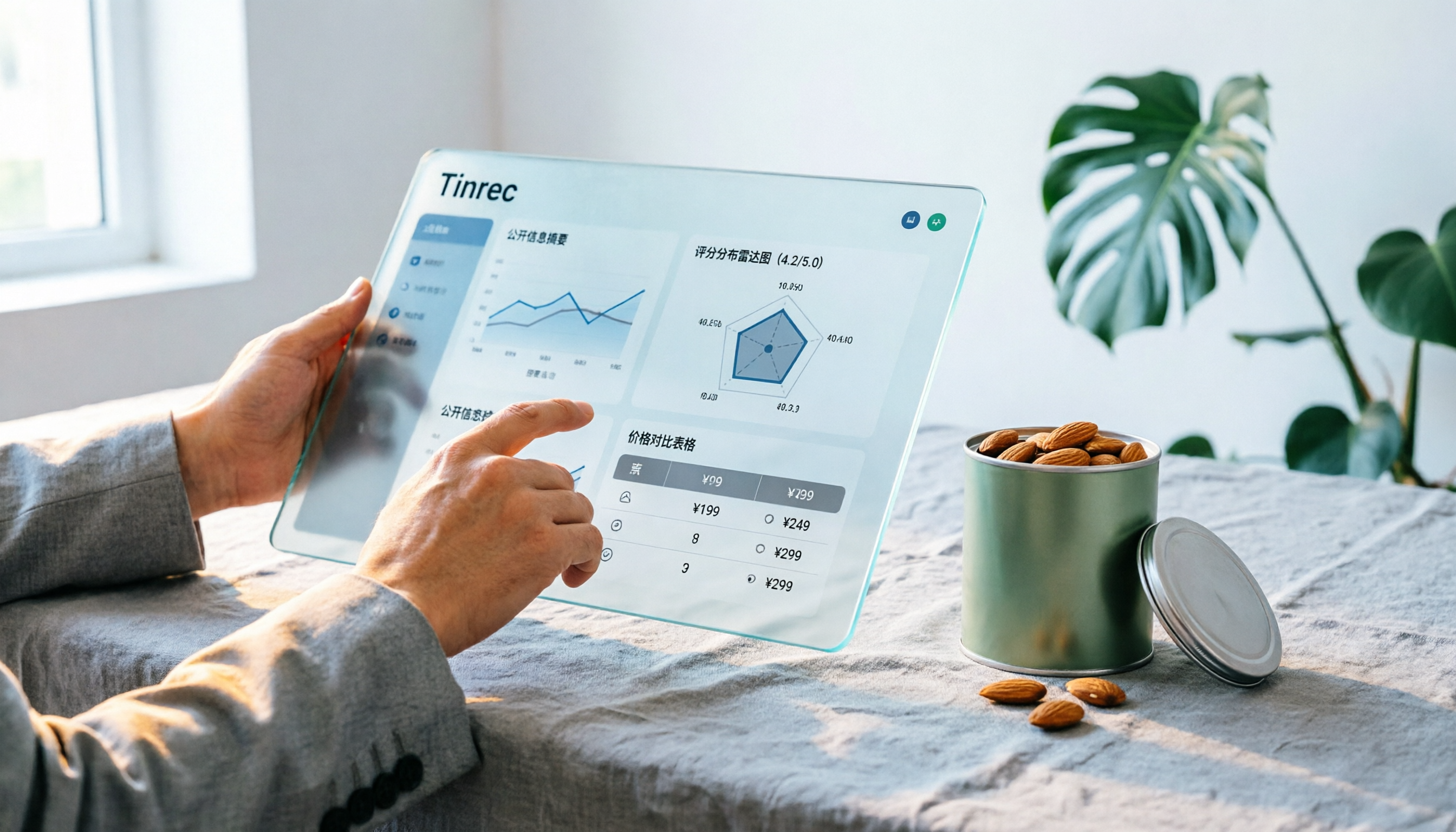
Notta Sin Foods Sugar-Free Snacks Buying Guide 2026: Reviews of 2 Products and Recommendations
There are few Chinese reviews of Notta Sin Foods. This guide compiles public information from the official website, Instagram, Amazon, and bigbasket into a buying guide: it breaks down the two main products, Choco Almond Spread and MilBites, explains the rating distribution behind the 4.5 stars, and summarizes three common buying mistakes to help you think clearly before ordering whether the alternative sweetener taste and price are really right for you.

How to Prepare for the 2026 Vocol Gubin Job Opening: 5 Steps from Understanding the Job Posting to Interview Notes
Vocol Sp. z o.o. has an opening for a pracownik biurowy (office administrator) in Gubin, Poland, with a gross salary starting at 4,666 PLN, a fixed-term contract, and 40 hours per week. This article covers 4 key points for understanding the job posting, a practical interview preparation process, and the tools I actually use to record and organize communication.

5 'Sweat' Reviews Compared: How to Read Lynn Nottage's Working-Class Rage
People searching for 'sweat lynn nottage review' usually aren't wondering if the play is good—they want to know what angle to take. This guide distills key points from five reviews—Los Angeles Times, Variety, The New York Times, blogger Kevin Stephany, and a 2026 Glasgow production—plus methods and tools for organizing research before and after seeing the play.

2026 AI Meeting Notes Comparison: Vocol.ai vs Tinrec — Which Is Better for Chinese-Speaking Teams?
Vocol.ai is a GPT-powered voice collaboration platform, and many users start looking for alternatives after trying it. This article examines three decision points—how to record online meetings, what you get after transcription, and how teams manage data—to compare Vocol.ai and Tinrec. It also covers Tinrec's features, real-world use cases, and pricing for personal and team plans, helping you decide which fits your meeting workflow.

Sweat by Lynn Nottage: 2026 Comparison of 3 Productions — Which Is Worth Seeing?
How to review Lynn Nottage's Sweat? This comparison covers the 2017 Broadway, 2018 Los Angeles, and 2026 Glasgow productions, with 4 key evaluation points and common pitfalls. Plus, if the play's interview-based writing inspires you, here's how to record, transcribe, and follow up on interviews.

2026 VOCOL Capillary GC Columns Comparison: How to Choose Length, Film Thickness, and Temperature Limit
How to choose a VOCOL capillary GC column? This article compares the publicly available specifications of three options—105 m × 0.53 mm, 60 m × 0.25 mm, and 30 m—covering differences in length, film thickness, and maximum temperature. It explains suitable scenarios for purge and trap versus direct injection and uses an FAQ to answer the most common purchasing questions, helping you decide based on your sample and method conditions.
Vocol B.V. vs Vocol Nederland B.V. in 2026: 5 Key Differences Between Two Same-Name Dutch Companies
Searching for "vocol bv" returns two Dutch companies: a trailer manufacturer and a Rotterdam tank storage firm. This article uses 5 dimensions—KVK number, industry code, address, size, and business activity—to distinguish them, and highlights practical tips and common pitfalls when researching Dutch company data.