
Turn recordings into transcripts and summaries in minutes
Upload audio or video for multilingual transcription, AI notes, and action items
Facing two-hour meeting recordings or classroom recordings, have you ever experienced the frustration of "recorded but no time to listen" or "spending half an hour just to find one sentence"? Traditional recording methods preserve sound but fail to effectively preserve "information."
This article will evaluate Traditional Chinese recognition accuracy, real-time transcription speed, AI summary capabilities, and free plan allowances to present five types of recording-to-text tool solutions worth considering in 2026. Through practical exercises, you'll learn how to use AI tools to directly convert voice into action lists.
Quick Navigation Conclusion:
- If you only need simple memos: Prioritize using your phone's built-in voice memo app (iOS/Android).
- If you primarily attend online meetings on your computer: Use built-in captioning features in Teams/Google Meet (but post-meeting organization is weak).
- If you need complete meeting minutes and action items: Choose an AI recording app with "comprehension" capabilities (e.g., Tinrec) to significantly reduce organization time.
1. Why You Need "AI Real-Time Speech-to-Text"? Solving Three Pain Points
Before diving into tool recommendations, let's clarify why traditional voice recorders or simple recording apps are no longer sufficient. For professionals and students, audio files have three significant drawbacks:
- Extremely low information density, high review cost: You can scan 500 words per minute in text, but only listen to 180 words per minute in audio. The time cost of reviewing recordings is typically 1:1 with the recording length, making it highly inefficient.
- Lack of structure, hard to capture key points: In hours-long audio, decisions and action items are often scattered across different segments, making manual organization prone to omissions.
- No searchability, knowledge cannot be retained: Traditional audio files are like black boxes; you can't Ctrl+F to search content, often turning recordings into "digital trash" that just takes up storage space.
Therefore, modern recording needs have evolved from "preserving sound" to "extracting information."

2. 2026 Popular Recording-to-Text Tools: Dimensional Comparison
With a plethora of tools available, we selected the most representative solutions for comparison, including native phone features, cloud meeting software, and professional AI recording tools (using Tinrec as an example).
| Criteria | Built-in Recording (iOS/Android) | Online Meeting Software (Teams/Meet) | Professional AI Recording Tool (e.g., Tinrec) | English Transcription Tool (e.g., Otter) |
|---|---|---|---|---|
| Core Purpose | Temporary voice memo | Online meeting caption aid | All-scenario recording notes and knowledge management | English meeting specific |
| Chinese Recognition | Average/Fair | Average | Excellent (supports mixed Mandarin/Cantonese/Taiwanese/English) | Weak/Not supported |
| Real-Time Transcription | Partially supported (varies by model) | Supported (online only) | Supported (real-time output during recording) | Supported |
| AI Summary/Conclusion | None | Basic version | Auto-generates meeting minutes and action items | Supported |
| Post-Recording Query | None | Hard to search | AI conversational query (ask the recording) | Text search |
| Export Formats | Audio only | Caption file (VTT) | Word, PDF, Markdown | TXT, PDF |
| Cost | Free | Included in enterprise plans | Free trial (100 min/month) / Subscription | Subscription |
Selection Recommendation:
Stop organizing recordings by hand
Upload audio or video and automatically get a transcript, summary, and action items
- If you are an iPhone user, iOS built-in Notes app is convenient but lacks robust summary features for long recordings.
- If you need to handle multilingual environments (e.g., meetings mixing Chinese and English) or speaker diarization, professional tools like Tinrec offer better value.
3. Deep Dive: How Tinrec Achieves "From Recording to Action"
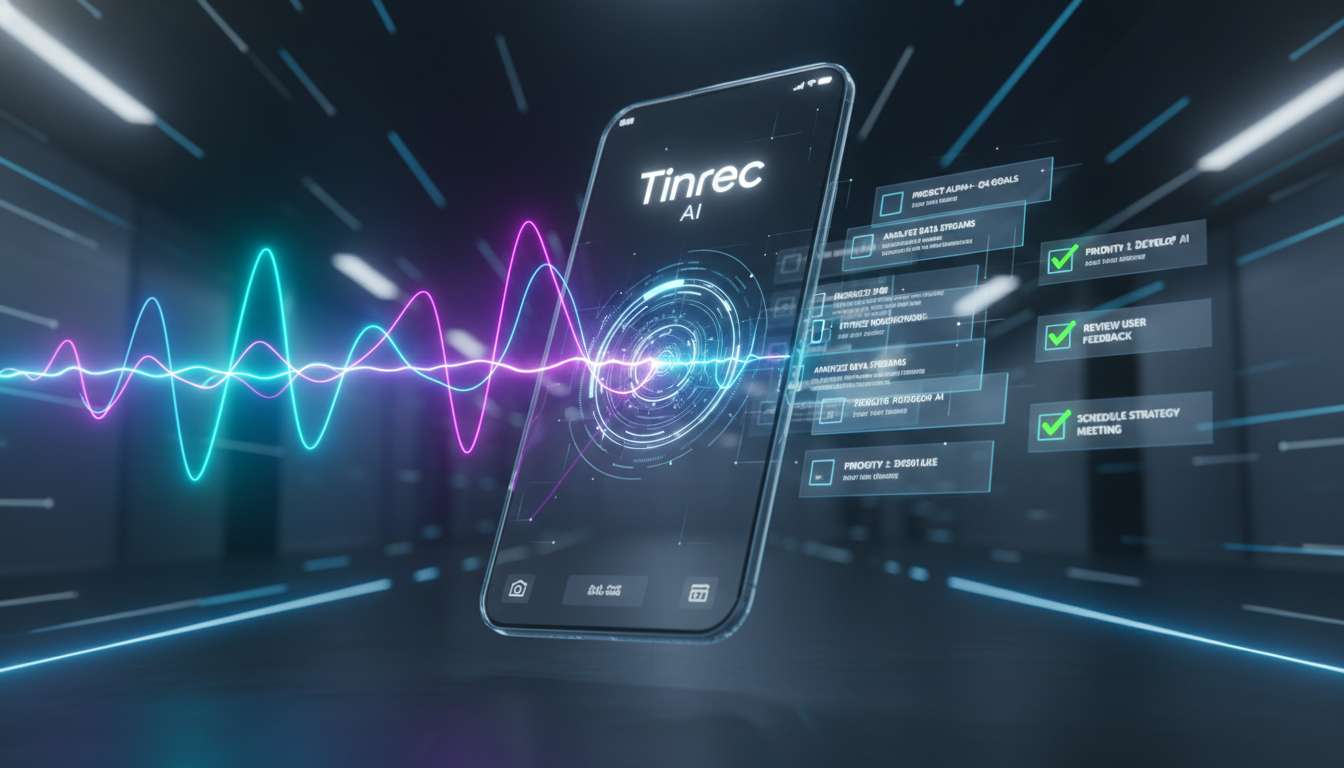
Among the many tools, Tinrec (Instant Voice Recording) has a unique design philosophy. It goes beyond converting voice to text, emphasizing a complete workflow of "Recording → Understanding → Action." Here are its main differences from traditional tools:
1. Multilingual Mixed Recognition and Real-Time Transcription
Unlike many tools that only support a single language, Tinrec supports 10 languages including Chinese, English, Japanese, Korean, Cantonese, and Taiwanese. This is very useful in cross-border meetings or foreign language learning, enabling real-time conversion of conversations into transcripts and reducing language barriers.

2. Not Just Transcripts, But "Decision Lists"
This is a key feature for many professional users. Tinrec uses AI to analyze the entire recording and automatically extracts:
- Meeting Minutes: Quickly summarize discussion points.
- Action Items: List who should do what by when. This directly saves 30 minutes of post-meeting note organization time.

3. AI Conversational Query: Ask the Recording Like Asking a Person
Facing an hour-long interview recording, you don't need to read from start to finish. Tinrec's built-in "AI Conversational Query" feature allows you to ask direct questions, such as "What was the conclusion about the marketing budget in this meeting?" The AI answers based on the recording content, changing how we retrieve information.

4. Hands-On Tutorial: How to Quickly Generate Meeting Notes with a Mobile App
The following demonstrates how to use Tinrec to efficiently process a recording for meetings, lectures, or interviews.
Step 1: Start Real-Time Recording
Open the Tinrec app or web version, and click "Start Recording."
- Tip: Place your phone between speakers for best results. The app displays real-time transcription as you record, so you can monitor progress.
- Entry Point: Record and transcribe in real time
Step 2: Mark Key Points and Diarize Speakers
During recording, if you hear important sections, tap the bookmark button. After recording, the system automatically attempts to distinguish different speakers (Speaker A, Speaker B), and you can manually rename them (e.g., PM, Designer) for clearer transcripts.


Step 3: Import External Files or Video Links (Optional)
If you already have recorded audio or want to transcribe YouTube/Podcast content, you don't need to re-record with your phone.
- Audio Files: Directly upload mp3/m4a formats.
- Video Links: Paste YouTube or TikTok links, and Tinrec will directly parse and generate summaries.
- Entry Points: Audio file to text | Video link to text

Step 4: Generate Summary and Export
After recording, click the AI analysis button. The system will generate structured notes. Finally, choose to export as Word, PDF, or Markdown format, ready to paste into your work reports.
5. Frequently Asked Questions (FAQ)
Q1: Is Tinrec's free plan sufficient? Tinrec offers 100 minutes of free transcription per month, usually enough for students and individual users who occasionally need to record class highlights or short meetings. For high-frequency business needs, consider Basic or Pro plans.
Q2: Does Tinrec work with iPhone call recording restrictions? Due to iOS privacy policies, most apps cannot directly record phone calls. It is recommended to use speakerphone and open Tinrec to record, or import a call recording file (if obtained through other means) into the app for transcription.
Q3: What affects transcription accuracy? Ambient noise and microphone distance are the biggest factors. Use in a quiet environment and keep the phone close to the speaker. Tinrec's AI includes semantic correction to auto-correct some grammar errors, but clear audio is still key.
Q4: Which languages are supported for transcription? Besides mainstream Chinese (Traditional/Simplified) and English, Tinrec supports Japanese, Korean, German, Cantonese, Taiwanese, and 10 other languages, suitable for multilingual learning or cross-border business.
Q5: Can I directly transcribe a YouTube video? Yes. Use Tinrec's "Podcast/Online Video to Text" feature: just paste the URL without downloading the video, and you'll get a transcript and AI summary, ideal for content creators organizing materials.
Q6: Is my recording data safe? Tinrec uses encrypted transmission to protect your audio data. For enterprise users or sensitive content, after completing transcription and export, manage cloud storage as needed.
Turn every recording into actionable outcomes
Get 60 free transcription minutes when you sign in. No credit card required.
Related Reading
You might also like

4 AI Meeting Assistants Tested for 2026: No Meeting Bots—Which One Actually Saves You Two Hours After the Meeting?
A mid-level manager who holds 15 meetings a week tested 4 AI meeting assistants, comparing recording methods, post-meeting output, Chinese-language performance, and team governance. Here's why Tinrec (Miao Ting Lu Yin) was the one that stayed, and who Otter.ai, Granola, TurboScribe, and PLAUD are each best suited for.

How to Take Smart Meeting Notes in 2026: 6 Steps from Recording to AI Action Items
Smart meeting notes aren't just about hitting record. This guide starts with what a useful record should look like, compares four approaches—platform built-in, meeting bots, bot-free desktop recording, and post-meeting upload—then walks through 6 steps: define questions before the meeting, record and transcribe during, proofread after, generate AI summaries, rewrite with Topic + Next Step, and send and archive within 24 hours. It also covers team roles, seats, and pricing.

4 AI Meeting Assistants Tested in 2024: Dcard Users Weigh In—Which One Actually Saves You Post-Meeting Time?
Starting from the most common Dcard question—'How do I choose an AI meeting assistant?'—this article uses the real needs of a mid-level manager with 15 meetings a week to break down 4 key buying factors: how meetings are recorded, what you get after the transcript, whether recordings are kept, and how team seats are counted. It compares Tinrec, Otter.ai, Notta, and Granola, with a pitfalls guide and scenario-based recommendations.

5 Smart Meeting Notes Tools Tested for 2026: What Are AI Meeting Notes & Which Really Saves Time?
Many people think smart meeting notes are just automatic transcripts, but they end up with long text files and still have to find decisions and action items themselves. This article first clarifies common misconceptions about what smart meeting notes are, then reviews the features, official pricing, and ideal users for 6 solutions: Tinrec, Otter.ai, Notta, Fireflies.ai, Granola, and TurboScribe, helping you choose tools based on meeting workflows rather than marketing hype.

2025 AI Meeting Assistant Comparison: 4 Tools Tested—Which Turns Meetings into Searchable Team Knowledge?
How to choose an AI meeting assistant in 2025? This article breaks down 5 key selection criteria based on real meeting workflows, comparing Tinrec, Otter.ai, Notta, and Granola on recording, transcription, AI Q&A, team collaboration, and pricing limits to help you decide which fits Chinese-language meetings and team knowledge retention.

How to Use Smart Meeting Notes in 2026: Bot-Free Recording, Transcription, and AI Summaries with Action Items
Many people think smart meeting notes just means hitting record and waiting for AI to spit out a summary—but the resulting transcript is often something no one wants to read. This article starts with the most common misconceptions, breaks down the four key judgment points that truly matter for meeting notes, and then walks through a complete before-during-after workflow using Tinrec, including copy-paste prompt templates and a pitfalls checklist.

Best AI Meeting Notes Apps 2026: Auto Transcripts + AI Summaries & Action Items
Tired of spending two hours writing up meeting notes? This guide starts with the key question—do you need a recording or usable meeting data?—then breaks down 4 essential factors for choosing an AI meeting notes app, compares Tinrec, Otter.ai, Notta, and Granola, and covers the 3 most common pitfalls so you can pick the right tool the first time.

2026 AI Meeting Assistant Cost Comparison: Free Tiers and Paid Thresholds Dcard Users Ask About Most
Starting from the common Dcard question about free minutes, this article explains how to evaluate AI meeting assistant costs. Using Tinrec as the main test subject, it covers the quotas and pricing for the free, personal, and team plans, and compares bot-free recording, Chinese transcripts, AI summaries, action items, and team collaboration, with 6 cost FAQs.

Tinrec vs Notta 2026: 5-Dimension Comparison for Chinese Meeting Notes
How to choose the latest AI meeting assistant in 2026? This article compares Tinrec and Notta across 5 dimensions: Chinese transcription, meeting capture methods, post-meeting output, team data governance, and pricing quotas. It honestly lists free quotas and paid prices for both, and includes 4 common pitfalls when choosing an AI meeting assistant to help you decide which one fits your meeting scenarios.