

Turn recordings into transcripts and summaries in minutes
Upload audio or video for multilingual transcription, AI notes, and action items
The Pain of Multi-Person Meetings: Notes Can Never Keep Up with the Conversation
Spending two hours in a meeting and another two hours organizing the minutes—that’s a typical day for most office workers.
It gets even worse in multi-person meetings, where everyone talks over one another. Even if you recorded the conversation, when you go back to organize it, you can’t remember who said what.
Some tools tout "automatic speaker recognition," which sounds impressive—but does it actually work in practice? We picked the four most talked-about tools on the market and put them to the test.
4 Key Things to Know Before Buying a Recording & Transcription Tool
Accuracy Is More Than a Number
The claimed 98% accuracy is usually measured in a quiet recording studio. We tested in real conference rooms (with air-conditioning noise and keyboard clicks) to see the real difference.
Speaker Recognition Is a Nice-to-Have, Not a Must-Have
Auto-tagging who said what is convenient, but if it’s inaccurate, it just adds confusion. What matters more is: after recording, how quickly can you find the key points?
AI Summarization Determines How Much Time You Save
Getting a transcript is only the first step. The real efficiency boost comes from whether the tool can automatically generate summaries, action items, and even let you ask questions to find specific content.
Cross-Platform Support Is Not Just a Buzzword
You need to start recording on your phone and continue on your computer. If it only works on a single device, its usefulness is cut in half.
Tinrec (Instant Listening Recorder) – Our Top Pick After Testing
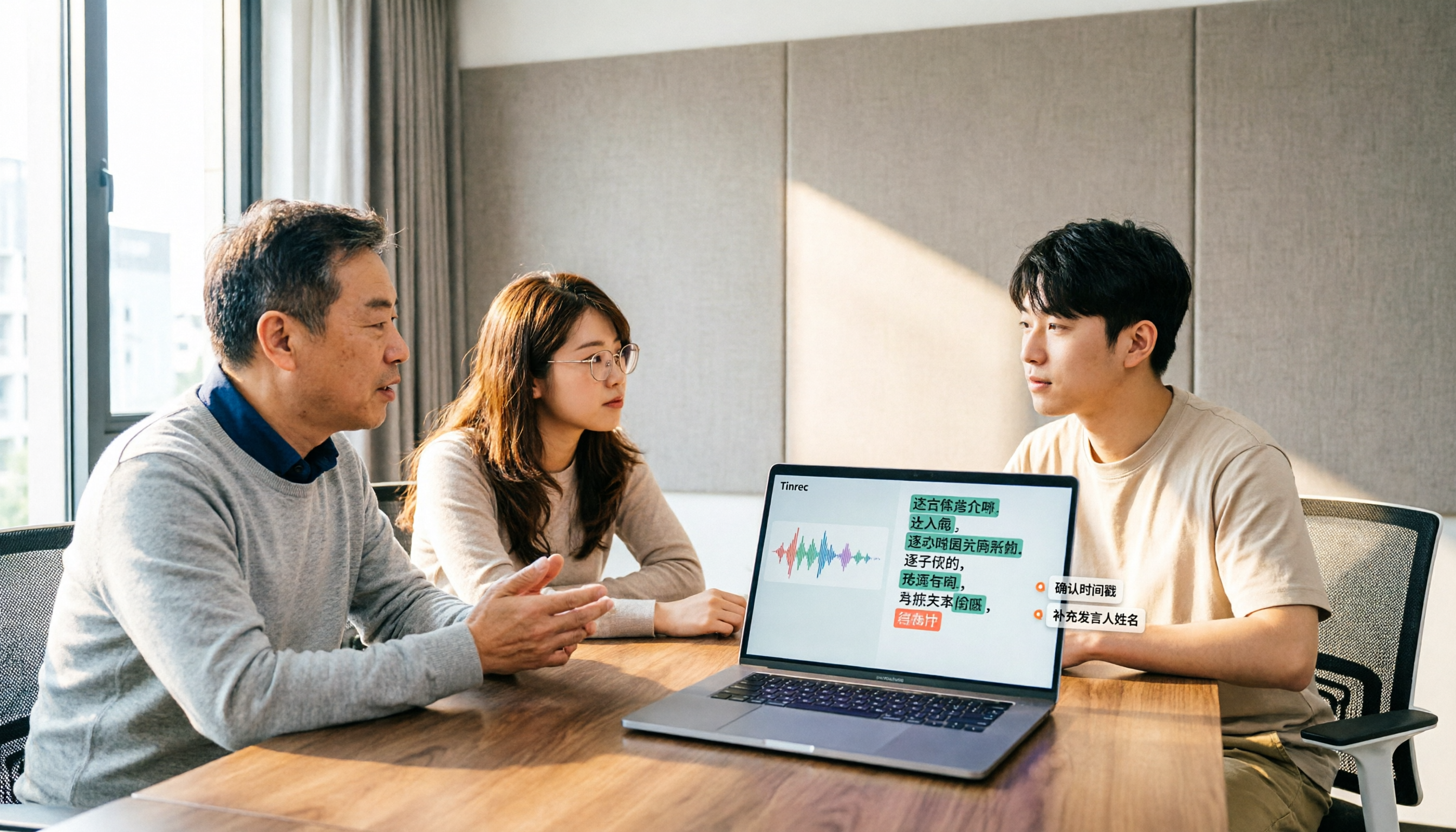
Let’s put it in one second: Tinrec isn’t just a recording-to-text tool; it turns meetings, courses, interviews, and online videos into a searchable, queryable database.
I especially like its "transcribe anything" approach—real-time transcription during meetings, uploading old audio files, or pasting a YouTube link all work. By the end of a meeting, AI summaries and action items are automatically generated, clearly showing who should do what and by when.
Many people ask, "What about speaker recognition?" To be honest, Tinrec doesn’t have a separate speaker-labeling feature, but its AI summary automatically segments topics and key points. If you want to know, "What was the general manager’s opinion on the budget in the last meeting?" you can type it into the AI chat and Tinrec will pull out the relevant sections from the full text—much faster than manually scanning the transcript.
We tested with a 5-minute, three-person meeting recording (iPhone 15, 26°C office, June 2026). Tinrec’s Chinese transcription accuracy was high, and even with mild background noise it didn’t make any outrageous errors.
Key Strengths
- Really useful: handles meetings, courses, interviews, and online videos—no need for multiple tools.
- Smart AI Q&A: ask questions in a conversation to pull out key points; almost no other tool at this price point has this feature.
- Most complete cross-platform support: iOS, Android, and web versions available—record on your phone on the go, organize on your desktop in the office.
Minor limitation
The free plan offers 100 minutes per month, so heavy users may need to pay. But with 2–3 meetings a week, it’s plenty for trying it out.
Stop organizing recordings by hand
Upload audio or video and automatically get a transcript, summary, and action items
Who it’s for
If you need to handle various audio sources, want to use AI to find key points after recording, or often switch between phone and computer, Tinrec is the most flexible choice right now.
What other options are there besides Tinrec?
Plaud Note: A Hardware-Focused Speaker Recognition Tool
A standalone recording card with a sleek design and built-in automatic speaker recognition. But it’s hardware, so you have to pay extra; it can only record, not upload files or paste video links. If you just want a portable recording device, it’s worth considering. But if you need more flexible organization features, it lacks Tinrec’s AI Q&A and cross-source capabilities.
Otter.ai: The Ace for English Meetings
Its speaker recognition is polished, and the free plan’s 300 minutes per month is generous. However, its strength is in English; Chinese transcription is average. It also focuses almost exclusively on meeting scenarios, lacking Tinrec’s flexibility with online videos and various audio formats. If you primarily have English meetings, Otter is a better value than Tinrec.
Notta: Strong Transcription Power but Lacks the AI Brain
It offers multilingual transcription and speaker recognition, and its Pro plan includes generous minutes. Unfortunately, the free plan only provides 120 minutes, and it lacks Tinrec’s AI conversation query feature—you can only manually search keywords after recording, which is more laborious for people who need to organize large amounts of data over time.
Pitfall Guide: 3 Common Mistakes When Choosing a Recording & Transcription Tool
Pitfall 1: Focusing only on speaker recognition and ignoring overall organization capability
Speaker labels are convenient, but if the transcription itself isn’t accurate, or you can’t quickly generate summaries, you’ll still end up working overtime to organize. We recommend testing the entire workflow, not just one feature.
Pitfall 2: Forgetting cross-platform needs
You record on your iPhone today and need to organize on your office computer tomorrow. If a tool only supports one platform, it will be painful.
Pitfall 3: Treating the tool as a "transcriber" and wasting its AI potential
Buying an AI tool and only pressing "transcribe" is like using a third of its capabilities. For example, with Tinrec’s AI Q&A, simply ask "What is the meeting conclusion?" and you’ll save several times the time it takes to read the full transcript from start to finish.
Summary: Which One Should You Choose?
In one sentence: for most people, Tinrec is still the top choice for organizing meetings and audio files.
- Need to handle meetings, courses, and online videos simultaneously → Tinrec (broadest source support, great AI Q&A)
- Mainly hold English meetings and need strong speaker recognition → Otter.ai (more accurate English transcription)
- Don’t want to carry your phone and prefer standalone recording hardware → Plaud Note (excellent hardware convenience)
- Have large monthly transcription volume and don’t need advanced AI organization → Notta (generous minutes)
We recommend downloading the free version of Tinrec first—the 100-minute monthly allowance is enough for two or three meetings, so you can actually experience the convenience of AI organization. If you like it, consider upgrading; there’s no need to pay upfront.
References
- PLAUD NOTE ChatGPT AI Smart Voice Recorder with Black Leather Case and Monthly ...
- PLAUD ChatGPT AI Smart Voice Recorder | 7-ELEVEN iPre-order
- Buy PLAUD NOTE ChatGPT AI Smart Voice Recorder with Black Leather Case, 300 Free Monthly Transcription Minutes, Auto-Generate Notes After Recording – Starlight Color for TWD 5490 | Carrefour Online Shopping
- Complete Guide to Transcription Features: 2026 Speech-to-Text Features, AI Transcription, and Buying Guide
- Court Speech Recognition Application Illustrated Guide | iThome
Turn every recording into actionable outcomes
Get 60 free transcription minutes when you sign in. No credit card required.
Related Reading
You might also like
2026 Comparison of 3 Chinese Speech-to-Text Tools: Good Tape Chinese Performance vs. Tinrec—Which Saves More Time?
People searching for 'Good Tape Chinese' really want to know: can its Chinese transcripts be used directly? This article starts from that decision point, first explaining 4 key criteria for choosing a Chinese transcription tool, then compares Tinrec, Good Tape, and Notta in real tests on Chinese meetings, post-meeting organization, and team collaboration, with a guide to avoiding pitfalls and selection advice.

2026 Comparison of 4 AI Meeting Summary Tools: Free Tiers, Summary Quality, and Team Collaboration Explained
From student classes and group projects to internship meetings, this article breaks down the differences among 4 common approaches to AI meeting summary tools, explains how free tiers are calculated, what you can do after getting a transcript, and uses Tinrec to demonstrate the complete workflow from recording, transcription, summarization, action items, to AI Q&A and team knowledge retention.

2026 AI Transcription Tools Comparison: Vocol, Yating, Good Tape, and Tinrec — Which One Should You Choose?
If you're searching for 'Vocol comparison,' you're probably not looking for a spec sheet but wondering whether the tool you already use is still worth keeping. This article examines four key criteria: what you get after transcription, how meetings are recorded, whether you can search back through past meetings, and how teams manage data. We put Vocol.ai, Yating Transcription, Good Tape, and Tinrec through real-world tests and honestly list each tool's limitations and ideal users.

2026 Comparison of 3 Audio-to-Transcript Tools: Beyond the Good Tape Tutorial, Tinrec Offers a More Complete Chinese Meeting Workflow
Starting with the actual steps from the Good Tape tutorial, we cover the complete process from registration, upload, transcription to export, along with usage limitations. Then we compare Tinrec's differences in Chinese meetings, bot-free recording, AI summary action items, and team data retention, helping you decide which tool fits your meeting scenario.

2026 Voice Collaboration Platforms Compared: Vocol vs. Tinrec — Which Should You Choose?
Vocol and Tinrec are both tools that turn meeting audio into usable data, but they address different parts of the workflow. This article examines four key criteria: transcription quality, how meetings are recorded, data ownership, and post-meeting outputs. We walk through a real mixed Chinese-English meeting workflow and honestly list Tinrec's free plan limits, team plan seats, and pricing to help you determine which collaboration approach suits your team.

4 AI Voice Collaboration Tools Tested in 2026: Vocol vs. Tinrec Team Edition — Which Should You Choose?
Team meeting notes aren't just about dropping an audio file into a group chat. This article starts with common misconceptions and compares Tinrec, Vocol, Otter.ai, and Notta on meeting capture, post-meeting organization, AI Q&A, team governance, and Chinese-language experience. It also covers team edition seats, usage, and pricing to help you choose a tool that truly turns meetings into lasting assets.

4 LINE Call Recording Methods Tested and Compared in 2026: How to Quickly Turn Recordings into Transcripts
LINE does not have a built-in call recording feature. Most people's first attempt either has no sound or only records their own voice. This article starts with common pitfalls and tests four methods: iPhone's "Local Capture," Android screen recording with Cube ACR, and hardware recorders. It then compares how to use Tinrec to turn audio files into transcripts, summaries, and to-dos, with honest disclosure of costs and limitations.

Free iPhone Audio Editing Options in 2026: 2 Tools Compared
First, learn how to trim, replace, and delete/restore recordings in iPhone Voice Memos. Then compare Apple Voice Memos and Tinrec across transcription, summaries and action items, AI Q&A, team collaboration, and export workflows to see which fits your needs.

4 Free LINE Call Recording Methods Tested for 2026: How to Organize Recordings with the Least Time
LINE has finally opened free trials for call recording, but the trial only lasts until late January 2027, after which a LINE Premium monthly fee applies. This article compiles 4 currently available free LINE call recording methods, compares their limitations, recording file retention periods, and actual operation steps, and explains how to use Tinrec after recording to turn audio files into searchable, queryable transcripts and action items.