

Turn recordings into transcripts and summaries in minutes
Upload audio or video for multilingual transcription, AI notes, and action items
Boost Productivity | News Release | Zoom Transcription for Remote Meetings
Author: Zhang Zhenyu | April 28, 2020 | Reading time: 7 minutes
Try Voicera Free
300 minutes of free transcription per month
Up to 30 minutes per session
Supports 3 audio or video file uploads
Enterprise Plans
Industry-leading speech-to-text technology
Advanced AI conversation features
Custom integration and workflows
Share this article:
Update Notice
Voicera has been fully upgraded! Now introducing "Voicera Assistant" — a smart voice-activated meeting agent that can join meetings, answer questions, and complete tasks, making meeting notes, understanding, and follow-ups effortless.
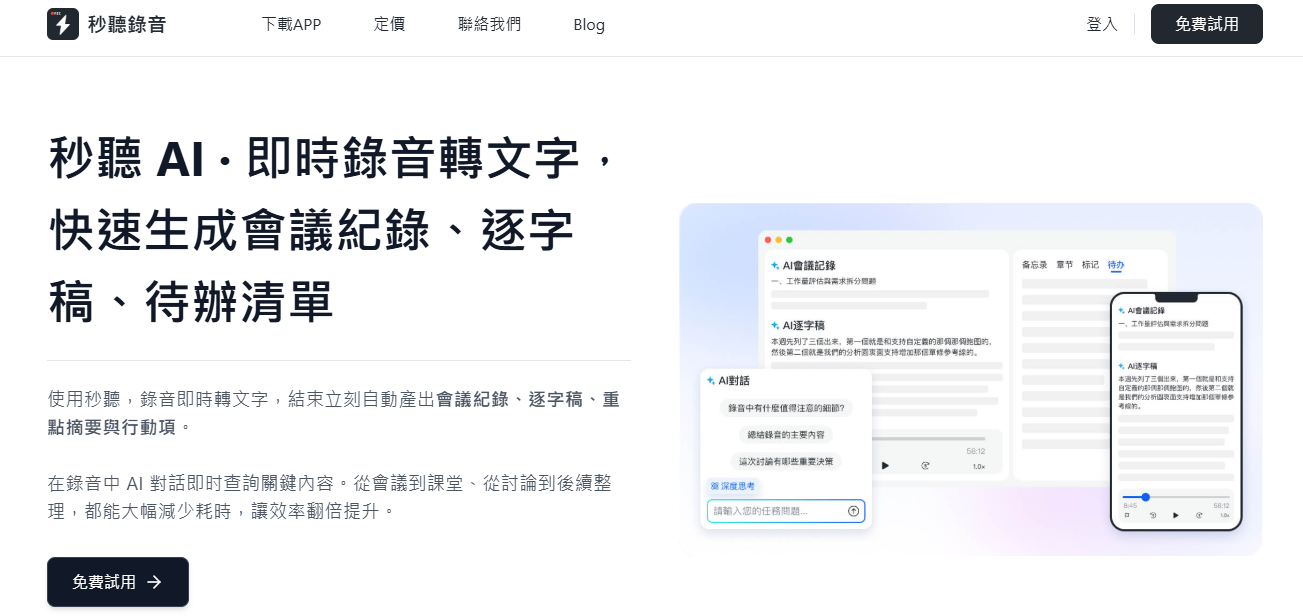
As more meetings move online, with employees working remotely and students attending classes from home, effectively organizing all the information has become more challenging. Fortunately, today's video conferencing platforms offer robust solutions. That's why more and more companies are combining Zoom with Voicera for virtual meetings.
Voicera integrates with Zoom to provide real-time and post-meeting interactive transcripts. It can also automatically sync cloud recordings from your Zoom account and convert them to text stored in your Voicera account. This enables team members to collaborate and communicate more smoothly.
Does Zoom Offer Transcript Features?
Zoom only provides automatic transcription powered by Voicera on "Business" plans and above. Through native integration, Voicera offers automatic speech-to-text and note-taking for Zoom Pro and higher plans. You can read, share, and annotate text from meetings, videos, and webinars. Participants can open Voicera directly from Zoom to view, comment, and highlight important notes. This integration covers both real-time and post-meeting transcription.
How Does Voicera Provide Transcription for Zoom Meetings?
Voicera can automatically generate meeting notes for your remote meetings on Zoom, Google Meet, and Microsoft Teams. You and your team can search, read, listen, annotate, and share afterward.
Stop organizing recordings by hand
Upload audio or video and automatically get a transcript, summary, and action items
If you use Zoom Pro, Business, or Enterprise plans, you can choose to automatically sync Zoom recordings to Voicera for real-time transcripts. The service also includes real-time transcription with speaker identification. Simply label a few segments of a speaker's voice with low background noise, and the system will learn to recognize the same voice in the future, enabling accurate attribution.
Want to fully experience how this tool boosts your productivity? Try Voicera's free plan with 600 minutes of transcription per month.
Need more guidance?
How Can Voicera's Zoom Video Transcription Help Your Team?
Voicera's Zoom video transcription service makes team operations more efficient. Use it to automatically generate Zoom meeting notes, capture every detail, and ensure clear accountability among colleagues. You can review text and conversation records anytime after the meeting.
You can also search keywords in real-time or after the meeting, and annotate important sentences to share. After the meeting, the system automatically generates shareable key summaries and keyword analysis reports.
With transcripts, every member can participate confidently without fear of missing key points. No need to rush taking notes; everyone can be more focused and engaged in virtual meetings.
Zoom Real-Time Transcription
Voicera provides real-time transcription of Zoom calls with speaker identification. We help clarify who said what, eliminating confusion. You get real-time streaming transcripts and notes that include text, images, audio, speaker labels, and key terms.
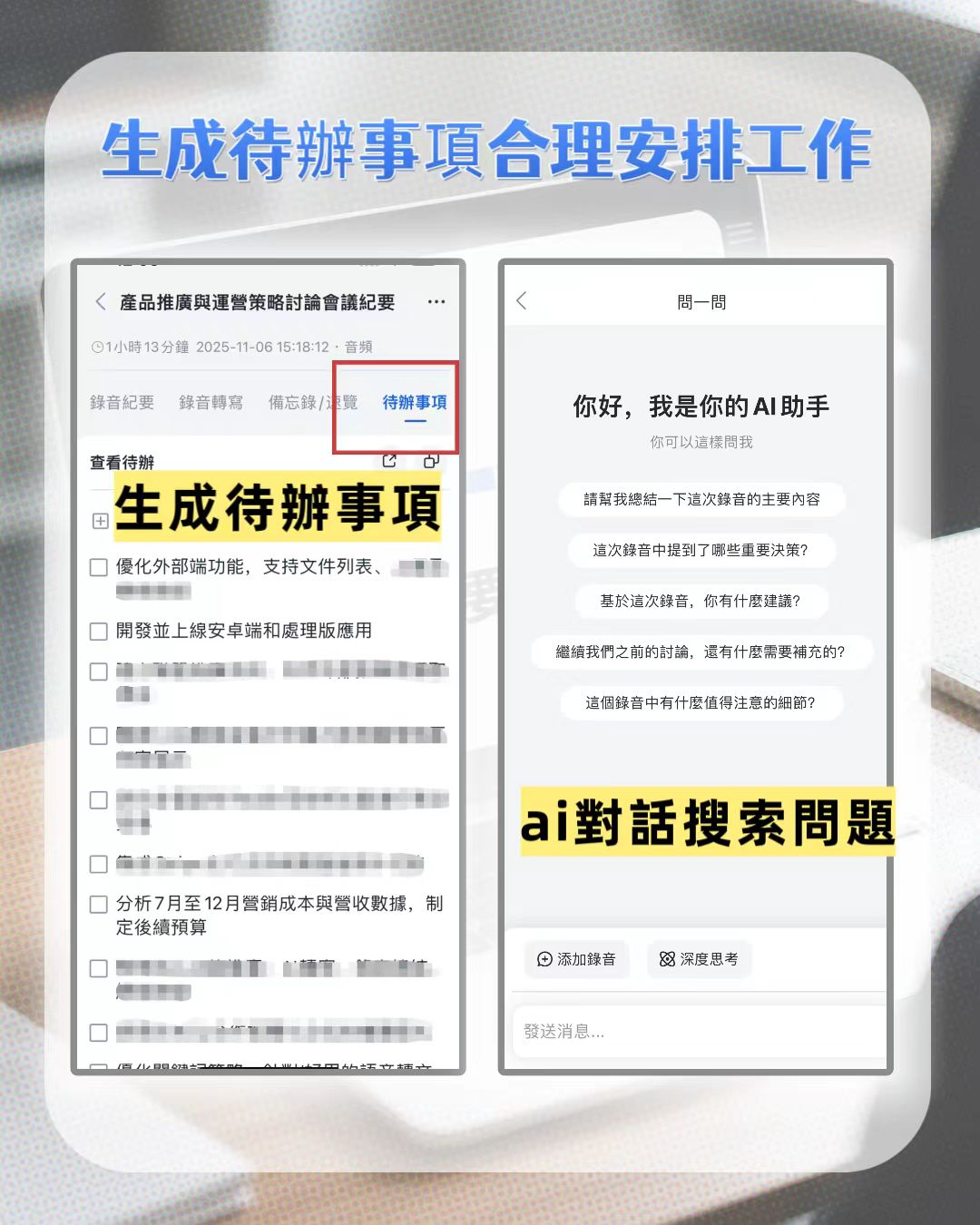
Zoom Cloud Recording Transcription
With Voicera, you can automatically sync and transcribe audio recordings from Zoom meetings. First, link your Zoom account to Voicera. Go to "Settings" > "Connected Apps" > "Zoom Account", then click "Connect Your Zoom Account".
If you use the "Voicera Team" plan, you can view the transcript directly within the Zoom video screen and annotate key points in real-time.
Zoom Phone Call Transcription
Zoom phone calls can also be recorded and synced to Voicera for transcription. Simply enable Zoom cloud recording and make calls via the Zoom mobile app to ensure calls are fully captured and transcribed.
As with video meetings, you can share transcripts with team members to keep everyone aligned.
Zoom Transcription Service Review: Common Questions
One major limitation of Zoom is that its Pro and Business plans do not include built-in automatic meeting transcription; users must rely on third-party tools like Voicera for real-time transcription. Additionally, in the medical field, Zoom's translation and interpretation features are considered insufficient. Another issue is that its recording API does not show transcription status, making it hard to know if processing is ongoing, complete, or failed.
Voicera's secure platform allows real-time recording and review of conversations, instant transcription of any audio, and generation of live notes. Thanks to environmental voice intelligence technology, the system continuously learns to recognize voices and specialized terminology, making it an AI assistant that boosts collaboration and productivity. Whether for virtual meetings or other applications, Voicera helps you handle modern business challenges more efficiently.
Turn every recording into actionable outcomes
Get 60 free transcription minutes when you sign in. No credit card required.
Related Reading
You might also like

2026 Audio Summarizer Guide: Auto Summaries + AI Q&A to Find Key Points
How do you choose an audio summarizer? This guide covers common pitfalls and key factors like summary quality, AI Q&A, and cross-platform export. We recommend Tinrec, which supports bot-free online meeting recording, automatic summaries, action item extraction, and team spaces. Also includes alternatives like Granola and PLAUD, plus tips to avoid mistakes.

5 Best AI Transcription Tools in 2026: Which One Saves the Most Time?
We tested 5 recording-to-transcript tools, comparing Chinese recognition, post-meeting organization, AI Q&A, and team collaboration. See how Tinrec stacks up against Otter.ai, Notta, and TurboScribe, plus key buying tips and pitfalls to avoid.

Tinrec vs Otter.ai: Which AI Meeting Summary Tool Is Better for Chinese-Speaking Teams in 2026?
Many people think a transcript means the meeting notes are done, but the real time sink is post-meeting organization. This hands-on comparison of Tinrec and Otter.ai—two tools that automatically generate meeting summaries from recordings—evaluates them across six dimensions: Chinese-language meeting experience, recording method, post-meeting outputs, audio retention, team governance, and pricing/quotas, helping Chinese-speaking teams decide which tool better fits their workflow.

4 Best Meeting Transcription Tools in 2026: Free Tiers, Chinese Accuracy, and Post-Meeting Efficiency Compared
Tired of spending hours writing meeting minutes? This article compares Tinrec, Notta, Granola, and PLAUD Note across four key areas: how they record online meetings, Chinese and mixed-language transcription accuracy, post-transcription summarization and AI Q&A, and team data ownership. It also includes a pitfalls guide and selection advice.

How to Auto-Generate Transcripts in 2026: Tinrec vs Yating + Bot-Free Meeting Recording
Auto-generating transcripts isn't a one-click job. This article breaks down the three most common pitfalls, then compares Tinrec and Yating Transcript across five dimensions to clarify how to choose for Hong Kong office scenarios.

2026 AI Meeting Notes Tools Compared: 5 Top Picks for Transcription & Team Collaboration
Tired of spending hours after meetings organizing transcripts? This article reviews 5 AI meeting notes tools based on real testing, breaking down 5 key dimensions: audio capture methods, post-meeting outputs, audio retention, and team governance. It focuses on Tinrec as the primary example, comparing its use cases with Notta, Otter.ai, Granola, and TurboScribe, and includes a pitfalls guide and selection advice.

2026 AI Meeting Summary Comparison: 5 Common Misconceptions and Tinrec in Practice
Many people think having a transcript means having a meeting summary, but after the meeting they still have to read through it themselves. This article examines 5 common misconceptions to explain where AI meeting summaries truly help, their core capabilities, practical use cases, and key purchasing considerations, using Tinrec as a concrete example.

How to Summarize Meeting Highlights in 2026: 5 Steps from Recording to AI Summary
The problem with meeting notes usually isn't slow typing—it's trying to capture and organize at the same time. This article breaks down a 5-step workflow from recording, transcription, AI summarization, to action item tracking, and explains how Tinrec (秒听录音) uses desktop bot-free recording, AI Q&A, and multi-format export to turn meetings into searchable, collaborative team data.

Tinrec Audio to Text Tutorial 2026: Chinese Transcripts + AI Meeting Notes in One Go
How to choose an audio-to-text tool? This article compares Tinrec and Yating Transcript across five dimensions: Chinese and multilingual transcription, bot-free online meeting recording, post-transcription summaries and action items, cross-platform export, and team seats and usage management. It then tells you directly which one to choose for which situation.