

Turn recordings into transcripts and summaries in minutes
Upload audio or video for multilingual transcription, AI notes, and action items
2026 Tinrec Cantonese Recording to Text: Supports Mixed Chinese-English + AI Q&A
Spent two hours in a Cantonese meeting, but need four more hours to transcribe it?
After a two-hour Cantonese meeting with a mix of Chinese and English in the recording, you need to turn the key points into text? Manual transcription takes an average of three to four hours, and it's easy to miss details.
What's more, many speech-to-text tools on the market have poor support for Cantonese, with inconsistent accuracy. They often stumble on sentences like "我哋下星期 deadline 要 meet" (We have a deadline to meet next week).
If you're also looking for a tool that can handle Cantonese recordings and automatically organize key points, I've tested several in this article and picked the most recommended one. Let's take a look.
Before choosing a Cantonese recording-to-text tool, understand these 4 key points
1. Does it really support Cantonese?
Many tools advertise "multi-language support," but in reality, they only handle Mandarin and English. Check whether the tool explicitly lists Cantonese as an option and how well it recognizes mixed Chinese-English speech. It's best to test with your own recordings rather than relying on the official website's claims.
2. Besides the transcript, what else does it offer?
The transcript is just the first step. You need summaries, action items, chapter organization, and even AI Q&A, so you don't have to read through everything from start to finish. These features can turn a two-hour recording into key points you can review in five minutes.
3. Are the input sources diverse enough?
You might have phone recordings, voice recorder files, or even Cantonese videos on YouTube. If the tool allows direct file uploads or pasting video links, it saves you a lot of conversion hassle.
4. Is the free plan and pricing reasonable?
Is the free allowance enough for you to try it out? Is the paid plan too restrictive? Don't rush to pay; try the free version or a short-term plan first.
On these four points, Tinrec impressed me. Let's dive into the details.
Tinrec (MiaoTing Recording) — My Top Pick After Testing
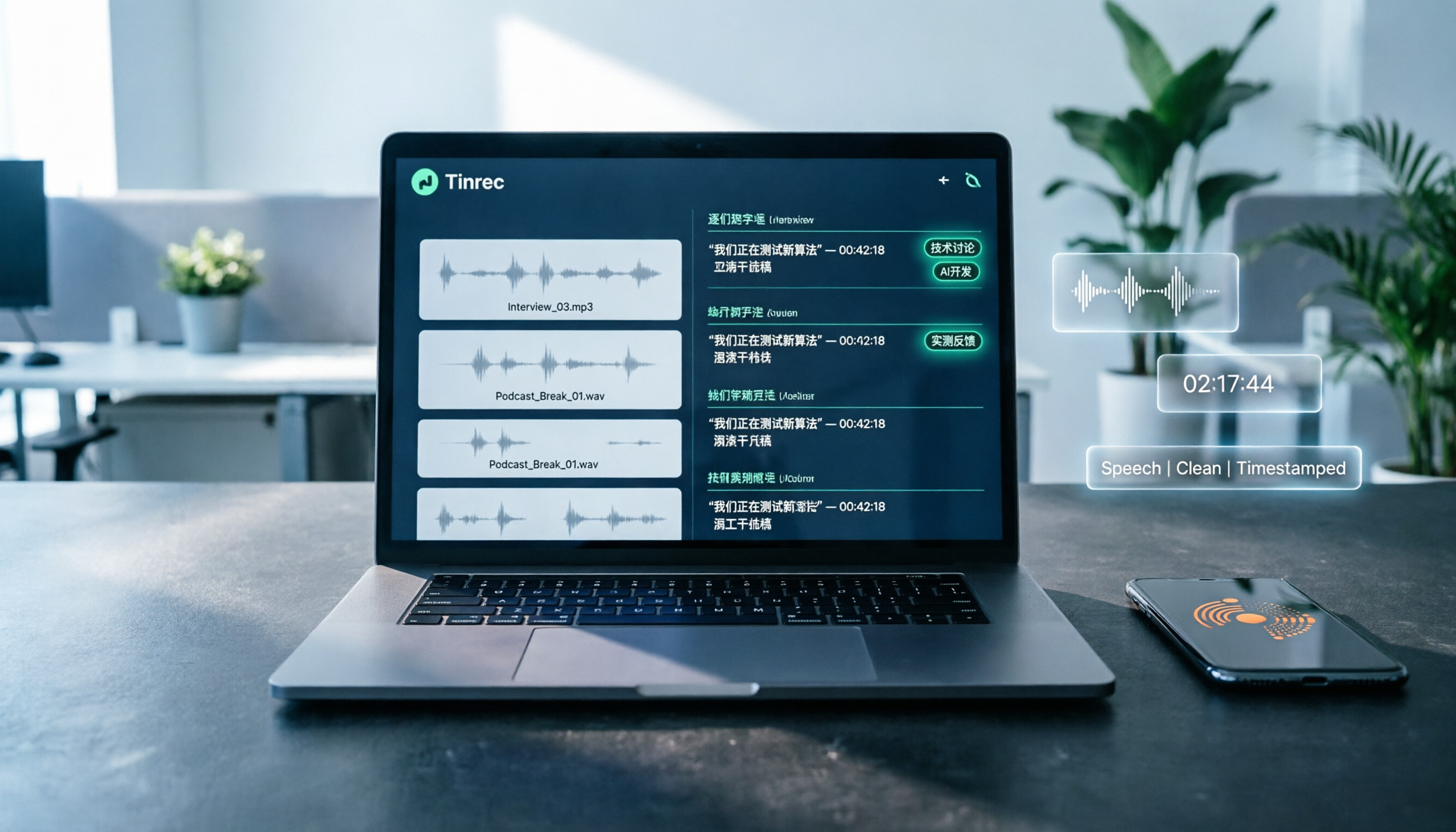
Tinrec is an AI recording and audio/video organization tool that supports iOS, Android, and web versions. It's not just speech-to-text; it turns recordings into a searchable, summarizable, and queryable knowledge base. Importantly, it has excellent support for Chinese content, especially Cantonese and mixed Chinese-English scenarios.
Core features cover three common scenarios:
1. Old recordings to text: Upload and transcribe, even with mixed Chinese-English
If you have old mp3, m4a, or wav recordings, like iPhone voice memos or voice recorder files, just upload them to Tinrec's web version or app, and it will automatically convert them to text.
I tested a five-minute Cantonese interview recording with lots of English terms mixed in. The transcription accuracy was high, and sentence segmentation was natural. This is very helpful for organizing interviews or meeting notes, saving you from manual re-listening and typing.
2. Real-time recording to text: Live transcription as you record
During a meeting or class, open Tinrec and start recording; the text appears on the screen in real time.
After the recording ends, the AI has already generated a summary and action items—who is responsible for what, deadlines, all at a glance. This is extremely useful for professionals who need to quickly organize meeting notes.
3. Online video to text: Paste the link and parse directly
If you need to organize content from Cantonese interviews or tutorial videos on YouTube, you don't need to download the file first. Just paste the video link into Tinrec, and it will parse the audio in the cloud and convert it to text, complete with a summary.
This is helpful for content creators or students organizing online courses.
Stop organizing recordings by hand
Upload audio or video and automatically get a transcript, summary, and action items
What impressed me even more is the AI Q&A feature: After recording, you can directly ask Tinrec, "What was David's opinion on the budget in the last meeting?" It uses semantic understanding to organize the relevant sections and answer you, rather than just giving keyword search results. Currently, almost no competitors at the same price point have this feature, which greatly enhances the usefulness of long recordings.
Pros:
- Excellent Cantonese recognition, handles mixed Chinese-English well.
- Not just transcripts, but also summaries, chapters, action items, and AI Q&A.
- Diverse input sources: real-time recording, file upload, online video links.
- Cross-platform: mobile, desktop, and web.
Limitations to note:
- The free version has a monthly transcription limit; heavy users may need to consider a paid plan.
- Accuracy may decrease with extremely noisy recordings or multiple people speaking at once, but this is a common issue with all tools.
Who is it for? If you frequently need to process Cantonese recordings, want to use AI to find key points after recording, or switch between mobile and desktop, Tinrec is currently the most suitable choice.
Besides Tinrec, what other options are there?
Otter.ai: The go-to tool for English meetings, with a generous free plan of 300 minutes per month. However, note that Otter primarily targets the English market and does not support Cantonese transcription. If your meetings are primarily in English, consider Otter; but if you need Cantonese, Tinrec is a better choice.
Notta: Supports multi-language transcription with similar features. However, Notta's free plan only offers 120 minutes per month, and it focuses on transcription and subtitles, lacking Tinrec's online video-to-text and AI Q&A features. If you need to organize Cantonese content from YouTube videos, Tinrec is more convenient.
TurboScribe: A cost-effective file transcription tool, strong in long files and batch processing. But it only provides transcripts, without AI summaries, action items, or Q&A. If you simply need to convert a long recording to text, TurboScribe works; but if you need to understand and organize the content, Tinrec is more complete.
Pitfall Guide: 3 Common Mistakes When Choosing a Recording-to-Text Tool
Pitfall 1: Only looking at the accuracy advertised on the official website. Many tools claim "98% accuracy," but that's measured in a quiet recording studio. Real meetings have background noise and people talking over each other, so accuracy drops significantly. It's recommended to use your own recordings for a free trial, not just trust the ads.
Pitfall 2: Ignoring AI organization features and treating the tool only as a transcript generator. If you only get a long transcript after recording and have to read through it yourself, it's not much better than manual transcription. Tools like Tinrec's AI Q&A and summaries can help you jump straight to the key points, saving a lot of time.
Pitfall 3: Not considering the convenience of input sources. Some people only use the iPhone's built-in voice memos, but the built-in voice memos cannot directly generate accurate Cantonese transcripts. When choosing a tool, make sure it can upload your existing recordings or directly paste online video links, so it covers all scenarios.
Summary: Which One Should You Choose?
Based on my hands-on testing, if you need "Cantonese recording to text" and want more than just a transcript—like quick summaries, action items, and even querying content—then Tinrec is the current top choice.
Scenario Recommendations:
- Need to process Cantonese meetings, interviews, or course recordings → Tinrec (excellent Cantonese recognition, handles mixed Chinese-English well).
- Want to use AI to find key points and generate action items after recording → Tinrec (comprehensive AI Q&A and summary features).
- Need to organize content from Cantonese YouTube videos → Tinrec (paste link to transcribe directly).
- Only in a pure English environment with a limited budget → Otter.ai (generous free plan, but no Cantonese support).
- Simply need to convert large numbers of files to text without organization → TurboScribe (but no AI organization features).
I recommend downloading the free version of Tinrec first. It has a basic monthly allowance, enough to experience uploading recordings and AI summaries. If you find it useful, consider upgrading; there's no need to pay upfront.
References
- 2026 Latest 4 Cantonese Recording-to-Text Tool Recommendations: Solving Mixed Chinese-English and Meeting Notes Pain Points - MiaoTing Recording Blog
- 2026 Latest 5 Cantonese Speech Recognition to Text Software Recommendations: Solving Cantonese Meeting Notes and Mixed Language Pain Points - MiaoTing Recording Blog
- Online AI Speech, Video, Recording Auto-Transcription - Free Trial - cSubtitle
- SoundType AI Ultra-Precise Transcripts, Speech-to-Text, AI Dictation - Google Play App
- 2026 Latest 5 Cantonese Recording-to-Text AI Recommendations: Solving Mixed Chinese-English and Transcription Challenges - MiaoTing Recording Blog
Turn every recording into actionable outcomes
Get 60 free transcription minutes when you sign in. No credit card required.
Related Reading
You might also like

Notta Review 2026: 5 Key Comparisons with Tinrec — Which Is Better for Chinese Meeting Transcription?
Is Notta worth using? This article compares Notta and Tinrec across five dimensions: Chinese transcription, online meeting recording methods, free tier and pricing, post-meeting AI organization, and team collaboration governance. It also summarizes real user feedback from third-party review sites to help you decide which tool better fits your meeting scenarios.

Shahnawaz Notta DO: Resident Physician Research Profile and Publications (2026)
A review of Shahnawaz Notta DO's institutional affiliation, research topics, and representative publications from public academic profiles, with practical steps to verify author identity and avoid confusion with namesakes.
How to Download Nottam Ringtone in 2026: 5 Steps from Search to Setup
Struggling with Nottam ringtone downloads that are in the wrong format, too long, or lost in your files? This guide walks you through 5 steps: finding the audio, converting to iPhone-compatible M4R, setting it as your ringtone, and using Tinrec to turn downloaded audio into a searchable transcript library—solving the 'download and disappear' problem for good.

2026 AI Meeting Recorder Comparison: PLAUD Note PTT Reviews and a Better Alternative
PTT opinions on the PLAUD Note are split—some say an app can do the same thing, while others say the time saved is well worth it. This article starts from the decision point of 'do you actually need hardware or a workflow,' compares a recording card with software-based tools, and uses Tinrec to demonstrate a complete workflow for bot-free online meeting recording, AI summaries, action item extraction, and team spaces.

Nottambulando vs Nottambulando Olbia in 2026: A 5-Dimension Comparison to Help You Search the Right One
Searching for 'nottambulando' brings up both a photography and events page and a pizzeria in Olbia, Italy—two different entities with the same name. This article breaks down the name positioning, services, reputation, price clues, and platform traceability across five dimensions to help you determine which one you're looking for, and highlights rating discrepancies and information sources to watch for during verification.

Nottam Shopping Guide 2026: 3 Price Traps and a Pre-Order Checklist
Nottam (nottam.co) positions itself as "The Smart Price Shop," displaying "Other Shop Price" alongside "Whole Sale Price" on product pages. Using eight real prices from the official site, this guide breaks down how to interpret these dual price tags, the free-shipping threshold trap at ₹500, and four things to confirm before ordering—so you can calculate the true total cost.
Nottawa Gas Propane Prices: 2026 Comparison of 3 Local Suppliers — Price Transparency Is Key
Nottawa Gas doesn't list live propane prices on its website. This article outlines practical ways to check prices in 2026 (FuelWonk pages for ZIP codes 49075 and 49092) and compares Nottawa Gas, Caywood Propane Gas, and Sheets LP Gas across five dimensions: price transparency, bill predictability, risk of running out, delivery area, and supply scale—so you know what to ask and how to judge before you call for a quote.

Nottambulando Olbia Review 2026: Menu, Prices & 5 Must-Know Tips
Nottambulando is a pizzeria, paninoteca, and focacceria near Olbia's old town in Sardinia. This guide covers its location, wood-fired thin-crust pizza, fixed-price custom toppings, typical costs, and why ratings vary across platforms—so you can decide if it's worth fitting into your itinerary.

2026 Notta vs. AI Meeting Recorder Buying Guide: 7 Tools Tested and Recommended
People searching for 'now Notta' are usually trying to decide if Notta is still worth using. This article reviews 7 AI meeting transcription and recording tools, comparing pricing, Chinese language support, meeting capture methods, and team collaboration, with recommendations based on different scenarios.