

Turn recordings into transcripts and summaries in minutes
Upload audio or video for multilingual transcription, AI notes, and action items
2026 Cantonese Voice-to-Text Tools Compared: Which Is More Practical for AI Summaries and Q&A?
Two hours in a meeting, then another two hours writing up the minutes—this is the daily reality for many office workers in Hong Kong. Even more frustrating are Cantonese meetings: there aren't many transcription tools that support Cantonese, and accuracy varies widely. If you've been through this, this article is for you.
Meetings, Classes, Interviews—You Record Them, Then What? You Don't Need a Tool; You Need a Solution
Hong Kongers use Cantonese extensively in daily communication, from company meetings and class notes to interview recordings. Turning these into text afterward often takes a huge amount of time. Manual transcription is slow and prone to missing key points; not to mention multi-speaker conversations, background noise, and colloquial Cantonese, which even common transcription tools often get wrong.
If you need to convert Cantonese recordings into text, and you want more than just a verbatim transcript—you want to quickly grasp the key points, generate action items, or even search the recording content—then choosing an AI tool that truly supports Chinese and Cantonese is crucial.
Before Choosing a Cantonese Voice-to-Text Tool, Understand These 4 Key Points
1. Accuracy: Don't Just Look at the Official 98% Claim. Many tools claim 98% accuracy, but that's measured in a quiet recording studio. In real environments with air conditioning noise, keyboard sounds, and people talking over each other, accuracy drops significantly. We recommend trying free trials with your own recordings, especially to see how well they handle colloquial Cantonese and proper nouns.
2. AI Features: Is Just Transcribing Enough? If a tool only turns recordings into verbatim transcripts, you'll still have to read through everything slowly to find the key points. What really saves time is automatic summarization, chapter organization, action item extraction, and AI Q&A that lets you ask questions in Chinese. That's the core value of modern AI voice-to-text tools.
3. Input Sources: Only File Uploads? Or Can You Paste Links? Many people also work with YouTube videos, online courses, or web interviews. If a tool only handles local files, you'll have to download the video first and then upload it. A service that lets you paste a video link and get a transcript saves many steps.
4. Cross-Platform and Export: Record on Your Phone, Edit on Your Computer—Is It Possible? You might record on your phone but want to edit the transcript or export it to Word or Notion on your computer. If a tool is only available on one platform, or has limited export formats, it will bottleneck your workflow. When choosing, make sure to check supported devices and export formats.
Tinrec (秒听录音)—Our Top Pick After Testing
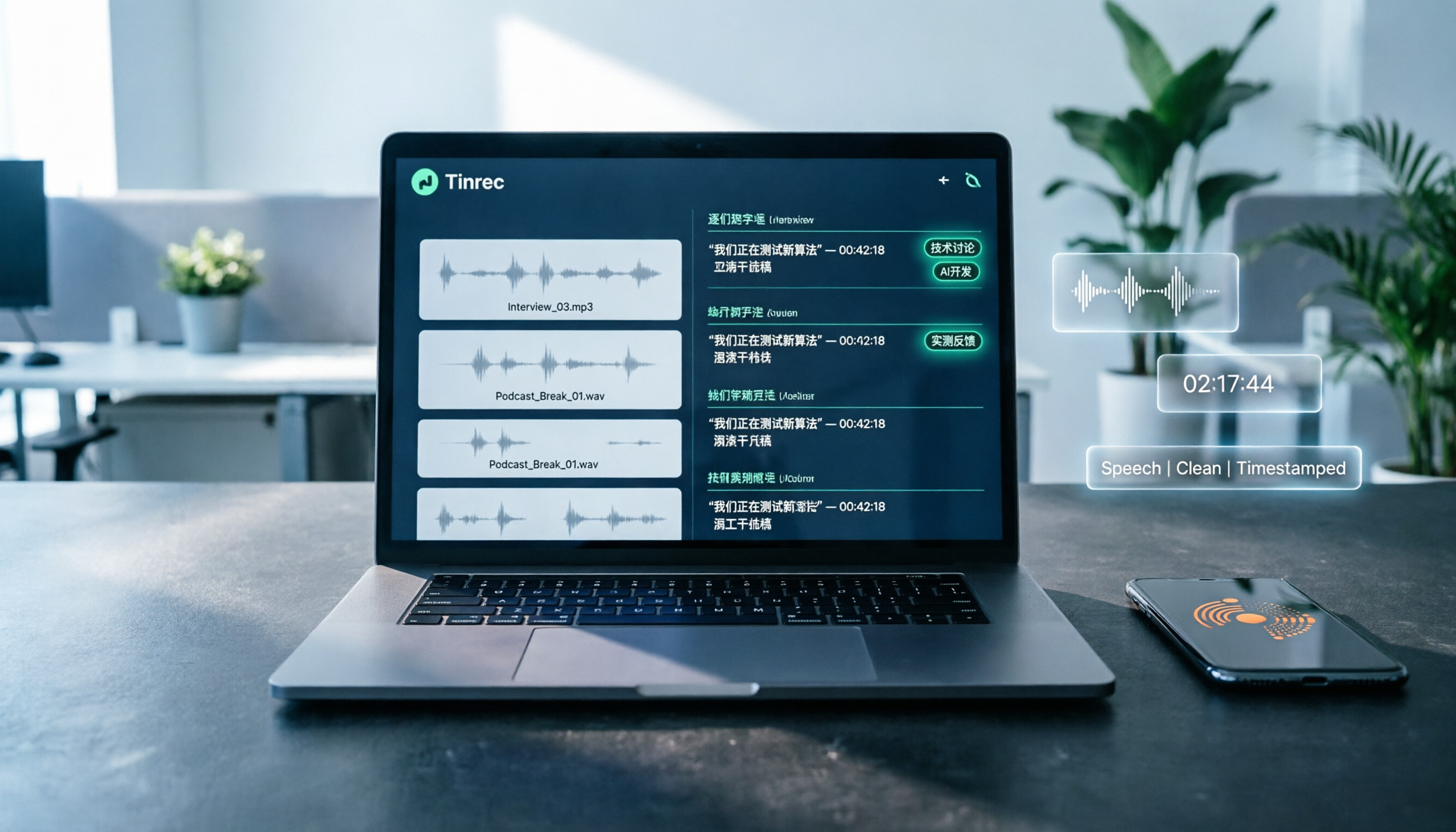
Tinrec is an AI recording and audio/video organization tool that supports multiple languages, including Chinese and Cantonese, and offers iOS, Android, and web versions. It's not just a voice-to-text tool; it turns meetings, classes, interviews, and online videos into searchable, summarizable resources.
Here's how it solves the pain points:
1. Real-Time Transcription So You Never Miss Key Points in Meetings During a meeting, open Tinrec and it will transcribe speech in real time. As soon as the meeting ends, the transcript is ready, and the AI automatically generates a summary and action items—who's responsible for what, and deadlines, at a glance. For anyone with weekly meetings, this cuts at least half the time spent on organizing notes.
2. Paste a Video Link to Get a Transcript Many people save Cantonese interviews, online courses, or news clips from YouTube, but converting them to text is a hassle. Tinrec lets you paste a public video link, and it will transcribe and generate a summary. You don't need to download the video, convert it, and upload it—saving many steps.
3. AI Q&A: Ask Questions About Your Recording Like Searching a Database After recording, you can ask Tinrec directly: "Who mentioned the budget in the last meeting?" or "What are the three key points of this lecture?" It uses semantic understanding to give you answers, not just keyword search results. Currently, few competitors in the same price range offer this feature. For those who need to revisit long recordings repeatedly, this is a huge advantage.
4. Multiple Export Formats to Fit Your Existing Workflow You can export the transcript, summary, and action items to Word, TXT, SRT, and other formats, and sync to tools like Notion and Google Docs. Whether you need meeting minutes, class notes, or video subtitles, Tinrec can output them directly.
Stop organizing recordings by hand
Upload audio or video and automatically get a transcript, summary, and action items
Our Testing Experience: We tested Tinrec with a 5-minute Cantonese news recording (indoor environment, slight background noise). The transcript had almost no major errors; colloquial Cantonese and proper nouns were correctly recognized, and punctuation and paragraphing were reasonable, requiring no major edits before use. Overall, its Cantonese transcription quality ranked among the top in this test.
Plans and Limitations: Tinrec offers a free version with a monthly base transcription quota, allowing you to try real-time recording, file import, and online video parsing. If you need more minutes, you can consider a weekly card or the Pro plan. For most people who have 2-3 meetings a week, the free quota might be just enough; heavy users can consider upgrading.
Who Is It For? If you frequently need to process Cantonese recordings, want to use AI to find key points after recording, or need cross-platform use between phone and computer, Tinrec is currently the most suitable choice.
What Other Options Are There Besides Tinrec?
Otter.ai: Best for English Meetings, but Doesn't Support Cantonese Otter.ai is a well-known AI meeting notes tool. The free plan offers 300 minutes per month and is very useful for English meetings. However, note that it doesn't support Cantonese. If you mainly record English content, Otter.ai is a more cost-effective choice than Tinrec; but if you need to transcribe Cantonese recordings, Otter.ai won't help.
Notta: Strong Multilingual Transcription, but Lacks the Convenience of Online Video Transcription Notta supports multilingual transcription and subtitles, and its transcription quality is good, making it suitable for general audio files or meeting recordings. However, it leans more toward traditional file transcription and doesn't allow you to paste a YouTube link directly like Tinrec does. If you need to process many online videos, Tinrec is more convenient. Additionally, Notta lacks Tinrec's AI Q&A feature, so you'll have to find key points manually after transcription.
TurboScribe: Great for Batch Long-File Transcription, but Weaker in Organization TurboScribe focuses on cost-effective long-file transcription, suitable for processing many audio or video files at once. But it leans toward simple transcription and subtitle output, lacking Tinrec's AI summarization, action item extraction, and Q&A features. If you only occasionally need to transcribe long files, TurboScribe is sufficient; but if you want to turn transcripts into usable meeting minutes or class notes, Tinrec is more comprehensive.
Pitfall Guide: 4 Common Mistakes When Choosing a Cantonese Voice-to-Text Tool
Pitfall 1: Only Looking at the Official Accuracy Claim Many tools claim 98% accuracy, but that's lab data. In real environments with air conditioning noise, keyboard sounds, and multiple people talking at once, accuracy drops. We recommend trying free trials with your own recordings, especially to see how they handle colloquial Cantonese and local Hong Kong terms.
Pitfall 2: Ignoring Input Source Limitations If you often need to process YouTube videos or online courses, but the tool only supports local file uploads, you'll have to download the video first and then convert it. Choosing a tool that supports pasting a link for direct transcription will save you a lot of time.
Pitfall 3: Only Using the Tool as a "Voice-to-Text" Tool If you only use the tool as a transcript generator, you're only using half its capabilities. For example, Tinrec's AI Q&A lets you ask "What was the meeting conclusion?" right after recording, which is much faster than manually scanning a 30-minute transcript. Once you buy a tool, make full use of its AI features.
Pitfall 4: Ignoring Cross-Platform Needs You might record on your phone today and want to edit on your computer tomorrow. If the tool doesn't support cross-platform use, or has limited export formats, your workflow will stall. We recommend choosing a tool that works on phone, computer, and web, and offers a wide range of export formats.
Summary: Which One Should You Choose?
If you need to convert Cantonese recordings into text, and you want more than just a transcript—you want to quickly grasp key points, generate action items, and ask questions directly—Tinrec is our top pick after testing.
Recommendations by Use Case:
- Need Cantonese transcription + AI summary and Q&A → Tinrec (supports multiple languages, excellent Cantonese performance, and exclusive AI Q&A)
- Need to process online video links → Tinrec (can paste YouTube links for transcription)
- Cross-platform use (phone + computer + web) → Tinrec (supports all three platforms)
- Zero budget, only English meetings → Otter.ai (free 300 minutes, but doesn't support Cantonese)
- Only occasional long-file transcription, no need for post-processing → TurboScribe (cheap and sufficient, but weaker in organization)
We recommend downloading the free version of Tinrec to try it out—the monthly base quota is enough to experience a few transcription and AI organization features. If you find it useful, consider upgrading; there's no need to pay upfront.
References
- AI Voice-to-Text: Quickly Convert Recordings to Text, Transcripts, and Video Subtitles - Free Trial - cSubtitle
- Transcribe Chinese (Cantonese) Audio to Text Free in Seconds
- Online AI Voice, Video, and Recording Auto-Transcription - Free Trial - cSubtitle
- SoundType AI: Ultra-Precise Transcripts, Voice-to-Text, AI Dictation - Google Play App
- Free Cantonese Voice-to-Text App 2025 | Subanana
Turn every recording into actionable outcomes
Get 60 free transcription minutes when you sign in. No credit card required.
Related Reading
You might also like

Notta Review 2026: 5 Key Comparisons with Tinrec — Which Is Better for Chinese Meeting Transcription?
Is Notta worth using? This article compares Notta and Tinrec across five dimensions: Chinese transcription, online meeting recording methods, free tier and pricing, post-meeting AI organization, and team collaboration governance. It also summarizes real user feedback from third-party review sites to help you decide which tool better fits your meeting scenarios.

Shahnawaz Notta DO: Resident Physician Research Profile and Publications (2026)
A review of Shahnawaz Notta DO's institutional affiliation, research topics, and representative publications from public academic profiles, with practical steps to verify author identity and avoid confusion with namesakes.
How to Download Nottam Ringtone in 2026: 5 Steps from Search to Setup
Struggling with Nottam ringtone downloads that are in the wrong format, too long, or lost in your files? This guide walks you through 5 steps: finding the audio, converting to iPhone-compatible M4R, setting it as your ringtone, and using Tinrec to turn downloaded audio into a searchable transcript library—solving the 'download and disappear' problem for good.

2026 AI Meeting Recorder Comparison: PLAUD Note PTT Reviews and a Better Alternative
PTT opinions on the PLAUD Note are split—some say an app can do the same thing, while others say the time saved is well worth it. This article starts from the decision point of 'do you actually need hardware or a workflow,' compares a recording card with software-based tools, and uses Tinrec to demonstrate a complete workflow for bot-free online meeting recording, AI summaries, action item extraction, and team spaces.

Nottambulando vs Nottambulando Olbia in 2026: A 5-Dimension Comparison to Help You Search the Right One
Searching for 'nottambulando' brings up both a photography and events page and a pizzeria in Olbia, Italy—two different entities with the same name. This article breaks down the name positioning, services, reputation, price clues, and platform traceability across five dimensions to help you determine which one you're looking for, and highlights rating discrepancies and information sources to watch for during verification.

Nottam Shopping Guide 2026: 3 Price Traps and a Pre-Order Checklist
Nottam (nottam.co) positions itself as "The Smart Price Shop," displaying "Other Shop Price" alongside "Whole Sale Price" on product pages. Using eight real prices from the official site, this guide breaks down how to interpret these dual price tags, the free-shipping threshold trap at ₹500, and four things to confirm before ordering—so you can calculate the true total cost.
Nottawa Gas Propane Prices: 2026 Comparison of 3 Local Suppliers — Price Transparency Is Key
Nottawa Gas doesn't list live propane prices on its website. This article outlines practical ways to check prices in 2026 (FuelWonk pages for ZIP codes 49075 and 49092) and compares Nottawa Gas, Caywood Propane Gas, and Sheets LP Gas across five dimensions: price transparency, bill predictability, risk of running out, delivery area, and supply scale—so you know what to ask and how to judge before you call for a quote.

Nottambulando Olbia Review 2026: Menu, Prices & 5 Must-Know Tips
Nottambulando is a pizzeria, paninoteca, and focacceria near Olbia's old town in Sardinia. This guide covers its location, wood-fired thin-crust pizza, fixed-price custom toppings, typical costs, and why ratings vary across platforms—so you can decide if it's worth fitting into your itinerary.

2026 Notta vs. AI Meeting Recorder Buying Guide: 7 Tools Tested and Recommended
People searching for 'now Notta' are usually trying to decide if Notta is still worth using. This article reviews 7 AI meeting transcription and recording tools, comparing pricing, Chinese language support, meeting capture methods, and team collaboration, with recommendations based on different scenarios.