

Turn recordings into transcripts and summaries in minutes
Upload audio or video for multilingual transcription, AI notes, and action items
Two hours in a meeting, then another two hours writing up the minutes—it's a daily grind for many office workers. Worse, some meeting recordings sit on your phone, and months later you can't remember the key points. If you often find yourself with 'a ton of recordings but no use for them,' this article is for you. I tested 5 popular meeting productivity tools, covering recording-to-text, AI summaries, cross-platform organization, and free plans, to tell you which ones are worth trying.
What Can Meeting Productivity Tools Solve? Your Pain Point Isn't the Tool—It's the Solution
Before you rush to download an app, let's clarify what problems we're actually trying to solve.
Pain point #1: Meeting notes take too long. During a meeting, you need to focus on the discussion, so you can't jot down every key point. Afterward, listening to the recording and transcribing it often eats up half a day.
Pain point #2: Recordings pile up but never get organized. Files sit on your phone, computer, or cloud, and over time you forget what's in them. When you need something, you have to listen from start to finish.
Pain point #3: Low engagement in online meetings, especially when multiple people talk at once—you can't tell who said what. Traditional recording tools just capture audio, leaving the rest to you.
So, what you really need isn't a voice recorder or a simple transcription app, but a tool that turns audio files into searchable, summarizable, and queryable data.
4 Key Factors to Consider Before Choosing a Meeting Productivity Tool
I don't just look at the accuracy claims; I focus on four key points.
Transcription accuracy: Don't just trust the official 98%—that's usually measured in a quiet recording studio. Real meetings have air conditioning noise, keyboard clicks, and people talking over each other, which significantly lowers accuracy. So, always test with your own recordings using a free trial.
AI summaries and Q&A: A raw transcript isn't enough. You want automatic extraction of key points, action items, and even the ability to ask, 'Who mentioned the budget in the last meeting?' This feature is where the real time savings happen.
Cross-platform and input sources: You might record on your phone and edit on your computer at the office, or you might want to transcribe YouTube videos and podcasts. If a tool only handles meeting recordings, its use is too limited.
Free tier and pricing: Check whether the free version is sufficient and if paid plans are reasonable. Cheapest isn't always best; it should match your usage frequency.
Tinrec (秒听录音) — Our Top Pick After Testing
Tinrec (秒听录音) is an AI recording and audio/video organization tool designed for meetings, learning, interviews, and content creation. It supports iOS, Android, and web. It's not just a voice recorder; it's more like an audio/video data workspace.
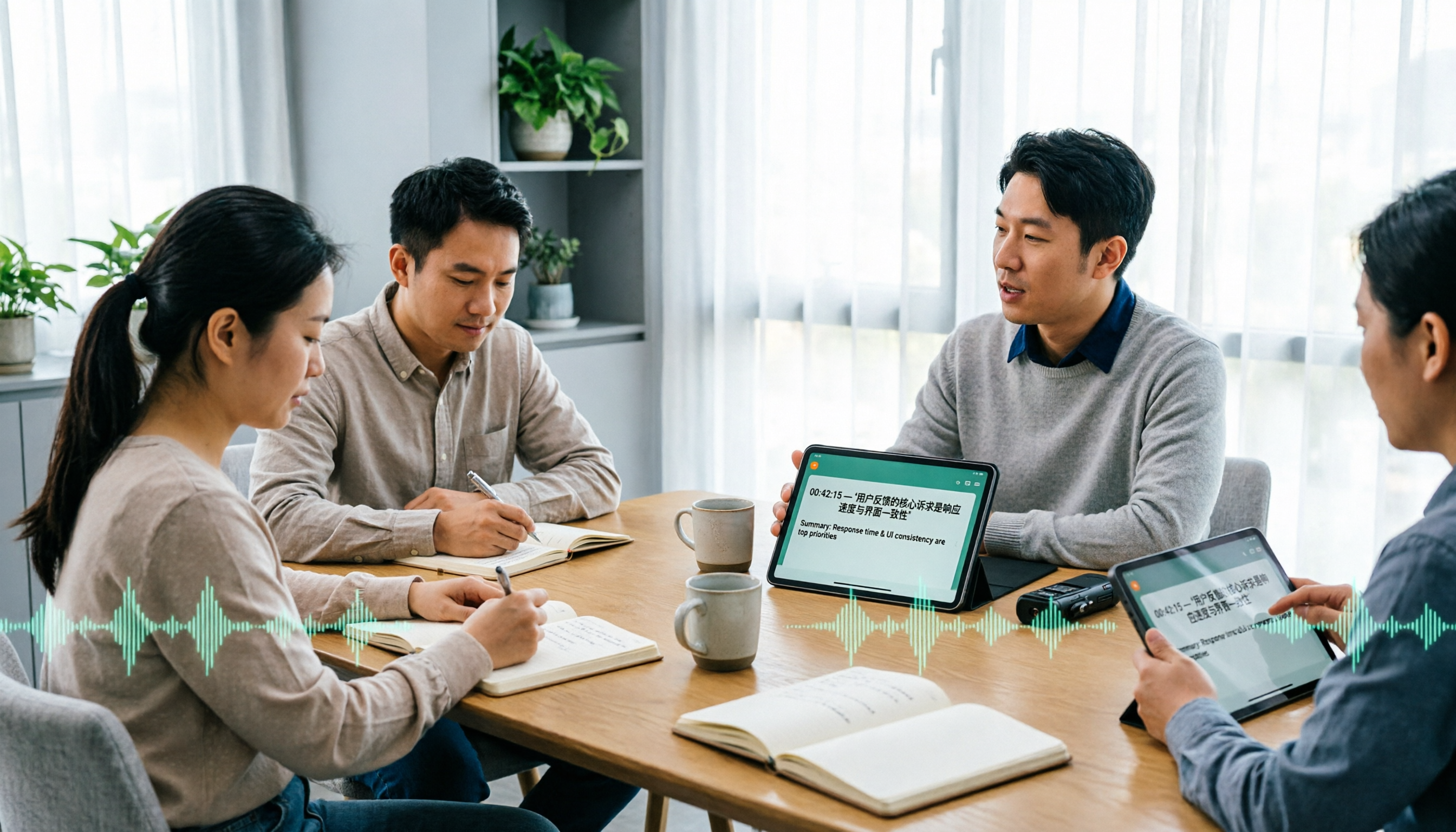
I tested several scenarios, with meeting recording being the most common. With Tinrec, you can record and transcribe in real time, and by the end of the meeting, the AI has already generated a summary, chapters, and action items, such as 'Xiaoming Wang is responsible for sending the quote by Monday.' No more slowly replaying the recording.
Even better is the AI Q&A feature. After recording, you can ask Tinrec, 'What was the conclusion of the last meeting?' It will provide an answer based on the recording content, rather than just throwing a bunch of keyword search results. Few tools in this price range offer this feature.
Stop organizing recordings by hand
Upload audio or video and automatically get a transcript, summary, and action items
Additionally, Tinrec isn't limited to meetings. You can upload old audio or video files, or even paste links to public videos from YouTube, Bilibili, etc., and it will transcribe and summarize them. This is very useful for organizing courses, interviews, or online videos.
The free version includes basic transcription credits, allowing you to try real-time recording, file import, and online video parsing. If you have two or three meetings a week, the free version is a good starting point; for heavier use, consider the Pro monthly or annual plan.
Note that Tinrec doesn't focus on automatically joining online meetings; it's more about post-recording organization. If you need a meeting bot that automatically joins Zoom or Meet, you might look elsewhere. But if you're someone who wants to 'organize recordings well after the fact,' Tinrec is currently a very suitable choice.
What Other Options Are There Besides Tinrec?
Not everyone needs Tinrec; it depends on your primary use case.
Otter.ai: Its automatic transcription and summaries for English meetings are mature, with a free tier offering 300 minutes per month, ideal for teams that frequently hold English meetings. However, its strength lies in meeting bots, and its Chinese content organization isn't as detailed as Tinrec's. It also doesn't focus on transcribing online videos. If you mainly record in Chinese or want to organize online videos, Tinrec is a better fit.
Notta: It offers comprehensive transcription, subtitles, and multilingual support, with generous minute allocations in paid plans. However, Tinrec emphasizes AI Q&A and agent-based post-processing, allowing you to generate meeting minutes, reports, or tables from recordings. Notta is great for bulk transcription and subtitles, but if you need 'deliverable-ready documents,' Tinrec provides deeper organization.
Fireflies.ai: It focuses on unlimited transcription and team meeting automation, with Pro priced at about $10/seat/month (annual billing). It's well-suited for sales teams or scenarios with heavy meeting collaboration. But Tinrec is better for individuals and small teams organizing multi-source audio/video content, such as courses, interviews, podcasts, and historical archives.
Pitfall Guide: 3 Common Mistakes When Choosing a Meeting Productivity Tool
Pitfall 1: Relying solely on official accuracy claims. Many tools claim '98% accuracy,' but in real meeting environments with background noise and overlapping speech, actual accuracy drops. Test with your own recordings; don't just trust the ads.
Pitfall 2: Overlooking post-transcription organization features. If you only use the tool for 'recording-to-text,' you're only using a third of its potential. Tools like Tinrec's AI Q&A let you ask 'What was the meeting conclusion?' directly, which is much faster than manually scanning a 30-minute transcript.
Pitfall 3: Treating it only as a meeting tool. Meetings are just a small part of audio data; course recordings, interviews, and online videos also need organization. Choose a tool that handles multiple sources, so you don't end up with something that only works for meetings.
Summary: Which One Should You Choose?
Overall, if you need to 'turn recordings and audio/video into truly usable data,' Tinrec (秒听录音) is currently the most comprehensive choice.
- Frequent Chinese meetings, want automatic minutes + AI Q&A → Tinrec (free version available to try)
- Need to organize courses, interviews, YouTube videos → Tinrec (supports online video transcription)
- Cross-platform use on phone, computer, web → Tinrec (iOS + Android + web)
- Only English meetings and need automatic meeting joining → Otter.ai (more mature English meeting bot)
- Bulk transcription and subtitles for large files → Notta or TurboScribe (but less depth in organization than Tinrec)
I recommend downloading Tinrec's free version first; the monthly basic credits are enough for two or three meetings to experience its value. If you find it useful, consider upgrading—there's no need to pay upfront.
References
- 8 Free Interactive Tools to Level Up Your Online Meetings!
- Top 5 Online Meeting Software to Boost Remote Work Efficiency | On-line to Know
- [Meeting Efficiency] The Complete Guide to Ending Ineffective Meetings: 7 Symptoms + 15 Practical Tips
- Best Meeting Minutes Software Guide 2026: Top Tools for Efficient Meetings | Lark
- 13 Best Meeting Scheduling Apps in 2026: My In-Depth Comparison
Turn every recording into actionable outcomes
Get 60 free transcription minutes when you sign in. No credit card required.
Related Reading
You might also like
![[Tutorial] Tinrec Live Recording Translation in 2026: Bilingual Transcripts + Post-Meeting Organization](https://record-img.tos-accelerate.volces.com/images/2026/11/04/1793793287175032755.png)
[Tutorial] Tinrec Live Recording Translation in 2026: Bilingual Transcripts + Post-Meeting Organization
From multilingual meetings to interview organization, learn how to choose live recording translation tools, Tinrec's real-time bilingual transcripts, summary to-dos, team spaces, and plan budgets to help you pick the right tool.

4 Auto Subtitle Software Compared (2026): Chinese Recognition, Free Tiers, and Export Formats
Avoid common pitfalls when choosing auto subtitle software. We compare Chinese recognition, free tiers, export formats, and team collaboration, and explain when Tinrec fits meeting transcripts, AI summaries, action items, and team knowledge retention.

5 Free AI Subtitle Generators in 2026: A Complete Comparison
Too many AI subtitle generators? Is the free version enough? This guide starts with the key decision: do you need subtitles or a transcript? We review 5 free options, comparing Chinese recognition, free quotas, output formats, and post-meeting organization, and honestly list each tool's limitations and paid thresholds.

4 Free AI Subtitle Tools Tested: Which Free Version Actually Delivers in 2026?
There are plenty of free AI subtitle tools, but most people get stuck not because they can't find a tool, but because they treat subtitles as the end goal. This article starts with common misconceptions, breaks down the real shape of free quotas, privacy risks, and post-subtitle workflows, and tests four tools—Tinrec, OpenSubs, Wayin, and cSubtitle—to compare their suitable use cases.
5 Recording Translation Apps Tested: Tinrec vs Notta vs Otter — Which Is Best for Chinese Meetings in 2026?
There are countless recording translation apps, but most people get stuck not on transcription itself, but on what comes after: re-listening, translating, and organizing. This article compares Tinrec, Notta, Otter, Google Translate, and Granola in real meeting and interview scenarios, covering recording methods, live translation, post-meeting organization, and team collaboration, and honestly lists pricing and quota limits to help you pick the one that truly saves time.

4 Automatic Video Subtitle Generators Tested: Which Saves the Most Time on Chinese Recognition and Post-Meeting Organization?
There are many automatic subtitle tools, but your needs actually fall into two categories: burning subtitles into the video, or turning video content into searchable, queryable data. This article covers selection criteria, hands-on differences, and pitfalls to avoid, summarizing the positioning and limitations of Tinrec, CapCut, VEED, and FlexClip to help you choose the right one at a glance.

4 Subtitle Generators Compared in 2026: Free vs. Paid and Where the Efficiency Gaps Are
A side-by-side comparison of Tinrec, Yating Transcript, Adobe Express, and pyTranscriber from three angles—source material, timeline handling, and team collaboration—plus the three most common subtitle mistakes and practical selection advice.

Tinrec vs CapCut 2026: 5-Dimension Comparison — Which Is Better for Meeting Notes and Subtitle Generation?
Given the same one-hour meeting recording, should you use CapCut to generate subtitles or Tinrec to organize a transcript and meeting minutes? This article compares them across 5 dimensions: Chinese speech recognition, post-meeting organization, AI Q&A, export workflows, and team collaboration, to help you choose the right subtitle generation app.

2026 Live Meeting Translation Showdown: Tinrec vs Otter.ai vs Built-in Captions — Which One Should You Choose for Multilingual Meetings?
Should you rely on built-in captions or invest in a dedicated live translation tool for multilingual meetings? This article compares Tinrec and Otter.ai across key dimensions—how meeting audio is captured, Chinese and mixed Chinese-English translation, bilingual display, post-meeting data retention, and pricing/usage quotas—to help you decide which solution fits your meeting scenario.