

Turn recordings into transcripts and summaries in minutes
Upload audio or video for multilingual transcription, AI notes, and action items
Tinrec vs CapCut 2026: 5-Dimension Comparison — Which Is Better for Meeting Notes and Subtitle Generation?
You have a one-hour interview recording. You need to deliver a transcript tomorrow and publish the video next week. Open CapCut to generate subtitles, and you'll have subtitle tracks in ten minutes. But when your manager asks, "What were the meeting conclusions? How many action items are there?" subtitle tracks can't answer that. This is where "subtitle generation apps" and "meeting notes tools" are most often confused. This article compares Tinrec and CapCut across 5 dimensions to tell you directly which workflow you should use for which task.
Tinrec vs CapCut | Quick Overview
CapCut's auto-caption feature is essentially part of the video editing workflow: you drop in a video, the system automatically detects the language, generates subtitles synchronized with playback, and lets you adjust font, color, and animation. Tinrec (秒听录音) is an AI meeting notes and collaboration tool: it converts live recordings, online meetings, or audio/video files into transcripts, then produces summaries, chapters, and action items, and supports AI Q&A and team workspace retention.
| Item | Tinrec | CapCut |
|---|---|---|
| Core positioning | AI meeting notes and team collaboration | Video editing and auto-captions |
| Main input | Live recording, desktop meeting audio, audio/video files, some web links | Video files |
| Core output | Transcript, summary, chapters, action items, mind map, reports and documents | Subtitles synchronized with video, finished video |
| Pricing structure | Free version, weekly pass, Pro monthly/annual; team version billed per seat | Source material introduces auto-caption as a free tool |
| Platform | Web, desktop, mobile | Online tool and app |
The following compares 5 dimensions: Chinese and Cantonese recognition, post-meeting organization, AI Q&A and reprocessing, export workflow, and team collaboration.
Dimension 1 | Chinese and Cantonese Speech Recognition
CapCut's auto-captions automatically determine the language used in the video and generate synchronized subtitles in real time, with a very low barrier to entry. However, its design premise is "short videos, visuals first": when encountering mixed Chinese-English, many proper nouns, overlapping speakers, or a one-hour interview, subtitle tracks often require manual correction line by line, and subtitle and semantic sentence breaks may not align.
Tinrec is designed for Chinese meeting scenarios, supports transcription of Chinese, Traditional Chinese, and multilingual meetings, organizes mixed Chinese-English content, and allows teams to maintain industry terminology and product names through team hotwords, reducing misrecognition of proper nouns. Actual performance is still affected by recording quality, accent, background noise, and overlapping speech—the same is true for any tool.
→ This dimension: For meeting recordings primarily in Chinese and Cantonese, Tinrec clearly wins.
Dimension 2 | Organization Capabilities After Transcription
CapCut's subtitles exist to accompany visuals. It lets you edit text, adjust styles, and add animations, but it won't tell you "this meeting had three conclusions and two action items." To get meeting minutes, you have to reread the subtitles yourself.
Tinrec starts to shine after transcription: it automatically generates AI summaries, chapters, and key points, breaks long meetings into browsable structures, extracts action items from discussions, and can also produce mind maps to understand topic relationships. For those who need to deliver meeting notes, this step saves the most real time.
→ This dimension: Tinrec wins. The difference isn't in transcription, but in what comes after.
Dimension 3 | AI Q&A and Content Reprocessing
CapCut's AI capabilities focus on editing and subtitle styles—processing visuals and pacing, not understanding content. You wouldn't ask it "What concerns did the client raise in this call?"
Stop organizing recordings by hand
Upload audio or video and automatically get a transcript, summary, and action items
Tinrec supports AI Q&A around meeting content, allowing follow-up questions on a single meeting or across meetings; it can also use Agent post-processing to generate reports, tables, and documents from meeting content, directly serving as post-meeting deliverables. For interviews and research scenarios, this turns a one-hour recording into a reusable material library.
→ This dimension: Tinrec wins.
Dimension 4 | Export and Workflow Integration
CapCut's endpoint is the finished video; subtitles go with the video, suitable for content to be published directly to social platforms. If your goal is "burn subtitles into the video," its path is the shortest.
Tinrec supports multi-format export and can bring results to Notion, Google Docs, OneNote, Dropbox, and other tools for continued use; transcripts are searchable and reviewable. If your downstream is documents, knowledge bases, and reports rather than video platforms, this path is smoother.
→ This dimension: CapCut is more direct for delivering video; Tinrec is more complete for delivering text and documents. Overall workflow integration: Tinrec slightly ahead.
Dimension 5 | Team Collaboration and Data Retention
The source material for this comparison mainly introduces CapCut's auto-caption and editing features and does not provide information about its team meeting data management, so no speculation is made here.
Tinrec's team version is a separate team workspace, not a personal account shared by multiple people: you can create and switch between multiple teams, invite members via join links, set owner/admin/regular member roles, and assign or revoke seats. Meeting data belongs to the team; members can view, play, and read data even without a seat, but need a seat to record, upload, edit, and export. Admins can also view usage trends, member rankings, manage team hotwords, query and export audit logs, and handle accidental deletions via the audio recycle bin.
Currently, the team version's first eligible trial is 7 days, 1 free seat, 300 minutes of team shared import quota; paid seats are USD 29.80/month, annual USD 199/seat/year (about USD 16.58/month), each seat provides 2,000 minutes of team shared import quota per month, and live recording within the validity period is not deducted by minute. Actual prices and benefits are subject to the official purchase page.
→ This dimension: When multiple people need to share meeting assets, Tinrec wins.
What Are Their Unique Advantages?
Tinrec's unique advantages
- Record online meetings without a bot: The desktop version directly captures computer system audio, so when handling Zoom, Google Meet, Microsoft Teams, and Webex, no extra bot needs to be pulled into the meeting.
- Keep audio files and support file import: You can upload existing audio/video to organize historical meetings and interviews, and transcripts can be cross-checked against recordings.
- Real-time translation and bilingual viewing: For cross-language meetings, you can view the original text, translation, or bilingual content simultaneously.
- Complete team governance: Roles, seats, usage, audit, and recycle bin are managed separately; when members leave, resources can be handed over to other active members.
CapCut's unique advantages
- Extremely low barrier to subtitle generation: Go to "Text" → "Auto captions" to generate subtitles synchronized with playback, and you can add, delete, and modify them yourself.
- Rich subtitle styles and animations: Provides multiple font styles and templates, can add effects and animations, and the finished product is output directly with editing.
Conclusion: Which Should You Choose?
• If your material is Chinese or Cantonese meetings and interviews and you need higher-accuracy transcripts → Tinrec
• If what you deliver isn't video but meeting minutes, action items, and post-meeting reports → Tinrec (CapCut doesn't produce these)
• If you need to follow up on content after meetings and organize it into tables or documents → Tinrec
• If you want to handle online meetings across devices without inviting a bot → Tinrec
• If your team needs to share historical meeting data and manage seats and usage → Tinrec Team
• If you just want to burn subtitles into short videos, adjust fonts and animations, and publish directly → CapCut is more suitable
In one sentence: CapCut solves "the visuals need words"; Tinrec solves "the content needs to be usable." For most people who need to turn meetings and interviews into searchable, deliverable data, Tinrec is the more complete choice. We recommend first running your own recording through the free version to confirm recognition performance matches your accent and scenario before deciding whether to upgrade; also note that before recording and transcription, you should comply with local regulations and obtain participant consent when necessary.
References
Turn every recording into actionable outcomes
Get 60 free transcription minutes when you sign in. No credit card required.
Related Reading
You might also like

4 Automatic Video Subtitle Generators Tested: Which Saves the Most Time on Chinese Recognition and Post-Meeting Organization?
There are many automatic subtitle tools, but your needs actually fall into two categories: burning subtitles into the video, or turning video content into searchable, queryable data. This article covers selection criteria, hands-on differences, and pitfalls to avoid, summarizing the positioning and limitations of Tinrec, CapCut, VEED, and FlexClip to help you choose the right one at a glance.

4 Subtitle Generators Compared in 2026: Free vs. Paid and Where the Efficiency Gaps Are
A side-by-side comparison of Tinrec, Yating Transcript, Adobe Express, and pyTranscriber from three angles—source material, timeline handling, and team collaboration—plus the three most common subtitle mistakes and practical selection advice.

2026 Live Meeting Translation Showdown: Tinrec vs Otter.ai vs Built-in Captions — Which One Should You Choose for Multilingual Meetings?
Should you rely on built-in captions or invest in a dedicated live translation tool for multilingual meetings? This article compares Tinrec and Otter.ai across key dimensions—how meeting audio is captured, Chinese and mixed Chinese-English translation, bilingual display, post-meeting data retention, and pricing/usage quotas—to help you decide which solution fits your meeting scenario.

2026 Real-Time Translation Earbuds: 4 Key Buying Factors + Cross-Language Meeting Organization
Starting from the common misconception that buying translation earbuds means you'll understand everything, this article explains the operational limits of real-time translation earbuds, four key buying factors, and how Tinrec fills the gap for cross-language meetings with transcripts, summaries, and action items.
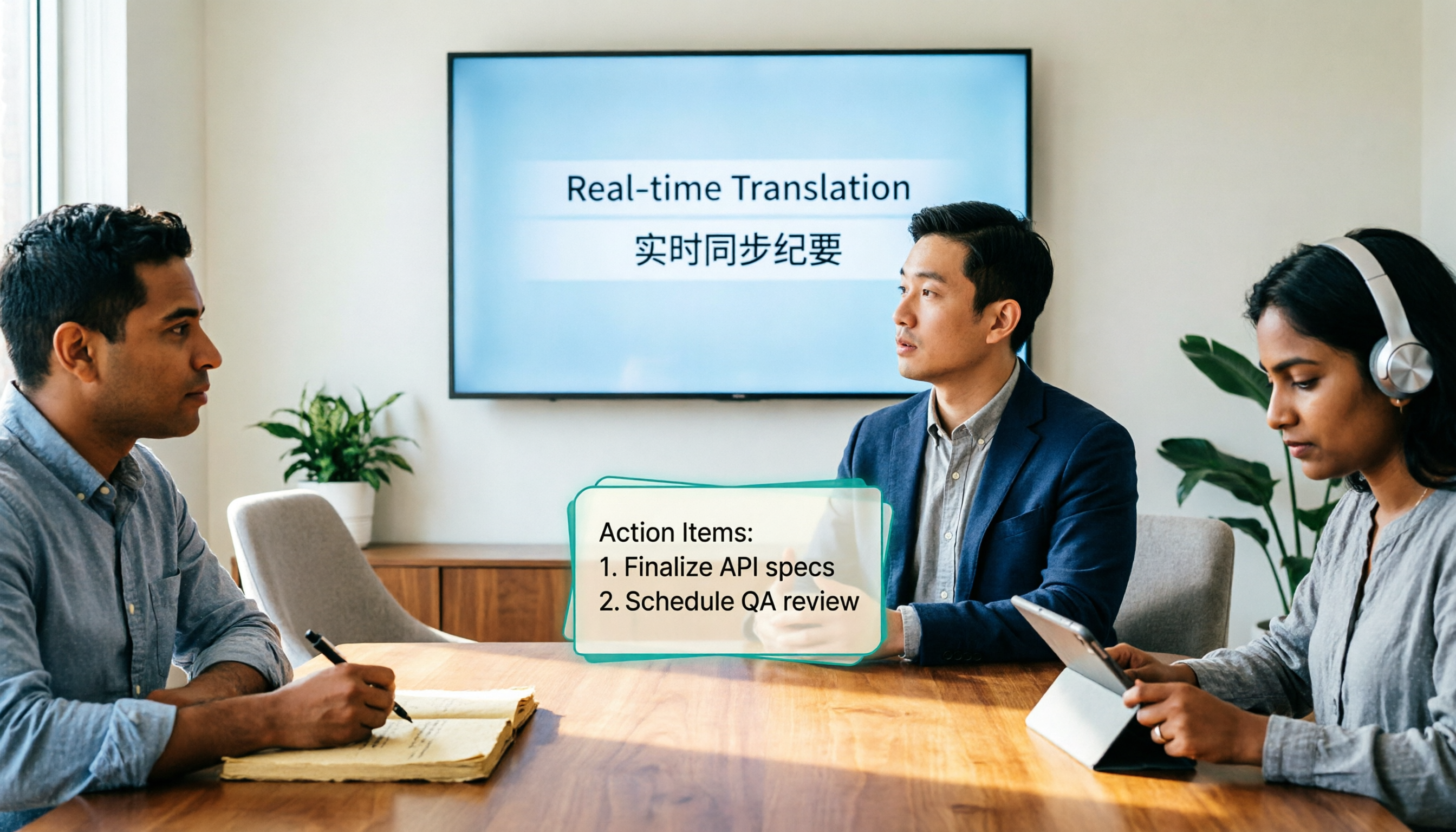
4 Real-Time Translation Tools Tested for 2026: Which One Leaves You With Usable Meeting Notes?
Real-time translation tools solve the problem of understanding in the moment, but the real cost comes after the meeting. This article compares Tinrec, Transync AI, Vurbo.ai, and Notta on real-time translation, bilingual transcripts, post-meeting AI Q&A, and team management, and provides 4 key purchasing criteria, 3 common pitfalls to avoid, and scenario-based recommendations to help you explain clearly why you chose a particular tool.

Best Real-Time Translation Tools in 2026: 4 Tested, Top Free Pick for Meetings
How to choose a free real-time translation tool? This article covers three needs: web reading, ad-hoc interpretation, and cross-language meetings. We tested Tinrec, Google Translate, Immersive Translate, and Transync AI, summarizing free quotas, limitations, and use cases, and explain how Tinrec turns meeting recordings into transcripts, summaries, action items, and team data.

Tinrec vs Notta 2026: Real-Time Translation AI 5-Dimension Comparison, Which Is Better for Chinese Meetings?
Real-time translation AI isn't just about the number of languages—it's also about meeting capture methods, bilingual subtitles, post-meeting organization, AI Q&A, and team data ownership. This article compares Tinrec and Notta across 5 dimensions and explains which Chinese meeting scenarios each suits.

4 Free Simultaneous Interpretation Tools Tested: Which Offers Enough Free Minutes and Post-Meeting Value?
How to choose a free simultaneous interpretation tool? This article reviews four free-trial real-time translation tools—Tinrec, JotMe, Transgull, and Felo Translate—comparing them across five aspects: free quota calculation, translation presentation, recording and transcript retention, post-meeting organization, and team collaboration. It also includes a pitfalls guide and buying advice to help you find the one that truly saves time.

2026 Comparison of 3 Meeting Transcription Tools: Tinrec Turns Transcripts into Action Items
Turning meeting recordings into transcripts isn't hard—the hard part is post-meeting organization. Starting from meeting transcription needs, this article compares Tinrec, Notta, Good Tape, and Yating Transcript, covering transcription, online meeting recording, summary and to-dos, AI Q&A, and team collaboration to help you find the right meeting notes tool.