

Turn recordings into transcripts and summaries in minutes
Upload audio or video for multilingual transcription, AI notes, and action items
After the Meeting Ends, the Transcript Torture Begins—You Don't Need a Tool, You Need a Solution
It's 4 PM on Wednesday, and the project meeting just ended. You have a 47-minute recording, and your manager asks in the group chat: "What were today's conclusions? Who's responsible for what and by when?" You open your note-taking app, hit play, and can't make out the first sentence—participants are mixing Chinese and English, and some are talking over each other.
This isn't just a typing problem—it's that the meeting transcript hasn't been organized into usable data. Many people think a meeting transcript is just converting audio to text, but the real time sink comes after: finding conclusions in the messy transcript, picking out action items, and confirming who said what. If you have to re-listen to the recording every time, the tool only does half the job.
This article starts from real usage scenarios, compares Tinrec, Notta, Good Tape, and Yating Transcript, and tells you what to look for when choosing a meeting transcription tool.
Before Choosing a Meeting Transcription Tool, Understand These 4 Key Points
First, transcription quality must be judged in real scenarios. Official accuracy rates are usually measured in quiet environments; real meetings have air conditioning noise, keyboard sounds, accents, mixed Chinese-English, and overlapping speech. You should ask: can it correctly transcribe key names, numbers, and decisions in your meeting recordings? Tinrec can handle Chinese and mixed Chinese-English content, but actual results still depend on recording quality—for important content, cross-check with the original text and recording.
Second, how to record online meetings. A common approach is to have a meeting bot join; another is to capture system audio directly via desktop app. The former is convenient, but external client meetings may object to an extra bot. The latter doesn't require inviting a bot, but you need to open the tool and start recording yourself. Tinrec's desktop version is the latter, suitable for meetings played on a computer like Zoom, Google Meet, Microsoft Teams, and Webex.
Third, does it have organization capabilities after transcription? Tools that only provide transcripts leave you to highlight key points yourself. A better approach is to automatically generate summaries, chapters, and action items after the meeting, and let you ask follow-up questions via AI Q&A. Tinrec connects this workflow—this is its biggest difference from pure transcription tools.
Fourth, how team data is retained. If a team shares a personal account, it's convenient short-term but causes issues long-term with data ownership, offboarding handovers, and usage management. A team version should have independent spaces, roles, seats, usage, and auditing. Tinrec's team version manages these separately; members without seats can still read data but cannot upload, edit, or export.
Fifth, consider price and quota together. Is the free quota enough to run one real meeting? After paying, is it per user, per minute, or both? These matter more than just the monthly fee.
Tinrec—Our Top Pick After Testing
Tinrec is an AI meeting notes and collaboration tool for individuals and teams, supporting web, desktop, and mobile. It doesn't just convert audio to text—it organizes meeting recordings into searchable, summarizable, queryable, and exportable data.
During online meetings, you can open Tinrec's desktop version, select system audio capture, and proceed normally with Zoom, Google Meet, Microsoft Teams, or Webex meetings. It doesn't require a meeting bot to join the room, so participants won't see an extra account. Note that this isn't automatic joining of all calendar meetings; you still need to initiate recording yourself.
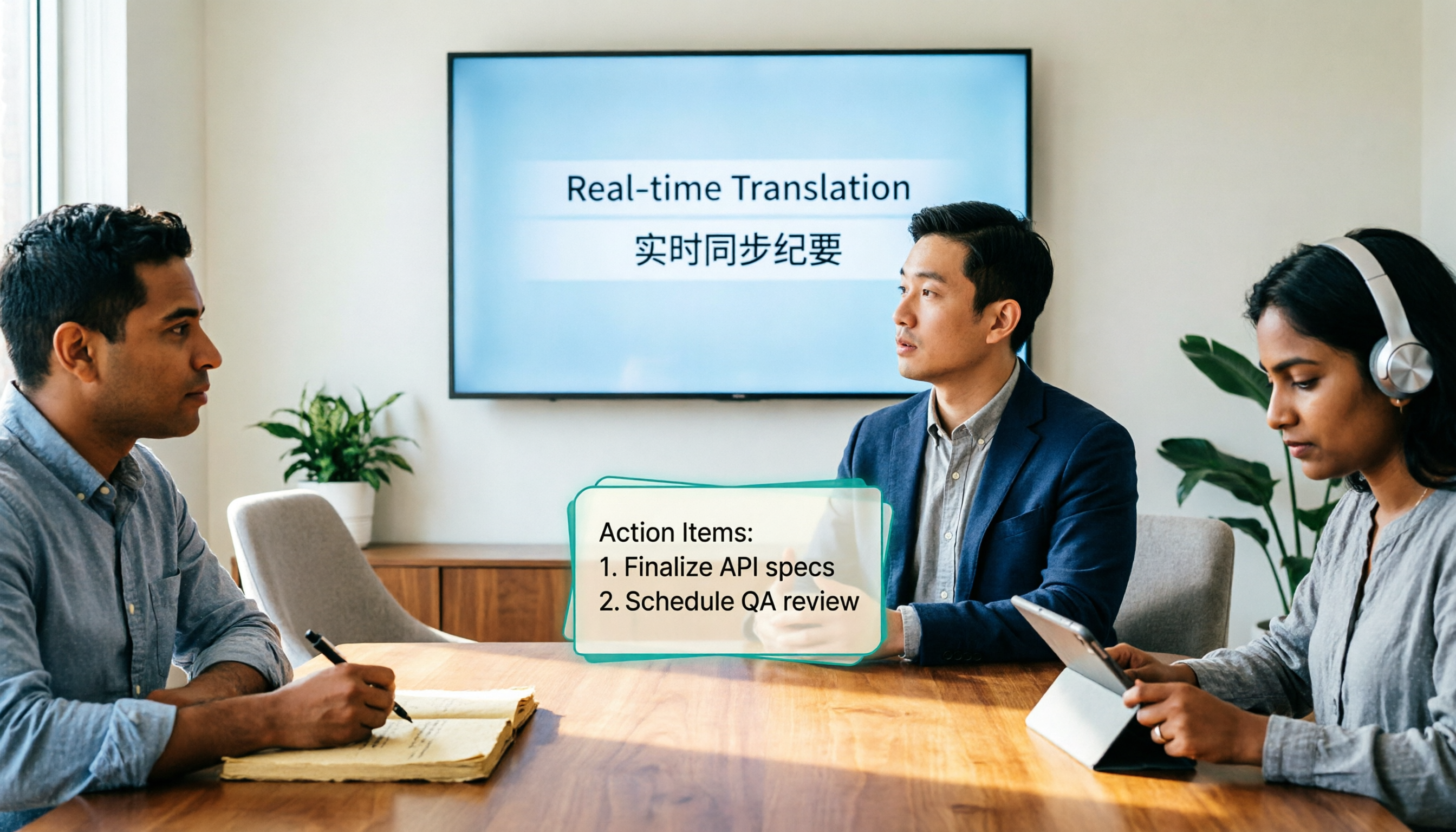
During the meeting, Tinrec transcribes in real time. For mixed Chinese-English segments, you can view the original, translation, or bilingual content; after the meeting, it generates summaries, chapters, and action items. For managers, instead of re-listening to a 47-minute recording, it's better to read the summary first and then confirm responsibilities from the action items.
Even better is AI Q&A. You can directly ask: "Who mentioned the budget in the last meeting?" "What were the client's concerns about the delivery date?" It answers based on meeting content, not just keyword search results. This is especially noticeable when you have many meetings and scattered data. Currently, not every similar tool puts AI Q&A and transcripts in the same workflow.
If you need to bring results to other tools, Tinrec supports multi-format export and can also generate reports, tables, and documents via Agent post-processing. For those who need to write follow-up emails, weekly reports, or project records, this is more practical than pure transcripts.
Stop organizing recordings by hand
Upload audio or video and automatically get a transcript, summary, and action items
The team version is another level. It provides independent team spaces, centrally storing Audio, Folder, and TODO; admins can invite members, set owners, admins, or regular members, and assign or revoke seats. Roles determine who can manage the team; seats determine who can record, upload, edit, and export. Valid members without seats can still view, play, and read team data. The team version also offers usage analytics, audit logs, audio recycle bin, and team hotwords.
Pricing: the team version is currently USD 29.80 per paid seat per month; annual payment is USD 199 per paid seat per year, equivalent to about USD 16.58 per month; each paid seat provides 2,000 minutes of team shared import quota per month. Eligible teams get a 7-day trial, 1 free seat, and 300 minutes of team shared import quota for the first time. Real-time recording is currently not deducted by minutes under active team plans and seats. Actual prices and benefits are subject to the official purchase page.
What impressed us most during testing was "no re-listening." Rather than calling Tinrec a transcription tool, it turns meeting transcripts into a starting point for further work. Of course, it's not omnipotent: the free version has basic quota, and heavy users should evaluate paid plans; it's suitable for meeting notes and post-meeting organization, not for batch transcription of large files. If you just occasionally convert a long video to subtitles, a dedicated file transcription tool might be more suitable.
Who is it for? Those who frequently hold Chinese or mixed Chinese-English meetings, don't want bots in online meetings, need summaries and action items after meetings, and want to retain meeting data in team spaces.
Besides Tinrec, What Other Options Are There?
Notta overlaps heavily with Tinrec, covering multi-platform transcription, meeting notes, document import, translation, and team plans. Its free version offers 120 minutes per month, max 3 minutes per item; Pro annual is about USD 8.17 per month with 1,800 minutes per month; Business annual is about USD 16.67 per seat per month. If you need pure file transcription and subtitles, Notta is worth considering; but Tinrec's desktop version doesn't require a meeting bot, and its team version puts seats, usage, auditing, and recycle bin in one space.
Good Tape focuses on uploading files for transcription, paid version €13.75 per month with 20 hours per month. Its strength is turning audio files into text with an intuitive process. Tinrec, besides uploading, also offers real-time recording, bot-free online meeting recording via desktop, and direct AI Q&A and action item generation after meetings. If you only process pre-recorded files, Good Tape is sufficient; if you want a full meeting workflow, Tinrec is more complete.
Yating Transcript is a veteran Taiwanese speech recognition service. Source tests mention good speaker diarization and punctuation, though Taiwanese Hokkien recognition still needs improvement. If you only need transcription and speaker separation, you can try it; but Tinrec puts real-time translation, team hotwords, AI Q&A, and team spaces in one workflow, so you don't need to switch tools after meetings.
Pitfall Guide: 4 Most Common Mistakes When Choosing a Meeting Transcription Tool
Pitfall 1: Only looking at official accuracy claims. Many tools advertise high recognition rates, but those are measured in quiet environments. Real meetings have noise, accents, and overlapping speech—test with your own meeting recordings, don't just look at ad numbers.
Pitfall 2: Thinking a transcript is the end. A transcript is raw material, not a finished product. If the tool can't generate summaries and action items or let you ask follow-up questions, you've just swapped typing time for organizing time. Tinrec's AI Q&A is designed to reduce this organizing time.
Pitfall 3: Ignoring how online meetings are recorded. Meeting bots need to join the room, and external clients may find an extra account intrusive; desktop system audio doesn't need a bot, but you must remember to hit record. Tinrec is the latter, suitable for occasions where you don't want a bot to appear.
Pitfall 4: Team sharing a personal account. It seems cost-saving short-term, but long-term causes issues with data ownership, seat management, and offboarding handovers. A team version should separate roles, seats, and data ownership—Tinrec's team version is designed this way.
Conclusion: Which One Should You Choose?
Back to the original question: do you want a meeting transcript, or meeting notes you can act on? If you just want to turn recordings into text, many tools can do that; but if you want to directly read summaries, grab action items, ask AI follow-ups, and even leave data for your team, Tinrec is our top recommendation after this test.
- Chinese or mixed Chinese-English meetings → Tinrec
- Online meetings without bots → Tinrec desktop version
- Post-meeting summaries, action items, AI Q&A → Tinrec
- Team sharing, seats, usage, and auditing → Tinrec team version
- Only occasional long file uploads, no meeting workflow needed → consider file transcription tools like TurboScribe, but that's not the main scenario of this article
We recommend running a free version with your own meeting recording first to confirm transcription and summaries meet your needs, then decide whether to upgrade. For the team version, confirm the 7-day trial and seat rules before inviting members.
References
- Master Meeting Notes! How to Do AI Speech-to-Transcript? Gemini Notebook, Gemini, EchoScript Operation Analysis | 104 Career Power
- How to Use AI for Meeting Minutes? How to Organize Meeting Transcripts? | AI Speech-to-Transcript Tutorial | 104 Career Power
- Meeting Speech-to-Text, Transcripts: Which AI Tool to Use? Free vs Paid Feature Comparison | Manager Today
- No Time Limit! 3 Free AI Transcript Tools, Highly Recommended! AI Voice Notes Generate Meeting Records, Presentations, Mind Maps | 104 Career Power
- Meeting Minutes = Transcript? Professional Meeting Minutes Only Record 3 Key Points | Writing Tips and Templates | 104 Career Power
Turn every recording into actionable outcomes
Get 60 free transcription minutes when you sign in. No credit card required.
Related Reading
You might also like
4 Real-Time Translation Tools Tested for 2026: Which One Leaves You With Usable Meeting Notes?
Real-time translation tools solve the problem of understanding in the moment, but the real cost comes after the meeting. This article compares Tinrec, Transync AI, Vurbo.ai, and Notta on real-time translation, bilingual transcripts, post-meeting AI Q&A, and team management, and provides 4 key purchasing criteria, 3 common pitfalls to avoid, and scenario-based recommendations to help you explain clearly why you chose a particular tool.

Best Real-Time Translation Tools in 2026: 4 Tested, Top Free Pick for Meetings
How to choose a free real-time translation tool? This article covers three needs: web reading, ad-hoc interpretation, and cross-language meetings. We tested Tinrec, Google Translate, Immersive Translate, and Transync AI, summarizing free quotas, limitations, and use cases, and explain how Tinrec turns meeting recordings into transcripts, summaries, action items, and team data.

Tinrec vs Notta 2026: Real-Time Translation AI 5-Dimension Comparison, Which Is Better for Chinese Meetings?
Real-time translation AI isn't just about the number of languages—it's also about meeting capture methods, bilingual subtitles, post-meeting organization, AI Q&A, and team data ownership. This article compares Tinrec and Notta across 5 dimensions and explains which Chinese meeting scenarios each suits.

4 Free Simultaneous Interpretation Tools Tested: Which Offers Enough Free Minutes and Post-Meeting Value?
How to choose a free simultaneous interpretation tool? This article reviews four free-trial real-time translation tools—Tinrec, JotMe, Transgull, and Felo Translate—comparing them across five aspects: free quota calculation, translation presentation, recording and transcript retention, post-meeting organization, and team collaboration. It also includes a pitfalls guide and buying advice to help you find the one that truly saves time.

2026 Online Simultaneous Interpretation Guide: Tinrec Real-Time Translation + Bilingual Transcripts as an Alternative to Traditional Translation Apps
Online simultaneous interpretation is not just about real-time translation—it also depends on whether post-meeting materials are usable. This article addresses common misconceptions and explains how Tinrec uses desktop bot-free recording, real-time transcription, and bilingual translation, combined with summaries, action items, AI Q&A, and team spaces, to turn cross-language meetings into searchable, collaborative records.

How to Use Real-Time Voice Translation in 2026: 5 Steps from Recording to Bilingual Transcript
In cross-language meetings, front-desk reception, and international calls, real-time voice translation needs to solve more than just "understanding in the moment"—it also needs to leave you with usable records afterward. This article breaks down real-time voice translation tools using 5 key selection criteria, compares Tinrec, Transync AI, Vurbo.ai, and JotMe in hands-on testing, and summarizes 4 common pitfalls to help you choose the one that truly works for you.

How to Generate Transcripts with Tinrec in 2026: Bot-Free Recording + AI Summaries and Action Items
Transcript generation isn't just about feeding an audio file into a tool. This guide tackles four common pitfalls and compares Tinrec with Yating Transcription across meeting capture, Chinese recognition, post-meeting organization, AI Q&A, export, and team governance to help you decide which workflow truly saves time.

2026 Comparison of 3 Transcription Tools: Which One Actually Turns Meeting Recordings into Usable Data?
The real difference between transcription tools isn't speed—it's whether the output is ready to use. Starting from the question 'Do you want text or results?', this article outlines 4 key buying criteria, compares Tinrec, Notta, Otter.ai, and Granola on meeting recording, transcript organization, AI Q&A, export, and team collaboration, and includes a pitfalls guide and scenario-based recommendations.

How to Transcribe Audio to Text in 2026: Record Meetings Without Bots + AI Q&A to Find Key Points
How to choose an audio transcription tool? This guide breaks down 5 key factors: meeting capture methods, post-meeting outputs, audio retention, Chinese language experience, and team governance. It also tests and compares Tinrec, Granola, Notta, and TurboScribe to help you decide which fits your meetings and budget.