

Turn recordings into transcripts and summaries in minutes
Upload audio or video for multilingual transcription, AI notes, and action items
Tinrec vs Notta 2026: Real-Time Translation AI 5-Dimension Comparison, Which Is Better for Chinese Meetings?
Halfway through an online meeting, a foreign client suddenly speeds up, and you're staring at the live captions—before you finish reading one sentence, the next has already flown by. After the meeting, your only fix is to drag through the recording and listen again—this scenario is more torturous than simply "not understanding English." The value of real-time translation AI isn't translating a letter for you; it's letting you understand in the moment and find things afterward in scenarios like meetings, classes, and livestreams that can't be paused. Choose the wrong tool, and captions just become another distraction.
Understanding in the Meeting but Can't Find It After—The Three Real Problems Real-Time Translation AI Must Solve
The first scenario is cross-language meetings. The speaker has a heavy accent and speaks fast, captions lag two or three seconds, and you're left guessing. The second is post-meeting organization: even if you understood in the moment, re-listening to a two-hour meeting still eats up your evening. The third is scattered team data: recordings on personal phones, transcripts in another account, to-dos written in chat—when someone else takes over, the thread breaks.
These three issues actually point to the same problem: what you need isn't just "real-time translation," but a tool that turns voice into readable, queryable, and transferable data. Here's a breakdown across 5 dimensions.
Before Buying Real-Time Translation AI, Understand These 5 Key Points
1. Real-time translation isn't just about language count. Some tools boast 90+ languages and 95% accuracy, while others claim WER below 5%. These numbers are usually measured under specific conditions; real meetings have air conditioning noise, keyboard sounds, and multiple people talking over each other, so performance drops. Rather than looking at total languages, look at whether it can display original text, translation, or bilingual content simultaneously during recording, so you can compare at any time.
2. Meeting capture method affects the workflow. A common approach is having a meeting bot join the meeting; another is a desktop version that directly captures computer system audio. Both work, but the former adds an extra participant, while the latter is better for those who don't want to change their meeting invitation process.
3. Can you organize directly after transcription? Tools that only provide transcripts still require you to read them afterward. The key to saving time is whether it can automatically generate summaries, chapters, key points, and to-dos.
4. Can AI Q&A really handle follow-up questions? Many tools can search keywords, but what you want is to directly ask "Who mentioned the budget in the last meeting?" and get a semantic answer, not ten paragraphs of transcript to search through yourself.
5. Who owns team data? Sharing links from personal accounts and having an independent team space are two different things. A team version should manage members, roles, seats, usage, and auditing, so data doesn't disappear when a member leaves.
Tinrec (秒聽錄音)—Our Top Choice After Testing
Tinrec (秒聽錄音) is an AI meeting notes and collaboration tool for individuals and teams, available on iOS, Android, desktop, and web. Its positioning isn't just recording-to-text; it turns meetings into searchable, collaborative, and actionable data.
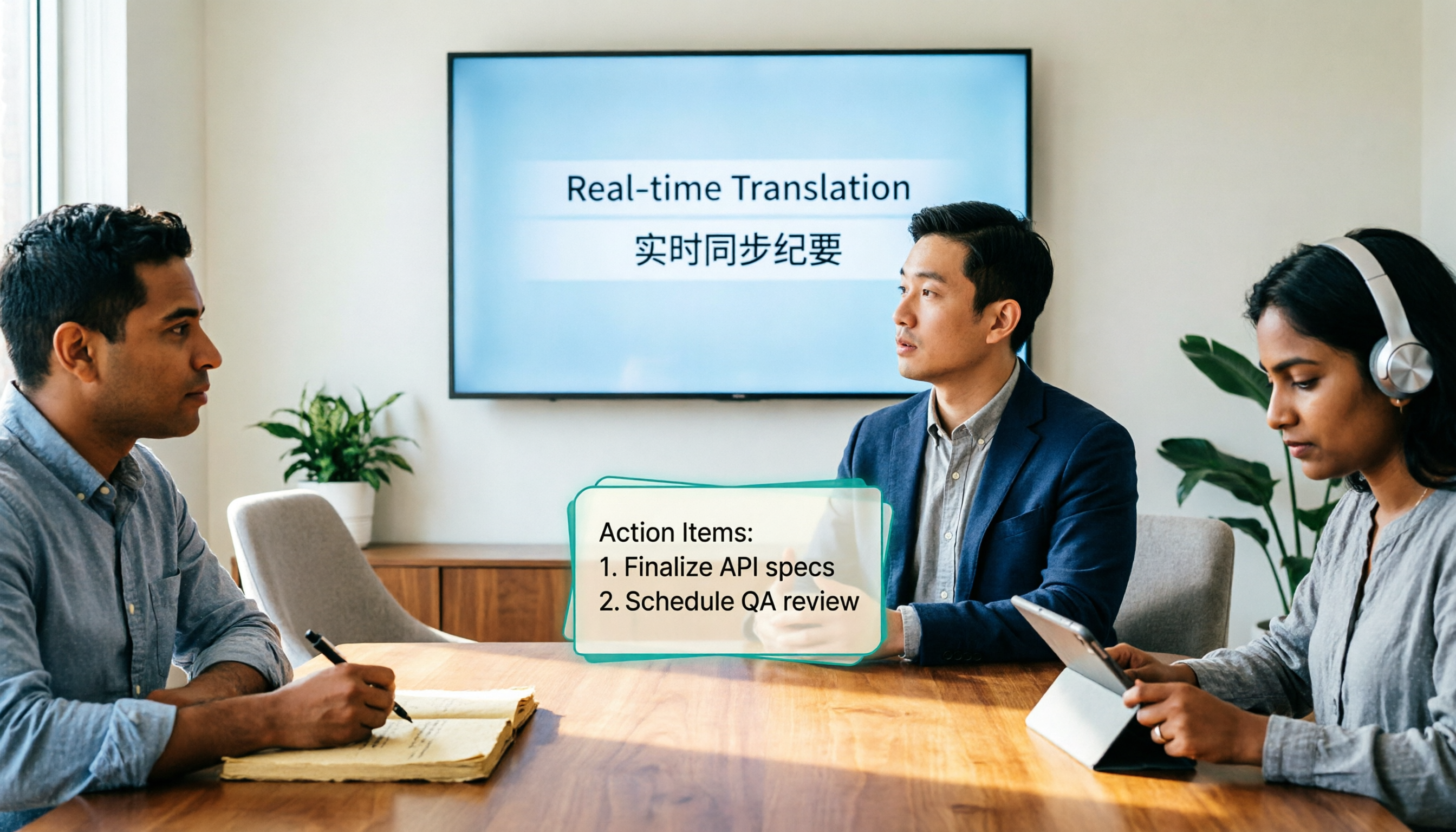
First, real-time translation. During cross-language meetings, Tinrec lets you view original text, translation, or bilingual content while recording, without waiting until the meeting ends to look back. For mixed Chinese-English discussions, this "listen and compare" approach is more practical than pure captions because you can confirm exactly which technical term the other party used.
Next, meeting capture. Tinrec's desktop version directly captures computer system audio, so when handling online meetings on Zoom, Google Meet, Microsoft Teams, Webex, etc., you don't need to pull a meeting bot into the room. Just open Tinrec and start recording, and no bot appears in the participant list. This is especially noticeable for external client meetings, because not every client likes extra participants in the meeting.
Post-meeting organization is where Tinrec pulls ahead. After recording, it generates transcripts, AI summaries, chapters, and key points, and extracts to-dos from the discussion. You can ask questions directly about the meeting, such as "What's the budget cap the client mentioned?" or "Who's responsible for next week's proposal?" It answers based on semantics, not just keyword search results. When you need to deliver, you can export to Notion, Google Docs, OneNote, Dropbox, etc., or use Agent post-processing to generate reports, tables, and meeting minutes.
Stop organizing recordings by hand
Upload audio or video and automatically get a transcript, summary, and action items
We tested with a mixed Chinese-English meeting recording, focusing on original/translation/bilingual switching, summary structure, and to-do extraction. Actual accuracy will be affected by microphone quality, background noise, accents, overlapping speech, and technical terminology. We recommend running your own recording once and cross-checking important content against transcript timestamps and recording playback.
Tinrec's advantages are clear: first, real-time translation and bilingual viewing are built into the workflow, not pasted in afterward for translation; second, desktop bot-free recording minimizes disruption to online meetings; third, post-meeting summaries, to-dos, AI Q&A, and export form a complete workflow. Limitations should also be stated clearly: the free version offers a basic quota, suitable for light experience; heavy use requires an upgrade; personal plans include weekly, Pro monthly, and annual cards, choose based on usage frequency. No real-time translation AI can guarantee 100% accuracy; for important decisions, keep the recording for verification.
If a team needs to share meeting data, Tinrec's team version provides an independent team space, role and seat management, shared benefits, usage analytics, audit logs, team hotwords, and an audio recycle bin. Currently, team monthly payment is USD 29.80 per paid seat per month, annual payment is USD 199 per paid seat per year, equivalent to about USD 16.58 per month; the first eligible team trial is 7 days, 1 free seat, 300 minutes of team shared import quota. Each paid seat provides 2,000 minutes of team shared import quota per month; team real-time recording is currently not deducted by minutes under valid plans and seats, while file and web imports use the team shared quota. Actual prices and benefits are subject to the official purchase page.
Who is it for? For those who frequently hold Chinese or mixed Chinese-English meetings, don't want a bot joining the meeting, want to use AI to find key points directly after the meeting, or need to store meeting data in a team space, Tinrec is currently the best-fit choice.
Besides Tinrec, What Other Options Are There?
Notta has the highest overlap with Tinrec, covering multi-platform transcription, meeting notes, file import, translation, and team plans. Notta's free version offers 120 minutes per month, up to 3 minutes per single content; Pro annual payment is equivalent to USD 8.17 per month, 1,800 minutes per month; Business annual payment is equivalent to USD 16.67 per seat per month, offering unlimited transcription, role permissions, and usage reports. Its public materials focus on transcription, translation, and team plans, without emphasizing AI Q&A for follow-up questions about meeting content; if you need to "ask meeting conclusions directly after recording," Tinrec's AI Q&A is a more direct feature.
Granola is a bot-free AI meeting notes tool, Basic is free, Business is USD 14 per user per month, Enterprise is USD 35 per user per month. It emphasizes user handwritten notes plus AI enhancement, but does not retain meeting audio and does not support uploading pre-recorded audio files. Tinrec retains recordings, supports audio/video file import, and also offers real-time translation and team space; if you need to re-listen to original audio later or organize historical recordings, this is a clear difference.
Otter.ai is a mature choice for English business meetings, Basic is free with 300 minutes per month, Pro annual payment is equivalent to USD 8.49 per user per month, including 1,200 minutes of in-app recording and 10 file imports per month. It has a strong mindshare for English meetings, but Chinese meetings and real-time bilingual viewing are not its main selling points. If you mainly record English meetings, Otter.ai is a reasonable choice; if meetings are mainly Chinese or mixed Chinese-English, Tinrec is a better fit.
Pitfall Guide: The 4 Most Common Mistakes When Choosing Real-Time Translation AI
Pitfall 1: Only looking at language count. Supporting 90 languages doesn't mean it performs well with your accent, industry terminology, and overlapping speech scenarios. Testing with your own meeting recording is more accurate than looking at promotional numbers.
Pitfall 2: Assuming captions equal organization. Captions solve in-the-moment understanding; summaries, chapters, to-dos, and Q&A solve post-meeting use. Tools that only provide transcripts still require manual reading afterward.
Pitfall 3: Ignoring meeting capture method. Bot joining the meeting and desktop capturing system audio are different workflows. For external client meetings, interviews, or sensitive occasions, first confirm whether the tool will add an extra participant.
Pitfall 4: Putting team data in personal accounts. Personal shared links are convenient, but when a member leaves or an account is deactivated, data ownership becomes troublesome. For the team version, look at independent space, roles, seats, and data handover design.
Conclusion: Which One Should You Choose?
Need real-time translation and bilingual viewing for Chinese or mixed Chinese-English meetings → Tinrec.
Don't want a meeting bot joining online meetings → Tinrec desktop version, directly captures system audio.
Need summaries, to-dos after the meeting, and the ability to ask meeting content directly → Tinrec, AI Q&A is its core difference.
Team needs to share meeting data, manage seats and usage → Tinrec team version, with independent space, roles, seats, usage, and auditing.
Only record English meetings and already used to the Otter ecosystem → Otter.ai is a reasonable exception.
We recommend first running your own meeting recording with Tinrec's free version to confirm whether the real-time translation, summary, and to-do workflow is smooth, then decide whether to upgrade. The point of real-time translation AI isn't showing off in the moment, but being able to find that sentence, that person, that to-do afterward.
References
- [AI Translation Tools] 2026's Top 5 Recommended AI Real-Time Translation, Helping You Automatically Translate Any Language, Free vs Subscription, Pros and Cons Comparison at a Glance! | 104 Career Power
- Vurbo.ai Real-Time Voice Translation and Note-Taking Tool
- Real-Time Translation Tools | Transync AI
- AI Live Captions: 90+ Languages, Accurate & Secure ...
- ViiTor Real-Time Translation - AI Translation & Real-Time Bilingual Subtitles & Free - Chrome Web Store
Turn every recording into actionable outcomes
Get 60 free transcription minutes when you sign in. No credit card required.
Related Reading
You might also like
4 Real-Time Translation Tools Tested for 2026: Which One Leaves You With Usable Meeting Notes?
Real-time translation tools solve the problem of understanding in the moment, but the real cost comes after the meeting. This article compares Tinrec, Transync AI, Vurbo.ai, and Notta on real-time translation, bilingual transcripts, post-meeting AI Q&A, and team management, and provides 4 key purchasing criteria, 3 common pitfalls to avoid, and scenario-based recommendations to help you explain clearly why you chose a particular tool.

Best Real-Time Translation Tools in 2026: 4 Tested, Top Free Pick for Meetings
How to choose a free real-time translation tool? This article covers three needs: web reading, ad-hoc interpretation, and cross-language meetings. We tested Tinrec, Google Translate, Immersive Translate, and Transync AI, summarizing free quotas, limitations, and use cases, and explain how Tinrec turns meeting recordings into transcripts, summaries, action items, and team data.

4 Free Simultaneous Interpretation Tools Tested: Which Offers Enough Free Minutes and Post-Meeting Value?
How to choose a free simultaneous interpretation tool? This article reviews four free-trial real-time translation tools—Tinrec, JotMe, Transgull, and Felo Translate—comparing them across five aspects: free quota calculation, translation presentation, recording and transcript retention, post-meeting organization, and team collaboration. It also includes a pitfalls guide and buying advice to help you find the one that truly saves time.

2026 Comparison of 3 Meeting Transcription Tools: Tinrec Turns Transcripts into Action Items
Turning meeting recordings into transcripts isn't hard—the hard part is post-meeting organization. Starting from meeting transcription needs, this article compares Tinrec, Notta, Good Tape, and Yating Transcript, covering transcription, online meeting recording, summary and to-dos, AI Q&A, and team collaboration to help you find the right meeting notes tool.

2026 Online Simultaneous Interpretation Guide: Tinrec Real-Time Translation + Bilingual Transcripts as an Alternative to Traditional Translation Apps
Online simultaneous interpretation is not just about real-time translation—it also depends on whether post-meeting materials are usable. This article addresses common misconceptions and explains how Tinrec uses desktop bot-free recording, real-time transcription, and bilingual translation, combined with summaries, action items, AI Q&A, and team spaces, to turn cross-language meetings into searchable, collaborative records.

How to Use Real-Time Voice Translation in 2026: 5 Steps from Recording to Bilingual Transcript
In cross-language meetings, front-desk reception, and international calls, real-time voice translation needs to solve more than just "understanding in the moment"—it also needs to leave you with usable records afterward. This article breaks down real-time voice translation tools using 5 key selection criteria, compares Tinrec, Transync AI, Vurbo.ai, and JotMe in hands-on testing, and summarizes 4 common pitfalls to help you choose the one that truly works for you.

How to Generate Transcripts with Tinrec in 2026: Bot-Free Recording + AI Summaries and Action Items
Transcript generation isn't just about feeding an audio file into a tool. This guide tackles four common pitfalls and compares Tinrec with Yating Transcription across meeting capture, Chinese recognition, post-meeting organization, AI Q&A, export, and team governance to help you decide which workflow truly saves time.

2026 Comparison of 3 Transcription Tools: Which One Actually Turns Meeting Recordings into Usable Data?
The real difference between transcription tools isn't speed—it's whether the output is ready to use. Starting from the question 'Do you want text or results?', this article outlines 4 key buying criteria, compares Tinrec, Notta, Otter.ai, and Granola on meeting recording, transcript organization, AI Q&A, export, and team collaboration, and includes a pitfalls guide and scenario-based recommendations.

How to Transcribe Audio to Text in 2026: Record Meetings Without Bots + AI Q&A to Find Key Points
How to choose an audio transcription tool? This guide breaks down 5 key factors: meeting capture methods, post-meeting outputs, audio retention, Chinese language experience, and team governance. It also tests and compares Tinrec, Granola, Notta, and TurboScribe to help you decide which fits your meetings and budget.