

Turn recordings into transcripts and summaries in minutes
Upload audio or video for multilingual transcription, AI notes, and action items
4 Free Simultaneous Interpretation Tools Tested: Which Offers Enough Free Minutes and Post-Meeting Value?
It's 9 a.m. in a cross-border meeting. The other party speaks fast, and you're translating in your head while listening. By the time you snap back, the previous sentence is already gone. What you need in that moment isn't a dictionary—it's simultaneous interpretation: the translation comes out almost as soon as the words are spoken.
The problem is, many tools advertise themselves as "free" simultaneous interpretation, but using them is another story. Some give you only 20 minutes per month—one meeting and it's gone. Some just display text on the screen and leave nothing after the meeting. Some require you to pull a meeting bot into the room, and when the client sees an extra account on the participant list, they start asking questions.
This article rounds up four free simultaneous interpretation tools you can try right away. The focus isn't just on "free"—it's also on whether you get something usable after the free quota runs out.
The Real Cost Shows Up After the Meeting: Transcripts and Notes
The first scenario is cross-language meetings. A foreign client speaks quickly with a heavy accent. You jot down pages of keywords, but after the meeting you still can't piece together the full conclusion.
The second is online courses and lectures. The speaker switches languages and throws out a bunch of technical terms. You're busy translating and miss the second half of the key points. When you go back to watch the replay, it takes twice as long.
The third is the most common: the meeting itself goes smoothly, but the real hassle is the next two hours. Re-listening to the recording, typing up a transcript, organizing action items—by the time you're done, it's dark outside.
These three pain points all point to the same thing—you don't just need real-time translation; you need the translated content to be searchable, queryable, and shareable afterward.
4 Key Points to Understand Before Choosing a Free Simultaneous Interpretation Tool
1. How the free quota is calculated
Many tools say "free," but the difference lies in: is it a fixed number of minutes per month, or a cap per session? Are real-time translation and speech-to-text counted separately, or do they share one pool? When looking at plans, first estimate how many meetings you have per month and how long each lasts, then judge whether the quota is enough.
2. Is the translation text or audio?
Some tools focus on bilingual speaker output or headset interpretation, suitable for face-to-face communication. Others display the original text, translation, or both side by side on the screen, suitable for listening while reading and taking notes. Neither is inherently better—it depends on whether you just need to understand or need a record.
3. Does it retain recordings and transcripts?
This is the most overlooked point. Real-time translation only solves the moment, but if the tool also saves recordings and transcripts, you can search for key sentences and verify commitments after the meeting. Without this layer, the translation might as well not have happened.
4. Performance with Chinese and mixed Chinese-English
Real meetings rarely stick to a single language throughout. Speakers mix Chinese and English, and technical terms fly around. Whether the tool can maintain stable output is more important than the number of languages advertised. This is also the part most people should test during a trial.
Tinrec — Keeps Translation, Transcript, and Action Items in One Place
Tinrec is an AI meeting notes and collaboration tool for individuals and teams, available on iOS, Android, desktop, and web. It's not just a translation app—it integrates real-time translation into the entire meeting workflow.
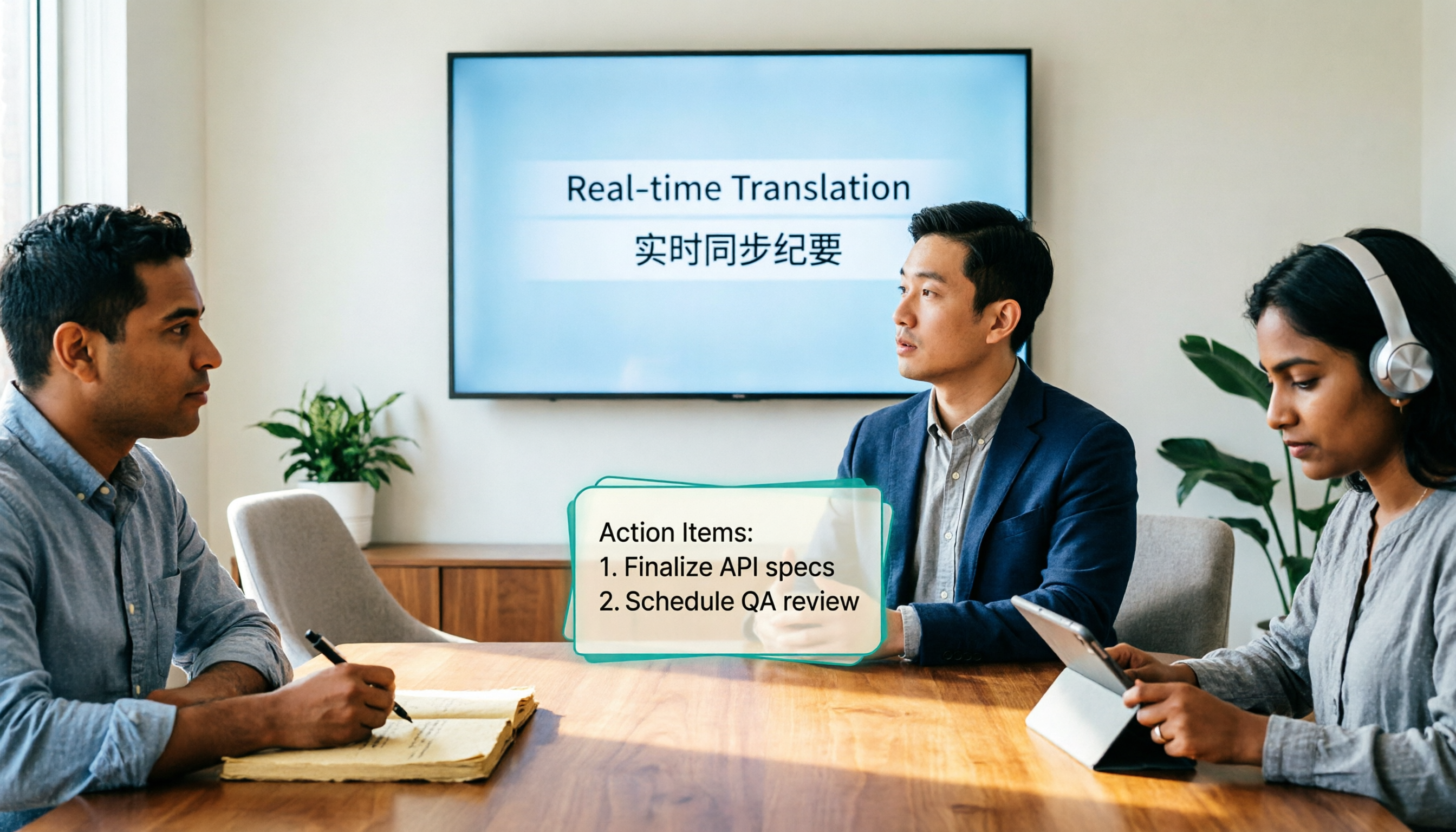
For cross-language meetings, record and view bilingual content simultaneously. During recording, you can switch between original text, translation, or bilingual view. Speakers can switch languages without opening a separate translation window. For business meetings where you need to confirm numbers in real time, side-by-side bilingual display is more practical than pure audio interpretation.
Record online meetings without a meeting bot. The desktop version directly captures computer system audio, handling meeting audio played on the computer from platforms like Zoom, Google Meet, Microsoft Teams, and Webex—no extra bot needs to join the meeting. When meeting with external parties, the participant list won't mysteriously gain an extra account, which is especially noticeable in client settings.
Post-meeting is where it stands out. After the meeting, the system generates a transcript, AI summary, chapters, and highlights, and extracts action items from the discussion. You can also use AI Q&A to directly ask, "Which version of the delivery date did the client mention?" or "What was decided in the last meeting?" When you need to deliver, you can further generate reports, tables, and documents, and export to Notion, Google Docs, OneNote, Dropbox, and other tools for further processing.
Stop organizing recordings by hand
Upload audio or video and automatically get a transcript, summary, and action items
How to choose between free and paid. The free version offers a basic quota so you can experience recording, import, summary, and transcription. For short-term intensive meetings or interviews, consider a weekly pass. For steady weekly use, the Pro monthly plan is suitable. For long-term accumulation of recording data, the annual plan has a lower monthly equivalent.
For team use, go with the Team plan. The Team plan is a separate team space, not multiple people sharing one personal account. The first eligible team trial is 7 days, 1 free seat, and 300 minutes of shared team import quota. Monthly billing is USD 29.80 per paid seat per month; annual billing is USD 199 per paid seat per year (about USD 16.58 per month). Each paid seat provides 2,000 minutes of shared team import quota per month. Under an active plan and seat, real-time recording currently does not deduct minutes. Roles and seats should be understood separately: roles determine who can manage the team and audit, while seats determine whether members can record, upload, edit, and export. Members without a seat can still view, play, and read team data. Currently, sharing is primarily at the team level, not file-level granular permissions. Prices and benefits are subject to the official purchase page.
Pros: Translation and records are the same data—no need to open a translation app and a recording app separately. No bot needed to handle online meetings. Post-meeting AI Q&A and export mean data doesn't stop at the transcript.
Limitations: Real-time translation is presented as text (original/translation/bilingual), not voice reading. Transcription and translation quality can be affected by audio clarity, accents, overlapping speakers, and technical terms. For important content, cross-check with the recording. File import and team quotas have limits; if you have large volumes of long audio files, estimate the minutes first.
Who it's for: People who frequently hold cross-language online meetings, need post-meeting notes and action items, or teams that want to collectively accumulate meeting data.
Besides Tinrec, These 3 Free Tools Have Their Strengths
JotMe: Real-time translation and speech-to-text right in your browser—no registration or installation required. The official website states free quotas such as 20 minutes of real-time translation and 50 minutes of speech-to-text per month, suitable for short ad-hoc meetings or those who want to try without installing anything. However, the quota is calculated by minutes and you have to wait for the next cycle when it runs out. Tinrec, on the other hand, can record meetings for extended periods in one place and keep transcripts, summaries, and action items in the team space, so no extra organizing is needed afterward.
Transgull: Focuses on two-way simultaneous interpretation and bilingual speaker output, suitable for face-to-face business meetings and bilingual conversations. With headphones, you can listen to course and lecture translations. Free quota available after registration. If most of your scenarios involve two people speaking different languages face to face, this format is more intuitive. But its focus is on "hearing," while Tinrec keeps the transcript and action items from the same conversation and lets you use AI to query details afterward.
Felo Translate: An AI translation app on the App Store, supporting real-time voice translation in 15+ languages. New users get 60 minutes of usage upon registration. Suitable for travel, study abroad, and ad-hoc conversations. Note that it's a mobile app; Tinrec also has desktop and web versions, which can directly capture computer system audio to record online meetings and manage historical data in the same space.
Pitfalls Guide: 3 Most Common Mistakes When Looking for Free Simultaneous Interpretation
Pitfall 1: Treating "has a free tier" as "free is enough." Some plans only give enough quota for one short meeting per month; the second meeting triggers a payment prompt. Before trying, check clearly whether it's calculated monthly or daily, and whether real-time translation and file transcription share the quota.
Pitfall 2: Thinking sentence-by-sentence translation equals simultaneous interpretation. What really affects understanding is context. Tools that only do word-for-word replacement start to falter with pronouns, industry terms, and elliptical sentences. Tools that preserve the context of the entire conversation produce translations that are actually readable.
Pitfall 3: Focusing only on real-time and forgetting post-meeting. If there's no transcript, no search, no export after translation, it's as if every meeting starts from scratch. The practical approach: first run a test with a real recording of your own, see if it can produce usable summaries and action items, then decide whether to use it long-term.
Also note that recording and transcription involve local regulations and participant rights. For cross-regional meetings, it's advisable to obtain consent before recording.
Conclusion: Which One Should You Choose?
- Need real-time bilingual for online meetings + post-meeting notes → Tinrec (desktop version requires no bot; transcript, summary, and action items all in one)
- Mainly Chinese or mixed Chinese-English meetings → Tinrec (can maintain technical terms with team hotwords)
- Want to turn transcripts into reports, tables, or to-do lists → Tinrec (supports AI Q&A and Agent post-processing)
- Team needs to share meeting data, manage seats and usage → Tinrec Team plan (roles, seats, usage analysis, and audit logs managed separately)
- Just for travel or short face-to-face conversations, no installation or payment → Mobile or browser tools like JotMe, Transgull, and Felo Translate are sufficient
Practical advice: start with the free version and test it with a real meeting you've actually held. Focus on two things—whether the bilingual content is understandable, and whether the post-meeting summary can be used directly. If both pass, then consider upgrading or introducing the Team plan. That's more practical than paying from the start.
References
- Real-time Translation and Simultaneous Interpretation | JotMe
- AI Simultaneous Interpretation - No Need to Buy a Translator Device, Simultaneous Interpretation on Your Phone | Transgull
- Felo Translate - AI Translation App for Simultaneous Interpretation - App Store
- Top 10 Best Real-Time Translation Interpreter Apps (Free and Paid)
- Voice Translation - Professional Simultaneous Translation on the App Store
Turn every recording into actionable outcomes
Get 60 free transcription minutes when you sign in. No credit card required.
Related Reading
You might also like
4 Real-Time Translation Tools Tested for 2026: Which One Leaves You With Usable Meeting Notes?
Real-time translation tools solve the problem of understanding in the moment, but the real cost comes after the meeting. This article compares Tinrec, Transync AI, Vurbo.ai, and Notta on real-time translation, bilingual transcripts, post-meeting AI Q&A, and team management, and provides 4 key purchasing criteria, 3 common pitfalls to avoid, and scenario-based recommendations to help you explain clearly why you chose a particular tool.

Best Real-Time Translation Tools in 2026: 4 Tested, Top Free Pick for Meetings
How to choose a free real-time translation tool? This article covers three needs: web reading, ad-hoc interpretation, and cross-language meetings. We tested Tinrec, Google Translate, Immersive Translate, and Transync AI, summarizing free quotas, limitations, and use cases, and explain how Tinrec turns meeting recordings into transcripts, summaries, action items, and team data.

Tinrec vs Notta 2026: Real-Time Translation AI 5-Dimension Comparison, Which Is Better for Chinese Meetings?
Real-time translation AI isn't just about the number of languages—it's also about meeting capture methods, bilingual subtitles, post-meeting organization, AI Q&A, and team data ownership. This article compares Tinrec and Notta across 5 dimensions and explains which Chinese meeting scenarios each suits.

2026 Comparison of 3 Meeting Transcription Tools: Tinrec Turns Transcripts into Action Items
Turning meeting recordings into transcripts isn't hard—the hard part is post-meeting organization. Starting from meeting transcription needs, this article compares Tinrec, Notta, Good Tape, and Yating Transcript, covering transcription, online meeting recording, summary and to-dos, AI Q&A, and team collaboration to help you find the right meeting notes tool.

2026 Online Simultaneous Interpretation Guide: Tinrec Real-Time Translation + Bilingual Transcripts as an Alternative to Traditional Translation Apps
Online simultaneous interpretation is not just about real-time translation—it also depends on whether post-meeting materials are usable. This article addresses common misconceptions and explains how Tinrec uses desktop bot-free recording, real-time transcription, and bilingual translation, combined with summaries, action items, AI Q&A, and team spaces, to turn cross-language meetings into searchable, collaborative records.

How to Use Real-Time Voice Translation in 2026: 5 Steps from Recording to Bilingual Transcript
In cross-language meetings, front-desk reception, and international calls, real-time voice translation needs to solve more than just "understanding in the moment"—it also needs to leave you with usable records afterward. This article breaks down real-time voice translation tools using 5 key selection criteria, compares Tinrec, Transync AI, Vurbo.ai, and JotMe in hands-on testing, and summarizes 4 common pitfalls to help you choose the one that truly works for you.

How to Generate Transcripts with Tinrec in 2026: Bot-Free Recording + AI Summaries and Action Items
Transcript generation isn't just about feeding an audio file into a tool. This guide tackles four common pitfalls and compares Tinrec with Yating Transcription across meeting capture, Chinese recognition, post-meeting organization, AI Q&A, export, and team governance to help you decide which workflow truly saves time.

2026 Comparison of 3 Transcription Tools: Which One Actually Turns Meeting Recordings into Usable Data?
The real difference between transcription tools isn't speed—it's whether the output is ready to use. Starting from the question 'Do you want text or results?', this article outlines 4 key buying criteria, compares Tinrec, Notta, Otter.ai, and Granola on meeting recording, transcript organization, AI Q&A, export, and team collaboration, and includes a pitfalls guide and scenario-based recommendations.

How to Transcribe Audio to Text in 2026: Record Meetings Without Bots + AI Q&A to Find Key Points
How to choose an audio transcription tool? This guide breaks down 5 key factors: meeting capture methods, post-meeting outputs, audio retention, Chinese language experience, and team governance. It also tests and compares Tinrec, Granola, Notta, and TurboScribe to help you decide which fits your meetings and budget.