

Turn recordings into transcripts and summaries in minutes
Upload audio or video for multilingual transcription, AI notes, and action items
The COVID-19 pandemic has fundamentally transformed modern work patterns, and this trend shows no sign of disappearing in the foreseeable future. While some companies are gradually returning to in-office work, most organizations will continue to adopt remote or hybrid work models long-term.
As a result, remote meetings via tools like Zoom, Webex, and Teams are here to stay and may even become the norm for business operations. If you find this stressful, don't worry—there are tools to help you tackle these challenges. TinRec is one such tool that can reduce fatigue, improve performance, and enhance meeting accessibility.
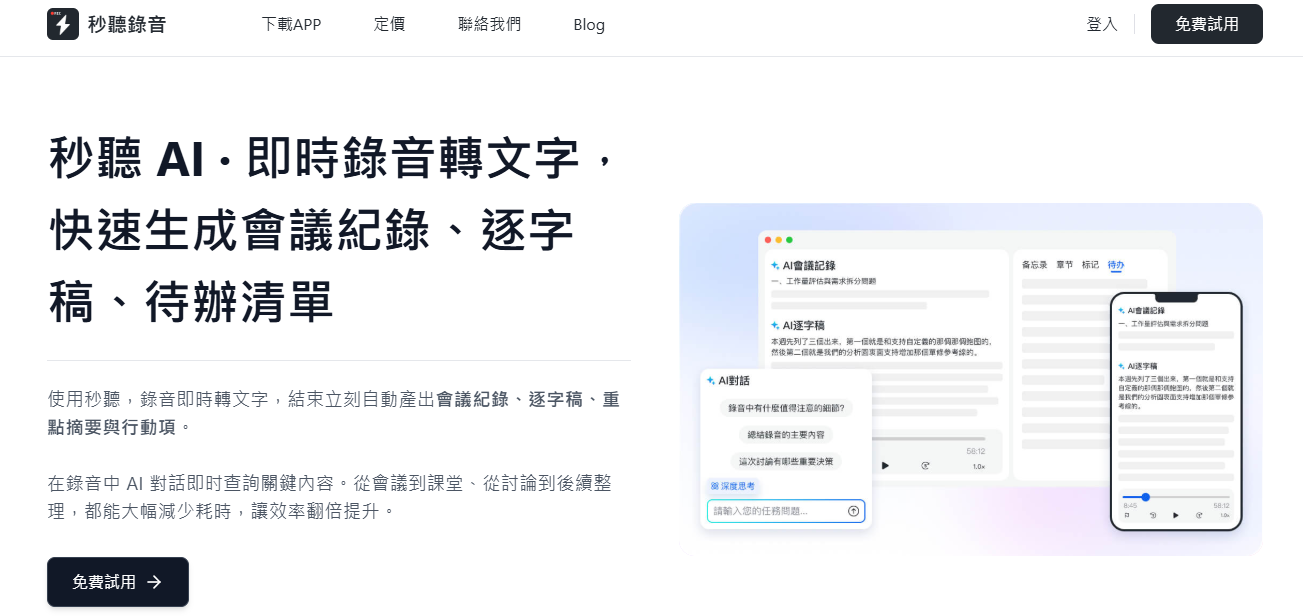
Here are eight ways TinRec can help you become a better employee:
1. Master Your Meeting Participation
Many companies worry that remote work may lead to employee disengagement or reduced participation. TinRec can help you overcome this concern or self-assess your professional growth opportunities. After recording a meeting with TinRec, you can use the "Speaking Time Statistics" feature to see how much you spoke compared to other participants.
For example, if you only spoke 10% in a three-person meeting, that might be a reminder to participate more actively in future discussions.
2. Reduce Fatigue from Back-to-Back Meetings
While meetings are essential for business operations, too many can seriously impact mental and physical health. According to a TinRec survey, 71% of U.S. office workers would rather go to the dentist than attend long consecutive meetings. 19% of respondents reported distraction, 34% felt decreased energy, and 32% experienced stress.
When you're unable to focus due to back-to-back meetings, important information can easily be missed. Using TinRec to automatically transcribe meeting content and generate notes not only helps you grasp discussion points in real time but also creates a written record for future reference.
3. Stay Synced with Colleagues Across Time Zones
The internet enables teams to collaborate across borders and time zones, but coordinating schedules globally remains a major challenge. If you have to join a meeting at 3 a.m., long-term fatigue and reduced efficiency are inevitable.
Stop organizing recordings by hand
Upload audio or video and automatically get a transcript, summary, and action items
If your attendance isn't essential, you can send the TinRec Assistant to attend on your behalf. It can automatically join meetings on Zoom, Google Meet, Microsoft Teams, and Cisco Webex, recording the entire session so you don't miss anything even if you're not present.
Additionally, if you need to arrive late or leave early, simply open the live transcript to quickly catch up; after the meeting ends, review the full record—the TinRec Assistant will keep recording until the meeting is over.
4. Self-Improve Through Call Recording
Whether you're a salesperson, supervisor, manager, or executive, revisiting past conversations you've led is a great way to improve performance. However, simply listening to recordings is inefficient: the average speaking speed is about 150–160 words per minute, while reading speed can reach 250–300 words per minute.
Using TinRec's transcription feature, you can quickly skim past conversations at double speed, gaining key insights faster.
5. Eliminate Note-Taking, Focus on the Meeting Itself
In traditional meetings, someone must take notes (commonly called "meeting minutes"). But when you're tasked with note-taking, it's easy to miss important information and difficult to actively contribute ideas, potentially causing the team to miss out on great solutions.
TinRec automatically generates meeting notes and transcripts, allowing all participants to focus on the discussion. The system even automatically sends the records to all team members after the meeting, boosting overall efficiency.
6. Improve Meeting Accessibility
For individuals with hearing impairments, audio-only calls (lacking lip-reading cues) or poor audio quality can make remote meetings even more challenging. TinRec offers real-time transcripts and historical record search, greatly improving meeting accessibility and ensuring all participants have equal access to information.
7. Quickly Find Key Information with Search
The biggest problem with audio files is that they're hard to scan: to find a specific part of a conversation, you often have to listen repeatedly or jump around blindly. TinRec's search feature lets you simply enter keywords to display all paragraphs containing that term, dramatically improving efficiency. With automatic transcription, you don't need to decide which meetings to transcribe—all content is immediately searchable.
8. Learn According to Your Personal Preferences
Decades of research show that people learn differently: some absorb information through listening, while others prefer visual learning. Unfortunately, most workplace training and meetings cater to only one style.
If you're a reading-based learner, TinRec can convert content from meetings, training sessions, and seminars into text, allowing you to absorb information more completely and thus improve your work efficiency.
In summary, TinRec helps you perform at your best and become a more outstanding employee. Try TinRec free or professional edition today and experience how AI meeting transcription can boost your efficiency and output.
- 300 minutes of transcription per month
- Up to 30 minutes per meeting
- Upload up to 3 audio or video files
- Industry-leading transcription technology
- Advanced AI conversation features
- Custom integration and workflows
Turn every recording into actionable outcomes
Get 60 free transcription minutes when you sign in. No credit card required.
Related Reading
You might also like

2026 Audio Summarizer Guide: Auto Summaries + AI Q&A to Find Key Points
How do you choose an audio summarizer? This guide covers common pitfalls and key factors like summary quality, AI Q&A, and cross-platform export. We recommend Tinrec, which supports bot-free online meeting recording, automatic summaries, action item extraction, and team spaces. Also includes alternatives like Granola and PLAUD, plus tips to avoid mistakes.

5 Best AI Transcription Tools in 2026: Which One Saves the Most Time?
We tested 5 recording-to-transcript tools, comparing Chinese recognition, post-meeting organization, AI Q&A, and team collaboration. See how Tinrec stacks up against Otter.ai, Notta, and TurboScribe, plus key buying tips and pitfalls to avoid.

Tinrec vs Otter.ai: Which AI Meeting Summary Tool Is Better for Chinese-Speaking Teams in 2026?
Many people think a transcript means the meeting notes are done, but the real time sink is post-meeting organization. This hands-on comparison of Tinrec and Otter.ai—two tools that automatically generate meeting summaries from recordings—evaluates them across six dimensions: Chinese-language meeting experience, recording method, post-meeting outputs, audio retention, team governance, and pricing/quotas, helping Chinese-speaking teams decide which tool better fits their workflow.

4 Best Meeting Transcription Tools in 2026: Free Tiers, Chinese Accuracy, and Post-Meeting Efficiency Compared
Tired of spending hours writing meeting minutes? This article compares Tinrec, Notta, Granola, and PLAUD Note across four key areas: how they record online meetings, Chinese and mixed-language transcription accuracy, post-transcription summarization and AI Q&A, and team data ownership. It also includes a pitfalls guide and selection advice.

How to Auto-Generate Transcripts in 2026: Tinrec vs Yating + Bot-Free Meeting Recording
Auto-generating transcripts isn't a one-click job. This article breaks down the three most common pitfalls, then compares Tinrec and Yating Transcript across five dimensions to clarify how to choose for Hong Kong office scenarios.

2026 AI Meeting Notes Tools Compared: 5 Top Picks for Transcription & Team Collaboration
Tired of spending hours after meetings organizing transcripts? This article reviews 5 AI meeting notes tools based on real testing, breaking down 5 key dimensions: audio capture methods, post-meeting outputs, audio retention, and team governance. It focuses on Tinrec as the primary example, comparing its use cases with Notta, Otter.ai, Granola, and TurboScribe, and includes a pitfalls guide and selection advice.

2026 AI Meeting Summary Comparison: 5 Common Misconceptions and Tinrec in Practice
Many people think having a transcript means having a meeting summary, but after the meeting they still have to read through it themselves. This article examines 5 common misconceptions to explain where AI meeting summaries truly help, their core capabilities, practical use cases, and key purchasing considerations, using Tinrec as a concrete example.

How to Summarize Meeting Highlights in 2026: 5 Steps from Recording to AI Summary
The problem with meeting notes usually isn't slow typing—it's trying to capture and organize at the same time. This article breaks down a 5-step workflow from recording, transcription, AI summarization, to action item tracking, and explains how Tinrec (秒听录音) uses desktop bot-free recording, AI Q&A, and multi-format export to turn meetings into searchable, collaborative team data.

Tinrec Audio to Text Tutorial 2026: Chinese Transcripts + AI Meeting Notes in One Go
How to choose an audio-to-text tool? This article compares Tinrec and Yating Transcript across five dimensions: Chinese and multilingual transcription, bot-free online meeting recording, post-transcription summaries and action items, cross-platform export, and team seats and usage management. It then tells you directly which one to choose for which situation.