
Turn recordings into transcripts and summaries in minutes
Upload audio or video for multilingual transcription, AI notes, and action items
In the fast-paced workplace environments of Hong Kong and Taiwan, meeting notes are often one of the most time-consuming administrative tasks. Especially in scenarios involving Cantonese or English-Chinese code-switching, traditional manual transcription is not only inefficient but also prone to missing key points—simply replaying audio recordings can be exhausting.
To help you reduce decision-making costs, this article will review the 6 most popular speech-to-text tools on the market in 2026. We'll provide a multi-dimensional comparison table (including language support, real-time capabilities, AI summaries, etc.) and offer practical step-by-step guides for mobile use and a common FAQ to get you up to speed quickly.
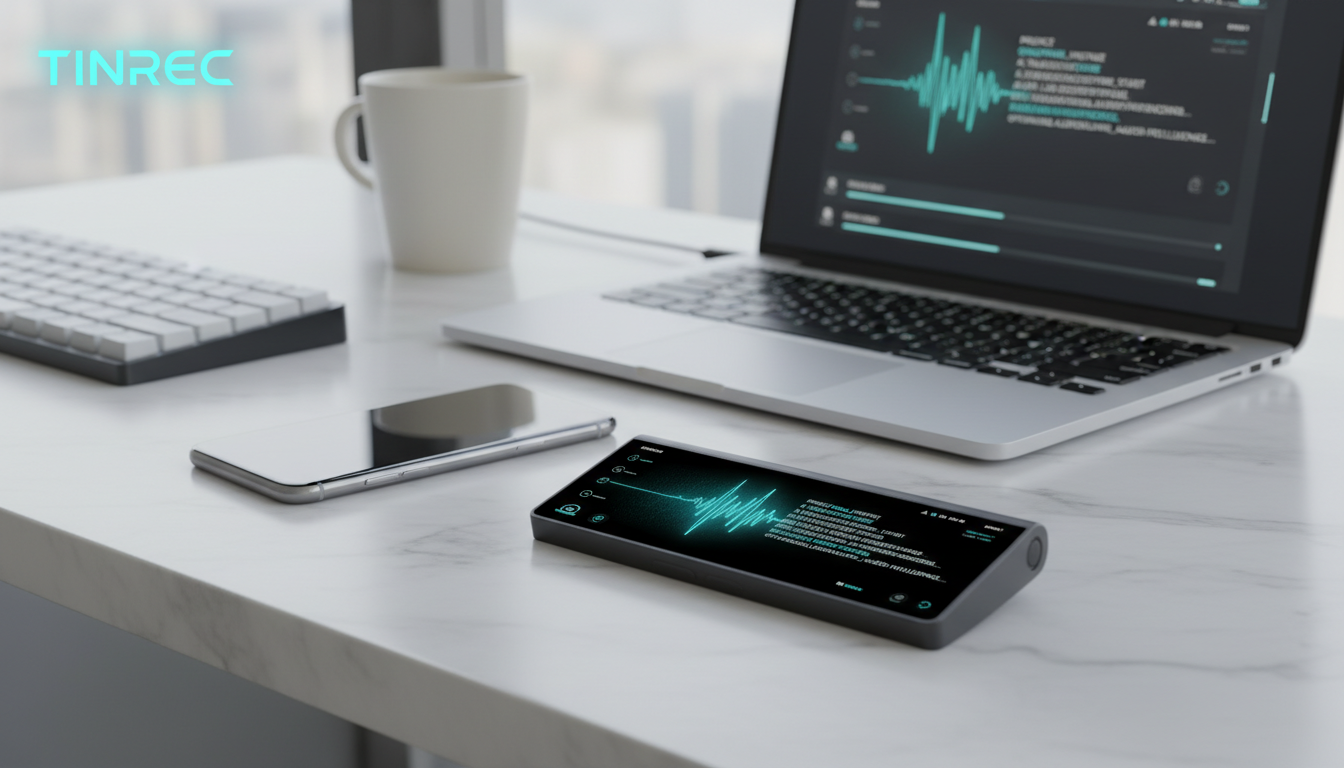
Quick navigation suggestions:
- If you have a generous budget and prefer a physical recorder: prioritize Plaud Note or iFLYTEK.
- If you don't want to carry extra hardware and seek cross-platform collaboration and AI summaries: try Tinrec or Monica.
- If you are a developer or tech enthusiast: Whisper by OpenAI is a powerful open-source choice.
1. Why Is Cantonese Voice-to-Text So Difficult? (Current Pain Points)
When looking for a good Cantonese voice-to-text tool, users typically face three major pain points:
- Difficulty recognizing code-switching: Hong Kong and foreign corporate environments often feature "Chinglish" or Cantonese mixed with English technical terms, causing many single-language recognition tools to produce garbled text.
- Only transcripts, no conclusions: Most traditional tools output transcripts of thousands of words, making them costly to read and lacking actionable "to-do items" after meetings.
- Difficulty revisiting audio: For 2-hour-long interviews or lectures, traditional transcripts rely on Ctrl+F to search keywords, without the ability to query semantically.
2. In-Depth Review of Popular Cantonese Speech-to-Text Tools in 2026
Based on market buzz and actual features, here is an analysis of 6 mainstream tools for Cantonese and Chinese users:
1. Plaud AI (Note / NotePin)
This tool has recently been highly discussed on social media, featuring an "AI recording card" hardware device combined with software service.
- Core features: Supports Cantonese, Mandarin, and 112 other languages. The hardware is slim and portable, ideal for business professionals to attach to the back of their phones.
- Price barrier: Requires purchasing the hardware first, followed by a monthly transcription quota in most plans.
2. Tinrec
Unlike hardware-tied tools, Tinrec is a "software-first" multi-platform AI recording assistant supporting iOS, Android, and Web. It focuses on the complete workflow from recording to action.
- Core features: Supports mixed recognition of Cantonese, Traditional Chinese, and English. Besides real-time transcription, it automatically generates meeting minutes and to-do lists. Its standout feature is "AI Chat Query," allowing users to ask the AI questions about the recording content.
- Price barrier: Free plan available (100 minutes of transcription per month), no hardware purchase required.
3. iFLYTEK
A long-standing leader in Chinese speech recognition, known for high accuracy with physical recording pens.
- Core features: Extremely high recognition accuracy for dialects (including Cantonese) and technical terms, suitable for legal, medical, and other serious scenarios demanding precision.
- Price barrier: High hardware cost, primarily one-time purchase.
4. Otter.ai
An internationally renowned meeting note tool, the top choice for English environments.
- Core features: Excellent English recognition and speaker differentiation with high automation.
- Limitation: Limited support for Cantonese and Chinese. If meetings include Chinese or Cantonese, it's not recommended as the primary tool.

5. Whisper by OpenAI
An open-source powerful speech recognition model by OpenAI.
Stop organizing recordings by hand
Upload audio or video and automatically get a transcript, summary, and action items
- Core features: Extremely high recognition accuracy, supports multiple languages, and is completely free (if self-hosted).
- Price barrier: High entry barrier, requires programming skills or high-performance computing, no user-friendly interface.
6. Monica
A comprehensive AI assistant browser extension, with voice-to-text as an add-on feature.
- Core features: User-friendly interface, simple operation, supports Cantonese recognition.
- Price barrier: Offers a short trial period, then requires a subscription.
3. Tool Specification Comparison Table: Which One Suits You Best?
To reduce your selection effort, we've compiled a comparison table across 6 core dimensions:
| Dimension | Tinrec | Plaud Note | iFLYTEK | Otter.ai | Whisper (OpenAI) |
|---|---|---|---|---|---|
| Hardware Required | No (phone/web) | Yes (physical recording card) | Yes (physical recorder) | No | Yes (high-end computing) |
| Cantonese Support | ⭕ Supported (incl. mixed EN/CN) | ⭕ Supported | ⭕ Precise support | ❌ Poor | ⭕ Supported |
| Key Advantage | AI chat queries, extract to-do items | Physical recording quality, call recording | High accuracy in professional fields | Strong English recognition | Open source, free, privacy control |
| Summary/Action Items | ✅ Auto-generate meeting minutes | ✅ Auto-generate | Partial high-end models support | ✅ Supported (English only) | Requires integration with LLM |
| Export & Integration | Word, PDF, Markdown | Export via dedicated app | Export via dedicated software | Supports standard formats | Depends on developer interface |
| Free Quota/Price | Free 100 min/month | Hardware purchase required (plans vary) | None (hardware purchase) | Limited trial | Unlimited (self-hosted) |
4. Practical Tutorial: How to Produce High-Quality Meeting Minutes on Phone and Computer
For users who don't want to carry extra hardware, software solutions offer great flexibility. Using a cross-platform software tool as an example, here are steps for 4 common scenarios:
Step 1: In-Person Meeting - Real-Time Transcription
In a face-to-face meeting, open the mobile app or web version and go to the Live Recording to Text interface. The system will display audio waveforms and start recognition in real time. Make sure to set the language to "Cantonese" or "Traditional Chinese" in settings, and the system will adapt to mixed English-Chinese contexts automatically.
Step 2: Existing Recording - Audio File to Text
If you usually use the iPhone's built-in Voice Memos or receive an MP3 interview file from a colleague, use the Audio File to Text feature. After uploading, the system not only generates a transcript but also automatically identifies different speakers.
Step 3: Online Learning - Podcast/Online Video to Text
Learners often need to summarize YouTube tutorials or podcast content. Using the Podcast/Online Video to Text feature, simply paste the video link without downloading the file to directly get key summaries and transcripts, saving significant note-taking time.
Step 4: Post-Meeting Review - AI Chat Query and Action Item Extraction
This is the biggest differentiator of modern AI tools. After recording, don't waste time replaying. You can directly view the system-generated "To-Do List" or use the AI Chat Query feature. For example, ask "What was the Q3 budget the boss mentioned?" and the system will answer directly from the recording content, turning audio into actionable decision support.
5. FAQ
Q1: Can these tools really understand Cantonese mixed with English? Yes, mainstream tools optimized for the Asian market already have mature support for Cantonese and mixed English-Chinese. However, accuracy may vary with heavy accents or rare technical terms, so it's advisable to choose software that allows post-editing of transcripts.
Q2: Can iPhone call recordings be transcribed? Due to iOS strict privacy restrictions, it's difficult for general apps to perform system-level call recording. Two solutions: purchase a hardware attachment like Plaud, or put the call on speakerphone and record with another device or app, then transcribe.
Q3: Is the free quota enough for me? For example, Tinrec offers 100 minutes free per month, which is quite sufficient for light users who occasionally need meeting notes or short interviews. For more demand, consider upgrading to a basic plan.
Q4: How to handle online meetings like Teams or Google Meet? If you use software not tied to a phone, log into the web version and upload the recorded meeting video from Teams or Meet for transcription. Some tools also support parsing cloud links.
Q5: How is privacy and security of meeting notes ensured? When dealing with corporate secrets, always check the privacy policy. Most enterprise or paid software encrypts data and does not use private data for public AI model training.
Q6: Can I directly transcribe YouTube videos into text? Yes. Many modern AI recording assistants have integrated online link parsing. Just paste a YouTube link to generate bilingual transcripts and key summaries, ideal for quickly digesting long online courses or speeches.
Turn every recording into actionable outcomes
Get 60 free transcription minutes when you sign in. No credit card required.
Related Reading
You might also like

2026 Free Audio-to-Text Solutions Compared: Notta, Tinrec, and 3 More
How does Notta's free audio-to-text work? This guide covers 5 free online transcription options in 2026, including Notta's free plan limits (120 minutes per month, 3 minutes per file) and step-by-step instructions. It also compares free tiers and best-use cases for Tinrec, TurboScribe, Otter.ai, and Granola to help you avoid length and quota traps.

Notta Free Plan 2026: Complete Guide to Limits, Use Cases & Alternatives
Evaluating Notta's free plan? This guide looks at weekly meeting volume and post-meeting needs to help you judge if the free tier fits. It also introduces Tinrec's bot-free recording, transcripts, AI summaries, action item extraction, AI Q&A, and team workspace as a workflow better suited for mid-level managers and teams.

2026 Comparison of 2 Audio-to-Text Tools: Tinrec vs Notta — Differences and Which Is Better for Teams
Starting from the search intent behind 'notta hawkeye,' this article first clarifies that Hawkeye is unrelated to audio recording tools, then from the practical perspective of a mid-level manager compares Notta and Tinrec in terms of meeting capture, post-meeting organization, Chinese-language experience, team governance, and data ownership. It also explains Tinrec's bot-free recording, AI Q&A, action item extraction, and team spaces, and what management scenarios they suit.

Notta Free vs Paid in 2026: 5-Factor Comparison to Find Your Best Plan
Notta's free plan offers 120 minutes per month with a 3-minute cap per recording—is that enough? This comparison of Notta Free vs Paid covers transcription limits, features, team collaboration, storage experience, and pricing across 5 factors to help you decide whether to upgrade.

How to Use Notta for Mac in 2026: 5 Steps to Meeting Notes & Transcripts
Should you install Notta for Mac as a desktop app, web app, or App Store version? This guide walks through the actual process in 5 steps, from macOS permissions and version selection to transcript proofreading and export, and compares Tinrec (秒聽錄音) on bot-free recording, post-meeting organization, and team collaboration to help you decide which fits your meeting scenario.

Notta Freemium in 2026: Free Plan Limits, Minutes, and Alternatives
Notta's free plan offers 120 minutes per month, but caps each file at 3 minutes and doesn't allow exports or translation. This guide breaks down the real limits of the free version based on actual use cases and outlines a workflow to make meeting recordings truly useful, including 5 checkpoints for choosing a tool and answers to common questions.

Notta Free Account 2026: Sign-Up Steps, 120-Minute Quota, and the 3-Minute Limit Workaround
Notta's free account gives you 120 transcription minutes per month, but each upload is capped at 3 minutes. This guide walks through the sign-up process, explains what the free tier is really good for, and shows how to adjust your workflow for longer meetings.

Notta Customer Support Guide 2026: Contact Channels, Reporting Tips & Alternative Tools
A roundup of Notta's publicly available customer support channels, self-service checks to do before emailing, and how to write a report. Plus, when the real issue is your meeting notes workflow, how Tinrec's bot-free recording, AI summary Q&A, and team spaces can reduce how often you need to ask for help.

Best Lecture Recording to Text Tools for Students in 2026: 6 Tested, Notta's 50% Education Discount Wins
A roundup of 6 popular lecture recording and note-taking tools for students, covering Notta's 50% education discount eligibility and free plan limits, Tinrec's no-bot online class recording with AI Q&A, and the quotas and pricing of Otter, TurboScribe, Granola, and PLAUD—helping you choose based on class format and budget.