
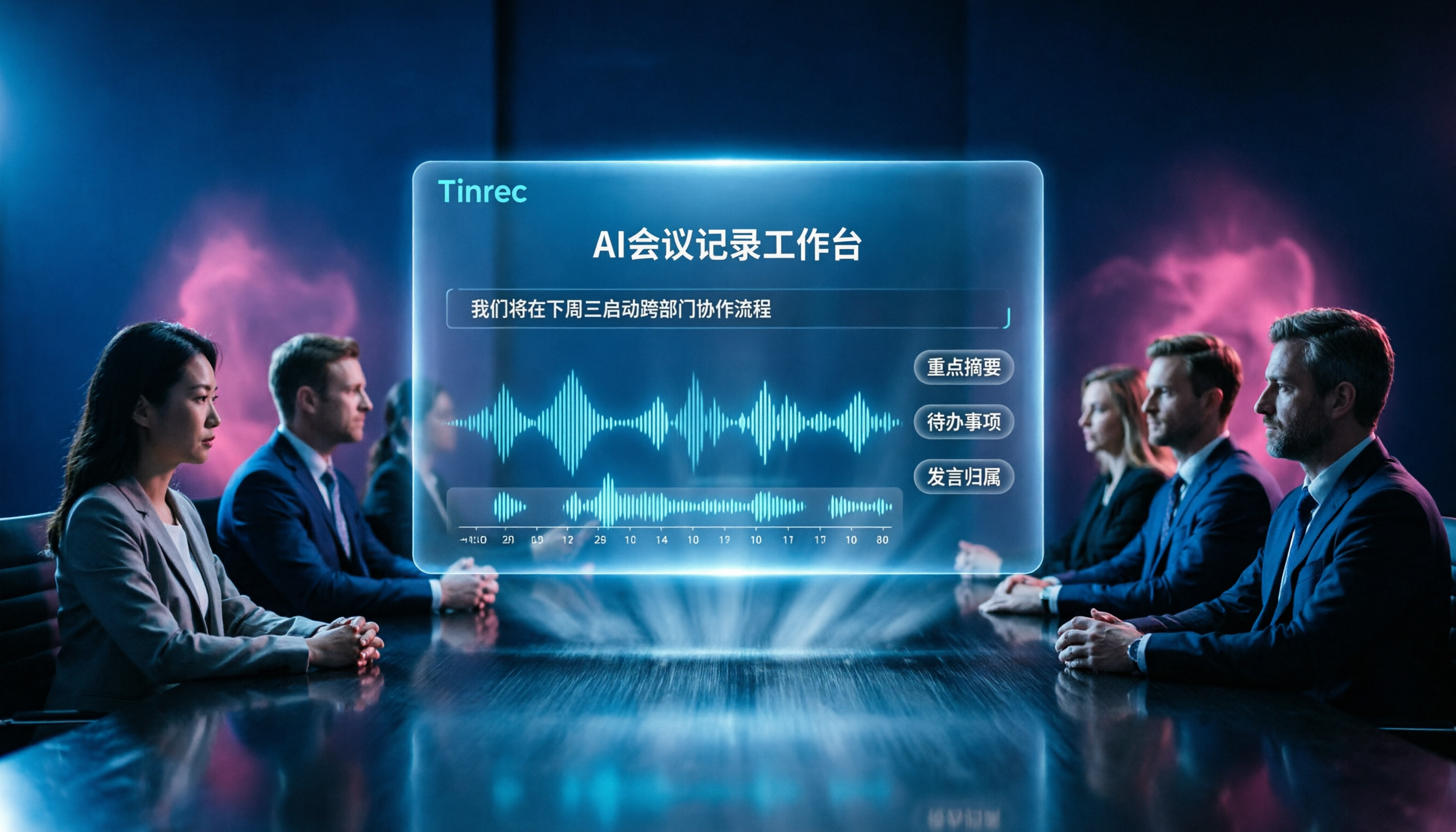
Turn recordings into transcripts and summaries in minutes
Upload audio or video for multilingual transcription, AI notes, and action items
2026 AI Meeting Recorder Comparison: Tinrec vs Otter.ai – Which Is Better for Chinese Meetings?
When choosing a meeting note tool, many people first look at whether it can transcribe speech to text. But honestly, transcription is just the baseline; the real challenges come later: Who reviews the transcripts? Who follows up on action items? Are meeting materials stored on personal devices or in a shared team space? If you only use the tool as a voice recorder, you'll still spend a lot of time manually organizing everything.
I've been using Tinrec and Otter.ai for a while now, and I'll compare them across several key dimensions to help you see which one is better suited for Chinese meeting notes and team collaboration.
Tinrec vs Otter.ai | Quick Overview
Tinrec is an AI meeting notes and collaboration tool designed for individuals and teams, emphasizing turning meetings into searchable, collaborative, and actionable team knowledge. Otter.ai is a mature AI meeting assistant with a strong presence in English business meeting scenarios.
| Comparison Item | Tinrec | Otter.ai |
|---|---|---|
| Pricing Plans | Free, Weekly Pass, Pro Monthly/Annual, Team | Basic (Free), Pro, Business |
| Supported Platforms | Web, Desktop, Mobile | Web, Desktop, iOS, Android |
| Key Differences | Bot-free desktop recording, Chinese experience, team knowledge accumulation | Mature English meeting ecosystem, automated meeting assistant |
This article compares them across five dimensions: meeting capture, Chinese experience, post-meeting organization, team workspace, and audio retention.
Dimension 1 | Meeting Capture: Bot-free vs Bot/Multi-method
Otter.ai's common usage is to have a bot join Zoom, Meet, or Teams meetings as a participant, automatically recording and transcribing in real time. This is convenient for English business meetings, but some people don't like having a "stranger bot" in the meeting room, especially when meeting with clients or external partners.
Tinrec's desktop version can directly capture your computer's system audio, so you don't need to invite a bot to join the meeting. Just open the Tinrec desktop app, and it can seamlessly record online meetings, completely transparent to participants.
→ This dimension: Tinrec wins. Users who prefer not to have a bot join meetings but still want automatic transcription will prefer Tinrec's approach.
Dimension 2 | Chinese and Multilingual Experience: Who Understands Traditional Chinese Users Better?
Otter.ai's strength lies in English recognition and English meeting summaries. Its performance with Chinese content is decent, but it hasn't been deeply optimized for Chinese contexts. If your meetings are primarily in Chinese or often mix Chinese and English, Otter's summaries and keyword extraction may not be as accurate.
Tinrec focuses on the Chinese meeting experience, supporting Traditional Chinese and mixed Chinese-English content organization, and offers real-time translation and bilingual transcripts. The team custom vocabulary feature lets you add company-specific product names and project codes to a dictionary, further improving recognition of specialized terms.
→ This dimension: Tinrec wins. For Taiwanese users with more Chinese meetings, Tinrec's localization is more complete.
Dimension 3 | Post-Meeting Organization and AI Features: More Than Just Transcripts
Otter.ai offers AI Chat, speaker identification, and workflow integrations, and can generate action items and meeting summaries. However, its core positioning is more of a "real-time meeting assistant," with relatively lightweight post-meeting editing and deep organization features.
Tinrec goes deeper in post-meeting processing: it automatically generates summaries, chapters, key points, and action items, and allows AI Q&A about the meeting content. Even better, the Agent post-processing feature lets you generate meeting reports, tables, or documents directly, then export them to tools like Notion, Google Docs, and OneNote, saving a lot of organization time.
→ This dimension: Tinrec slightly wins. If you need to turn meeting content into formal documents or follow-up actions, Tinrec does more for you.
Dimension 4 | Team Workspace and Data Governance: From Individual to Team
Otter.ai's Business plan includes team management features, but it focuses more on meeting automation and sales analytics, with less emphasis on data governance details.
Stop organizing recordings by hand
Upload audio or video and automatically get a transcript, summary, and action items
Tinrec's Team plan is a complete collaboration space: you can create multiple teams, invite members, set roles (Owner, Admin, Member), and allocate seats. Admins can view usage trends, member rankings, and audit logs; the audio recycle bin can recover accidentally deleted recordings. When a member leaves, team resources can be transferred to the next responsible person, so meeting data doesn't disappear with the individual's account.
→ This dimension: Tinrec wins. If you need to turn meeting data into team assets, Tinrec's governance mechanisms are more comprehensive.
Dimension 5 | Audio Retention and Historical Data Traceability
Whether Otter.ai retains recordings and transcripts, and for how long, depends on the plan and account status; some plans may not store original audio long-term.
Tinrec supports audio retention, whether from live recordings or uploaded files, and they can be stored in your account. The Team plan also includes an audio recycle bin, with a 30-day recovery period for accidentally deleted recordings. This is helpful for teams that need to trace decision rationale, customer commitments, or compliance requirements over time.
→ This dimension: Tinrec wins. Users who value audio archiving and historical traceability will find Tinrec more reliable.
What Are the Unique Advantages of Each?
Tinrec's Unique Advantages
- Bot-free desktop recording: No need to invite a third-party bot; directly capture system audio, completely transparent to participants.
- Chinese and bilingual capabilities: Optimized for Traditional Chinese, mixed Chinese-English organization, real-time translation, and bilingual transcripts, tailored to Taiwanese usage habits.
- Deep post-meeting workflow: AI Q&A, action item extraction, Agent-generated reports and documents, export to Notion, Google Docs, and other common tools.
- Team data governance: Role and seat separation, usage analytics, audit logs, audio recycle bin, turning meeting data into true team assets.
Otter.ai's Unique Advantages
- Mature English business ecosystem: Rich integrations and AI features for English meetings, sales conversations, and cross-border teams.
- Automated meeting assistant: Bots automatically join, real-time transcription, and speaker identification, suitable for teams accustomed to automated workflows.
Summary: Which One Should You Choose?
• If you need bot-free recording of online meetings and don't want strangers joining your meetings → Tinrec • If your meetings are primarily in Chinese or mixed Chinese-English → Tinrec • If you want to automatically generate reports, tables, and export to other tools after meetings → Tinrec • If you need to turn meeting data into a team workspace with roles, seats, and audit requirements → Tinrec • If you're in an English business environment with high needs for meeting automation and sales analytics → Otter.ai
In a nutshell: For most Taiwanese users, Tinrec is the more complete choice—it's not just about transcribing speech to text; it turns meetings into searchable, collaborative, and actionable team knowledge. We recommend downloading the Tinrec free version and testing it with your own meeting recordings to see the results.
Frequently Asked Questions
Is the free version sufficient?
Tinrec's free version provides basic quotas, allowing you to experience recording, importing, summarization, and transcription features. If you only need to organize a recording occasionally, the free version is sufficient; for continuous use, consider the Weekly Pass or Pro plans.
Which meeting platforms does Tinrec support?
Tinrec's desktop version can handle online meetings on Zoom, Google Meet, Microsoft Teams, and Webex. As long as the meeting audio plays through your computer, Tinrec can record it without a bot.
Can accuracy be guaranteed 100%?
No. Any AI transcription is affected by audio quality, accents, background noise, and multiple speakers. Tinrec can significantly reduce manual note-taking time, but for important content, we recommend reviewing the recording or transcript to verify.
How do I manage members in the Team plan?
After creating a team, you can invite members via a link and assign roles (Owner, Admin, Member). Seats determine whether members can record, upload, and edit; members without seats can still view team data.
Will meeting data disappear when a member leaves?
No. Team resources belong to the team. When a member exits or is removed, their responsible data can be transferred to another active member, and meeting records remain in the team workspace.
Can deleted audio be recovered?
Yes. The Team plan's audio recycle bin retains deleted audio for 30 days, during which it can be restored; after that period, it is permanently deleted.
References
- Zoom Meetings: Video conferencing for virtual collaboration
- How to choose online meeting software? 5 tools compared: features, pricing, and use cases! - ALEN
- AI Meeting Notes Tool: Real-time recording, summary organization! 3 tools to help you focus on meetings
- Google Meet: Online voice and video meetings | Google Workspace
- 2026 Free Online Meeting Software and Video Conferencing Recommendations! Compare Teams, Zoom, Google Meet Differences | Tasker Articles
Turn every recording into actionable outcomes
Get 60 free transcription minutes when you sign in. No credit card required.
Related Reading
You might also like

4 AI Meeting Assistants Tested for 2026: Which Free Version Is Actually Enough?
The meeting ends, but the real work begins. This hands-on comparison of Tinrec, Otter.ai, Notta, and Granola looks at how meetings are captured, what happens after transcription, whether audio is retained, and how team licensing works. We break down each tool's free tier, limits, and best-fit scenarios so you can decide which one truly saves you post-meeting cleanup time.

2026 AI Meeting Assistant Comparison: Which Type Actually Saves Post-Meeting Time?
AI meeting assistants aren't just about turning speech into text. This article starts from real mid-level manager meeting scenarios, breaks down the differences between meeting bots, built-in platform transcription, and bot-free desktop recording, and uses Tinrec to demonstrate the complete workflow from transcripts and summaries to action items, AI Q&A, and team knowledge retention. It also includes 5 key buying criteria and FAQs.

2026 AI Meeting Assistant Comparison: 4 Tools Tested from Recording to Minutes—Which Saves the Most Time?
How can you use an AI meeting assistant without wasting time? Starting from real meeting scenarios, this article breaks down how AI meeting assistants capture audio, what they produce after the meeting, their Chinese-language performance, and differences in quotas. It also walks through the complete Tinrec workflow—from recording, transcription, and summary action items to AI Q&A and team sharing—while briefly reviewing when Otter.ai, Notta, and Granola are suitable.

2026 AI Meeting Assistant Free Plans Compared: 5 Options at a Glance
Which AI meeting assistant is best? Instead of comparing feature tables, first determine what level you actually need. This article uses Tinrec's five plans—Free, Weekly Pass, Pro Monthly, Pro Annual, and Team—to break down the capabilities to look for, real-world use cases, and purchasing considerations, helping you decide if the free version is enough and when to upgrade.

2026 AI Meeting Assistant Comparison: 5 Tools Tested for Chinese Meetings and Post-Meeting Productivity
Most people choose an AI meeting assistant by looking at free minutes—that's the biggest pitfall. This hands-on comparison of Tinrec, Otter.ai, Fireflies.ai, Notta, and Granola examines how meetings are captured, what you get after transcription, and how team data is managed. Plus 5 buying checkpoints and FAQs to help you find the tool that truly saves time.

2024 AI Meeting Assistant Comparison: Which One Actually Saves Time on Chinese Meeting Notes?
A practical comparison of six popular AI meeting assistants in 2024, covering differences in no-bot recording, Chinese transcription, post-meeting summaries, action item extraction, and team knowledge retention. We also list each tool's free tier and paid pricing to help you decide which one truly saves time on meeting notes.

6 AI Meeting Assistants Tested for 2026: Which Handles Chinese Meetings and Post-Meeting Notes Best?
Meeting just ended, but no one remembers who owns the action items? This article reviews 6 AI meeting assistants in 2026, comparing Chinese transcription, bot-free recording, post-meeting summaries, and team collaboration to help you pick the one that truly saves time.

How to Use an AI Meeting Assistant in 2026: Tinrec in 4 Steps + Automatic Post-Meeting Organization
Many people install an AI meeting assistant but only use the recording feature. The key is whether you complete the four steps: record, transcribe, organize, and reuse. This article uses Tinrec as an example to break down the actual operation steps for three meeting scenarios, and compares the differences between the personal and team versions, including seats, quotas, and pricing, to help you assess your needs before purchasing and choose the right version.

2026 Comparison of 4 Online Sales Meeting Notes Tools: Which One Turns Customer Promises into Action Items?
Starting from the customer promises and action items most often missed in sales meetings, this comparison covers four types of online creation methods. Using Tinrec as an example, it demonstrates pre-meeting preparation, bot-free recording during meetings, post-meeting summaries and action item export, plus team edition governance and a buying FAQ.