

Turn recordings into transcripts and summaries in minutes
Upload audio or video for multilingual transcription, AI notes, and action items
Try MiaoTing Recording Now
300 minutes of speech-to-text service per month
Up to 30 minutes per meeting
Upload up to 3 audio or video files
Start Free Now
Enterprise solutions for MiaoTing Recording
Industry-leading speech recognition technology
Advanced AI conversation features
Custom integration and workflows
Book a Demo
Share this article
MiaoTing Recording has been fully upgraded! Introducing the "MiaoTing Recording Assistant" — an intelligent, voice-activated meeting agent that can directly participate in meetings, answer questions, and complete tasks, making recording, understanding, and executing meeting content easier.
Every team has unique workflows and project needs. Some prefer using email to manage projects, while others like visual tools such as Gantt charts or Kanban boards for planning. However, when each member uses a different approach, collaboration can easily become chaotic. This is why project management software has become the gold standard for teamwork in the digital age—it helps teams accomplish more work faster and more efficiently on a single platform.
Of course, the best free project management tool for you depends on the nature of your work. Therefore, this article has selected 25 distinctive tools for your reference. After browsing, pick a few that meet your team's needs and try them out to gradually optimize your team's collaboration process and comprehensively improve work efficiency.
Key Features of Great Project Management Software
What kind of tool is truly valuable to a team? To filter the best options from many, we list the following three evaluation criteria:
- Cloud-Based: The days of installing resource-heavy desktop programs are over. These tools are cloud-based, and even if a downloadable version is available, they can be accessed anytime via a browser, making workflows lighter and smoother.
- Focused on Project Management: This list excludes general business tools that only have project management as an add-on feature. The selected apps are all centered on improving team collaboration and productivity.
- Permanent Free Plan: Not just a 14-day or 30-day trial, but a long-term free version (though some features, user limits, etc., may apply).
Top 25 Free Project Management Tools Recommended
- ClickUp: Highly customizable project management platform supporting documents, chat, embeds, and more, allowing teams to display key information as needed.
- Yodiz: Powerful Scrum development tool with a permanent free plan, easily tracking sprint progress and time estimation.
- Paymo: Built-in automated time tracking accurately attributes hours to projects, tasks, or clients, improving billing accuracy.
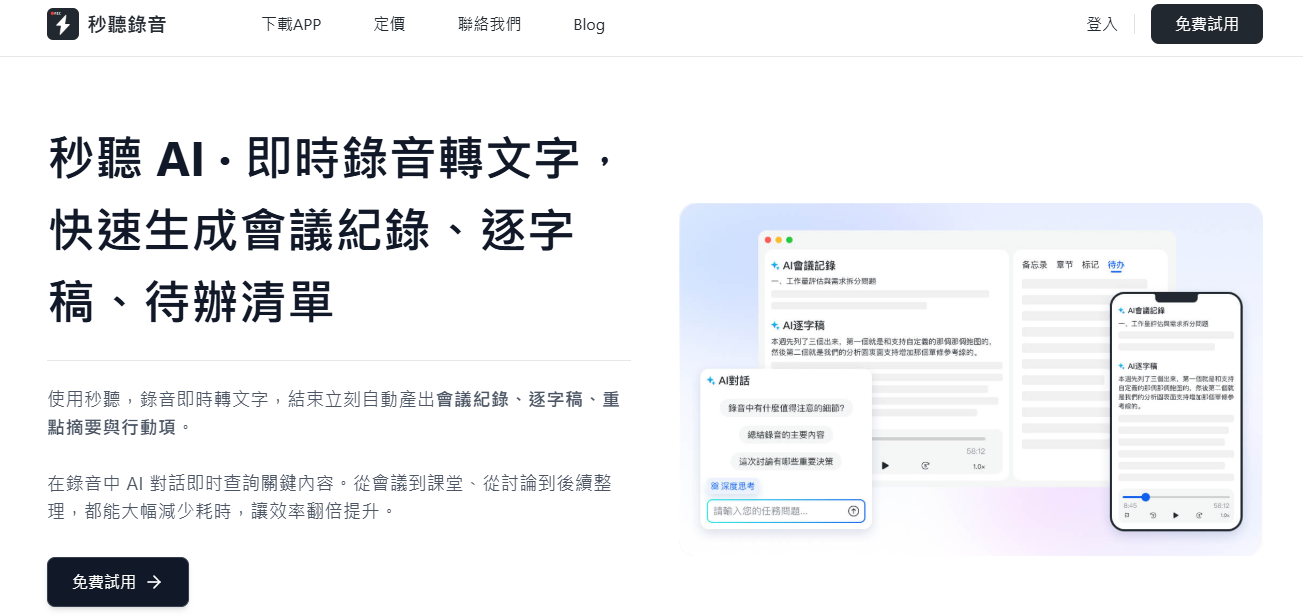
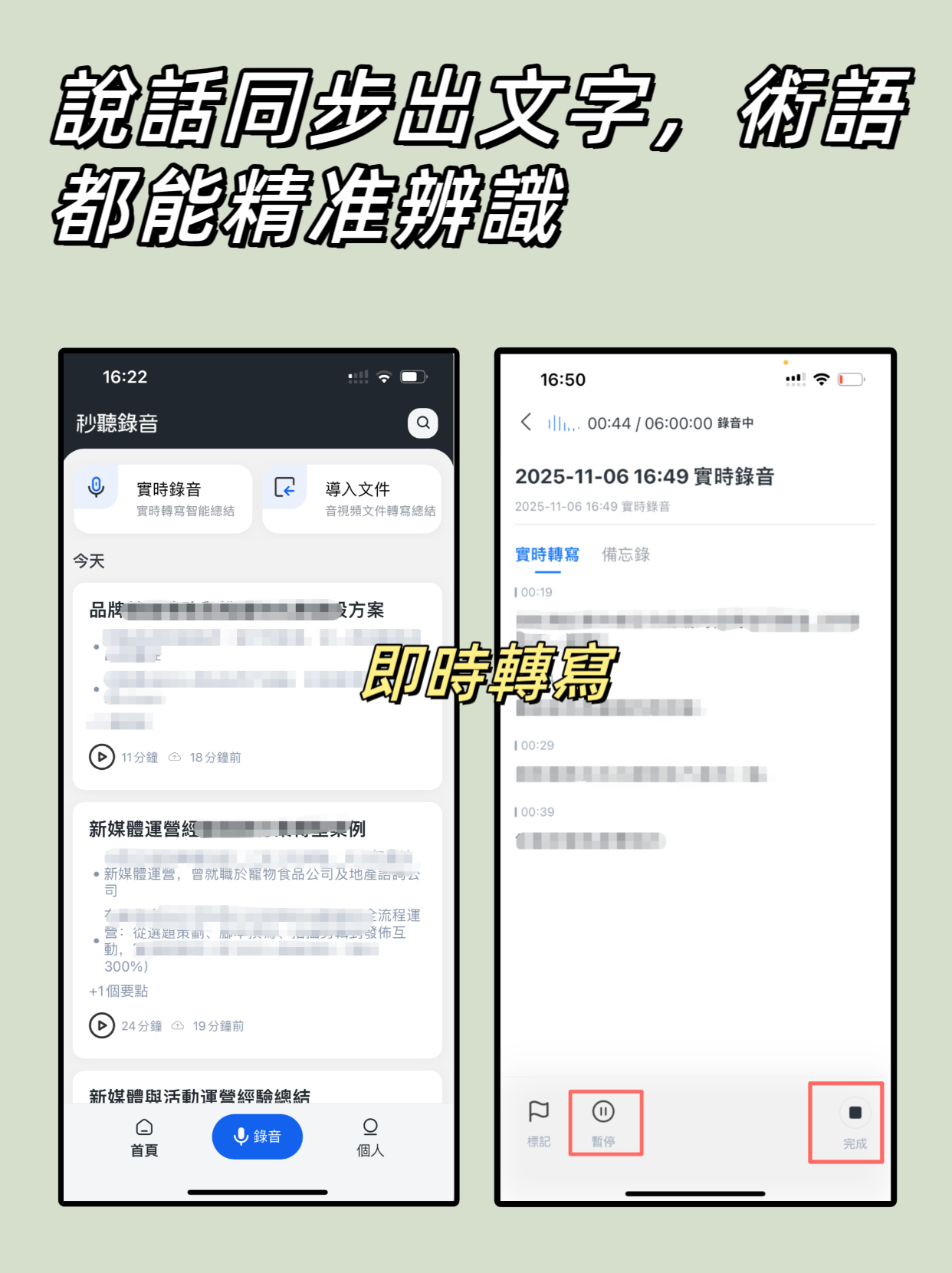
- 秒聽錄音: Although not a traditional project management tool, it automatically records and shares transcripts of meetings, interviews, seminars, etc., greatly improving communication efficiency. Supports real-time transcription in multiple languages including Chinese, English, Japanese, Cantonese, and Hokkien, and can generate AI summaries and to-do lists, making it a powerful assistant for team knowledge management.
- Wrike: Known as the "super spreadsheet," all plans include AI-driven personalized app experiences to enhance work intelligence.
- Freedcamp: Integrates tasks, calendar, and project views for easy scheduling and priority management, providing full project control.
- Meistertask: Designed specifically for Kanban management, supports unlimited timelines and task views, perfectly replicating the Kanban workflow.
- Zoho Projects: Intuitive and easy-to-use interface, free plan includes Gantt charts, document sharing, issue tracking, etc., supports up to 10 users.
- TeamWork: Integrates file sharing, comments, task tracking, and project portfolio management to keep team members synchronized.
- Toggl Plan: Simple project planning tool with shared timeline and third-party integrations, supports up to 5 users.
- Zenkit: Free account allows up to 5,000 items, 5 teams, and 5 users, supports Kanban, templates, and resource collections.
- Bitrix24: Integrates CRM, email, VOIP, and project management, solving multiple business needs in one.
- Hitask: Suitable for small teams of up to 5 people, manages projects via calendar and task list, but free version only offers 0.5 GB storage.
- Trello: Popular tool under Atlassian, known for card-based Kanban boards, ideal for teams that prefer visual management.
- TeamGantt: Focuses on Gantt chart management, helps teams grasp task timelines and overlaps, free version limited to 3 users and 1 Gantt chart.
- Notion: Free version suitable for personal or single project use, supports unlimited pages, real-time collaboration, and multiple views, a great starting point to explore Notion's features.
- Todoist: Emphasizes simplicity and efficiency, suitable for personal to-do and reminder management; if real-time team collaboration is needed, consider other tools.
- Airtable: Known as "enhanced spreadsheet," can link multiple tables with custom fields and filtered views, providing excellent project visualization.
- RunRun.IT: Plans tasks based on team members' workload, free version supports 5 users and 50 guests, ideal for small to medium teams.
- nTask: Free plan includes task creation, multi-project management, role definitions, and supports drag-and-drop Gantt charts and milestone setting.
- Nutcache: Integrates real-time editing, comments, and custom workflows, and can connect to payment platforms like Stripe, PayPal to simplify project billing processes.
- PivotalTracker: Emphasizes small-step collaboration through a "backlog" mechanism, helping teams focus on micro-progress to avoid last-minute surprises.
- LiquidPlanner: Features automatic scheduling and "smart project" capabilities using business intelligence to predict potential risks. Free version supports 10 users, 300 tasks, and 3 projects, enough for real testing.
- Jira Work Management: Suitable for teams using Agile, Scrum, or Kanban methodologies, supports project roadmaps and intuitive drag-and-drop operations.
- Quire: Ideal for remote teams, includes task management, milestones, file sharing, discussion forums, and real-time editing, with a friendly interface and customizable views.
How to Choose Your Next Free Project Management Tool?
Customer expectations are rising, and the level of collaboration required is increasing accordingly. Having a dedicated solution for managing projects, people, and tasks is essential to avoid wasting time and missing critical deadlines.
The tools above each have unique features that can meet various team sizes and workflow needs. Next, based on your team's actual situation, select one or two most suitable tools and try them out in your next project.
Or, if you want to easily share podcasts, meeting notes, sales training notes, etc., with your team, try MiaoTing Recording for free now. Whether it's real-time recording, multilingual transcription, AI smart summaries, or to-do list generation, it will become your best solution for improving team knowledge flow efficiency.
Try MiaoTing Recording Now
300 minutes of speech-to-text service per month
Up to 30 minutes per meeting
Upload up to 3 audio or video files
Start Free Now
Enterprise solutions for MiaoTing Recording
Industry-leading speech recognition technology
Advanced AI conversation features
Custom integration and workflows
Book a Demo
Turn every recording into actionable outcomes
Get 60 free transcription minutes when you sign in. No credit card required.
Related Reading
You might also like

2026 Audio Summarizer Guide: Auto Summaries + AI Q&A to Find Key Points
How do you choose an audio summarizer? This guide covers common pitfalls and key factors like summary quality, AI Q&A, and cross-platform export. We recommend Tinrec, which supports bot-free online meeting recording, automatic summaries, action item extraction, and team spaces. Also includes alternatives like Granola and PLAUD, plus tips to avoid mistakes.

5 Best AI Transcription Tools in 2026: Which One Saves the Most Time?
We tested 5 recording-to-transcript tools, comparing Chinese recognition, post-meeting organization, AI Q&A, and team collaboration. See how Tinrec stacks up against Otter.ai, Notta, and TurboScribe, plus key buying tips and pitfalls to avoid.

Tinrec vs Otter.ai: Which AI Meeting Summary Tool Is Better for Chinese-Speaking Teams in 2026?
Many people think a transcript means the meeting notes are done, but the real time sink is post-meeting organization. This hands-on comparison of Tinrec and Otter.ai—two tools that automatically generate meeting summaries from recordings—evaluates them across six dimensions: Chinese-language meeting experience, recording method, post-meeting outputs, audio retention, team governance, and pricing/quotas, helping Chinese-speaking teams decide which tool better fits their workflow.

4 Best Meeting Transcription Tools in 2026: Free Tiers, Chinese Accuracy, and Post-Meeting Efficiency Compared
Tired of spending hours writing meeting minutes? This article compares Tinrec, Notta, Granola, and PLAUD Note across four key areas: how they record online meetings, Chinese and mixed-language transcription accuracy, post-transcription summarization and AI Q&A, and team data ownership. It also includes a pitfalls guide and selection advice.

How to Auto-Generate Transcripts in 2026: Tinrec vs Yating + Bot-Free Meeting Recording
Auto-generating transcripts isn't a one-click job. This article breaks down the three most common pitfalls, then compares Tinrec and Yating Transcript across five dimensions to clarify how to choose for Hong Kong office scenarios.

2026 AI Meeting Notes Tools Compared: 5 Top Picks for Transcription & Team Collaboration
Tired of spending hours after meetings organizing transcripts? This article reviews 5 AI meeting notes tools based on real testing, breaking down 5 key dimensions: audio capture methods, post-meeting outputs, audio retention, and team governance. It focuses on Tinrec as the primary example, comparing its use cases with Notta, Otter.ai, Granola, and TurboScribe, and includes a pitfalls guide and selection advice.

2026 AI Meeting Summary Comparison: 5 Common Misconceptions and Tinrec in Practice
Many people think having a transcript means having a meeting summary, but after the meeting they still have to read through it themselves. This article examines 5 common misconceptions to explain where AI meeting summaries truly help, their core capabilities, practical use cases, and key purchasing considerations, using Tinrec as a concrete example.

How to Summarize Meeting Highlights in 2026: 5 Steps from Recording to AI Summary
The problem with meeting notes usually isn't slow typing—it's trying to capture and organize at the same time. This article breaks down a 5-step workflow from recording, transcription, AI summarization, to action item tracking, and explains how Tinrec (秒听录音) uses desktop bot-free recording, AI Q&A, and multi-format export to turn meetings into searchable, collaborative team data.

Tinrec Audio to Text Tutorial 2026: Chinese Transcripts + AI Meeting Notes in One Go
How to choose an audio-to-text tool? This article compares Tinrec and Yating Transcript across five dimensions: Chinese and multilingual transcription, bot-free online meeting recording, post-transcription summaries and action items, cross-platform export, and team seats and usage management. It then tells you directly which one to choose for which situation.