
Turn recordings into transcripts and summaries in minutes
Upload audio or video for multilingual transcription, AI notes, and action items
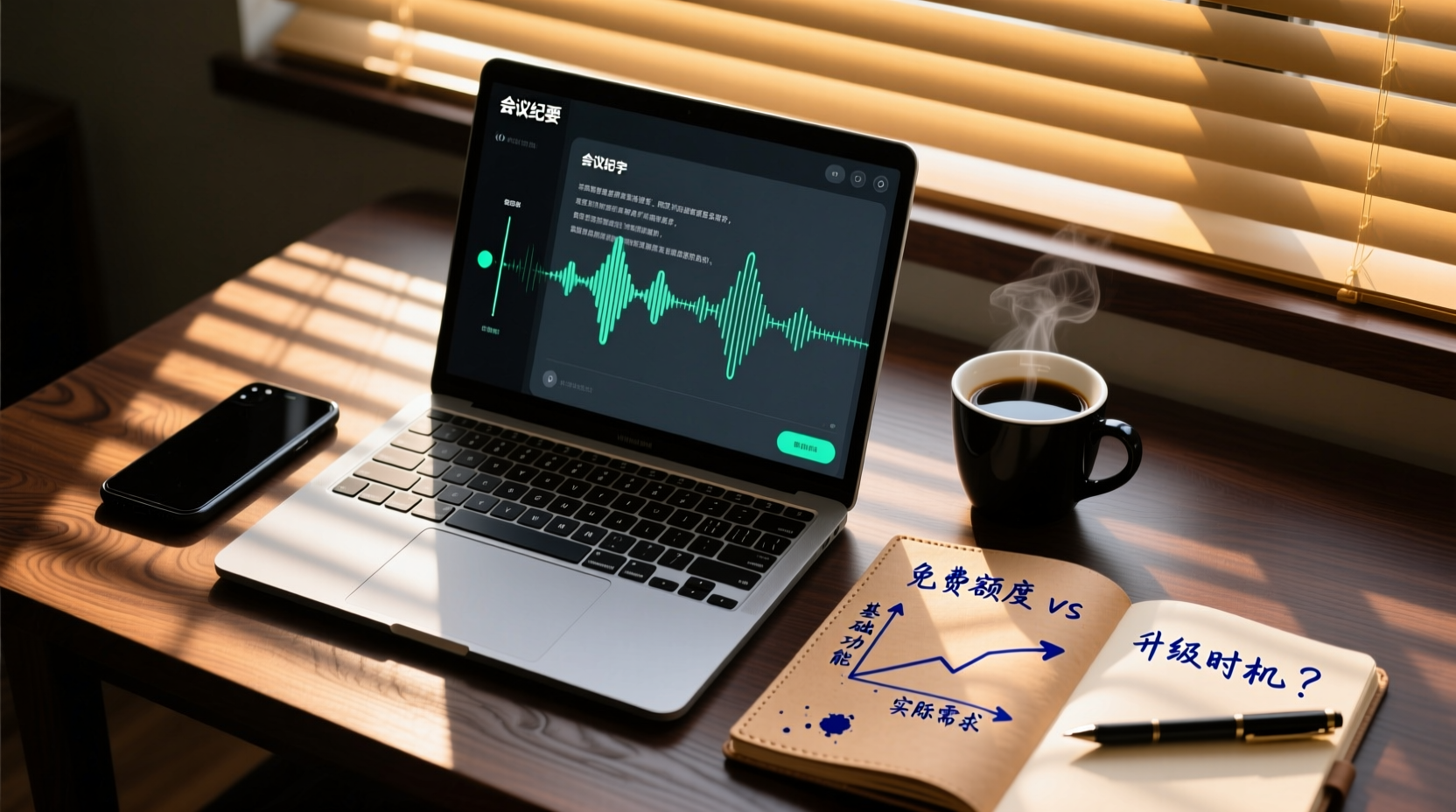
Can Free Speech-to-Text Software Really Handle Meeting Notes for Free?
When you search for "speech to text free software," you often see terms like "free trial" or "free allowance," but in practice, you may encounter three hidden limitations:
- Usage limits: Most tools offer a fixed number of minutes per month; exceeding that means waiting for the next cycle or upgrading to a paid plan.
- Per-session duration limits: Some tools restrict the length of audio you can transcribe in one go, making it impossible to process long meeting recordings in a single session.
- Feature restrictions: Free versions typically lack advanced features such as AI summaries, action item extraction, translation, or team collaboration.
In other words, free plans are suitable for occasional use with short recordings. If you handle multiple meetings every week, your free allowance will quickly run out, forcing you to switch tools or upgrade to a paid plan.
Three Hidden Limitations of Free Plans: Usage Limits, Per-Session Duration, and Feature Restrictions
Free plans are free for a reason, often accompanied by three types of limitations that become apparent only after you start using them:
Usage Limits
Most tools provide a fixed number of minutes per month, such as Otter.ai's 300 minutes per month or Notta's 120 minutes per month. Exceeding that means waiting for the next cycle or upgrading to a paid plan.
Per-Session Duration Limits
Some tools restrict the length of audio you can transcribe in a single session. For example, Notta's free version allows a maximum of 3 minutes per session, while TurboScribe's free version allows up to 30 minutes per file. For meeting recordings that often last an hour, this means you cannot process them in one go.
Feature Restrictions
Free versions typically lack advanced features such as AI summaries, action item extraction, translation, or team collaboration. Even if you get a transcript, you still have to do the follow-up organization yourself.
Comparison of Mainstream Free Software Plans: Whose Free Version Is Most Sufficient?
Below is a comparison of free plans from several common tools. Information is based on official pages and may be subject to change; please verify before use.
| Tool | Free Allowance | Per-Session Duration Limit | Main Limitations |
|---|---|---|---|
| Otter.ai | 300 minutes per month | Check official page | Advanced features require payment |
| Notta | 120 minutes per month | Up to 3 minutes per session | Long meeting recordings cannot be processed in one go |
| TurboScribe | 3 files per day | Up to 30 minutes per file | Batch processing limited |
| Fireflies.ai | Free plan (unlimited transcription subject to rules) | Check official page | Storage, upload speed, and AI credit limits |
| Granola | Free plan (Basic) | Does not support uploading pre-recorded audio | Does not retain meeting audio |
| Tinrec | Free plan offers basic allowance | Check official page | Advanced features require payment |
From Recording to Usable Minutes: What Can Free Plans Accomplish?
Free plans typically handle the basic workflow of "recording → transcription," but turning that into usable meeting minutes often requires additional work. For example, with Tinrec's free version, you can experience basic features like recording, importing, summarizing, and transcription, but to automatically generate action items, AI Q&A, or team collaboration, you need to upgrade to a paid plan.
What Free Plans Can Do
- Convert audio files into transcripts.
- Basic editing and timestamps.
- Some tools offer simple summaries.
What Free Plans Typically Cannot Do
- Automatically extract action items.
- AI Q&A about meeting content.
- Generate reports, tables, or documents.
- Team sharing and collaboration.
The Line Between Free and Paid: When Should You Upgrade?
If you notice the following situations, your free plan may no longer be sufficient:
Stop organizing recordings by hand
Upload audio or video and automatically get a transcript, summary, and action items
- Weekly meetings exceed your free allowance: For example, Otter offers 300 minutes per month; if you have two 1-hour meetings per week, you'll quickly run out.
- You need to process long recordings: Notta's free version allows only 3 minutes per session, making it impossible to handle full meetings.
- You need post-meeting deliverables: Free versions usually only provide transcripts; if you need automatic action items, summaries, or reports, you'll need to upgrade.
- You need team collaboration: Free versions typically lack team spaces, so meeting data cannot be shared or accumulated.
Free Plan Recommendations for Different Work Styles: Sales, Product/Engineering, and Administrative Roles
Sales, Business Development, and Account Managers
Meeting content often involves client commitments, action items, and follow-up timing. If the free plan only provides transcripts, you'll need to manually organize client needs and next steps after the meeting. We recommend trying Tinrec's free version first to see if it can quickly generate summaries and action items before considering an upgrade.
Product, Engineering, and Design Professionals
Requirements reviews and technical design reviews often need to preserve decisions and task assignments. If the free plan cannot automatically extract action items, you risk missing ownership. You can start with the free version to test transcription quality, and if you need to generate PRDs or action items, then evaluate paid plans.
Administrative Staff in Organizations
Internal meeting data is sensitive, requiring careful attention to privacy and data boundaries. Free plans typically upload data to the cloud, so you should review the privacy policy before use. We recommend testing transcription quality with the free version and manually verifying important content.
Important Considerations: Accuracy, Privacy, and the Boundaries of Human Verification
- Accuracy: Affected by recording quality, noise, accents, and overlapping speech, no fixed accuracy rate can be guaranteed. For important content, we recommend cross-checking with transcript timestamps and audio playback.
- Privacy: When handling recordings and transcriptions, you should comply with local laws and obtain consent from participants when necessary. Free plans typically upload data to the cloud, so review the privacy policy before use.
- Human verification: For important decisions, sensitive data, and content sent externally, we recommend human verification and not relying solely on AI tools.
Team Collaboration: From Personal Notes to Actionable Team Assets
Free plans typically only address personal note-taking, but after a meeting ends, the real challenge is turning data into a usable asset for the team. For example, with Tinrec, when you upgrade to the team edition, you can centrally store meeting recordings, transcripts, summaries, and action items in a team space, where members can review historical meeting data and continuously follow up on action items.
Specifically, the team edition fills two key gaps:
1. AI assistant handles post-meeting action items: After a meeting, Tinrec's AI assistant uses the meeting minutes and context to organize action items mentioned in the discussion into an executable to-do list, and further processes them into action plans, follow-up materials, or reports. For example, for client follow-ups mentioned in a sales meeting, the AI assistant can organize them into follow-up materials that include the owner, deadline, and next steps, ready for relevant members to use directly. Important commitments, external communications, and key decisions should still be human-verified.
2. Shared meeting data and unified accumulation: By placing transcripts, summaries, action items, and documents generated by the AI assistant into the team space, members no longer need to forward files via chat apps; everyone can search and review. When new members join, they can view the team's historical meetings to understand past decisions and action progress, avoiding redundant discussions.
If your team has multiple meetings per week and requires cross-departmental collaboration, free plans may not meet your needs. We recommend trying the free version to confirm transcription quality, then evaluate whether the team edition is worth upgrading to.
Conclusion: Free Plans Are a Starting Point, Not the End
Free speech-to-text software is suitable for occasional use with short recordings. If you handle multiple meetings every week, free allowances and feature limitations will quickly become bottlenecks. We recommend trying the free version first to see if the tool can meet your meeting documentation and follow-up needs, then decide whether to upgrade to a paid plan.
References
- Tested: 4 Best Online Speech-to-Text Tools, Free to Convert Audio to Transcripts Instantly
- 7 Free and Useful Speech-to-Text Tools [For Android/iOS/Windows]
- Free Speech to Text Converter Online
- Speech to Text - Google Play Apps
- [AI Voice Notes] 5 Highly Recommended AI Transcription Tools! Generate Transcripts and Meeting Highlights, Free vs. Subscription, Pros and Cons | 104 Career Development
Turn every recording into actionable outcomes
Get 60 free transcription minutes when you sign in. No credit card required.
Related Reading
You might also like

6 AI Meeting Transcription Tools Compared for 2026: From Transcripts to Post-Meeting Summaries
A 90-minute interview recording is sitting on your phone, and the transcript is due tomorrow morning. This article breaks down AI meeting notes into two steps—transcription and organization—and compares six practical solutions, including bot-free recording, multilingual transcription, hardware recorders, and free post-meeting organization tools, to help you choose the right one for your scenario.

2026 AI Meeting Notes Comparison: Tinrec vs Granola for Chinese Transcription and Free Tiers
In Dcard's 2024 AI meeting notes discussions, the most common questions are whether free tiers are sufficient, how well Chinese transcription works, and whether post-meeting summaries can be shared directly. This article compares Tinrec and Granola, two bot-free meeting note tools, across recording retention, old file import, Chinese and bilingual support, post-meeting outputs, team data governance, and pricing to help you decide which fits your meeting scenario.

How to Choose AI Meeting Notes Tools in 2026: 5 Steps to Understand Comparison Tables and Key Selection Criteria
2026 AI meeting notes tool comparison and buying guide: use 5 steps to understand meeting capture, post-transcription processing, Chinese language support, team governance, and pricing quotas, and compare use cases for Tinrec, Otter.ai, Notta, Granola, TurboScribe, and PLAUD.

2026 AI Meeting Notes Comparison: Tinrec vs Notta — Which Is Better for Chinese-Speaking Teams?
A meeting notes table isn't just pasting a transcript. This article uses a typical weekly meeting workflow to compare Tinrec and Notta across five dimensions: meeting capture methods, table output, free quota and pricing, Chinese and real-time translation, and team governance. It also includes a ready-to-use meeting notes table template with fields and a manual verification checklist.
Tinrec vs Notta 2026: 5-Dimension Comparison for Chinese Meeting Notes
Based on the popular PTT discussion about AI meeting notes, we compare Tinrec and Notta across 5 key dimensions: bot-free recording, post-meeting AI Q&A, team data retention, and quota rules, to help you choose the right tool for Chinese meetings.

2026 AI Meeting Notes: Record Online Meetings Without a Bot + Auto To-Dos in One Go
The latest shift in AI meeting notes for 2026 is moving from "inviting a bot into the meeting" to "getting data you can use right after the meeting." This article takes the perspective of a mid-level manager, breaks down 4 key purchasing criteria, tests Tinrec's bot-free recording, automatic to-dos, and AI Q&A, and briefly reviews who Meeting Ink, SeaMeet, and CLOVA Note are each best for.

2026 AI Meeting Notes Comparison: Which Latest Version Actually Saves You Time?
A guide to choosing the latest AI meeting notes tools in 2026, covering common pitfalls, core capabilities, real-world use cases, team seat pricing, and how Tinrec turns meetings into searchable, collaborative, actionable data.

2025 AI Meeting Notes Guide: Auto-Generate Transcripts and Action Items in One Go
How to choose an AI meeting notes tool in 2025? We break down 5 key buying factors: meeting capture methods, post-transcript organization, mixed Chinese-English recognition, team data ownership, and quota calculations. Plus, we compare Tinrec, Otter.ai, Notta, and Granola to help you find the right fit.

4 Real-Time Transcription Tools Tested for 2026: Which One Keeps Up as You Speak?
How do you do real-time transcription? We tested 4 tools with the same Chinese meeting recording, comparing live transcription, Chinese and mixed Chinese-English recognition, post-meeting summaries and AI follow-up questions, as well as free quotas, team seats, and pricing, to help you find the approach that truly keeps up during meetings.