
Turn recordings into transcripts and summaries in minutes
Upload audio or video for multilingual transcription, AI notes, and action items
Why You Need an iPhone Recording Microphone?
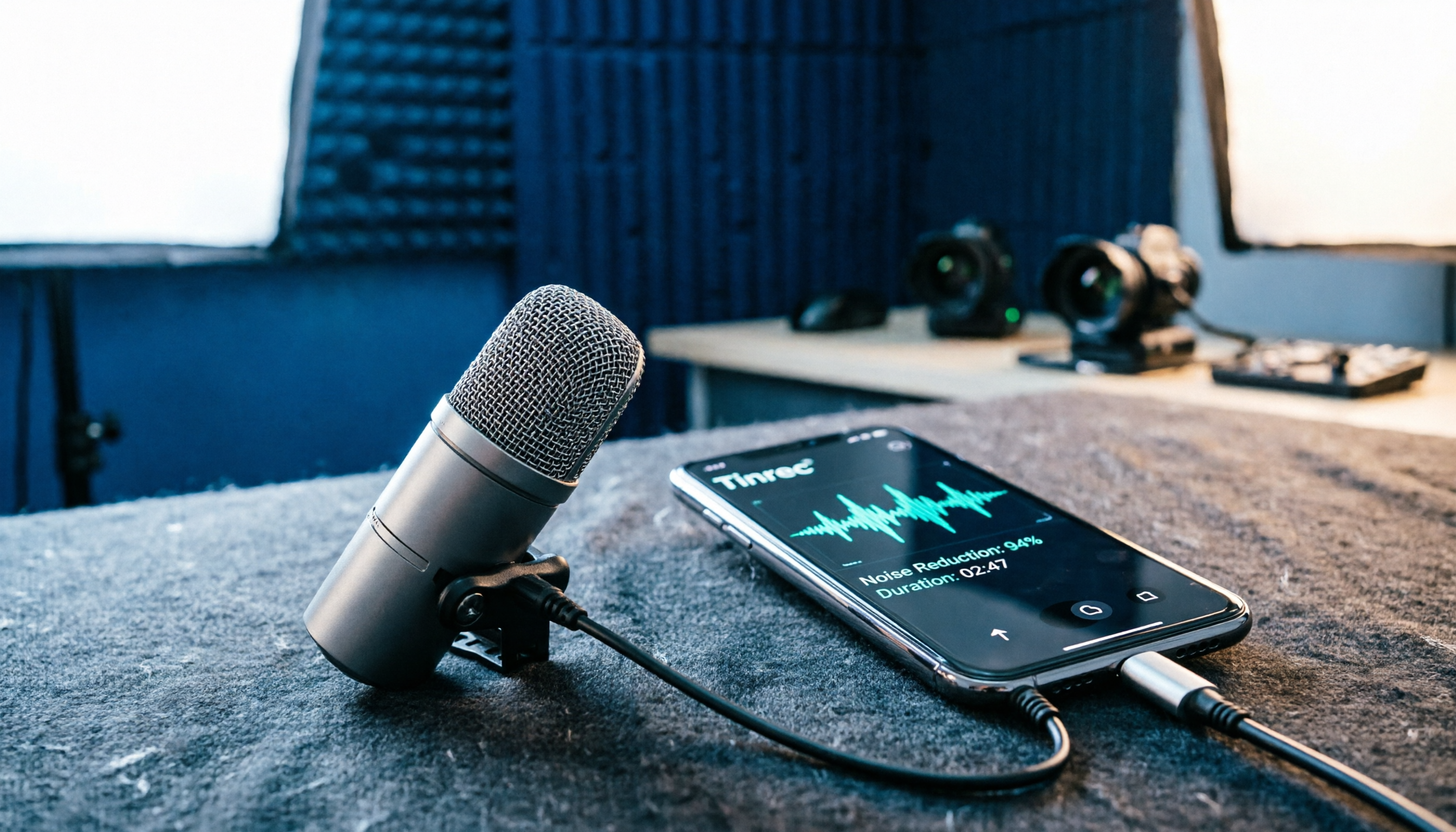
The built-in iPhone microphone is fine for regular calls and voice memos, but when it comes to vlogging, street interviews, podcasting, or live streaming, ambient noise and distance can quickly make vocals sound muffled. Especially with street traffic, mall announcements, or restaurant clatter, relying on the phone's mic alone can make viewers tune out before the first sentence ends.
An external microphone isn't about looking professional—it directly solves two problems: it brings the recording distance closer to your mouth, and it reduces ambient interference through directional or noise-canceling design. This guide covers 5 recording solutions for iPhone, including plug-and-play options, wireless dual-mic systems, and portable recording devices, so you can quickly pick the right one for your shooting scenario.
Option 1 | MAGIPEA Dual Mic Good Recording 1-to-2 Wireless Mini Microphone—Most Convenient Plug-and-Play for iPhone
This is a clip-on wireless recording combo designed specifically for iPhone and iPad. Its biggest selling point is that the receiver plugs directly into the Lightning port—no app installation needed, no extra charging required, and it runs directly off the phone's power. For those who often forget to charge accessories, this design is a lifesaver.
Its core advantages are threefold. First, the 1-to-2 dual-mic design allows two transmitters to record simultaneously, perfect for two-person interviews, talk shows, or couple vlogs. Second, the receiver supports Type-C pass-through charging, so even during long live streams or recordings, you can keep the phone powered without interruption. Third, the clip-on design is lightweight, so clipping it to a collar or lapel won't feel heavy, offering great flexibility for on-the-go shooting.
Who is it for? If you primarily use your iPhone for vlogging, creating content for Xiaohongshu or Douyin, and occasionally do two-person interviews, and you don't want to deal with complicated wiring or app setups, this is the most intuitive choice. It also has an Android version, but this guide focuses on iPhone recording scenarios, so iPhone users should directly pick the Lightning version.
Option 2 | DJI Mic 3—Compact All-in-One Storage, More Flexible Multi-Person Recording
The DJI Mic 3 follows a "compact, easy-to-use, all-in-one storage" approach. Its 1-to-4 configuration supports four-channel export, making it suitable for multi-person interviews or team shoots that need to be handled in one go. It features built-in auto gain adjustment and volume leveling, ensuring stable recording performance without sudden volume fluctuations—a crucial factor for long recording sessions.
Additionally, it offers three sound presets and two noise-canceling modes that can be quickly switched based on the shooting scenario. Dual-band anti-interference technology keeps the signal stable in complex wireless environments. It also supports 32-bit float internal recording, providing more headroom for post-production volume adjustments—ideal for creators who need editing flexibility.
Who is it for? If you need simultaneous multi-person recording, value post-production flexibility, or shoot in environments with heavy wireless interference, the DJI Mic 3 is the more professional choice. However, its size and price are higher than entry-level clip-on mics, so consider whether you'll actually use the four-channel capability.
Option 3 | RODE Wireless GO III—Compact Dual-Channel Wireless System
The RODE Wireless GO III is a dual-channel compact wireless microphone system that has earned a solid reputation among content creators. Its strengths lie in stable transmission and straightforward operation, making it ideal for solo or duo shoots that need reliable audio without carrying extra gear.
This microphone also supports 1-to-2 recording, with stable connectivity between the receiver and transmitters, so you won't have to worry much about dropouts during interviews or outdoor shoots. RODE's extensive experience in audio equipment shows in its natural sound signature, requiring minimal correction in post-production.
Who is it for? If you shoot with both a camera and an iPhone and want a stable, durable wireless mic, the RODE Wireless GO III is worth considering. However, if you're purely using it with an iPhone, check whether it requires additional cables or adapters.
Stop organizing recordings by hand
Upload audio or video and automatically get a transcript, summary, and action items
Option 4 | Wired Clip-On Microphone for Phones—Budget-Friendly Entry Choice
If you're on a tight budget and just need a simple audio improvement, there are plenty of wired clip-on microphones compatible with iPhone on the market, often available for just a few dozen Hong Kong dollars. These mics plug directly into the Lightning port or a 3.5mm adapter and clip onto your collar to start recording.
The advantages of wired clip-on mics are their low cost, light weight, and plug-and-play convenience, making them suitable for voiceovers, simple tutorial videos, or online meetings. However, they lack wireless transmission, so your movement range is limited by cable length, and they generally lack advanced noise-canceling features, which can compromise performance in noisy environments.
Who is it for? If you shoot occasionally, mainly indoors, and don't want to invest heavily upfront, a wired clip-on mic is a reasonable starting point. But if you frequently shoot outdoors or need to move around while recording, consider going wireless instead.
Option 5 | PLAUD NotePin—Portable AI Recording Hardware
The PLAUD NotePin takes a different approach: it's not a traditional iPhone microphone but a standalone AI recording device. You clip it to your clothing or hang it around your neck, press a button to record anytime, and then use the app to transcribe the audio into text and summaries.
The benefit of this solution is that it doesn't occupy your iPhone, and you don't have to worry about connectivity issues between the phone and the mic. For those who need to record ideas, meeting notes, or interviews on the go, the battery life and portability of a standalone device offer certain advantages. It also supports phone call recording, making it suitable for sales or business users who need to document client conversations.
Who is it for? If you need a "no-thought, press-to-record" portable device and are open to a hardware-plus-AI-service subscription model, the PLAUD NotePin is worth trying. But if your goal is simply to improve iPhone video recording, a plug-and-play clip-on mic is more direct and cost-effective.
With So Many Options, How Do You Choose?
When choosing an iPhone recording microphone, the key is to first clarify your most common use case rather than blindly chasing expensive gear:
- Want plug-and-play, no app setup, no mic charging, and need dual-person recording → MAGIPEA Dual Mic Good Recording, the most intuitive choice for iPhone users.
- Need multi-person recording, value post-production flexibility and wireless anti-interference → DJI Mic 3, with its four-channel configuration offering more flexibility.
- Seek stable transmission and natural sound, and shoot with both a camera and iPhone → RODE Wireless GO III.
- On a tight budget and only need simple indoor recording or online meetings → Wired clip-on microphone, good enough for the basics.
- Want a standalone portable recording device that doesn't use your iPhone and includes AI transcription → PLAUD NotePin.
For users in Hong Kong, one thing to note: if you frequently shoot on the streets, in malls, or at restaurants, noise-canceling capability and recording distance matter more than sound signature. In these environments, a wireless mic that clips to your collar and captures your voice clearly will be more practical than an expensive device placed farther away.
4 Things to Know Before Using an iPhone Recording Microphone
First, distinguish between Lightning and Type-C connectors. Newer iPhones have switched to Type-C, while older models use Lightning. Before purchasing, make sure the receiver's connector matches your phone. Some products include both connectors, saving you the cost of buying an adapter.
Second, pass-through charging is key for long recording sessions. If you frequently live stream or shoot long videos, choosing a receiver that supports Type-C pass-through charging will give you peace of mind. You won't have to discover mid-recording that your phone is dead, nor will you need to interrupt shooting to charge.
Third, don't just look at price—check the noise-canceling method. The difference between budget and mid-to-high-end microphones usually isn't in sound signature but in noise-canceling performance in noisy environments. If you shoot outdoors most of the time, opt for models with active noise cancellation or anti-noise design to save yourself a lot of post-production work.
Fourth, do a quick test before recording. No matter which microphone you use, record 10 seconds before the official session to check for background noise, vocal clarity, and whether the clip position causes fabric rustling. This habit can help you avoid many issues that would otherwise surface only in post-production.
Summary
Choosing an iPhone recording microphone isn't about which is the most expensive, but which best fits your shooting habits and scenarios. If you need convenience, plug-and-play, dual-person recording, and pass-through charging, the MAGIPEA Dual Mic Good Recording is the most balanced starting point; if you need more professional multi-person recording or a standalone recording device, then consider the DJI Mic 3 or PLAUD NotePin.
Once you've picked the right tool, the most important thing is to do a test recording right away and hear how your voice sounds. When it comes to audio, you'll only know if it's worth it by listening with your own ears.
References
- iPhone Recording Can Be Professional Too: External Clip-On Microphone "Dual Mic Good Recording" with Clear Noise-Reduced Vocals!
- Microphones for Phones | Recording Equipment | Recording/Audio Accessories - PChome 24h Shopping
- Recommended Phone Recording Microphones: 6 Great Options for Podcasts and Interviews - MAGIPEA
- iPhone Recording Microphones | Deals - Shopee Taiwan - August 2026
- iPad & iPhone Microphones
Turn every recording into actionable outcomes
Get 60 free transcription minutes when you sign in. No credit card required.
Related Reading
You might also like

5 Meeting Transcription Solutions Tested for 2026: How to Fix No Sound in Teams Meetings
When you can't hear audio in a Teams meeting, don't rush to restart the meeting—the issue could be muted speakers, wrong device selected, dead Bluetooth battery, driver problems, or system audio not checked when sharing your screen. This guide walks you through troubleshooting steps in the order a student actually tested them, compares the real-world performance of 5 meeting transcription solutions, and explains why I ultimately made Tinrec a staple for online classes and group projects.

6 Teams Meeting Recording Tools Tested and Compared for 2026: How to Recover Meeting Highlights Even When You Can't Hear the Other Party
When you can't hear the other party in a Teams meeting, don't rush to restart your computer. This article breaks down three scenarios—'you can't hear the other party,' 'the other party can't hear you,' and 'no sound when sharing video'—organizes a 6-step troubleshooting checklist, and then compares 6 meeting recording tools so that when audio issues occur, you can still recover transcripts, summaries, and action items afterward.

2026 AI Meeting Notes Tools: 5-Way Comparison — Understand the Criteria First to Avoid Choosing Wrong
Most people pick AI meeting notes tools based only on language count and free minutes, then end up with a tool they don't use for long. This article starts with 5 evaluation criteria that truly affect daily use, comparing Tinrec, Otter.ai, Notta, PLAUD Note, and others on meeting capture methods, post-meeting output, Chinese-language experience, data retention, and pricing transparency. It also covers 4 common buying mistakes and scenario-based selection advice.

4 AI Meeting Notes Apps Tested for 2026: Which Free Version Is Good Enough?
How to choose AI meeting notes software in 2026? This article tests and compares Tinrec, Notta, Granola, and TurboScribe across five dimensions: meeting capture method, post-meeting workflow, Chinese-language experience, team collaboration, and free tier limits. It also covers buying criteria, common pitfalls, and scenario-based recommendations.

2026 AI Meeting Notes Free Plans Compared: 4 Tools Side by Side
A 2026 comparison of free plans for 4 AI meeting notes tools: from hidden limits on free quotas, meeting audio sources, post-meeting outputs, to team roles and seats, clarifying the differences and use cases of Tinrec, Otter.ai, Notta, and Granola—helping you pick the one that truly fits without overspending.

2026 AI Meeting Notes Software: 5 Top Picks Tested and Compared — Is the Free Version Enough? Post-Meeting Organization Is Key
From free usage limits, Chinese transcription, bot-free recording, to team seat management, here are the key factors to consider when choosing AI meeting notes software in 2026. We also demonstrate Tinrec's complete workflow for post-meeting summaries, action items, AI Q&A, and team knowledge retention.

Best AI Meeting Notes Platforms in 2024: Testing 4 Options, Tinrec Excels for Chinese Meetings and Team Knowledge Retention
Many people treat AI meeting note platforms as simple audio-to-text converters, only to find themselves re-listening and catching up on action items afterward. This article covers selection criteria, pitfalls to avoid, and the positioning of Tinrec, Otter.ai, Notta, and Granola to help you determine which platform suits Chinese meetings, bot-free recording, and team knowledge retention.

2026 Free AI Meeting Notes Generators Compared: 5 Tools to Try
The meeting ends, and the overtime begins. This article examines five AI meeting notes generators from four angles: how free quotas work, how meetings are recorded, what you can do after the meeting, and how teams can take over later. It breaks down who Tinrec, Notta, Otter.ai, Granola, and TurboScribe are each best for, so you can verify—without spending money—whether a tool actually understands your meetings.

2026 AI Meeting Notes Comparison: 5 Tools Tested Without Bots — Which Handles Chinese Summaries Best?
For small-team leaders choosing an AI meeting notes tool, the real questions are where your meeting audio comes from and what you need after the meeting. This article tests 5 tools — Tinrec, Notta, Otter.ai, Granola, and PLAUD — across 4 key criteria: bot-free recording, post-meeting outputs, quotas, and team governance, to help you find the right fit for your meeting style.