
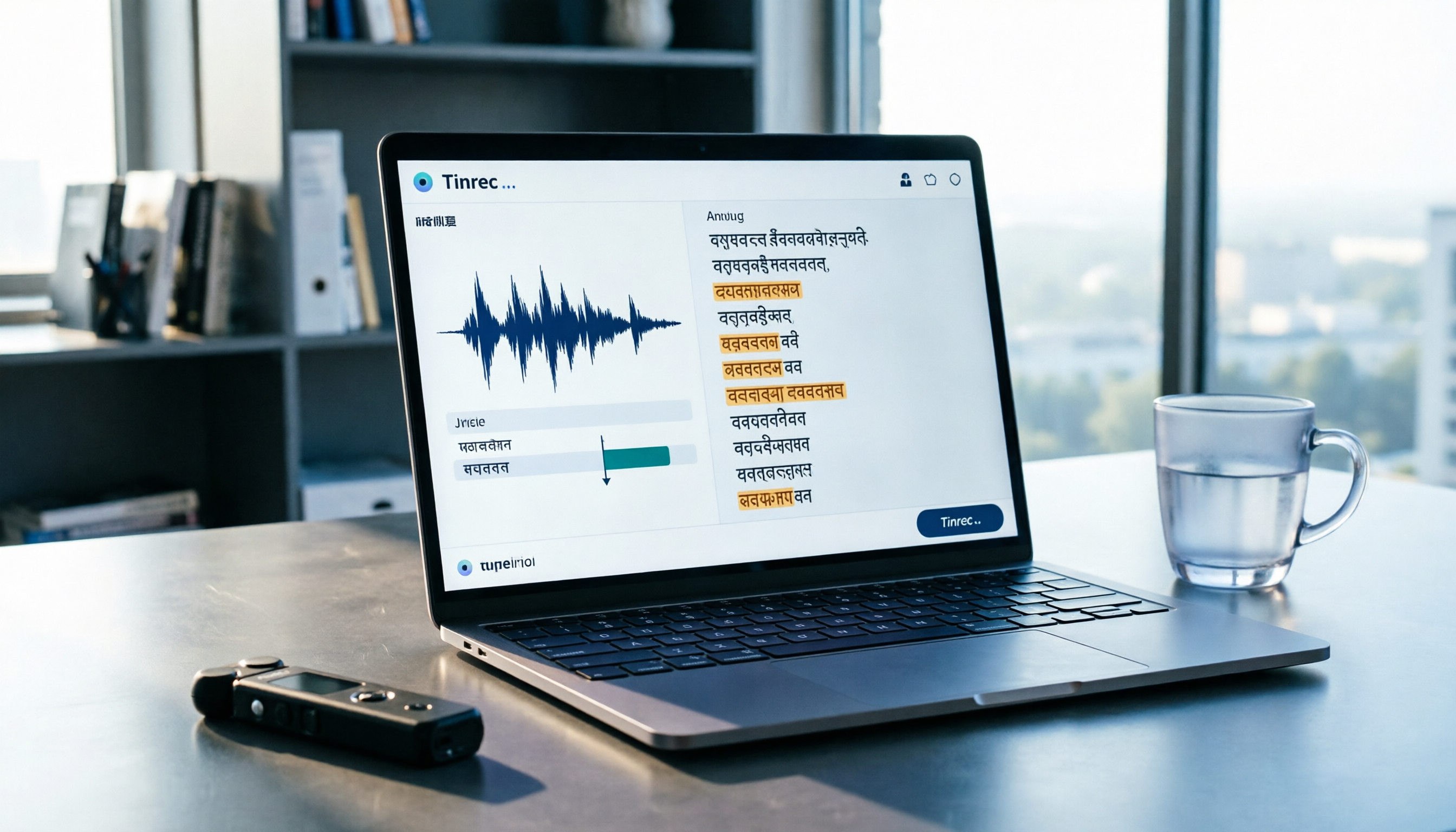
Turn recordings into transcripts and summaries in minutes
Upload audio or video for multilingual transcription, AI notes, and action items
What Can Notta Hindi Transcription Do for You?
When you search for "notta in hindi," you may see two types of results: one is dictionary websites treating Notta as an English word, and the other is Notta, an AI transcription tool that supports converting Hindi audio to text.
For most users, the latter is usually more helpful: quickly converting Hindi recordings, meetings, interviews, or videos into editable text.
Take Tinrec as an example: it can handle multilingual meetings and audio files, including Hindi. After uploading a Hindi recording, the system automatically generates a transcript, and you can then organize summaries, key points, and action items.
Scenario 1: Turning Hindi Interview Recordings into Transcripts
If you're conducting user research, market surveys, or content interviews where respondents answer in Hindi, you previously might have spent hours replaying the audio to type out a transcript.
With Tinrec, you can directly upload the Hindi audio file, let the system complete the transcription first, and then review the content in the editor. This way, your time shifts from "listening and typing word by word" to "quick proofreading."
Scenario 2: Organizing Multilingual Meeting Content
When a meeting includes both Hindi and English, participants can easily miss key points. Tinrec can not only transcribe Hindi but also handle mixed Chinese-English content, offering real-time translation and bilingual viewing.
You can first obtain the Hindi transcript, then translate it into English or other languages, making it easy for team members to quickly understand the discussion.
Scenario 3: Converting Hindi Video Content into Text Materials
If you have Hindi instructional videos, speeches, or online content that you want to quote or rewrite, instead of manually pausing the video to type, it's better to convert it to text first.
With Tinrec, you can upload audio or video files, edit after transcription, search by timestamp, organize key points, and then export the document for further use.
What Are the Core Capabilities of Notta Hindi Transcription?
1. Multilingual Audio-to-Text Conversion
The biggest fear with Hindi transcription is encountering tools that "only support English." Tinrec supports multilingual meeting and audio transcription, including Hindi among other languages, and can be paired with real-time translation features.
Actual results may still be affected by recording quality, accents, background noise, and overlapping speech, so it's recommended to verify important content against the original recording.
2. Not Just Text, but Also Key Point Organization
Most transcription tools only give you a long block of text. Tinrec goes further by generating AI summaries, chapters, and key points, breaking long audio files into an easy-to-browse structure.
For example, with a 40-minute Hindi interview, you can first check the summary to grasp the main topics, then jump to the relevant chapters for a detailed read of the transcript.
3. AI Q&A and Action Item Extraction
After transcription, you can ask questions directly about the content. With Tinrec, you can ask, "What main issues did the interviewee mention in this interview?" The system will provide corresponding answers based on the transcript.
It can also extract action items from the discussion, making it suitable for turning Hindi meeting content into a follow-up task list.
4. Multi-Format Export and Further Organization
Tinrec supports exporting transcripts to common document formats or to tools like Notion, Google Docs, OneNote, and Dropbox for continued editing.
This is more convenient for users who need to share Hindi interview content with others for reading, translation, or rewriting, compared to staying within the transcription interface.
5. Team Spaces and Shared Data
If you handle Hindi content in a team, Tinrec's team space can centrally store meeting recordings, transcripts, summaries, and action items.
Team members can access historical data, while administrators can manage members, roles, and usage permissions, ensuring Hindi interviews or meeting content doesn't stay stuck on one person's computer.
Practical Use Cases
Use Case 1: User Research and Interviews
Suppose you need to interview 10 Hindi-speaking users, with each recording lasting 30 minutes. In the past, just organizing the transcripts could take an entire day.
With Tinrec, you can upload the recordings, get Hindi transcripts, and use AI summaries to identify key points from each interviewee. Then, use AI Q&A to quickly compare responses across interviewees, and finally export everything as research notes.
Stop organizing recordings by hand
Upload audio or video and automatically get a transcript, summary, and action items
Use Case 2: Cross-Border Team Meetings
If your team includes Indian members and meetings frequently switch between Hindi and English, you can record the session with Tinrec and obtain the transcript and summary afterward.
If other members need to understand the Hindi sections, you can use the translation feature to convert the content into English or Chinese for easier follow-up.
Use Case 3: Content Learning and Material Organization
You come across a Hindi speech or instructional video and want to take notes, but you don't want to keep pausing the video.
With Tinrec, you can convert the video to text and use the chapter feature to quickly locate key sections. After organizing, export the content to a document or note-taking tool for continued use.
Use Case 4: Client Communication and Requirement Organization
If a client describes requirements in Hindi and you're worried about missing details, Tinrec can convert the recording into a transcript and then extract action items and commitments.
This way, during follow-ups, you can directly refer back to the transcript to confirm the client's exact words, reducing the ambiguity of "I think they said something like this."
5 Key Points to Consider When Choosing a Hindi Transcription Tool
1. Does It Really Support Hindi?
Not every transcription tool fully supports Hindi. Before purchasing, it's recommended to test with a short real recording rather than just looking at the language list on the official website.
Tinrec supports multilingual transcription, including Hindi, but you should still test with actual audio files to gauge performance.
2. Can You Organize Content After Transcription?
Getting just a block of text isn't enough. What you really need are summaries, chapters, key points, and action items.
In addition to transcripts, Tinrec offers AI summaries, chapters, action items, and Q&A, making it suitable for users who need to further organize Hindi content.
3. Does It Support Translation and Bilingual Viewing?
If you need to share Hindi content with non-Hindi speakers, translation functionality becomes crucial.
Tinrec supports real-time translation and bilingual viewing, allowing you to convert Hindi content into other languages for cross-language collaboration.
4. Are the File Sources Diverse Enough?
Some tools only support live recording, while others are only suitable for file uploads. Make sure your use case is covered.
Tinrec supports live recording, online meeting recording, audio and video file uploads, and can also be used on mobile devices.
5. Personal Use or Team Sharing?
If you only occasionally organize Hindi recordings, a personal plan might suffice. If you need to share meeting data among multiple people, manage members, and track usage, consider a team plan.
Tinrec offers both personal and team plans. The team plan centrally stores meeting data and provides management capabilities such as roles, seats, usage, and audit logs.
Frequently Asked Questions
Is Notta a Hindi Word?
On dictionary websites, Notta might be looked up as an English word, but for most users, Notta more commonly refers to an AI tool that supports Hindi transcription and translation.
How Do I Use Notta Hindi Transcription?
The general process is: create an account, select Hindi as the transcription language, upload an audio or video file, wait for the system to transcribe, and then review the content in the editor.
With Tinrec, you can follow a similar process for Hindi audio: upload, transcribe, organize summaries, export, or continue asking questions.
Can Hindi Transcription Accuracy Reach 100%?
It's not advisable to expect that. Transcription results can be affected by recording quality, accents, background noise, overlapping speech, and technical jargon.
A more reliable approach is to test with a short recording of your own first, and verify important content against the original audio.
Is the Free Plan Sufficient?
If you only occasionally test a couple of Hindi recordings, the free plan can let you experience basic transcription and summary features. If you have consistent weekly needs, consider a paid plan.
What Makes Tinrec Different from Regular Transcription Tools?
Most transcription tools only provide text. Tinrec emphasizes post-transcription organization and usage, such as summaries, chapters, action items, AI Q&A, translation, export, and team spaces.
Can I Record Hindi Content from Online Meetings?
Yes. With Tinrec, the desktop version can directly capture system audio, so you don't need to add a meeting bot to Zoom, Google Meet, Microsoft Teams, or Webex.
Conclusion
When searching for "notta in hindi," the key isn't what the word Notta means in a dictionary, but whether you can quickly convert Hindi audio into usable text.
If you need to organize Hindi interviews, meetings, or video content, it's recommended to first confirm whether the tool truly supports Hindi, whether it can organize key points after transcription, and whether it offers translation and export features.
Beyond Hindi transcription, Tinrec also provides summaries, action items, AI Q&A, and team spaces, making it suitable for users who want to turn Hindi content from "a recording" into "searchable, collaborative, and actionable data."
References
Turn every recording into actionable outcomes
Get 60 free transcription minutes when you sign in. No credit card required.
Related Reading
You might also like

2026 AI Meeting Notes Tools Compared: Free Tiers and Pricing That Make Sense
A mid-level manager who runs 15 meetings a week tested four AI meeting notes tools—Tinrec, Otter.ai, Notta, and Granola—evaluating Chinese recognition, bot-free recording, post-meeting Q&A, pricing, and team seats. This breakdown of free tiers and paid plans helps you decide which tool actually saves time after meetings.

4 Free AI Meeting Notes Tools Tested: Which Free Tier Is Enough in 2026?
We tested four free AI meeting notes tools, comparing free quotas, per-file limits, post-meeting summaries, and team sharing. Tinrec offers balanced performance for Chinese meeting organization and desktop recording without a bot. We also honestly list the suitable scenarios and limitations of Notta, Otter.ai, and TurboScribe.

2026 AI Meeting Notes Tools Compared: Is Tinrec Good for Chinese Meetings?
In 2026, are AI meeting notes tools worth it? This article examines real Chinese meeting scenarios, what AI meeting notes can do, Tinrec's core capabilities, use cases, and buying considerations. It also answers common questions to help you decide if the free version is enough and whether the team plan is worth it.

2026 AI Meeting Notes Showdown: Tinrec vs Otter for Chinese-Speaking Teams
Struggling to keep up with meeting notes? The problem often isn't typing speed—it's using the wrong tool. This side-by-side comparison of Tinrec and Otter.ai covers Chinese transcription, meeting capture methods, post-meeting outputs, team collaboration, and pricing to help you decide which tool fits your workflow.

2026 AI Meeting Notes Tools Compared: Understand What It Means Before You Choose
Many people think AI meeting notes just means recording and transcribing audio—that's the first misunderstanding. This article first clarifies what AI meeting notes actually means and the three types of output it produces, then uses 4 key buying criteria and 3 common pitfalls to compare Tinrec, Otter.ai, Notta, and Granola, including their differences and ideal users.

4 AI Meeting Recorder Tools Tested: Free Tiers and Chinese Meeting Support Compared (2026)
Is more free minutes always better? This hands-on comparison of Tinrec, Otter.ai, Notta, and Granola walks through real meeting workflows—how meetings get captured, what you get after transcription, Chinese-language performance, free tiers, and team permission management—plus four common selection mistakes and scenario-based recommendations.

2026 AI Meeting Notes Comparison: Tinrec vs Notta vs Otter.ai — Which Is Best?
After a two-hour meeting, your notes are just scattered fragments. This article compares Tinrec, Notta, and Otter.ai using the same criteria: how well they handle Chinese meetings, how they record online meetings, what you get after the meeting, whether teams can manage them, and how pricing works—so you can decide which one fits you best.
2026 AI Meeting Notes Software Comparison: Transcription Doesn't Equal Deliverable Minutes
Starting from the most common selection pitfalls, this hands-on comparison of Tinrec, Notta, Otter.ai, and PLAUD Note examines differences in meeting recording methods, post-meeting output, Chinese recognition, and team management. It also covers key buying criteria, pitfalls to avoid, and selection advice to help you find AI meeting notes software that truly saves post-meeting organization time.
How to Choose an AI Meeting Recorder in 2026: Testing 3 Tools + Tinrec Chinese Transcription and Post-Meeting Action Items
Before searching for 'which AI meeting recorder is best,' clarify your meeting language, recording method, and post-meeting needs. This article covers 4 key buying factors, hands-on comparisons of Tinrec, Otter.ai, Notta, and Granola, and 4 common pitfalls to help you choose the one you'll actually use.