
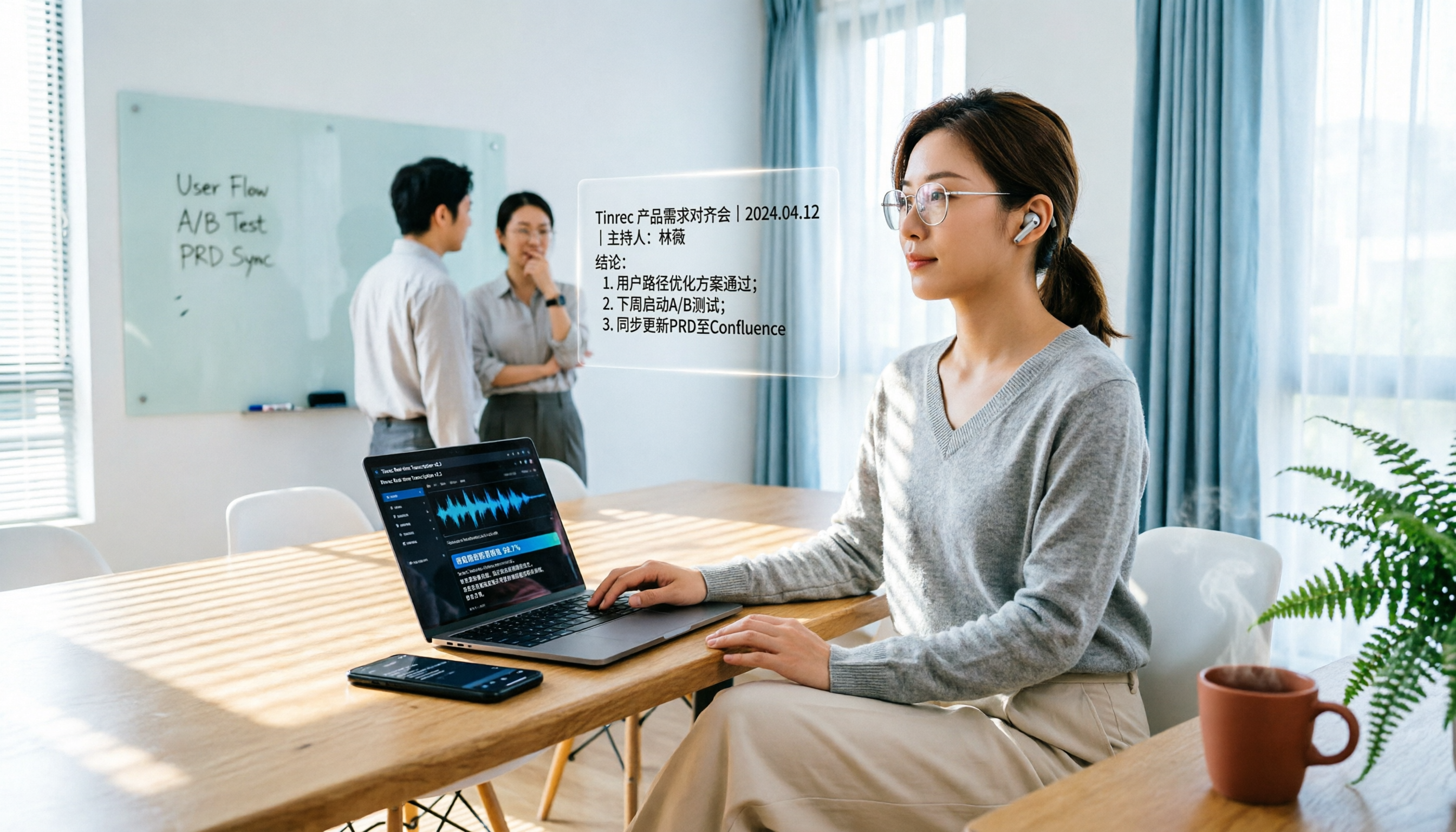
Turn recordings into transcripts and summaries in minutes
Upload audio or video for multilingual transcription, AI notes, and action items
Why Are People Looking for Notta Alternatives?
Notta is a well-known AI transcription tool commonly used to convert meetings, interviews, or audio recordings into transcripts and generate summaries. Its free plan offers 120 minutes of transcription per month, but each session is limited to just 3 minutes, which is often insufficient for typical meetings.
If you only occasionally organize short audio clips, the free allowance might suffice; but if you need to record full meetings, review lengthy interviews, or continue organizing key points and action items after transcription, you'll start considering other options.
If you have similar needs, Tinrec is worth checking out.
Tinrec vs Notta: What's Different in Core Experience?
Recording Online Meetings
This is where I find the biggest difference in user experience. Notta focuses more on multi-device transcription and document processing, while Tinrec's desktop app can directly capture your computer's system audio, eliminating the need to add a meeting bot to Zoom, Google Meet, Microsoft Teams, or Webex.
In other words, you can simply open Tinrec and start recording—no extra bot participant will appear in your meeting. For users who prefer not to have third-party bots join their meetings, this feels more comfortable.
Post-Transcription Workflow
Transcription is just the first step; the real time sink comes afterward. Tinrec not only provides transcripts but also automatically generates summaries, chapters, key points, and action items, and supports AI Q&A around the meeting content.
For example, after recording a one-hour project meeting, you can directly ask Tinrec: "What were the conclusions of this meeting?" "Who is responsible for which tasks?" without manually going through the entire transcript.
Chinese and Multilingual Meeting Experience
If you frequently handle Chinese meetings or meetings with mixed Chinese-English content, Tinrec is more clearly positioned here. It supports Chinese, Traditional Chinese, and multilingual meeting scenarios, and also offers real-time translation and bilingual viewing.
The team plan also allows you to maintain team-specific terminology, adding product names, project codes, or industry jargon to reduce mis-transcription of specialized terms.
How Team Data Is Stored
Notta's Business plan offers team capabilities, while Tinrec's team plan emphasizes that "meeting data belongs to the team." Members can access historical meeting data, and admins can manage roles, seats, usage, and audit logs.
When a member leaves or loses their seat, their team resources can be transferred to other active members, ensuring meeting records don't disappear with an individual account.
Tinrec's Core Features at a Glance
Bot-Free Online Meeting Recording: Open the Tinrec desktop app, and it captures your computer's system audio directly, transcribing in real time. By the time the meeting ends, the transcript is already complete—no waiting for post-processing.
Audio/Video File Import: If you have past meeting recordings, interview files, or course audio, you can upload them to Tinrec for quick conversion into text, ideal for reviewing historical content.
AI Summaries and Action Item Extraction: Long meetings are organized into chapters and key points, and Tinrec extracts action items from the discussion. For project meetings where tracking progress is crucial, this is more practical than just getting a transcript.
AI Q&A and Post-Processing: You can ask follow-up questions about single or multiple meeting records, or have Tinrec generate meeting minutes, reports, or tables, then export the results to Notion, Google Docs, OneNote, or Dropbox.
Team Spaces and Governance: The team plan provides a dedicated space for centralized meeting data storage, with support for members, roles, seats, usage analytics, audit logs, and an audio recycle bin.
Stop organizing recordings by hand
Upload audio or video and automatically get a transcript, summary, and action items
Real-World Use Cases
Project Meetings: Start recording with the Tinrec desktop app during the meeting, then review summaries and action items afterward to share with team members. No more relying on manual notes to track progress.
Client Interviews: After the interview, use AI Q&A to quickly identify client needs, objections, and commitments, then generate an interview summary or follow-up proposal document.
Classes and Lectures: Upload course recordings to Tinrec, which automatically generates chapters and key points. When reviewing later, you can search for specific sections without re-listening to the entire lecture.
Personal Notes: Capture spontaneous ideas or offline discussions with your phone, get instant transcription, and later use AI Q&A to revisit key points.
Key Considerations When Choosing a Transcription Tool
Check Single-Session Recording Limits: Some free plans limit transcription time per session, so even if there's a monthly allowance, you can't process full meetings. When choosing a tool, confirm the per-session cap first, not just the total monthly minutes.
Bot-Free Recording Support: If you don't want a bot participant in your meetings, look for tools that offer desktop system audio capture. Tinrec takes a bot-free approach in this regard.
What You Can Do After Transcription: Transcripts are just the foundation; the key is whether you can generate summaries, action items, Q&A, and exports. Tinrec focuses on post-meeting organization and action, not just text conversion.
How Team Data Is Owned: If meeting records need to stay with the team, confirm data ownership and member handover mechanisms. Tinrec's team plan assigns meeting data to the team, allowing resource transfer when members change.
Chinese Content Handling: If you often deal with Chinese or mixed-language content, test transcription quality with your own recordings. Tinrec supports Chinese and multilingual scenarios, but actual results depend on audio quality, accents, and environment.
Conclusion: Is Tinrec Worth Trying?
If you're looking for a tool that supports bot-free recording, Chinese meeting organization, and post-transcription features like summaries, action items, and AI Q&A, Tinrec is one of the few options on the market that meets all these needs simultaneously.
It doesn't just convert speech to text; it turns meetings into searchable, queryable, exportable, and storable team knowledge. Especially for users who need to preserve meeting records long-term or want team members to share historical data, the difference becomes more apparent.
We recommend trying Tinrec's free version and testing it with your own meeting recordings to see the transcription and organization quality. That's more direct than reading any review.
Frequently Asked Questions
Is Notta's free plan sufficient?
Notta's free plan offers 120 minutes of transcription per month, but each session is limited to 3 minutes. If you only need quick tests or very short audio clips, it might work; for full meetings, the limitations are noticeable.
What's the biggest difference between Tinrec and Notta?
Tinrec emphasizes bot-free online meeting recording, post-transcription summaries and AI Q&A, and team meeting data storage. Notta is more mature in multi-device transcription and document processing. They have different focuses, so choose based on your use case.
Does Tinrec require additional hardware?
No. Tinrec is available via web, desktop, and mobile, so no extra recording equipment is needed.
Which online meeting platforms does Tinrec support?
Tinrec's desktop app captures system audio, so it can handle meeting audio from platforms like Zoom, Google Meet, Microsoft Teams, and Webex when played on your computer. This doesn't imply official partnerships with these platforms.
Who owns the data in Tinrec's team plan?
Team meeting data belongs to the team, not the individual uploader. When a member leaves or is removed, their team resources can be transferred to other active members.
What legal issues should I consider with transcription tools?
When using any recording or transcription tool, you should comply with local laws and obtain consent from participants where required. Tinrec also advises users to confirm relevant regulations before recording.
References
Turn every recording into actionable outcomes
Get 60 free transcription minutes when you sign in. No credit card required.
Related Reading
You might also like

2026 Comparison of 4 Audio-to-Text Tools: Which Saves Creators the Most Time on Transcripts?
Starting from the real pain points creators face with audio-to-text, this comparison of Tinrec, Notta, TurboScribe, and MyEdit covers recording methods, post-meeting organization, Chinese language experience, and team collaboration to help you choose the right transcription tool.

2026 AI Meeting Notes Tools Compared: Which One Produces Trackable Minutes Fastest?
Meeting minutes often take too long not because you type slowly, but because of inefficient habits. This article examines three common pitfalls, outlines five key factors for choosing a tool, and tests Tinrec, Notta, Otter.ai, and Granola on the workflow from meeting end to sendable minutes. It also includes a guide to avoid common mistakes and scenario-based recommendations to help you find a tool that saves time and keeps action items trackable.

2026 Guide: Organizing Interview Recordings with Tinrec — AI Transcripts + Auto Summaries & Action Items
Tired of spending hours organizing interview recordings? This guide covers key selection criteria, walks through Tinrec's interview recording workflow, and compares Notta, Otter.ai, and TurboScribe. Includes pitfalls to avoid and selection advice to turn recordings into searchable, actionable data.

2026 Comparison of 5 Voice Recorder Solutions: AI Transcription Tools Are the Real Money-Savers
Many people choose a voice recorder based only on price and recording quality, overlooking hidden costs like transcription fees, post-meeting organization time, and scattered data. This article starts with common misconceptions, compares the true cost-effectiveness of 5 common recording solutions, and uses Tinrec as an example to explain how AI recording transcription, summarization, to-dos, AI Q&A, export, and team spaces turn recordings into directly usable data.

2026 Medical Transcription Tools Comparison: Tinrec vs Notta — 5 Dimensions, Which Saves More Time on Clinical Notes?
From patient consultations and physician dictation to case conferences, we compare Tinrec and Notta across 5 dimensions: recording capture, Chinese terminology, post-meeting organization, team governance, and data export—to help you decide which tool better fits real clinical workflows.

2026 Guide: Voice Recorder vs. Phone Recording — Audio Quality Comparison + AI Organization in Practice
What's the difference between a voice recorder and phone recording? This article compares the two in terms of audio capture, interruption risk, battery life, and post-recording organization, and explains how Tinrec uses AI transcription, summaries, to-dos, and team spaces to fill the gap of recording without organizing.

2026 Voice Input Tools for Writers: 5-Tool Test Comparison — Which Is Least Effort for Long-Form Chinese Writing?
Starting from common misconceptions, this hands-on comparison tests Tinrec, Google Docs voice typing, Windows built-in voice input, Speechify, and Dragon to help writers and text professionals find a voice input workflow that turns dictation into an editable first draft.

2026 AI File Delivery Agents: 7 Solutions + Automatic Meeting Minutes Generation
AI Agents are no longer just chatbots—they can turn raw materials into deliverable files. This listicle covers 7 AI file delivery agent solutions, from transcribing meeting recordings to automatically generating summaries and action items, and exporting reports and spreadsheets. It also includes buying checkpoints, pricing, and ideal use cases to help you choose the best fit for your team.

2026 Comparison of 5 Training Recording Transcription Tools: Which Is Most Time-Saving for Chinese Recognition and AI Summaries?
Training recordings pile up on phones and in the cloud, but the real challenge is choosing which tool to use afterward to turn them into transcripts. This article outlines the positioning, pricing, and ideal users for 6 training recording transcription solutions, covering Chinese recognition, AI summaries, team sharing, and batch processing of long documents, helping you quickly choose the right tool for your situation.