
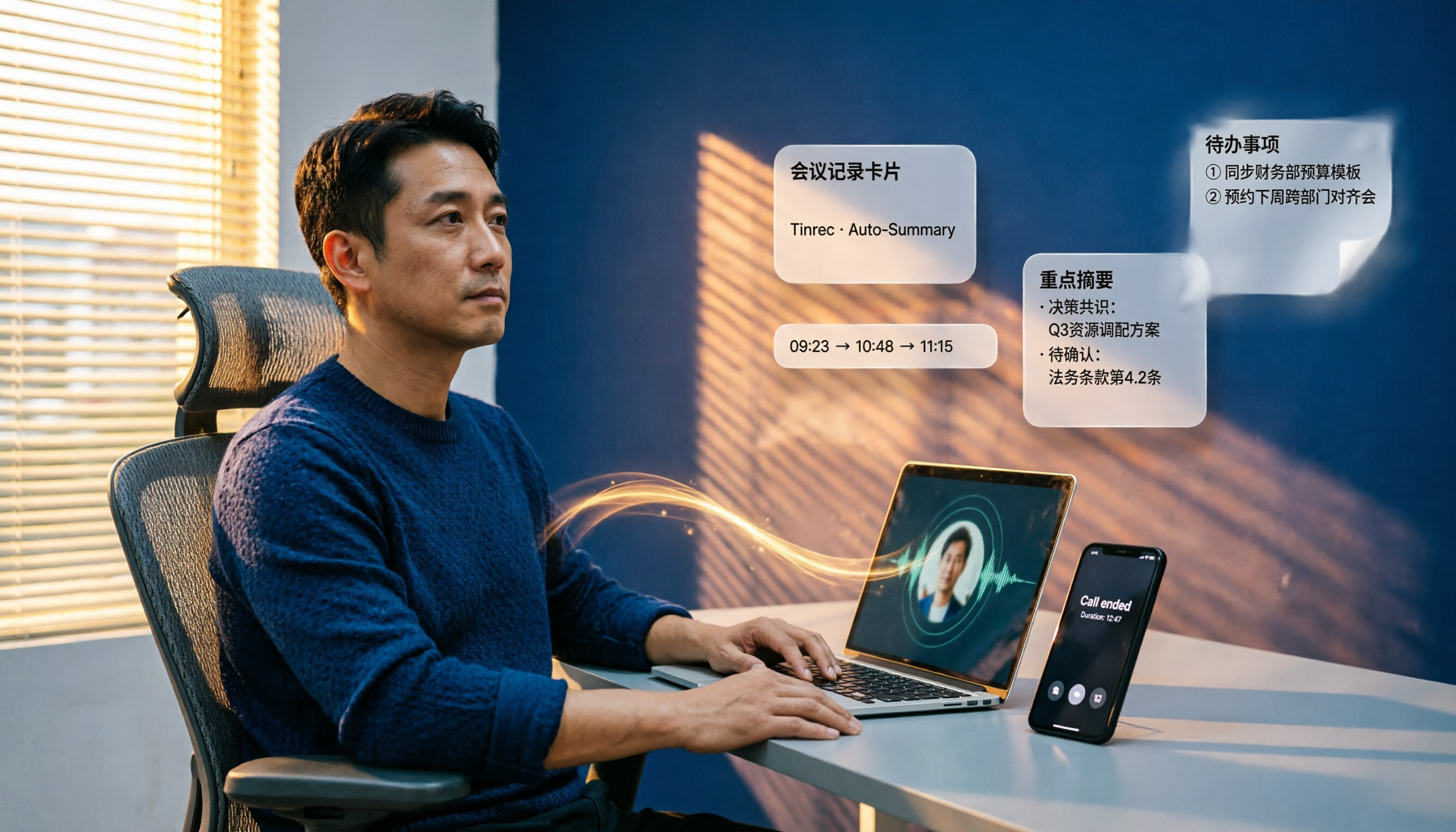
Turn recordings into transcripts and summaries in minutes
Upload audio or video for multilingual transcription, AI notes, and action items
What You Need Isn't Another Calling App—It's a Way to Stop Taking Notes After Meetings
I attend about 15 meetings a week, half of them on Google Meet, and occasionally a client or partner will send a Facebook Messenger call link. The most annoying part isn't the meeting itself—it's what happens after. Every meeting leaves a pile of decisions and action items. Google Meet recordings sit in the cloud, Messenger calls aren't recorded at all, and I still end up listening and jotting notes manually.
If you're also torn between "Google Meet vs Facebook Messenger," this article won't list a bunch of specs you can't decipher. I'll walk you through real meeting and calling scenarios, clarify the strengths and limitations of each, and highlight the most critical point: why you still need another tool to turn meeting content into usable data after the call ends.
Before Choosing a Video Tool, Understand These 4 Key Points
First, determine whether your scenario is a "meeting" or a "quick chat." These terms sound obvious, but many people pick the wrong tool because they don't think it through. Messenger is essentially an instant messaging app with calling as a side feature; Google Meet is designed for online meetings, with its interface, sharing, and scheduling all built around them.
Second, don't just focus on call smoothness—check whether you can retain something after the call. A meeting's value largely depends on whether it can be referenced and tracked later. If nothing is left after the call, you're essentially starting over each time.
Third, in a team setting, management capabilities matter more than individual experience. If you manage a 10-person team, you need to care not only about your own ability to join meetings but also whether team meeting data can be centrally managed and won't disappear if someone leaves.
Fourth, tools won't organize your meetings for you—you need a "post-meeting workflow." Both Google Meet and Messenger enable calls, but neither automatically compiles action items, meeting minutes, or lets you ask conversational follow-ups like "Who mentioned the budget in the last meeting?" This gap is exactly what we'll dive into next.
Google Meet: Reliable for Meetings, but Post-Meeting Organization Is Still on You
Google Meet is one of the primary tools for online meetings, especially suited for formal sessions that require scheduling, screen sharing, and multiple participants. Its strength lies in seamless integration with Google Calendar and Gmail—you can start a meeting with a link, and participants don't need to install extra software.
From my experience, Google Meet's call quality is stable under normal network conditions, and screen sharing and microphone management are intuitive. However, its limitation is clear: most post-meeting organization falls on the user. Built-in recording and transcription require specific plans, and the transcripts are "raw data"—they don't automatically extract action items or key decisions.
A more practical issue is that Google Meet recordings and transcripts are scattered across Google Drive. After the meeting, you still have to open files, re-listen, and manually organize. For someone with over a dozen meetings a week, this is a huge burden.
Facebook Messenger: Great for Quick Calls, Not for Formal Meetings
Facebook Messenger's calling features, including Messenger Rooms, are better suited for friends, family, or light, quick communication. The barrier to entry is low—many people already have Facebook accounts, so you can just share a link and start a call, which is convenient for informal scenarios.
But if you use it as a formal meeting tool, you'll run into several obvious issues. First, call quality is heavily affected by network and device conditions, especially in group calls where latency and noise are more noticeable than in dedicated meeting tools. Second, Messenger's meeting management is weak—there's no formal scheduling, agenda, or post-meeting data organization. Third, and most critically for the workplace, almost no usable records remain after the call; you're back to relying on your own notes.
Stop organizing recordings by hand
Upload audio or video and automatically get a transcript, summary, and action items
In short, Messenger is fine for "let me call you to confirm something," but not for "let's have a meeting with conclusions and action items."
What Both Fail to Do: Turn Meetings into Trackable Data
Google Meet and Facebook Messenger both solve the "how to call" problem, but neither addresses "what happens after the call."
Here's a real example: Last week, I held a cross-departmental coordination meeting on Google Meet. We discussed progress on three projects, two budget issues, and five action items. After the meeting, I opened the recording and transcript and still spent nearly an hour organizing who was responsible for what and the deadlines. This isn't a Google Meet flaw—it's a common limitation across all calling tools.
That's exactly why I started using Tinrec (秒听录音). Tinrec isn't meant to replace Google Meet or Messenger; it fills their weakest link: post-meeting organization.
Tinrec's desktop version can capture system audio directly, so you don't need to add a bot to your meeting. In other words, you still use Google Meet for the meeting, but you also open Tinrec, which records in the background and transcribes in real time. After the meeting, it automatically generates summaries, chapters, and action items—no need to re-listen manually.
The feature I find most useful is AI Q&A. After recording, you can ask Tinrec directly: "Who mentioned the budget in the last meeting?" It uses semantic understanding to give you the answer, not just keyword search results. For someone with over a dozen meetings a week who often needs to look up past meetings, the time saved is substantial.
The team version also fills the management gap that Google Meet and Messenger lack. Meeting data is centralized in a team space, where members can view and share, and admins can manage seats, usage, and audit logs. When a member leaves, meeting data doesn't disappear—it's transferred to other active members. For department heads, this is a practical governance need.
Pitfall Guide: 3 Common Mistakes When Choosing a Meeting Tool
Pitfall 1: Treating a calling tool as a meeting organization tool. Google Meet and Messenger both enable calls, but they won't automatically organize action items and decisions. If you think the work ends when the meeting ends, you're actually just getting started.
Pitfall 2: Focusing only on call quality, ignoring the post-meeting workflow. Many people choose tools based solely on "call smoothness," but in the workplace, the real cost is after the meeting. Choosing a solution that turns meeting content into trackable data matters more than chasing video quality.
Pitfall 3: Overlooking team data ownership and management. If you use Messenger or a personal account for meetings, data gets scattered across personal devices and chat histories. When a member leaves or changes devices, data can be lost. Team scenarios require centralized management, not ad-hoc approaches.
Conclusion: Which One Should You Choose?
If your question is "Google Meet vs Facebook Messenger," the answer is clear: Choose Google Meet for formal meetings, and Facebook Messenger for quick chats. But that's just the choice of calling tool, not a complete meeting management solution.
- Need formal scheduling, screen sharing, and multi-participant meetings → Google Meet
- Need quick chats, informal calls, or communication with friends and family → Facebook Messenger
- Don't want to spend an hour organizing transcripts and action items after meetings → Use Tinrec for recording and transcription alongside Google Meet
- Need to centrally manage team meeting data, track action items, and ensure data isn't lost when members leave → Tinrec Team version
My recommendation: Start with Google Meet for your meetings, and simultaneously use Tinrec's free version for a few sessions. The free tier includes a certain quota, enough to test transcription and AI summaries for a few meetings. If you find that post-meeting organization time is truly saved, then consider upgrading—no need to pay upfront.
Choose the right tool, and meetings become valuable. Choose the wrong one, and the nightmare begins after the meeting ends.
References
- Compare Facebook Messenger vs Google Meet 2026 – Features, Pricing & Reviews
- Zoom vs. Google Meet vs. Facebook's Messenger Rooms: Which is the right video chat app for you? | Mashable
- Google Meet versus Messenger Rooms: Which is a Better Video Conferencing Solution?
- Messenger Rooms Facebook and Google Meet: how they work
- r/GooglePixel on Reddit: Now that we are past release, can anyone tell me how Pixel 8 Pro does with Google Meet or Messenger video?
Turn every recording into actionable outcomes
Get 60 free transcription minutes when you sign in. No credit card required.
Related Reading
You might also like

2026 AI Meeting Note Tools Buyer's Guide: 5 Hands-On Tests for Google Meet
Tired of struggling with Google Meet meeting notes? This article tests Tinrec, Otter, Notta, Granola, and Google Meet's built-in features—covering bot-free recording, Chinese transcription, post-meeting organization, and team collaboration—to help you find the best AI meeting note solution.
2026 Hands-On Comparison of 3 AI Meeting Recorders: How to Choose a Free Option for Google Ecosystem Users?
Do you use Google Meet for meetings and Google Docs for organizing notes, but still rely on manual meeting minutes? This hands-on comparison tests 3 AI meeting recorders, covering bot-free recording, Chinese transcripts, free tiers, and Google Docs export, to help you find the most time-saving solution for Google ecosystem users.

5 Best AI Meeting Transcription Tools in 2026: Free vs Paid Plans Compared
Struggling to keep up with meeting notes? This article compares 5 AI meeting transcription tools, covering bot-free recording, Chinese speech recognition, AI summaries, and team collaboration. We break down free plan limits and offer practical recommendations to help you find the perfect meeting note assistant.

5 Best AI Meeting Recorder & Note-Taking Tools in 2026: Which Free Plan Is Actually Enough?
AI voice-to-text and meeting note tools come with varying free-tier limits. This article compares 5 practical tools—covering free quotas, recording methods, transcripts, summaries, and team collaboration—to help you decide which fits your meeting scenarios best.

6 Best AI Transcription Tools Compared in 2026: Which Free Plan Is Worth It?
A practical comparison of AI transcription and speech-to-text tools worth trying in 2026, including Tinrec, NotebookLM, Yating, Vocol.ai, cSubtitle, and Notta. We break down free allowances, Chinese recognition accuracy, meeting notes, and team collaboration features to help you find the best fit.

5 Best AI Meeting Note Tools Tested in 2026: Which Free Plan Is Worth It?
Choosing the right AI meeting notes tool can be tricky. This article tests five tools, including Tinrec, on transcription, summarization, team collaboration, and free-tier limits to help you find the most time-saving solution for Chinese and online meetings.

Notion AI Meeting Notes in 2026: Is the Free Plan Enough? 3 Limitations You Should Know
Notion AI Meeting Notes can automatically record, transcribe, and generate summaries, but the free plan, browser version, and mobile app each have their own limitations. This hands-on review covers step-by-step instructions, cross-device differences, audio file locations, and FAQs to help you decide if it's worth using.

Is Notta Safe in 2026? A 4-Factor Hands-On Comparison: Privacy, Security, Pricing, and Alternatives
Is Notta safe? This article helps you determine whether Notta is trustworthy by examining four key areas: data encryption, compliance certifications, privacy policies, and user reviews. It also compares Notta and Tinrec across transcription, meeting summarization, and team collaboration to help you make a more informed choice.

Google Meet vs Microsoft Teams in 2026: Which One Should Small Teams Choose?
After using Google Meet and Microsoft Teams, I found that most teams don't need to pick just one. This article covers real meetings, file collaboration, learning curves, and cross-platform experiences to help you decide which tool fits which scenario—and why adding a bot-free AI meeting notes tool can unify your meeting records across both platforms.