
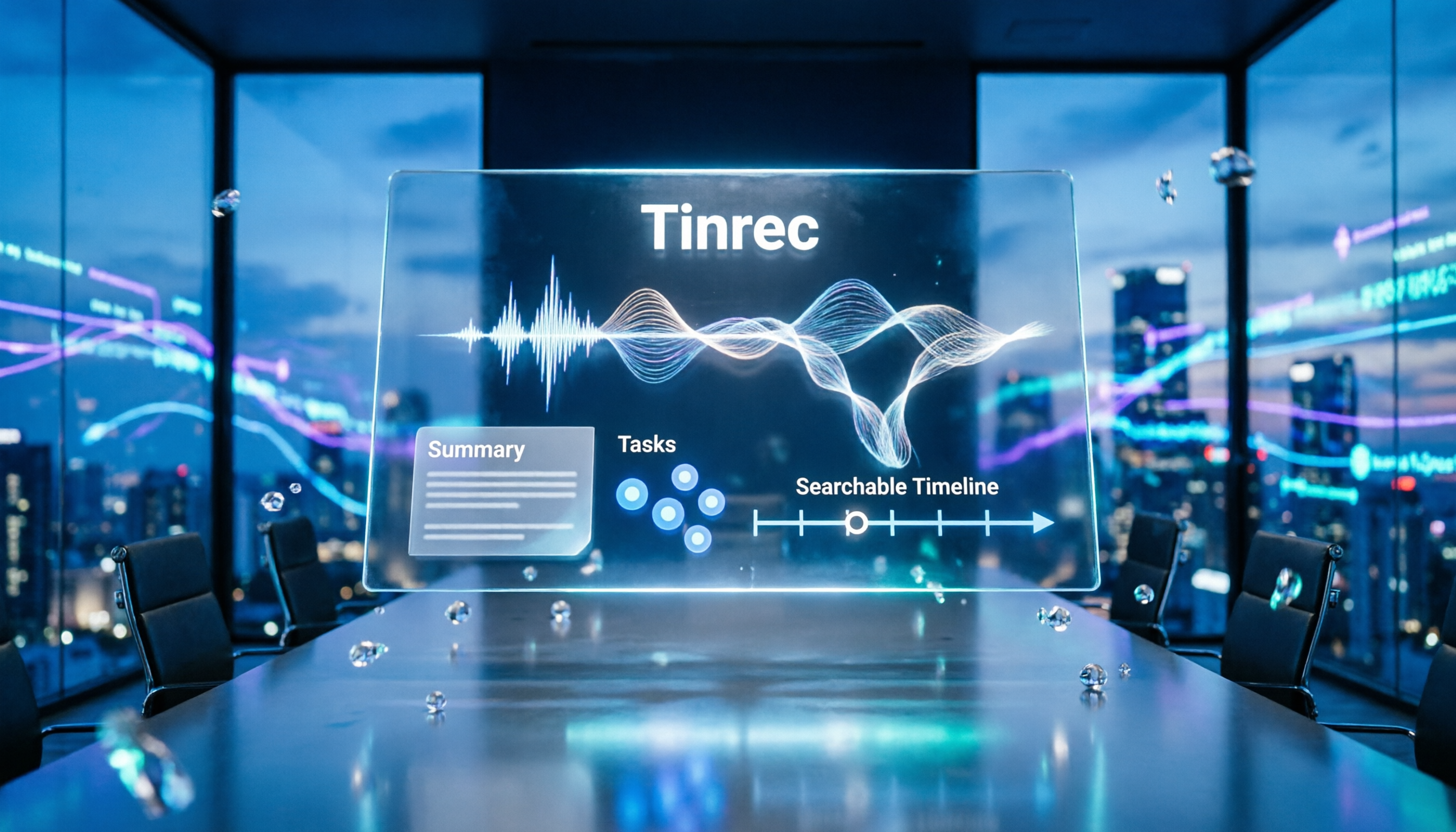
Turn recordings into transcripts and summaries in minutes
Upload audio or video for multilingual transcription, AI notes, and action items
What Can Meeting Minutes Do for You?
Many people think meeting minutes are just typing down everything everyone said. But truly useful meeting minutes allow someone who didn't attend the meeting to understand three things: what was discussed, what was decided, and who will do what next.
Take Tinrec as an example—it doesn't just transcribe meeting recordings into text; it goes further to generate summaries, chapters, and action items. After a meeting, you don't need to listen to the recording from start to finish; just review the meeting summary Tinrec has organized to confirm the key points.
Scenario 1: Get meeting minutes within 5 minutes after the meeting ends
Previously, after a two-hour meeting, you might spend another hour organizing your notes. Now, with Tinrec recording the meeting, the AI has already organized the discussion topics, conclusions, and action items by the time it ends—who is responsible for what, and deadlines, all at a glance.
Scenario 2: Help absentees catch up quickly
If a colleague missed the meeting due to leave, you don't need to verbally recap everything. Just share the summary and action items generated by Tinrec, and they'll know the key points and next steps.
Scenario 3: Track decision rationale later
Two weeks later, if someone asks, "Why was this project decided this way?" you can open Tinrec's transcript and summary, search the discussion content directly, without digging through scattered chat logs or paper notes.
What Core Capabilities Should Meeting Minutes Have?
A good set of meeting minutes typically needs these 5 capabilities. Below, we explain how each capability is implemented using Tinrec's actual features.
Real-time transcription: Generate text while the meeting is ongoing
Tinrec's desktop version can directly capture your computer's system audio, so you don't need to invite a meeting bot to record online meetings on Zoom, Google Meet, Microsoft Teams, and others. Text appears in real time during the meeting, allowing you to check for missed points as you go.
AI summaries and chapters: Break long meetings into browsable structures
Instead of condensing the transcript into a single paragraph, it organizes the content structurally. Tinrec automatically divides the meeting into chapters, highlighting discussion topics, conclusions, and key points, so a two-hour meeting can be reviewed in just a few minutes.
Action item extraction: Organize action items from discussions
The worst outcome of a meeting is no one taking action afterward. Tinrec automatically extracts action items from the discussion, clearly listing "who is responsible" and "when it's due," reducing the time spent on post-meeting task lists.
AI Q&A: Ask directly about meeting key points
After transcription, you can ask Tinrec directly: "Who mentioned the budget during the meeting?" "What were the client's main concerns?" It answers based on the meeting content, so you don't have to manually sift through the transcript.
Team space: Centralized storage for meeting materials
The personal plan keeps data for individual use, while the team plan provides a dedicated space for centralized storage of meeting recordings, transcripts, summaries, and action items. Team members can review historical meeting data, and new members can quickly get up to speed on context.
How to Write Meeting Minutes? 3 Key Focus Points Instead of Transcripts
The most common mistake beginners make is fearing they'll miss details and turning minutes into conversation logs. The longer the meeting, the longer the minutes. Here are 3 directions for capturing key points.
Focus 1: First, clarify what problem the meeting aims to solve
Don't focus on what attendees "said," but rather on what their statements "relate to." Each comment corresponds to an agenda item. The core of meeting minutes is understanding the discussion through "questions."
For example, after a client meeting, if asked, "What topics did you discuss?" you should be able to articulate a clear question, rather than vaguely recalling, "We talked about this and that."
Focus 2: Record decisions, not every comment
The most important parts of meeting minutes are conclusions and actions. Instead of transcribing each person's remarks verbatim, consolidate the same person's comments and write down the key points concisely. Decisions should include: what was decided, why it was decided, who will execute it, and when it will be completed.
Tinrec's AI summaries and action item extraction can help you with this step. After recording the meeting, first review the action items Tinrec automatically organizes, then cross-check with the transcript to ensure nothing is missed or misunderstood.
Stop organizing recordings by hand
Upload audio or video and automatically get a transcript, summary, and action items
Focus 3: Organize promptly after the meeting while memory is fresh
Meeting minutes should ideally be completed by the end of the day or before noon the next day. The longer you delay, the easier it is to forget the discussion context. You can use Tinrec to convert the recording into text and summaries first, then add your own understanding of the discussion background—this is much faster than starting from scratch.
Basic Components of Meeting Minutes
A complete set of meeting minutes typically includes the following 4 parts.
Basic meeting information
This includes the meeting name, date, location, and attendees. When listing attendees, pay attention to order: include job titles for external company representatives, and arrange internal employees by seniority.
Agenda and discussion content
Clearly record the meeting's purpose and discussion process. It doesn't need to be verbatim, but it should allow someone reviewing the document later to know what was discussed and what opinions were raised.
Decisions
In addition to recording what was decided, also record the decision-making process so that absentees can understand why the decision was made.
Follow-up actions
Record who is responsible for each action item, when it should be completed, and the date and time of the next meeting. This part is most often overlooked but is the most important for follow-up.
If you use Tinrec to organize meetings, you can manually fill in the basic information, while discussion content, decisions, and action items can be compiled from the AI summaries and action item extraction results, saving significant time.
4 Points to Consider When Choosing a Meeting Minutes Tool
There are many meeting minutes tools on the market. When choosing one, evaluate from these 4 angles.
- Can it record online meetings?
If you frequently have online meetings, confirm the tool can handle platforms like Zoom, Meet, and Teams. Tinrec's desktop version records by capturing system audio, so you don't need to invite a bot to the meeting, making it less intrusive for participants.
- Does it help organize after transcription?
Transcription is just the first step; the key is whether it can generate summaries, action items, and key points afterward. In addition to transcripts, Tinrec automatically organizes chapters, summaries, and action items, and supports AI Q&A, so you get more than just text—you can quickly find the key points.
- Does language support meet your needs?
If you need transcription for Chinese or bilingual Chinese-English meetings, check the tool's support for Chinese content. Tinrec supports Chinese, Traditional Chinese, and multilingual meetings, with real-time translation and bilingual viewing.
- Is it for personal use or team collaboration?
If you're the only user, the personal plan is sufficient. If you need to share meeting materials with a team, look at team features. Tinrec's team plan offers member, role, and seat management, along with usage analytics and audit logs, suitable for departments or project teams.
Frequently Asked Questions
Do meeting minutes need to be verbatim?
No. The focus of meeting minutes is on conclusions, decisions, and follow-up actions; transcripts actually make it harder for readers to quickly find key points. Transcripts can be kept as supplementary material, but formal meeting minutes should be structured and organized content.
How soon should meeting minutes be completed?
It's recommended to complete them by the end of the meeting day or before noon the next day. Organizing while memory is fresh is not only faster but also less likely to miss discussion context. Using tools like Tinrec to generate transcripts and summaries first can further shorten the organization time.
Are AI tools reliable for organizing meeting minutes?
AI can significantly reduce manual recording and organization costs, but it may miss or misunderstand details. For important content, it's advisable to cross-check with the transcript and recording playback. Additionally, comply with local laws before recording and obtain consent from participants when necessary.
How detailed should action items in meeting minutes be?
At minimum, include three elements: who is responsible, what to do, and when to complete it. If there's a next meeting time, record that as well. Tinrec's automatic action item extraction can help you quickly compile these items, then add responsible persons and deadlines as needed.
Do people who didn't attend the meeting need to read the full transcript?
Usually not. Let absentees review the summary, decisions, and action items; they can refer back to the transcript if needed. This is why meeting minutes should be structured rather than just a transcript.
Conclusion
How to write meeting minutes isn't about typing speed; it's about capturing the discussion key points, decisions, and follow-up actions. First clarify the problem the meeting aims to solve, then record decisions and action items—this is far more valuable than transcribing every comment.
If you have more than 3 meetings a week, try using Tinrec to convert recordings into text in real time, automatically generate summaries and action items, and then spend a few minutes adding basic information and action owners. This way, writing meeting minutes is not only faster but also helps the team turn meetings into trackable actions.
References
- Meeting Minutes = Transcript? Professional Meeting Minutes Only Record 3 Key Points | Writing Tips, Templates | 104 Career Force
- Latest News - How to Write Meeting Minutes? Three Secrets to Perfectly Organizing Meeting Minutes! | Pasona
- How to Make Good Meeting Minutes? Record These 4 Parts! Complete Template Sharing
- How to Make Meeting Minutes? 2026 Complete Guide for Beginners to Get Started Quickly - Meta Notes
- How to Write English Meeting Minutes? Format, Terminology, and Practical Tips | Gjun English
Turn every recording into actionable outcomes
Get 60 free transcription minutes when you sign in. No credit card required.
Related Reading
You might also like

Google Meet Install in 2026: PWA vs Mobile App vs Browser — Which Is Easiest?
You don't need to download a desktop app to install Google Meet. This article compares three methods — Chrome PWA, mobile app, and browser — and analyzes post-meeting workflows, explaining how Tinrec fills the gaps in meeting notes, summaries, action items, and AI Q&A.
4 Google Meet Interview Assistant Tools Tested and Compared in 2026: Which Audio-to-Text Tool Is Most Practical?
How can you prepare for a Google Meet interview to be confident enough? This article compares 4 interview assistant tools, breaking down key aspects like bot-free recording, AI Q&A after transcription, and mixed Chinese-English scenarios, with a guide to avoiding pitfalls and selection advice.
4 Google Meet Recording Tools Tested for 2026: Which One Works Best for Free Accounts?
Google Meet free personal accounts don't have native recording, so recording a meeting depends on your plan, role, and admin settings. This article breaks down the actual methods for recording Google Meet, 4 common misconceptions, and key buying factors, plus a hands-on test of Tinrec desktop's bot-free recording, real-time transcription, AI summary, and action items.
Google Meet Interface 2026: Record Without Bots + AI Auto Summaries
Explore the Google Meet interface controls and screen sharing, learn why built-in recording falls short, and see how to use Tinrec to record Google Meet meetings without bots, automatically generating transcripts, summaries, and action items. Ideal for professionals and teams with weekly online meetings.
How to Use Google Meet on iPhone in 2026: 5 Ways to Join + Meeting Notes
Wondering whether to download the app or just use Safari to join Google Meet on iPhone? This guide covers 5 common methods, including the Google Meet iOS app, joining via Safari without installing anything, using Gmail or Google Calendar, and turning meetings into transcripts and action items with Tinrec. Includes selection tips and FAQs.
Google Meet Invite and Meeting Notes Tools Compared: Which AI Transcription Saves the Most Time in 2026?
Sending a Google Meet invite is just the beginning—the real time sink is the post-meeting transcript, summary, and action items. This article breaks down how Google Meet invitations work and their free version limits, then compares Tinrec, Otter.ai, Notta, and Granola on Chinese meeting transcription and post-meeting organization to help you pick the one that saves the most time.
Google Meet G017A Speakermic vs Tinrec: Which Meeting Notes Solution Should You Choose in 2026?
Google Meet G017A Speakermic and Tinrec aren't the same thing: one handles audio pickup, the other turns meetings into transcripts, summaries, action items, and team knowledge. This article compares them across 5 dimensions—content retention, post-meeting organization, deployment cost, Chinese-language experience, and team governance—to help you pick the right solution for your meeting scenario.
2026 Comparison of 3 Online Meeting Notes Solutions: After Google Meet Replaces Zoom, Does Tinrec Fill the Minutes Gap?
From the perspective of a mid-level manager with 15 meetings per week, this breaks down common misconceptions about Google Meet replacing Zoom and compares the post-meeting organization capabilities of Google Meet, Zoom built-in transcription, and Tinrec to help you choose a meeting notes workflow that truly saves time.
Google Meet Glitches in 2026: A Practical Troubleshooting Guide for 3 Common Issues
Is Google Meet glitching again? Don't rush to restart your browser. This guide breaks down common Google Meet issues by layer and explains how Tinrec can record without a bot, reliably capturing transcripts, summaries, and action items even when meetings are unstable.