

Turn recordings into transcripts and summaries in minutes
Upload audio or video for multilingual transcription, AI notes, and action items
Notta vs Otter.ai in 2026: 5-Dimension Comparison and Why Chinese-Speaking Teams Should Choose Tinrec
When choosing an AI meeting tool, many people start by opening a few pricing pages and counting which one offers more free minutes or a cheaper annual fee. This approach seems smart, but it's actually the easiest trap to fall into—transcription minutes are just the entry ticket. What really determines whether you have to work overtime after a meeting is what you have in hand once transcription is done. Even if you get 300 minutes of free transcript, you still have to re-listen, write your own summary, and extract action items yourself—in the end, you're still working late.
So instead of just asking "Is Notta better than Otter?", try a different question: Which tool can take you directly from "recording finished" to "deliverable meeting materials"? Below, we break it down across 5 dimensions and use Tinrec as an example to explain a more time-saving approach.
What Can Tinrec Do for You?
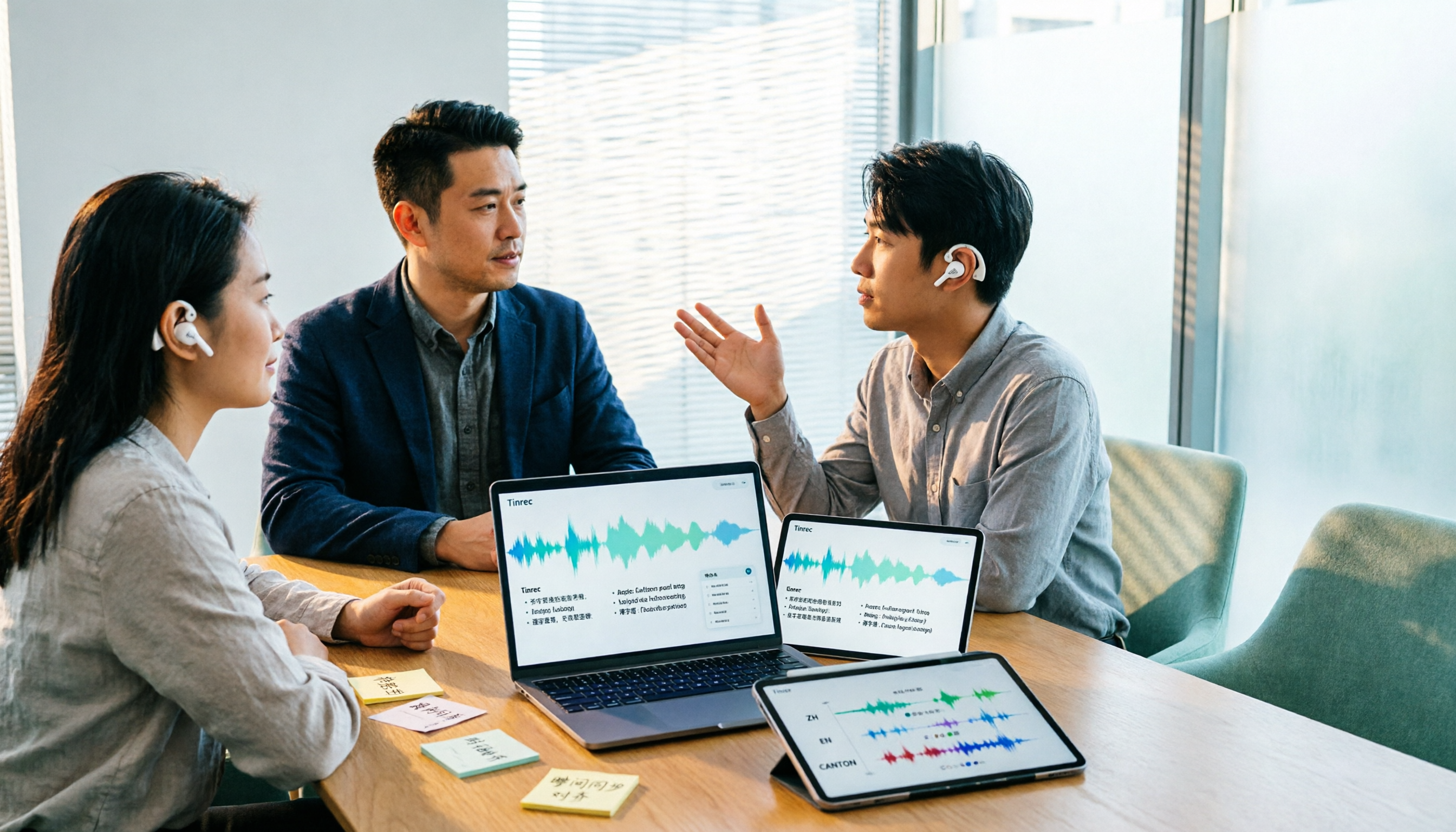
Scenario 1: Meeting notes ready 5 minutes after the meeting Previously, after a two-hour meeting, you might spend another hour organizing notes. With Tinrec, for example, the desktop version captures your computer's system audio directly, transcribing while recording. By the time the meeting ends, the summary, chapter highlights, and action items are already organized—who's responsible and when it's due, all clear at a glance.
Scenario 2: Real-time bilingual view for cross-language meetings The biggest fear in meetings with overseas clients is missing something. Tinrec supports real-time translation, so during recording you can view the original text, translation, or bilingual side-by-side—no need to wait until after the meeting to translate.
Scenario 3: Turn old recordings into searchable data Past interviews, courses, and meeting recordings can be uploaded directly to Tinrec for transcription. Then you can use AI Q&A to ask, "What was the budget cap the client mentioned last time?"—no more dragging through the timeline segment by segment.
What Are Tinrec's Core Capabilities?
Bot-free recording for online meetings: Tinrec's desktop version captures system audio without sending a meeting bot, so no unfamiliar participant appears. It can handle meeting audio played on your computer from platforms like Zoom, Google Meet, Microsoft Teams, and Webex.
Real-time transcript and translation: Transcribes as you record, with bilingual view—ideal for mixed Chinese-English meetings.
AI summary, chapters, and action item extraction: It doesn't just condense the transcript into a paragraph; it structures the content—topics, conclusions, action items, and owners listed separately.
AI Q&A and Agent post-processing: After transcription, you can ask Tinrec directly, "Who mentioned the budget in the meeting?" You can also generate reports, tables, and documents based on meeting content for easy post-meeting delivery.
Team space and governance: The team version provides an independent space where meeting data belongs to the team, with capabilities like member management, roles, seats, usage analytics, audit logs, and an audio recycle bin.
Who Are Notta and Otter.ai Suitable For?
Notta covers multi-platform transcription, document import, and translation, appealing to users who need to handle large volumes of documents and subtitles. Otter.ai has deeper experience in English business meetings, with mature collaboration and content search, and a free version offering 300 minutes per month. Both are mature tools, just with different approaches.
But if your core scenario is Chinese meetings, you don't want a bot joining the meeting, and you need to turn each meeting into searchable and queryable team data, Tinrec's approach will be more aligned with your needs.
How Tinrec Performs Across 5 Dimensions
Dimension 1: Chinese and multilingual experience Tinrec covers Chinese, Traditional Chinese, and multilingual meeting scenarios, supports mixed Chinese-English content organization, real-time translation, and bilingual viewing, and has a team hotword feature for maintaining professional terminology. Actual performance is affected by recording quality, accents, noise, and overlapping speakers; we do not recommend treating it as a fixed accuracy promise.
Stop organizing recordings by hand
Upload audio or video and automatically get a transcript, summary, and action items
Dimension 2: Meeting capture method Tinrec's desktop version captures system audio in a bot-free way, with the user actively starting the recording—very practical for teams that don't want unfamiliar participants in meetings. Note that Tinrec should not be described as "automatically joining all calendar meetings."
Dimension 3: Output after transcription Beyond the transcript, Tinrec also outputs summaries, chapters, action items, and mind maps, and supports export to Notion, Google Docs, OneNote, Dropbox, and other tools for further processing.
Dimension 4: Team collaboration and data retention The team version focuses on team-level sharing, with roles controlling governance and seats controlling usage. Members without a seat can view, play, and read team data; only after obtaining a seat can they record, upload, edit, and export. When a member leaves or is removed, their team resources are transferred to other active members and do not disappear with the individual account.
Dimension 5: Pricing and quota structure The team version's first eligible trial is 7 days, 1 free seat, 300 minutes of team shared import quota; monthly payment is USD 29.80 per paid seat per month, annual payment is USD 199 per paid seat per year, equivalent to about USD 16.58 per month. Each paid seat provides 2,000 minutes of team shared import quota per month; real-time recording is currently not deducted by minutes under an active plan and seat. The personal version includes a free version, weekly pass, Pro monthly, and annual plans, choose based on your usage pace. Prices are subject to the official purchase page.
Practical Use Cases
Project weekly meetings: Use Tinrec desktop to record online weekly meetings, and get summaries and action items directly afterward, with clear owner fields—no more manual note-taking. Customer interviews: Keep recordings and transcripts in original form, and use AI Q&A afterward to look up objections and commitments mentioned by customers. Courses and lectures: Upload existing audio for transcription, then use AI Q&A to organize key points. Team knowledge base: Store meeting data centrally in the team space, so new colleagues can search historical meetings without asking around.
5 Things to Note When Choosing an AI Meeting Tool
- Don't just look at free minutes: Minutes are just the entry ticket; check whether there are summaries, action items, and Q&A after transcription. Tinrec's value lies precisely in post-meeting organization.
- Confirm the capture method: Ask clearly whether it sends a bot into the meeting or captures system audio on the desktop. Tinrec is the latter, so no extra participant appears.
- Chinese and bilingual support: Not every tool performs consistently in Chinese meetings; we recommend testing with your own recordings. Tinrec supports Chinese, Traditional Chinese, and multilingual scenarios, with real-time translation.
- Team governance capabilities: When multiple people use it, roles, seats, and member relationships must be clear. Tinrec's team version includes member management, usage analytics, and audit logs.
- Output and export: Meeting results are only meaningful if they fit into your existing workflow. Tinrec supports multiple export formats and also has Agent post-processing to generate reports and tables.
FAQ
Q: How is Tinrec different from a regular recording app? A regular recording app only captures audio. Tinrec goes further by transcribing to text, organizing summaries, chapters, key points, and action items, and supporting AI Q&A, translation, and export.
Q: Does Tinrec need a bot to join the meeting? No. The desktop version captures system audio directly, with the user actively starting the recording. It should not currently be advertised as automatically joining all calendar meetings.
Q: If a team member leaves, will meeting data be lost? Team resources belong to the team. When a member exits, is removed, or loses their seat, their team resources are transferred to other active members.
Q: Can deleted team audio be recovered? Yes. After audio enters the team recycle bin, it can be restored before permanent cleanup begins; the current retention period is 30 days.
Q: What is the accuracy rate? We do not recommend promising a fixed number. Actual performance is affected by recording quality, accents, noise, and specialized terminology. For important content, we recommend cross-checking with the transcript timestamps and recording.
Conclusion
Notta and Otter.ai are both mature AI meeting tools, each with its strengths. But if your daily routine involves Chinese meetings, a mix of online and offline, and you need to keep meeting data within the team for ongoing use, Tinrec's bot-free recording, AI summary and action items, AI Q&A, and team space offer a smoother path. To see if it fits, start with the free version and try it on a real meeting.
References
Turn every recording into actionable outcomes
Get 60 free transcription minutes when you sign in. No credit card required.
Related Reading
You might also like

Notta vs Noota: What's the Difference? 2026 Hands-On Test of 3 Tools — Tinrec Wins for Chinese Meetings
Many people search for "notta vs nada" but are actually confusing product names. This article starts by clearing up the naming confusion, then hands-on tests three AI meeting tools — Tinrec, Notta, and Noota — comparing Chinese recognition, recording methods, post-meeting output, and team management, plus key buying tips and common pitfalls.

2026 Transcription App Review: 3 Key Factors—Free Quotas and Chinese Recognition
How do you choose a transcription app? This article addresses three common pitfalls, explaining the three key factors: free quotas, Chinese and mixed Chinese-English recognition, and post-meeting organization. It uses Tinrec as an example to demonstrate the complete workflow from recording, transcription, summarization, to-dos, to export, and covers practical scenarios and FAQs for meetings, classes, interviews, and content creation.

Notta vs Sonix 2026 Review: Which of 3 Meeting Transcription Tools Is Best for Chinese Meetings?
Notta or Sonix? This review compares pricing, language support, and post-meeting organization using the same criteria, plus hands-on experience with Tinrec, covering bot-free meeting recording, AI Q&A, and action item extraction to help you choose the most time-saving tool for your meeting scenario.

2026 Voice Recorder Buying Guide: Specs, Features, and a Hands-On Test of Tinrec
How do you choose a voice recorder without getting burned? We break down the three most common buying mistakes—from microphone setup and storage to post-meeting organization—and compare Tinrec and PLAUD Note from a student's perspective on Chinese transcription, online meetings, pricing, and team collaboration, so you can find a recording solution you'll actually use.
Notta AI Alternatives in 2026: 5-Dimension Comparison for Chinese-Language Meeting Teams
After two years with Notta, I started looking for alternatives. From the perspective of a mid-level manager, this article compares Notta and Tinrec across 5 dimensions: online meeting capture methods, post-transcription organization, Chinese and cross-language experience, team workspace and seat governance, and pricing and usage metrics—with an honest take on who each tool suits best.

Google Meet vs Zoom 2026 Review: How Tinrec Completes Meeting Notes and Team Knowledge
Google Meet and Zoom each have strengths, but after a meeting, transcripts, summaries, and action items often end up scattered. This article compares their positioning from real office scenarios and explains how Tinrec fills the last gap from meeting recording to post-meeting delivery with desktop bot-free recording and team spaces.

2026 Meeting Notes Tools Compared: What's the Difference Between a Bad Taper and a Good Taper?
When meeting notes go wrong, the problem is often not the recording tool but the wrap-up. This article looks at the difference between a bad taper and a good taper, covers 3 key factors for choosing a meeting notes tool, shares hands-on experience with Tinrec, compares the positioning of Granola, Notta, and PLAUD, and highlights the 3 most common pitfalls.

Voice Recorder vs Smartphone in 2026: 5-Dimension Comparison for Meeting Notes
Which is better for meeting notes: a voice recorder or a smartphone? This article compares them across five dimensions: audio quality, interruptions, battery and storage, post-meeting organization, and team collaboration. It also introduces how Tinrec fills the gaps of hardware recording, turning meeting content into searchable, actionable team data.

2026 AI Meeting Transcription Tools Compared: Notta vs Otter vs Tinrec
Reddit discussions about Notta vs Otter often focus only on price and free minutes. This article compares Notta, Otter, and Tinrec across four decision factors: meeting type, Chinese recognition, post-meeting organization, and team collaboration, to help you choose the best AI meeting transcription tool for your workflow.