

Turn recordings into transcripts and summaries in minutes
Upload audio or video for multilingual transcription, AI notes, and action items
The Moment the Meeting Ends Is When the Real Work Begins
It's 4 PM, and a two-hour project meeting just ended. You have a 90-minute recording, a slide deck, and a fuzzy memory of three people talking over each other. Your manager walks over and asks, "That budget thing from last week—who ended up owning it?" You open the recording and start listening from the beginning—that half hour is the least productive half hour of your day.
Another scenario: A client interview ends. The client talked for 40 minutes about requirements, two concerns, and one verbal commitment. You need to submit a requirements summary tomorrow morning, but the transcript is 3,000 words with key points scattered throughout.
If you handle cross-language meetings, the problem is even more obvious: in discussions mixing Chinese and English, just understanding consumes half your attention—how can you take notes?
The common thread in these situations: the real pain point isn't whether you recorded it, but how you turn a chunk of audio into data others can directly use in the 30 to 60 minutes after the meeting.
How to Choose a Post-Meeting Data Automation Tool? Understand These 5 Key Points First
1. How the meeting gets into the tool
This is the first question to ask, and it's most easily overlooked. There are three common methods: a meeting bot joins as a participant, desktop software directly captures computer system audio, or a hardware recording device. Bots appear on the participant list, which can be inconvenient for some client meetings; hardware requires carrying and charging separately. The desktop system audio capture method doesn't need an extra participant or an extra device. Tinrec's desktop version takes this approach.
2. Is the output "text" or "usable data"?
A transcript is just raw material. You need to ask: Does it automatically segment, add headings, extract action items, and list "who, what to do, when to complete" as a checklist? Without this step, you're just trading time listening to recordings for time reading transcripts.
3. Can you ask questions directly about the meeting content?
This is the dimension with the biggest gap in recent years. The traditional approach is Ctrl+F to search keywords, but you have to guess the right keywords first. AI Q&A is different: you directly ask "Who mentioned the budget in the last meeting?" and it gives you an answer based on semantics, not a list of search results. When choosing a tool, this item deserves separate comparison.
4. Can the data be brought into your existing workflow?
Meeting notes aren't the endpoint; they need to be exportable as documents, spreadsheets, or sent to Notion, Google Docs, OneNote, Dropbox. If after organizing it can only stay in the tool, you still have to manually move it.
5. Who ultimately owns the data?
Meeting notes stored in personal accounts follow the person. If a team holds five meetings a week, that's over two hundred documents a year—scattered across everyone's phones, and when someone leaves, they disappear. Team spaces, member roles, and seat differences are the most important things to clarify when purchasing.
Tinrec: Compress That Post-Meeting Hour into 5 Steps
Tinrec is an AI meeting notes and collaboration tool for individuals and teams, covering iOS, Android, desktop, and web. It doesn't just convert audio to text; it turns meetings into searchable, summarizable, queryable, exportable, and further processable data.
Running through it in practice, the post-meeting process is roughly these 5 steps:
- Record or import: For offline meetings, use your phone to record live; for online meetings, open the desktop version to directly capture computer system audio, handling Zoom, Google Meet, Microsoft Teams, Webex without adding a meeting bot to the room. For meetings that have already ended, upload audio or video files.
- Generate transcript: Transcribe while recording, or transcribe after upload, preserving speech content and allowing searchable review. For cross-language meetings, you can also view the original text, translation, or bilingual content simultaneously.
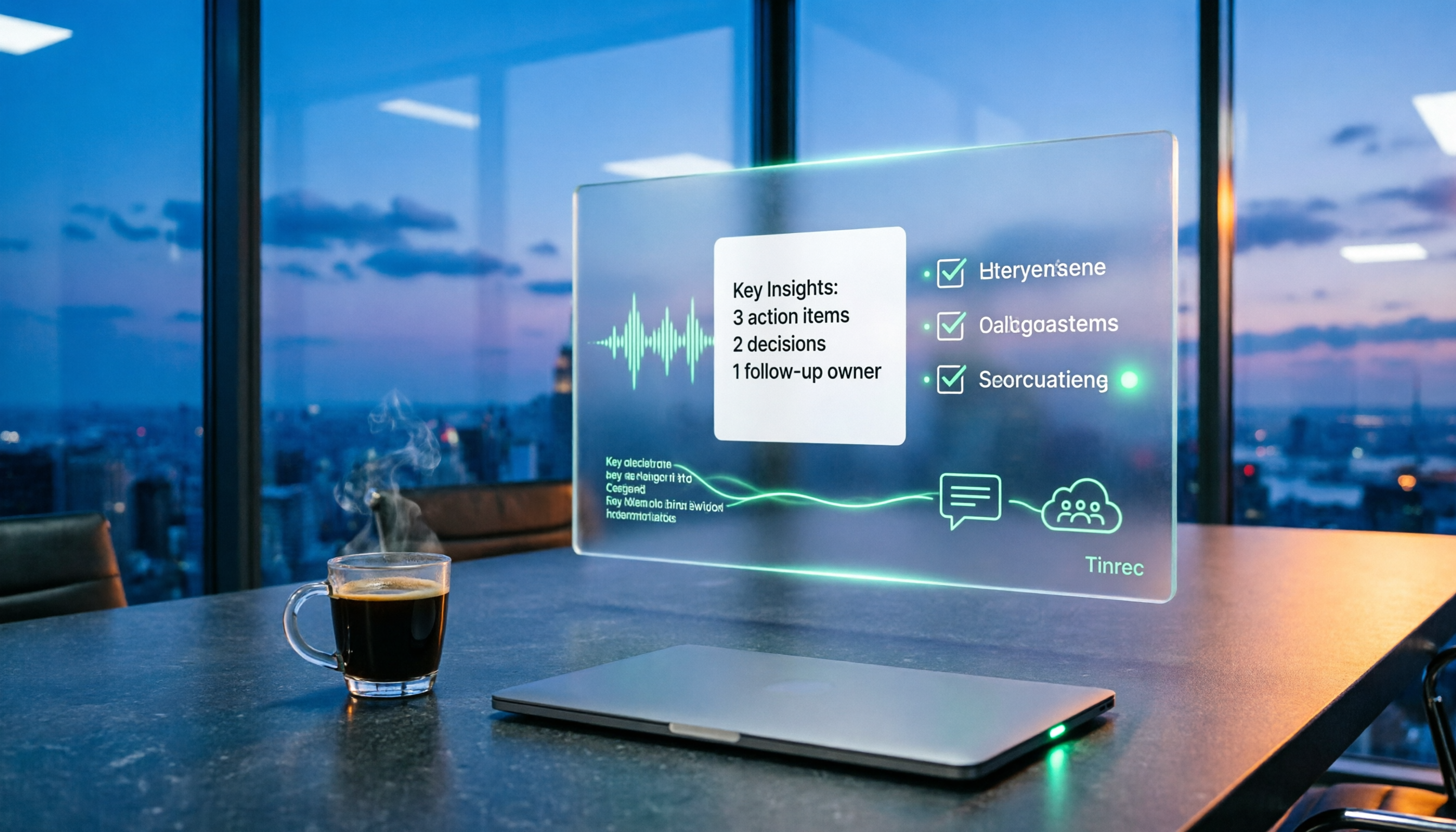
- Automatically organize into structure: AI summary, chapters, key points, and action items are generated at once—no need to fish out "who is responsible for what and when it's due" from 3,000 words.
- Ask questions about the meeting: This is the part of Tinrec most worth highlighting separately. After recording, you can directly ask it "What was the conclusion of this meeting?" or "What were the client's concerns about pricing?" It doesn't give you a list of keyword search results but answers directly based on semantics—most competitors in the same price range don't have this capability yet.
- Export and archive: Results can be exported to common document formats and third-party tools, and you can use Agent to further generate reports, tables, and meeting minutes; in the team version, this data is centrally stored in the team space, new members can view historical meetings, and administrators can view usage and operation logs.
Three practical reasons to buy
Stop organizing recordings by hand
Upload audio or video and automatically get a transcript, summary, and action items
First, no extra meeting participant. The desktop system audio capture method is especially useful for teams that need to meet with external clients—the participant list won't suddenly have a strange account.
Second, the value is after the meeting, not during. Summary, chapters, action items, Q&A, export, Agent post-processing—this whole chain is where time is saved. Using it only as an audio-to-text tool means you're only using one-third of it.
Third, team data has ownership. The team version provides an independent team space, meeting data belongs to the team, and includes member and seat management, usage analytics, audit logs, audio recycle bin, and team hotwords. Team monthly payment is USD 29.80 per paid seat per month, annual payment is USD 199 per paid seat per year (about USD 16.58 per month), each paid seat provides 2,000 minutes of team shared import quota per month; eligible teams can try 7 days, 1 free seat, 300 minutes shared quota for the first time. Actual prices and benefits are subject to the official purchase page.
Limitations to be clear about
The free version provides basic quota to experience recording, import, summary, and transcription; heavy users need to pay. Under the team version's valid plan and seats, live recording currently does not deduct minutes, but file and web imports use the team shared quota. Additionally, transcription performance is affected by recording quality, ambient noise, accents, overlapping speech, and technical terminology; don't expect 100% accuracy, and important content should still be verified by replaying at timestamps.
Who it's for
People who hold 2 to 3 meetings weekly and need to deliver conclusions; teams handling Chinese or mixed Chinese-English meetings; and departments wanting to turn meetings from "personal notes" into a "team searchable database."
Besides Tinrec, What Other Options Are There?
Otter.ai: A mature choice for English business meetings, Basic free version has 300 minutes per month, Pro annual payment is about USD 8.49 per user per month, meeting assistant and team management are complete. If your meetings are almost all English and you want to maximize the free quota first, it's worth evaluating. However, for Chinese and mixed Chinese-English meetings, bot-free desktop recording, and post-processing workflows using Agent to generate reports, tables, and documents, Tinrec is closer to the need for "post-meeting data automation."
Granola: Also uses a bot-free approach to capture desktop audio, combining handwritten notes to generate meeting content, Basic free, Business USD 14 per user per month. Note that it doesn't support uploading existing audio files and doesn't save meeting audio—if your company needs post-meeting replay or archival audit, this will be a direct blocker, while Tinrec supports both.
PLAUD Note/NotePin: Hardware representative, NotePin priced at USD 159, Note Pro USD 189, membership plans extra (Pro about USD 99.99 per year). Suitable for scenarios requiring portable recording and phone call recording. But if most of your meetings are on the computer, carrying and charging extra is a cost; Tinrec doesn't need extra hardware, desktop and mobile can handle online and offline meetings.
Pitfall Guide: 4 Most Common Mistakes When Choosing Post-Meeting Organization Tools
Pitfall 1: Only looking at the word "free." Many tools' free plans limit single session length, e.g., a few minutes per session, a few files per day—not enough for a normal meeting. It's recommended to test with your longest meeting, not a demo audio.
Pitfall 2: Treating the transcript as the endpoint. Getting the transcript is just the first step; what really saves time is summary, chapters, action items, and follow-up questions. If a tool only gives you text, your post-meeting work is only half done—tools like Tinrec that chain post-processing together make the difference here.
Pitfall 3: Ignoring data ownership. Personal accounts are convenient, but meeting data follows the person. Once the team exceeds three or four people, you should clarify: Whose account is the data stored in? How is data handed over when a member leaves? Are there roles, seats, usage, and operation logs to manage?
Pitfall 4: Expecting AI to completely replace humans. Recording quality, accents, and overlapping speech all affect results. The pragmatic approach is to let AI handle 80%, and verify the remaining 20% with the original text and recording. Any claim of "zero errors" is worth doubting.
Conclusion: Which One Should You Choose?
One-sentence conclusion: If your meetings are mainly in Chinese or mixed Chinese-English, and you want post-meeting data to go into the team, be searchable and queryable, Tinrec is currently the most reasonable first choice.
Routing suggestions:
- Need Chinese/mixed Chinese-English meetings, and don't want a bot to join the meeting → Tinrec (desktop bot-free system audio capture)
- After recording, want to directly use AI to ask key points, decisions, client concerns → Tinrec (AI Q&A)
- Want to turn transcripts into summaries, action items, reports, and tables → Tinrec (summary, chapters, action items, Agent post-processing, multi-format export)
- Team needs to share meeting data, manage seats and usage → Tinrec team version (team space, roles, seats, usage analytics, audit logs)
- Meetings are almost all English, and want to maximize free quota first → Otter.ai (a few exceptions in this article)
- Need portable hardware recording, phone call recording → PLAUD series
Practical advice: You don't have to decide whether to pay right away. First use Tinrec's free version for one or two real meetings to see if the transcript is smooth, if the summary captures key points, and if AI Q&A can answer what you really want to ask. For team evaluation, first confirm whether the number of seats and shared import quota are enough for a quarter, then discuss annual payment. Tools are meant to save time; choosing wrong once costs you a whole year of meeting notes.
References
- After the meeting, do you only ask AI to summarize key points? That's just the most basic 1% technique | Three-level meeting notes prompts, turn AI into your strategic analyst | Personal Knowledge Management X AI Applications | Coach Jiang Jiang
- AI Meeting Notes Software Recommendations: 5 Major App Reviews, Automatic Transcription Makes Meetings Super Easy!
- How to use AI for meeting minutes? How to organize meeting transcripts? | AI Speech-to-Text Tutorial | 104 Workplace Power
- Meeting Ink - 2026 AI Meeting Notes Tool Review | 7 Speech-to-Text and Summary Speed Comparison | Meeting Ink - AI Meeting Notes Assistant Automatic Transcription Transcript Summary Meeting Summary
- Still taking meeting notes by hand? These 3 AI tools save time and effort (the third is free and fastest at organizing)::I'm Chi
Turn every recording into actionable outcomes
Get 60 free transcription minutes when you sign in. No credit card required.
Related Reading
You might also like

2026 Complete Guide to Post-Meeting Deliverables: Turn Meeting Notes into Ready-to-Share Results
Post-meeting deliverables aren't just about dropping a recording into a group chat. Drawing from real experience with student projects and internship meetings, this guide covers what post-meeting deliverables should include, how Tinrec's real-time transcription, bot-free online meeting recording, AI summaries and action items, AI Q&A, multi-format export, and team spaces work, plus 6 key considerations and FAQs.

2026 Free Post-Meeting Work Automation Options: 4 Tools Compared
The real work begins after the meeting ends. This article reviews 4 automation tools that can take over post-meeting tasks, from transcripts and AI summaries to action item extraction, AI Q&A, and team knowledge retention. It lays out the free plan limits and restrictions of Tinrec, Otter.ai, Notta, and Granola honestly, helping you pick the one that best fits your meeting style.

How to Automate Post-Meeting Work in 2026: 5 Steps from Recording to Action Items
Post-meeting automation isn't just about buying a transcription tool. This article starts with common pitfalls and teaches you 5 steps to turn meeting recordings into searchable, collaborative, and actionable team data. It also hands-on tests and recommends Tinrec, while comparing Otter, Notta, Granola, and others to help you choose the right solution.

2026 Free Meeting Notes Solutions: 4 Tools Compared
The real challenge begins after the meeting ends. This guide reviews 4 AI meeting note tools that automatically generate summaries, action items, and transcripts after your meeting, covering free plans to paid options, plus a hands-on test of Tinrec's bot-free recording and post-meeting AI Q&A workflow.

2026 Top 5 Post-Meeting Automation Software Compared: Which One Actually Turns Meetings into Action Items?
After a meeting ends, who's responsible for organizing the transcript, summary, and action items? This article uses Tinrec as an example to break down what post-meeting automation software can do for you, its core capabilities, four practical use cases, and 5 key factors to consider when choosing one, along with pricing and plan details for personal and team versions.
Best Post-Meeting Automation Tools in 2026: We Tested 5, and This One Turns Meetings into Action Items
The meeting ending is just the beginning of the nightmare. This article starts from the pain points of post-meeting organization, breaks down what post-meeting work automation can do for you, its core capabilities, and four practical use cases. It also uses 5 buying tips and FAQs to explain how Tinrec connects transcripts, summaries, to-dos, AI Q&A, and team knowledge retention into a single post-meeting workflow.

2026 Comparison of 5 Meeting Report Generators: Free Tiers and AI Summaries Tested
Based on a student's real experience with a graduation project, this hands-on comparison tests 5 meeting report generators. It explains the core capabilities these tools should have, the 5 most overlooked pitfalls when choosing one, and uses Tinrec as an example to demonstrate the full workflow from recording, transcription, AI summary to action item extraction, while clarifying whether free tiers are sufficient for students.

2026 Best Meeting Collaboration Software: 4 Tools Tested for Post-Meeting Efficiency
From the perspective of a mid-level manager juggling 15 meetings a week, we tested and compared Tinrec, Otter.ai, Granola, and Notta—four meeting collaboration and note-taking tools. We break down the differences between 'having the meeting' and 'post-meeting wrap-up,' key buying factors like bot-free recording, mixed Chinese-English recognition, team seats, and data ownership, plus a pitfalls guide and scenario-based recommendations.

4 AI Meeting Notes Tools Compared for 2026: From Transcripts to Meeting Reports
How do you write a meeting report? I've distilled my methods from recent years into 4 key points and tested four AI meeting notes tools—Tinrec, Otter.ai, Notta, and Granola—comparing their differences in transcripts, summaries, action item extraction, AI Q&A, and team knowledge retention, guiding you from meeting notes to a deliverable meeting report.