
Turn recordings into transcripts and summaries in minutes
Upload audio or video for multilingual transcription, AI notes, and action items
2026 Complete Guide to AI Team Meeting Assistants: Auto-Generate Transcripts, Summaries & Action Items
I started working on my senior capstone project in the second semester of my junior year. Back then, our group had a fixed routine: four people met for two hours, talked enthusiastically, and before dispersing someone quickly typed three lines of conclusions in the group chat—then two weeks later at the next meeting, nobody remembered why we had rejected that one proposal. I even tried a dumber method: recorded the entire afternoon on my phone, went home and played it from the beginning, and by the 40-minute mark I was zoning out.
The biggest pitfall I fell into was thinking "AI team meeting assistant = throw a meeting bot into the room." It looks smart, but in reality when we had online meetings, the host often forgot to invite that account, or the link was changed last minute and the bot didn't get in; and some meetings simply didn't want an extra unfamiliar account hanging on the participant list. The second pitfall was thinking "having a transcript equals having meeting notes"—a transcript of over 10,000 words, would you really dig through it before an exam or presentation? The third pitfall was only looking at free quotas and not at "what can be done after transcription."
Later I switched to Tinrec and patched up these pitfalls: its desktop version directly captures computer system audio to record online meetings, without needing an extra bot to join; after the meeting it directly provides summaries, chapters, and action items; and you can also ask questions about the entire meeting. This article compiles my understanding from using it over the past year into a complete guide.
What Can an AI Team Meeting Assistant Do for You?
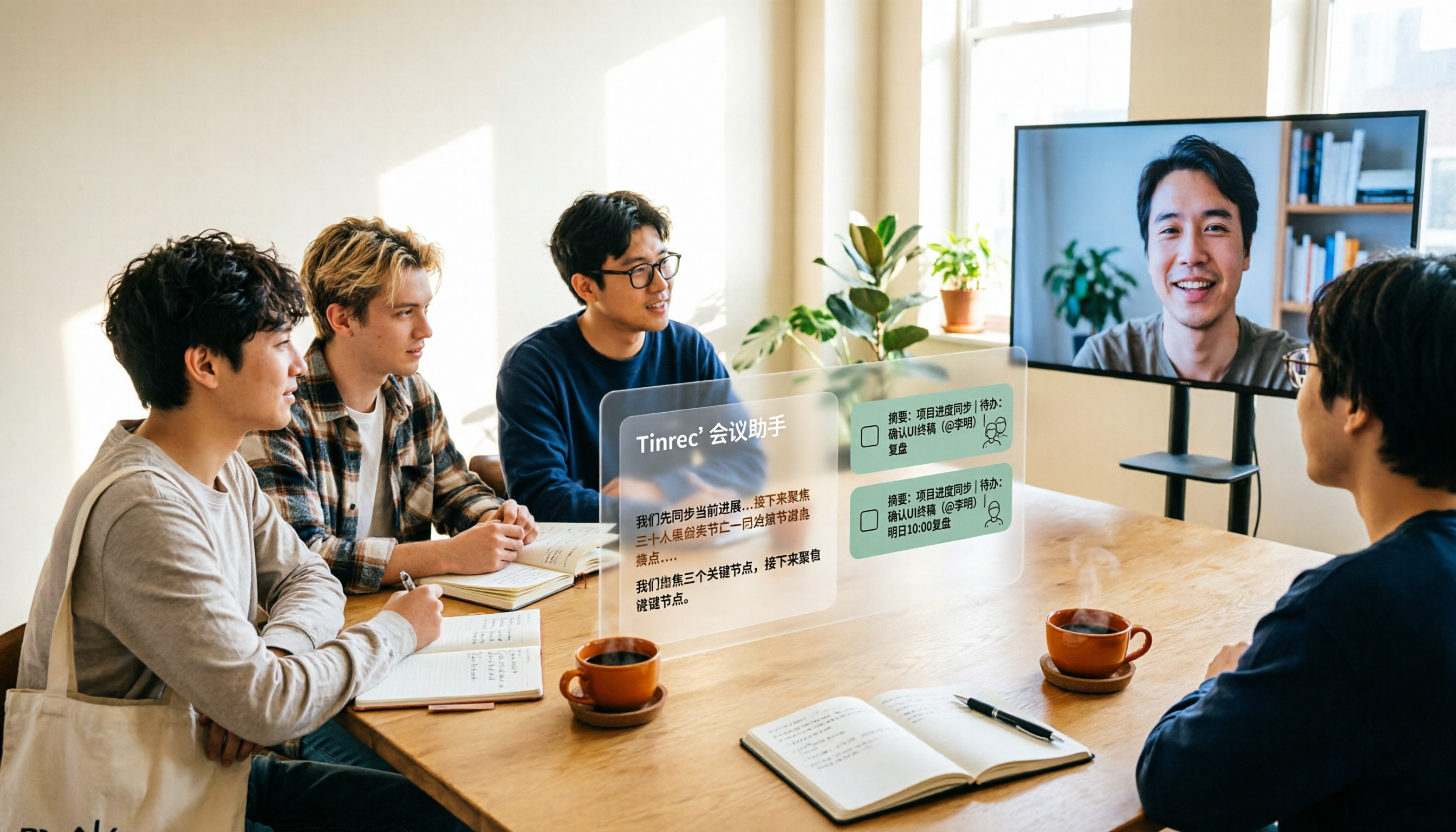
Scenario 1: After a group meeting, produce conclusions and task assignments within 5 minutes Previously, after project discussions, we'd spend another half hour replaying recordings and piecing together who was responsible for what. With Tinrec, for example, as the meeting ends, AI has already listed the summary, discussion conclusions, and action items—who's responsible for which item, when it's due, all clear at a glance, ready to paste into the group chat and start working.
Scenario 2: Online team meetings, no more sacrificing one person to take notes The worst part of remote meetings is "taking turns taking notes"—the note-taker can't focus on the discussion at all. Tinrec's desktop version captures the meeting audio played on your computer, generating a real-time transcript as the meeting goes on. You can simultaneously check on screen whether key points are missed, rather than relying on memory afterward.
Scenario 3: Class, lecture, and interview recordings become searchable data For in-person scenarios, use real-time recording. Tinrec transcribes as it records, and afterward you can directly search keywords in the transcript—no need to listen from the beginning for two hours to find "that formula the professor mentioned."
Scenario 4: Turn every meeting into a team knowledge base you can query This is the most critical value of the team version: meeting notes aren't left on someone's phone but centralized in the team space. New members can look back at historical meetings and directly ask questions about meeting content, instead of always asking "didn't we discuss this last time?"
What Are the Core Capabilities of an AI Team Meeting Assistant?
Bot-free online meeting recording Tinrec's desktop version directly captures the device's system audio, so it can handle meeting audio played on a computer from platforms like Zoom, Google Meet, Microsoft Teams, and Webex, without inviting an extra account to join the meeting. Note that this is not "automatically joining every meeting on your calendar"—you need to actively open Tinrec to start recording.
Real-time transcription and live translation Transcribes as it records, so you can see text during the meeting. For cross-language meetings, you can choose to view the original text, translation, or bilingual side-by-side, without waiting until after the meeting to translate.
AI summaries and chapters Tinrec doesn't just compress the transcript into a single paragraph; it organizes it into meeting topics, chapter structure, and discussion highlights. For a 90-minute meeting, you can grasp the outline within two minutes, and click back to the corresponding section for details.
Action item and task extraction Extracting "who needs to do what" from the discussion is the most easily overlooked part for student teams. Tinrec lists action items separately, providing a basis for follow-up tracking.
AI Q&A: Ask the meeting directly instead of rereading it After transcription is complete, you can directly ask questions about the meeting content, such as "What was the conclusion regarding the budget in this meeting?" or "What were the three concerns the client mentioned?" Tinrec answers based on semantic understanding and lets you verify against the original text yourself.
Post-meeting output and export Transcripts can be exported to common file formats and taken to tools like Notion, Google Docs, OneNote, and Dropbox for further editing; when formal delivery is needed, you can also use Agent post-processing to generate reports, tables, or meeting minutes documents.
Team space, roles, and seats The team version is not "several people sharing one personal account" but an independent team space: data belongs to the team, you can manage owners, admins, and regular members, and use seats to control who can record, upload, edit, and export. There are also team hotwords (add frequently used proper nouns from your department or company to improve recognition), usage analytics, and audit logs.
Stop organizing recordings by hand
Upload audio or video and automatically get a transcript, summary, and action items
Real-World Use Cases
Senior capstone and group presentations
Our group's routine was: use Tinrec desktop version to record Google Meet during discussions, then directly use the summary as meeting notes and paste the action item list into the group chat. When the advisor asked "where are the revisions from last time?" I'd directly search the transcript for keywords instead of asking teammates. For students, the free version's basic quota is enough for occasional discussions; if the project enters crunch time with three or four meetings a week, then consider a weekly pass or Pro.
Online courses and lectures
For a two-hour class, I'd start Tinrec real-time recording (for in-person classes, use the mobile app). Afterward, I'd use the chapter structure as a review outline, only read key sections before exams, and search for details when needed. Mixed Chinese-English course content can also be organized; when the professor uses English for proper nouns, it won't go completely off track.
Internships and team weekly meetings
The department where I interned had fixed weekly meetings covering last week's progress, next week's plans, and blocker discussions. These meetings most need "historical records"—Tinrec can centralize each week's records in one place, and when writing weekly reports or reviewing project progress, you can directly pull the data. If the team is large and you need to manage who can use it, the team version provides member, seat, and usage management; under the current plan design, paid seats provide 2,000 minutes of team shared import quota per month. Under an active team plan and seats, real-time recording is not deducted by the minute, while file imports use the shared quota.
Interviews and research
When doing user interviews, I'd use Tinrec to record and generate transcripts, then use AI Q&A to extract "the three recurring pain points." A reminder: you must obtain the interviewee's consent before recording, and important content should be verified against the original text.
6 Things to Note When Choosing an AI Team Meeting Assistant
1. Recording method: Does it need an extra bot? If your meetings often have last-minute links, external clients, or you don't want an extra account on the participant list, choose the desktop system audio capture approach. Tinrec's desktop version uses this mode and does not use a bot that joins as a participant.
2. What you can do after transcription is more important than how fast it transcribes Transcripts are just raw material. Confirm whether the tool can provide summaries, chapters, action items, Q&A, and export. Tinrec's design focus is exactly at this layer: from recording all the way to directly usable output.
3. Performance with Chinese and mixed Chinese-English Most courses and Taiwanese team meetings are primarily in Chinese with English terms mixed in. Tinrec covers Chinese, Traditional Chinese, and multilingual scenarios, and supports team hotwords. Actual results are affected by recording quality, noise, accents, multiple people talking over each other, and technical terminology. It's recommended to test a segment with your own recording first.
4. Team data ownership and permission design Distinguish between "roles" and "seats": roles determine who can manage the team, seats determine who can record, upload, edit, and export. In Tinrec's team version, data belongs to the team; even if a member graduates or leaves, the resources they were responsible for can be handed over to other active members and won't disappear with their personal account. Note that currently it's primarily team-level sharing, not file-level granular permissions.
5. Quota and billing method Don't just look at total minutes; look at "which type of usage deducts minutes." In Tinrec's team plan, real-time recording is not deducted by the minute under an active plan and seats, while file and web link imports use the team shared quota—this makes a big difference for teams that frequently hold online meetings. Prices and benefits may change; refer to the official purchase page before ordering.
6. Privacy and regulations Before recording and transcribing, please confirm compliance with local regulations and obtain participant consent when needed. Tinrec provides an audio recycle bin (currently retained for 30 days) and audit logs for team management and post-event tracking.
Frequently Asked Questions
Q1: Does an AI team meeting assistant need a meeting bot to join? Not necessarily. Tinrec's desktop version directly captures computer system audio, so no bot needs to join the meeting, and no unfamiliar account appears on the participant list. However, it requires you to actively start recording; it does not automatically record every meeting on your calendar.
Q2: Is the free version enough for students? It depends on how you use it. For occasional group discussions or single-class review, the free version's basic quota lets you test the waters; if you have three or four meetings a week, or record classes all semester, choose based on your needs: weekly pass (short-term intensive) or Pro monthly/annual (long-term stable).
Q3: How high is the transcription accuracy? It's not recommended to look at any fixed number. Accuracy depends on recording quality, noise, accents, overlapping speech, and technical terminology. The practical approach is to test with your own recording and add frequently used team terms to hotwords. Important content should still be verified against transcript timestamps and recording playback.
Q4: Can team members without a seat still see meeting data? Yes. In Tinrec's team version, active members without a seat can still view, play, and read team data; but a seat is required to record, upload, edit, and import/export.
Q5: After a member leaves, will meeting data be taken away? No. Team resources belong to the team. When a member leaves, is removed, or loses their seat, the team resources they were responsible for can be handed over to other active members.
Q6: Can deleted recordings be recovered? After team audio enters the recycle bin, it can be restored before permanent deletion; the recycle bin currently retains for 30 days. TODOs are not within the recycle bin scope, so be careful before deleting.
Q7: What meetings and files can it handle? For online meetings, Tinrec can handle audio played on a computer from Zoom, Google Meet, Microsoft Teams, Webex, etc.; it also supports real-time recording, audio/video file import, and mobile recording.
Conclusion
What an AI team meeting assistant really solves is not "turning sound into text" but "what remains for the team after the meeting ends." My own takeaway: start with the free version, pick a meeting you'll actually look back on and record it, and see if the summary, action items, and Q&A help; if you have more than three meetings a week, or you need to keep data with the team rather than on a personal phone, then consider Pro or the team version. Student teams, clubs, and project groups can first look at the team version's 7-day trial (1 free seat, 300 minutes of team shared import quota); companies or teams that need to manage members and usage should refer to the official purchase page for seats and pricing. Remember to obtain consent before recording—this is the most basic and most easily overlooked step.
References
- Meeting Ink - 2026 AI Meeting Notes Tool Hands-On Test | 7 Voice-to-Text and Summary Speed Comparison | Meeting Ink - AI Meeting Notes Assistant Auto-Transcribe Transcript Summarize Meeting Summary
- Top 5 Best AI Meeting Assistants of 2024 – meetXcc
- Organizing meeting notes is so painful? 5 NotebookLM "AI Note Transformation Techniques," accurately translating mixed Chinese-English and proper nouns | BusinessNext
- Meeting Ink - AI Meeting Notes Assistant Auto-Transcribe Transcript Summarize Meeting Summary
- 4 Smart Meeting Assistant Recommendations! Instantly Generate Meeting Notes, Summary Highlights, Meeting Recordings,... - Project Management Architecture and Project Description Learning | 104 Learning Elf
Turn every recording into actionable outcomes
Get 60 free transcription minutes when you sign in. No credit card required.
Related Reading
You might also like

2026 AI Meeting Tools Comparison: Tinrec vs Otter.ai for SMBs
A hands-on comparison of Tinrec and Otter.ai from an SMB perspective, covering Chinese transcription, bot-free recording, meeting knowledge base, post-meeting output, team governance, and budget to help you decide which fits better.

2026 Meeting AI Agent Comparison: Tinrec vs Granola — Which Is Better for Chinese-Speaking Teams?
What is a meeting AI agent? This article starts with common misconceptions, defines AI meeting agents, and then compares two bot-free meeting tools, Tinrec and Granola, across 4 dimensions: Chinese transcription, post-meeting Q&A, team knowledge retention, and pricing, to help you decide which fits your workflow.

Tinrec Review 2026: AI Meeting Q&A + Team Knowledge Base for Historical Meeting Records
Three months after a meeting, can you still find that one key conclusion? This article starts with the real pain of retrieving historical meeting records, breaks down 4 key buying factors, tests Tinrec's semantic Q&A, bot-free recording, and team data retention, and briefly compares who Otter.ai, Notta, and Granola are each best for, with a pitfall guide and scenario-based recommendations at the end.

Tinrec vs Otter.ai 2026: 5-Dimension Comparison for AI Meeting Agents in Chinese Scenarios
From a mid-level manager's practical perspective, this article breaks down common misconceptions about AI meeting agents and compares Tinrec and Otter.ai across 5 dimensions. It covers bot-free recording, Chinese transcription, post-meeting action items, AI Q&A, and team data retention to help you find a solution that truly saves post-meeting organization time.

2026 Top 5 Meeting Knowledge Management Tools Compared: Which One Turns Meetings into Usable Team Data?
Meeting's over, but the recording just sits on your phone? Using Tinrec as an example, this article walks you through 5 steps to turn meeting recordings into transcripts, summaries, and action items, then into searchable team knowledge assets. It also compares Otter, Granola, Notta, and TurboScribe, highlighting their differences and best use cases.

2026 Comparison of 2 User Interview Analysis Tools: Tinrec vs Otter.ai — Which Handles Chinese Interview Organization Better?
After user interviews, transcribing, extracting insights, and organizing action items take the most time. This article compares Tinrec and Otter.ai across recording capture, Chinese transcription, post-interview follow-up, audio file import, team knowledge retention, and pricing plans to help you decide which tool fits your interview workflow.

2026 Meeting Recording Knowledge Base Comparison: Why Tinrec Is the Top Notta Alternative
A meeting recording knowledge base isn't just about turning recordings into transcripts—it's about making every meeting searchable, queryable, and transferable. This article examines the decision points for team data retention and compares Tinrec vs. Notta on bot-free recording, AI Q&A, team spaces, and Chinese language experience, plus an overview of Tinrec's core features, use cases, and buying advice.

4 AI Meeting Transcription Tools Compared for 2026: Which One Actually Builds a Searchable Meeting Archive?
Spending all day in meetings and then overtime writing notes? This article approaches the decision from whether meeting content can be retained long-term, comparing four AI meeting tools. It covers five key factors to understand before choosing, hands-on experience with Tinrec's bot-free recording and AI Q&A, and four common pitfalls to help you find a meeting archive you can actually search later.

Team Knowledge Base vs. Meeting Notes in 2026: A 5-Dimension Comparison — The Difference Isn't Just Whether You Can Find It Again
Meeting notes and team knowledge bases are often treated as the same thing, but they differ in purpose, lifecycle, searchability, action linkage, and ownership. This article breaks down the differences across 5 dimensions and explains how to use Tinrec to turn scattered meeting notes into a searchable, queryable, and transferable team knowledge asset.