

Turn recordings into transcripts and summaries in minutes
Upload audio or video for multilingual transcription, AI notes, and action items
Monday morning, you're in an online meeting with your Hong Kong team, and they're rapidly discussing the budget in Cantonese. As you struggle to follow and jot down key points, you realize that while iPhone's built-in live translation supports Cantonese, it's mainly for calls and messages—meeting content still needs manual organization.
If you've faced a similar situation, this article will help you clarify: Can iPhone's built-in live translation handle Cantonese meetings? Compared to Tinrec, which is better for creating searchable, organized meeting notes?
Tinrec vs iPhone Built-in Live Translation | Quick Overview
Bottom line first: they serve different purposes. iPhone's built-in live translation focuses on "cross-language communication during conversations," while Tinrec focuses on "meeting notes and post-meeting organization."
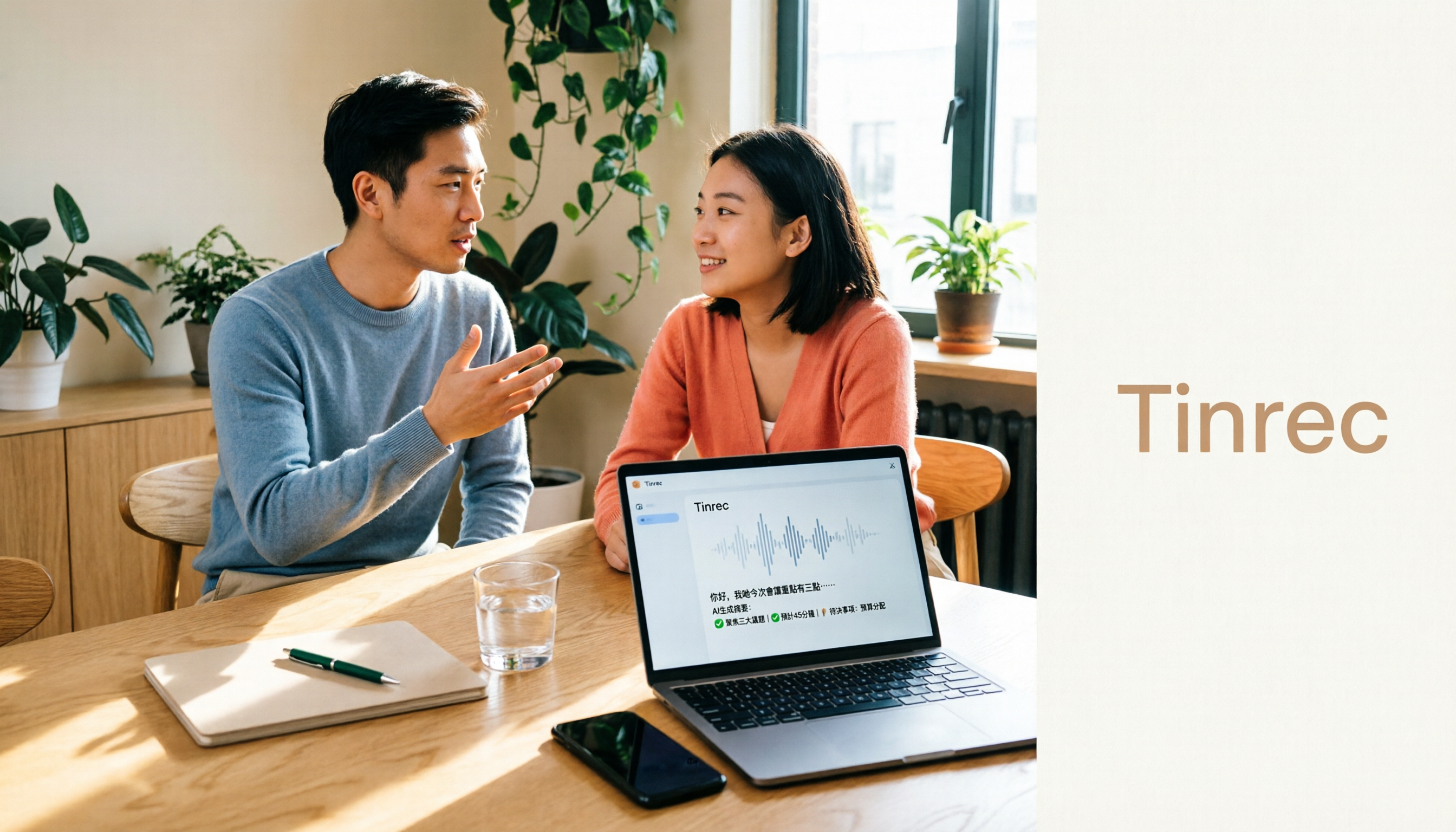
Tinrec is an AI meeting notes and collaboration tool for individuals and teams. It supports real-time speech-to-text, bot-free online meeting recording, live translation, and automatically generates summaries, chapters, action items, and mind maps.
iPhone's built-in live translation is an Apple Intelligence feature integrated into Messages, Phone, and FaceTime. With AirPods, it can translate conversations in real time. It runs entirely on-device, offering high privacy.
In terms of price, iPhone's built-in is free but requires iPhone 15 Pro or later, iOS 26.1 Beta, etc.; Tinrec has a free version with basic quota, and paid plans are subject to the official website.
This article compares: language support and activation, meeting transcripts, file import, team collaboration, and cross-platform use.
Dimension 1 | Activation and Limitations of Cantonese Live Translation
According to Apple support documents, iPhone's built-in live translation is integrated into Messages, Phone, and FaceTime, and supports languages including Chinese (Simplified, Traditional). However, to use Cantonese, according to PCM reports, you need to upgrade to iOS 26.1 Beta 1, set preferred language to "Traditional Cantonese" in Language & Region, select "Chinese (Cantonese - Hong Kong)" for Siri language, and download the language model while charging via USB; Hong Kong users also need a VPN. When using Cantonese, the ChatGPT link is paused. Additionally, AirPods live translation requires AirPods Pro 2, AirPods Pro 3, or AirPods 4 (ANC).
Tinrec supports real-time speech-to-text and live translation, allowing you to view the original text, translation, or bilingual during recording. The product description mentions coverage of Chinese, Traditional Chinese, and multilingual meeting scenarios, but does not specifically mention Cantonese. No Beta or VPN required; just install the app on your iPhone.
→ In this dimension: If you're already in a Beta environment and mainly use calls, iPhone's built-in can suffice; but if you need real-time meeting transcription without hassle, Tinrec's activation process is more straightforward. In meeting scenarios, Tinrec has a slight edge.
Dimension 2 | Meeting Transcripts and Post-Meeting Organization
iPhone's built-in live translation provides call subtitles and message translation, but does not generate transcripts, summaries, chapters, or action items. After the call, there's no structured meeting record, and you can't ask questions about the content.
Tinrec transcribes speech to text in real time, automatically generates AI summaries, chapters, key points, and action items, supports AI Q&A, can export in multiple formats, and can use Agent to generate reports, tables, and documents. After the meeting, you get more than just a transcript—you get usable data.
→ In this dimension: Tinrec clearly wins.
Dimension 3 | File Import and Historical Meeting Management
iPhone's built-in live translation cannot import audio or video files for translation, nor does it have a historical meeting database to review past meetings. It handles real-time communication, not accumulated meeting assets.
Tinrec supports uploading audio and video files for transcription, manages historical meetings, and can import some public videos via web links. All meetings are centrally stored, searchable, and you can continue to ask questions.
Stop organizing recordings by hand
Upload audio or video and automatically get a transcript, summary, and action items
→ In this dimension: Tinrec wins.
Dimension 4 | Team Collaboration and Permission Management
iPhone's built-in live translation has no team space, cannot share meeting notes or manage member permissions. It's suitable for personal communication, not for team accumulation of meeting content.
Tinrec's team version provides independent team spaces, allows creating and switching multiple teams, inviting members, setting owners, admins, and regular members, assigning seats, sharing meeting data, viewing usage analytics, audit logs, and using audio recycle bin. Meeting data belongs to the team, and resources can be handed over when members change.
→ In this dimension: Tinrec wins.
Dimension 5 | Cross-Platform and Use Cases
iPhone's built-in live translation is limited to Apple devices, requires iPhone 15 Pro or later, and some features need hardware like AirPods Pro. It's suitable for real-time translation in calls, messages, and FaceTime.
Tinrec can be used on web, desktop, and mobile. The desktop version can record online meetings on Zoom, Google Meet, Microsoft Teams, Webex, etc., without a meeting bot. It also supports file upload and mobile recording, covering both offline and online scenarios.
→ In this dimension: Tinrec wins.
What Are the Unique Advantages of Each?
Tinrec's unique advantages:
- Bot-free online meeting recording: Desktop version captures system audio without adding participants.
- Post-meeting AI Q&A and action item extraction: Ask follow-up questions about meeting content, automatically organize action items.
- Team space and governance: Roles, seats, usage, audit, making meeting data a team asset.
- Multi-format export and Agent post-processing: Generate reports, tables, documents, export to Notion, Google Docs, etc.
iPhone's built-in live translation unique advantages:
- Built-in free: No extra cost, deep integration with iPhone and AirPods.
- On-device processing for high privacy: Conversation content is processed on-device, ensuring privacy.
Conclusion: Which Should You Choose?
• If you only need real-time Cantonese translation in iPhone calls or messages, and already meet Beta conditions → iPhone built-in is enough. • If you need to transcribe meetings, interviews, or class recordings into transcripts and organize key points → Tinrec. • If you need to share meeting notes and manage permissions with your team → Tinrec team version. • If you don't want to use Beta or VPN and want to directly process meeting recordings → Tinrec (recommend testing Cantonese with the free version first).
In one sentence: For most users who need meeting notes, Tinrec is a more complete choice. We recommend downloading Tinrec's free version and testing with your own recordings.
FAQ
Q1: Does iPhone live translation support Cantonese? A1: According to Apple support, live translation supports languages including Chinese (Traditional). To use Cantonese, according to PCM reports, you need iOS 26.1 Beta 1 and set preferred language to "Traditional Cantonese," etc.
Q2: What are the requirements for using iPhone live translation? A2: Requires iPhone 15 Pro or later, iOS 26.1 Beta 1, set "Traditional Cantonese" and Siri language, download language model while charging via USB, Hong Kong users need VPN. AirPods live translation requires AirPods Pro 2/3 or AirPods 4 (ANC).
Q3: Does Tinrec support Cantonese? A3: Tinrec supports Chinese, Traditional Chinese, and multilingual meeting scenarios, and provides live translation. For dedicated Cantonese support, we recommend trying the free version to confirm actual performance.
Q4: Is Tinrec's free version enough? A4: The free version provides basic quota, allowing you to experience recording, import, summary, and transcription. If you have regular weekly meetings, consider the Pro plan.
Q5: How is Tinrec's team version billed? A5: Team monthly is USD 29.80 per paid seat per month, annual is USD 199 per paid seat per year, equivalent to about USD 16.58 per month. Eligible teams get a 7-day trial, 1 free seat, and 300 minutes of shared import quota. Actual prices are subject to the official website.
Q6: Can I use both together? A6: Yes. iPhone built-in is good for real-time call translation, Tinrec is good for meeting notes and post-meeting organization. They complement each other.
#iPhoneLiveTranslation #Cantonese #Tinrec #MeetingNotes #SpeechToText #AppleIntelligence
Author: Pseric (Free Resource Network Community)
References
- Use Live Translation on iPhone - Apple Support (Taiwan)
- Apple Intelligence Finally Supports Cantonese iOS 26.1 Live Translation Tutorial - PCM
- iOS18 Adds Cantonese Speech-to-Text for Real-Time Transcription and Call Translation – KongHub
- Translate Messages, Calls, and Conversations on iPhone - Apple Support (Taiwan)
- Voice Translation - iPhone and iPad - Google Translate Help
Turn every recording into actionable outcomes
Get 60 free transcription minutes when you sign in. No credit card required.
Related Reading
You might also like

5 Free Speech-to-Text Apps Tested and Compared for 2026: Which Free Version Is Actually Good Enough?
How do you choose a free speech-to-text app? This article tests and compares the free tiers, Chinese recognition, and post-meeting organization capabilities of Tinrec, Otter.ai, Notta, TurboScribe, and Yating Transcript, and provides buying criteria and pitfalls to avoid, helping you find the free plan that suits you best.

Free Speech-to-Text Tools in 2026: Free Tiers and AI Summaries Explained
Many people ask about free speech-to-text tools, but few explain how far the free versions actually go. This guide covers four key points: free quotas, Chinese recognition, post-meeting organization, and use cases. It compares Tinrec, Otter.ai, Notta, and TurboScribe with hands-on testing, plus practical tips to avoid pitfalls and selection advice.

2026 Real-World Comparison of 2 Live Translation Tools: iOS 26.1 Cantonese vs Tinrec Meeting Notes — Which Should You Choose?
iOS 26.1 finally supports Cantonese Apple Intelligence and AirPods live translation, but face-to-face translation and meeting notes are two different things. This article compares iOS 26.1 built-in features with Tinrec in terms of meeting transcripts, post-meeting summaries, bilingual translation, team collaboration, and pricing to help you decide which is better for your use case.

2026 Free Cantonese Speech-to-Text Options: 5 Tools Compared
Cutting through two common pitfalls—fake free plans and Mandarin models forced onto Cantonese—this guide reviews the free quotas and use cases of 5 Cantonese speech-to-text options. It also covers Tinrec's real-world performance in language coverage, cross-platform support, AI summary Q&A, bot-free meeting recording, and team collaboration, ending with free trial advice for students.
5 Best Audio-to-Text Apps for Cantonese Transcription in 2026: Which One Actually Works?
Turning Cantonese meetings, interviews, and lectures into transcripts can waste hours if you pick the wrong tool. This 2026 guide compares top audio-to-text apps on Cantonese models, spoken-to-written conversion, post-meeting AI summaries, and team collaboration. It also covers how Tinrec performs with bot-free online meeting recording, AI Q&A, and team knowledge retention—so you can choose the one that saves the most time.

2026 AirPods Live Translation Cantonese Buying Guide: 4 Tested Options and Recommendations
Can AirPods Live Translation actually translate Cantonese? This guide starts with the most common misconceptions, covers supported models, language downloads, and regional restrictions, then compares four options hands-on: AirPods Live Translation, Tinrec, Notta, and PLAUD, helping you decide whether you need an earbud feature or a meeting notes tool.

Best Audio-to-Text Apps in 2026: 4 Tested, Tinrec Most Accurate for Cantonese
For iPhone users who want to turn Cantonese recordings into text, there's more than one way. This article breaks down 4 solutions available on iPhone: built-in Voice Memos, Cantonese.ai, Notta, and Tinrec. It compares Cantonese accuracy, post-meeting organization, and cross-platform sync to help you choose the right tool and stop wasting time typing transcripts.

4 Best iPhone Cantonese Real-Time Translation Solutions in 2026: Built-in, AirPods, and AI Meeting Notes Compared
How to choose an iPhone Cantonese real-time translation solution in 2026? This article compares iPhone built-in translation, AirPods real-time translation, Tinrec, Notta, and Otter.ai, covering Cantonese support in iOS 18 and iOS 26.1, key buying factors, pitfalls to avoid, and scenario recommendations.

Apple Intelligence vs Tinrec: Cantonese Real-Time Translation Comparison 2026
Apple Intelligence supports Traditional Chinese and Cantonese after iOS 26.1, with real-time translation integrated into Messages, FaceTime, Phone, and AirPods, but phone and AirPods voice translation still primarily uses Mandarin. This article compares Apple Intelligence and Tinrec in Cantonese translation, meeting transcripts, post-meeting organization, team collaboration, and cross-platform export to help you decide which one to choose.