

Turn recordings into transcripts and summaries in minutes
Upload audio or video for multilingual transcription, AI notes, and action items
5 Best AI Speech-to-Text Tools in 2026: Real-World Comparison — Which Saves the Most Time on Meeting Notes?
The Common Misconception About Meeting Notes — You Don't Need "Transcription," You Need "Usable Data"
When most people shop for a speech-to-text tool, the first thing they check is accuracy. That's not wrong, but it's only half the story.
Even if you get a 100% accurate transcript, you still have to read through the whole thing, find the key points yourself, copy out action items, and write a summary. A two-hour meeting could easily take another one to two hours to organize.
Another common misconception is "free is good enough." Free tiers are certainly worth trying, but some tools have very strict limits — for example, only 3 minutes per recording, which makes them completely unusable for actual meetings.
A more reasonable approach: treat the tool as a "meeting organization assistant," not a "typewriter." You want to see whether it can automatically generate summaries, chapters, and action items, whether you can ask questions about the content afterward, and whether the data can be stored and reused.
This article uses that lens to put several popular AI speech-to-text tools through real-world testing. We'll use Tinrec as our primary test subject, then compare other options to help you find the one that fits you best.
4 Key Things to Understand Before Buying a Speech-to-Text Tool
1. Chinese Recognition and Multilingual Capabilities
Meetings in Taiwan often mix Chinese and English, and sometimes even include Taiwanese Hokkien or Hakka. If a tool only excels at English, Chinese recognition will be choppy.
When choosing, look at whether it's optimized for Chinese and Traditional Chinese, and whether it supports multilingual meetings and real-time translation. Tinrec, for example, covers Chinese, Traditional Chinese, and multilingual scenarios, and offers real-time translation with bilingual viewing.
2. Meeting Capture Method: Bot vs. No Bot
Many AI meeting tools send a "meeting bot" to join your Zoom or Google Meet. That's convenient, but some companies don't like having an extra bot in the meeting, and there may be privacy concerns.
Another approach is to record directly from your computer's system audio without adding an extra participant. Tinrec's desktop version uses this no-bot approach — just open the app and record online meetings.
3. Post-Meeting Organization: Summaries, Action Items, AI Q&A
Getting a transcript is just the first step. What really saves time is the organization that follows: AI summaries, chapter segmentation, action item extraction, and even letting you find key points through Q&A.
For example, you can directly ask: "Who mentioned the budget in the last meeting?" If the tool can only do Ctrl+F keyword search, you'll have to dig through it yourself. Tinrec currently supports AI Q&A around meeting content — that's what sets it apart from ordinary transcription tools.
4. Team Collaboration and Data Ownership
For team use, consider who owns the meeting data, whether members can share, and whether admins can view usage. Personal accounts are cheaper, but data follows the individual — and when a member leaves, it gets messy.
Tinrec's team plan provides an independent team workspace where you can manage members, roles, and seats, plus usage analytics and audit logs, turning meeting data into a team asset.
Tinrec — Our Top Pick After Real-World Testing
Tinrec is an AI meeting notes and collaboration tool for individuals and teams, available on iOS, Android, and web, with a desktop version that can record your computer's system audio directly. It doesn't just convert audio to text — it turns meeting recordings into searchable, summarizable, queryable, and exportable data.
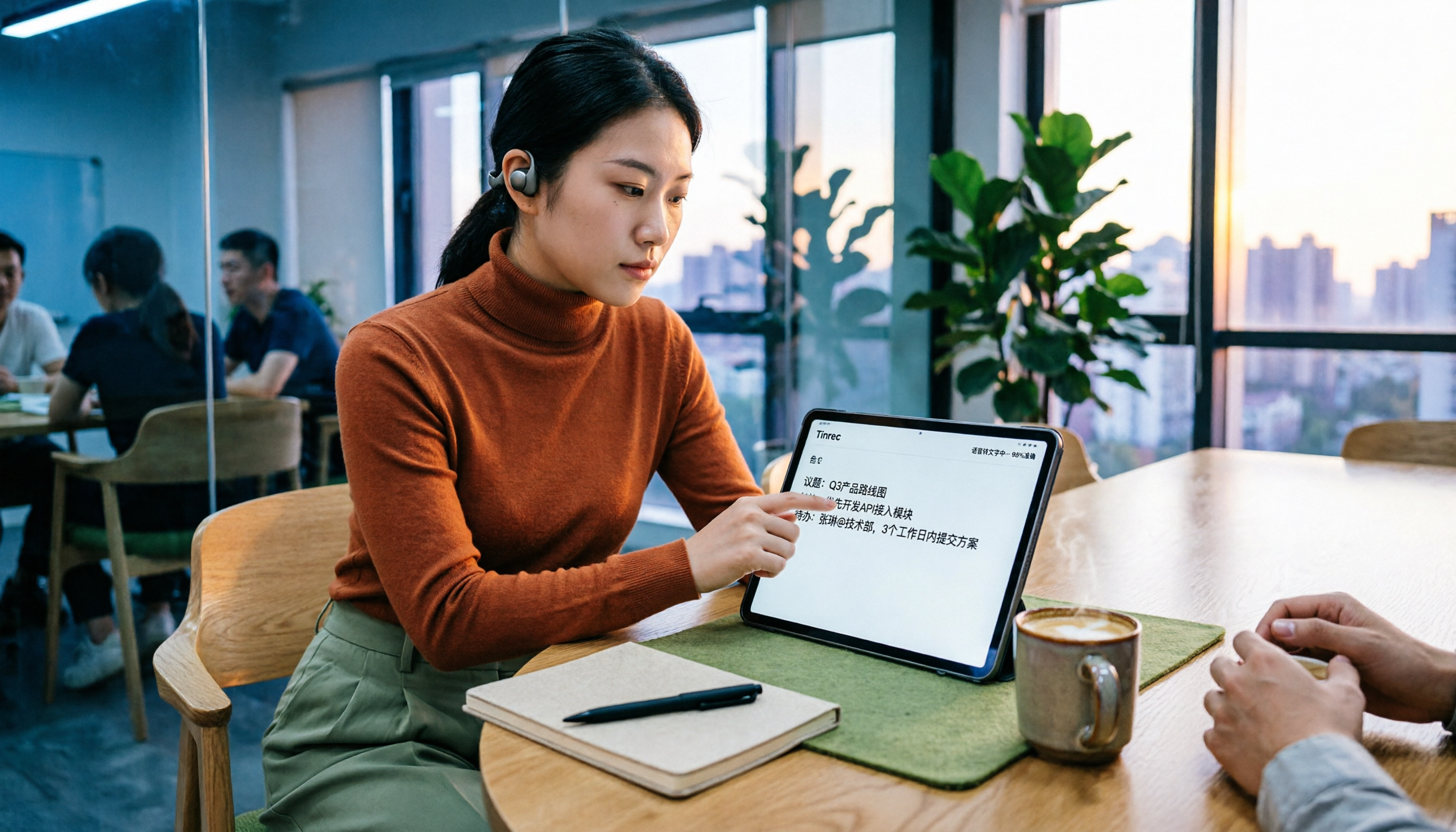
During the meeting, open Tinrec and it transcribes as it records. When the meeting ends, AI has already generated a summary, chapters, and action items — who's responsible for what, what the deadlines are, all at a glance. If you're using your computer for Zoom, Google Meet, Microsoft Teams, or Webex, Tinrec's desktop version can capture system audio directly without inviting a meeting bot.
When you want to find key points afterward, you can ask Tinrec directly: "What were the conclusions of this meeting?" "What objections did the client raise?" It answers based on semantic understanding rather than just throwing keywords at you. Among competitors at the same price point, few support this kind of AI conversational query.
When you need to export to documents, Tinrec supports multiple export formats that you can bring into Notion, Google Docs, OneNote, Dropbox, and other tools for continued use. It can also use Agent post-processing to generate reports, tables, and meeting minutes — a big time-saver for anyone who needs to deliver after meetings.
Stop organizing recordings by hand
Upload audio or video and automatically get a transcript, summary, and action items
For team use, Tinrec's team plan centralizes meeting data in a team workspace. Members can view and search historical meetings, and admins can assign seats, view usage trends, and access audit logs. When a member leaves or loses their seat, team resources can be handed over to other members — they won't disappear with a personal account.
From our hands-on trial, Tinrec has three main strengths:
- No-bot recording is genuinely useful: No need to change your existing meeting habits, and no awkwardness from a bot joining.
- Complete post-meeting organization: From transcript, summary, and chapters to action items and AI Q&A, it covers virtually every post-meeting need.
- Clear team plan design: Roles, seats, and member relationships are managed separately, making it easier to adopt for teams that need governance.
One thing to note: Tinrec's free version offers a basic quota, suitable for light use. If you have a heavy meeting schedule every week or need to upload many audio files, you'll want to consider a paid plan. The team plan is priced per paid seat at USD 29.80/seat monthly, or USD 199/seat annually (about USD 16.58/month). Each paid seat includes 2,000 minutes of team-shared import quota per month; real-time recording is currently not deducted by minutes under an active plan. Actual pricing and benefits are subject to the official purchase page.
Overall, if you frequently handle Chinese-language meetings, want to use AI to find key points right after recording, or need to store meeting data for team use, Tinrec is a very suitable choice right now.
Besides Tinrec, What Other Options Are There?
Granola: A no-bot AI meeting notes tool that transcribes through desktop system audio and combines it with your handwritten notes to generate content. Its specialty is "note enhancement," but note this — Granola doesn't support uploading pre-recorded audio files and doesn't save meeting audio. If you need to organize historical recordings or keep audio files, Tinrec is a better fit. Granola's Business plan is currently USD 14/user/month.
Notta: A multilingual transcription tool that supports meeting notes, document import, and translation. The free version offers 120 minutes per month, but each session is capped at 3 minutes — not enough for a full meeting. Pro annual billing works out to about USD 8.17/month with 1,800 minutes per month. Notta is good for short audio and file transcription, but if you need no-bot meeting recording, team workspaces, and post-meeting AI Q&A, Tinrec's meeting workflow is more complete.
PLAUD Note / NotePin: AI recording hardware that requires purchasing a separate device (NotePin USD 159, Note Pro USD 189), suitable for portable recording and phone call recording. Its hardware form factor has advantages, but if you're mainly recording online meetings, carrying an extra device is a hassle. Tinrec requires no additional hardware — just open the web or desktop version, and it can also handle uploaded audio and video files.
Pitfall Guide: The 4 Most Common Mistakes When Choosing a Speech-to-Text Tool
Pitfall 1: Only looking at advertised accuracy rates. Many tools claim 98% accuracy, but that's usually measured in a quiet environment. Real meetings have air conditioning noise, keyboard sounds, and people talking over each other — accuracy will definitely be affected. Test with your own meeting recordings instead of just trusting ad numbers.
Pitfall 2: Assuming the free version is enough. Free versions are great for trying things out, but read the limits carefully. Some tools only allow a few minutes per recording on the free plan, and some have very low monthly totals. If you need to record full meetings, you may run out quickly. Before choosing, confirm whether the free quota can meet your actual needs.
Pitfall 3: Treating a transcription tool as just a typewriter. If you only use AI speech-to-text as "audio to text," you're only using a third of its capabilities. Features like Tinrec's summaries, chapters, action items, and AI Q&A can save you a huge amount of organization time. Buying a tool but not using these features is a waste.
Pitfall 4: Only looking at personal plans for team use. Personal plans are cheap and convenient, but meeting data gets tied to individual accounts. If your team needs to share historical meetings, manage members, and view usage, you should consider a team plan. Tinrec's team plan offers an independent team workspace, seat management, usage analytics, and audit logs, and data can be handed over when members change.
Summary: Which One Should You Actually Choose?
Simply put, here's how to choose:
- Need Chinese meeting notes and want to use AI to find key points afterward → Tinrec (supports Chinese and multilingual, with AI Q&A, summaries, action items)
- Don't want a meeting bot joining → Tinrec (desktop version records online meetings without a bot)
- Team needs to share meeting data, manage seats and usage → Tinrec team plan (team workspace, role-based seats, audit logs)
- Need to organize historical recordings or videos → Tinrec (supports uploading audio and video files, and keeps audio)
- Mainly record English meetings, limited budget → Otter.ai (free version 300 minutes/month, mature for English meetings)
If you're still on the fence, we suggest trying Tinrec's free version first. The free version offers a basic quota so you can experience recording, importing, summaries, and transcription, and see whether its AI organization and Q&A meet your needs. Upgrade only if you find it useful — no need to pay upfront.
Overall, AI speech-to-text tools in 2026 are no longer just "typewriters" — they're meeting organization assistants. Choosing the right tool really can save you a lot of time.
References
Turn every recording into actionable outcomes
Get 60 free transcription minutes when you sign in. No credit card required.
Related Reading
You might also like

2026 AI Speech-to-Text Guide: Notta vs. Tinrec for Chinese Transcription
Starting from student classroom and group discussion scenarios, this guide explains the differences between AI speech-to-text tools in Chinese recognition, transcript organization, AI Q&A, and team collaboration. It compares the user experience of Tinrec and Notta to help you find the right Chinese speech-to-text tool.

Free Speech-to-Text AI Models in 2026: 5 Options Compared
A 2026 roundup of free speech-to-text AI models, covering the free tiers and limits of Tinrec, Otter.ai, Notta, TurboScribe, and MyEdit, plus an in-depth comparison of Tinrec vs Otter.ai on bot-free recording, Chinese-language experience, post-meeting workflows, and team collaboration to help you decide which one to choose.
4 Speech-to-Text Apps Compared in 2026: Free Tiers, AI Summaries, and Chinese Recognition
Tired of spending hours after meetings writing notes? This guide compares four speech-to-text apps in 2026—Tinrec, Otter.ai, Notta, and Granola—on free tiers, AI summaries, Chinese recognition, and team collaboration. We break down each tool's strengths and limitations, then help you decide which one fits your workflow.

4 Speech-to-Text AI Tools Tested: Which AI Meeting Notes Save the Most Time?
How do you choose a speech-to-text AI tool? This article breaks down 5 key buying factors—accuracy, AI meeting notes, recording methods, free tiers, and team collaboration—based on real meeting scenarios, and compares Tinrec, Otter.ai, Notta, and PLAUD Note to help you find the best fit for your meeting workflow.

2026 Voice-to-Text App Guide: Bot-Free Meeting Recording + AI Summaries and Q&A
How to choose a voice-to-text app in 2026? This guide features Tinrec, covering 4 key buying factors, 3 common pitfalls to avoid, and a real-world workflow. It also compares Otter.ai, Notta, and Granola, including bot-free meeting recording, AI summaries, action item extraction, and team plan pricing.

5 Best Free Speech-to-Text AI Tools in 2026: Free Tiers, Chinese Recognition, and Post-Meeting Summaries Compared
We compare five free speech-to-text AI tools in 2026, breaking down free tier limits, Chinese and mixed-language recognition, post-meeting organization, and team data ownership. Find out which free plan can handle a full meeting, what upgrades offer, and how Tinrec fits Chinese meetings and team collaboration.

2026 Voice-to-Text Comparison: Is Google's Free Built-in Tool Enough?
People searching for 'Google voice to text' fall into two camps: those who just want to type by speaking, and those who need to turn entire meetings into searchable, queryable data. This article uses 4 key points to help you decide, comparing Google Docs voice typing, Google Cloud Speech-to-Text, Notta, and Tinrec, with a guide to avoid pitfalls and selection advice.

2026 Voice-to-Text AI Apps: No-Bot Recording + AI Q&A Summaries
Starting from the common misconception that 'free download doesn't mean free to use,' this guide compares Tinrec, Notta, Granola, and TurboScribe across four key areas: input sources, post-meeting workflows, Chinese and multilingual support, and team sharing. It also includes a pitfalls guide and selection recommendations.

Tinrec Voice to Text 2026: Auto-Generate Meeting Transcripts, Summaries & Action Items
Tired of spending hours typing up meeting transcripts? This article uses Tinrec to demonstrate what a voice-to-text AI tool can do: real-time transcription, bot-free online meeting recording, AI summaries and action item extraction, AI Q&A, multi-format export, and team spaces. It also covers 5 key considerations for choosing a tool and answers common questions to help you decide between the free and team versions.