

Turn recordings into transcripts and summaries in minutes
Upload audio or video for multilingual transcription, AI notes, and action items
The Real Pain Begins After the Meeting Ends
It's 2 PM on a Wednesday, and a two-hour cross-departmental meeting just wrapped up. You return to your desk, open your notebook, and realize you only wrote three lines. Ten minutes later, your manager asks in the group chat: "Who was responsible for that decision? What's the timeline?"
This is a daily reality for many office workers. During the meeting, you need to listen, think, and speak—there's no time to take notes. After the meeting, you can only piece things together from memory or listen to an hour-long recording from start to finish just to find one key conclusion.
If the meeting is mixed Chinese-English, the pain doubles. When speakers switch languages, proper nouns in the recording are often unclear, and you end up spending even more time verifying them afterward.
There's another problem when teams use these tools. Meeting recordings are stored on personal phones or cloud accounts, so colleagues can only DM you to access the data. If someone leaves the company, those meeting records disappear with them.
These situations aren't about "not being good at taking notes"—it's about not choosing the right tool. Below, I've compiled several AI meeting minutes tools I've personally tested, including feature differences, pricing, and which one to choose for which scenario.
5 Key Points to Understand Before Choosing an AI Meeting Minutes Tool
1. How meeting audio enters the system The most common method is the "meeting bot" mode: the tool joins the online meeting as an extra account. It's convenient, but some companies don't like having a stranger's account in the meeting room. Another method is a desktop app that directly captures your computer's system audio—no need to add anyone, but you must remember to manually start recording.
2. Chinese and mixed Chinese-English recognition experience Meetings in Taiwan rarely use only one language from start to finish. Product names, technical terms, and English slides are interspersed. Whether a tool can handle this mixed content is more important than the accuracy rate stated in official specs. I recommend testing it directly with a real meeting recording from your own company.
3. What comes after the transcript A transcript is just raw material. What really saves time is the summary, chapters, action items, and the ability to ask questions directly about the meeting content. A tool that only gives you a transcript is essentially handing the organizing work right back to you.
4. Where meeting data ultimately resides Personal accounts and team spaces are two different things. Team spaces usually come with members, roles, seats, usage limits, and audit logs; personal plan data follows the account. As your team grows, this point becomes more important than the feature list.
5. How pricing works and whether the quota is enough There are three common pricing models: free quota, minute-based plans, and seat-based team plans. First, calculate roughly how many hours of meetings you have per month, then look at the plans—so you don't buy something you won't use or that isn't enough.
Tinrec — Our Top Pick After Testing
Tinrec is an AI meeting recording and collaboration tool for individuals and teams. It supports real-time recording, online meetings, audio/video file import, and mobile recording, and works on web, desktop, and mobile.
Record online meetings without a meeting bot. This is what sets it apart from many similar tools. The Tinrec desktop app directly captures your computer's system audio, so when handling Zoom, Google Meet, Microsoft Teams, Webex, and other meetings, you don't need to invite a bot account. Note that it doesn't automatically join all meetings on your calendar—recording must be initiated manually by the user.
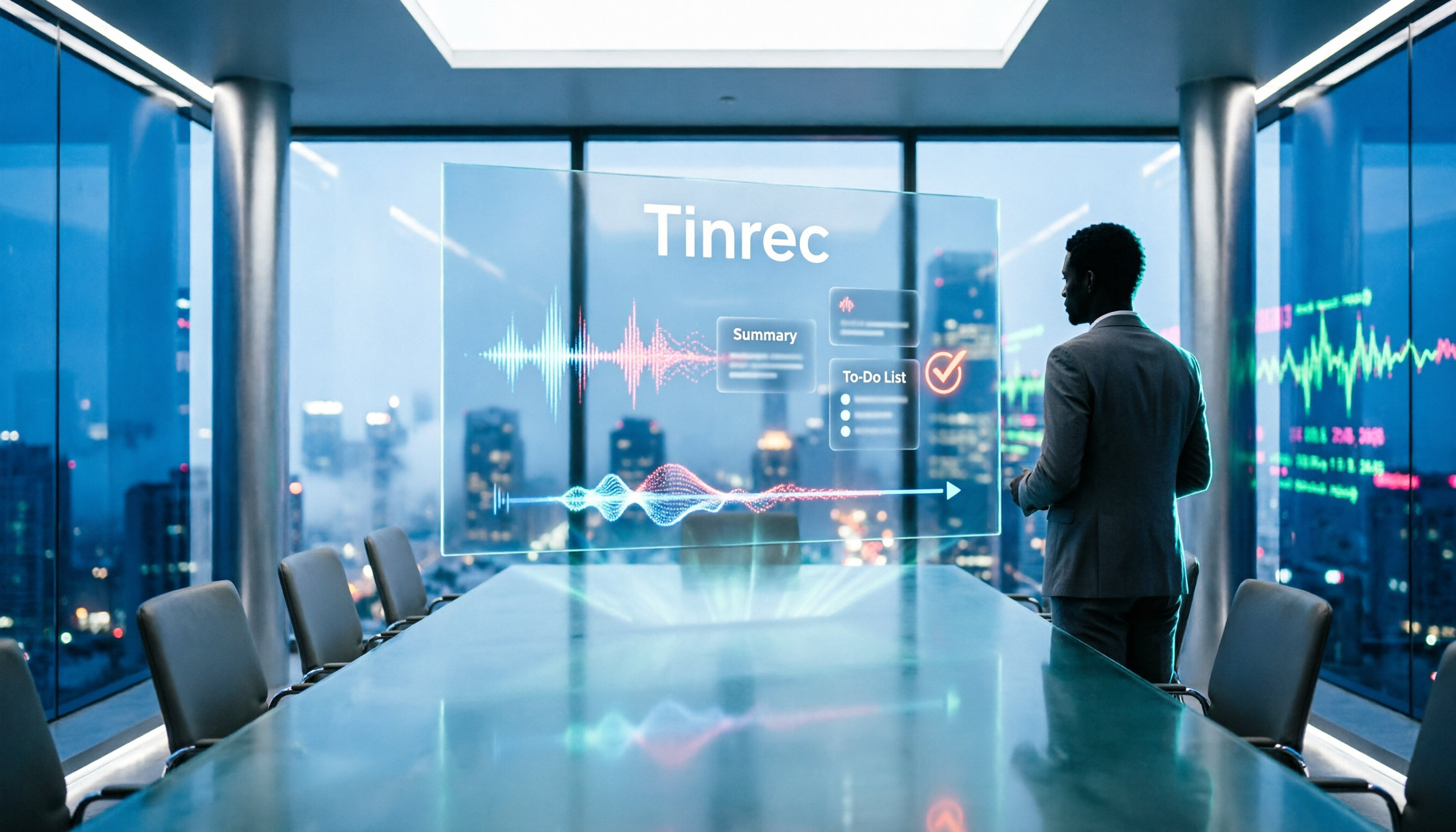
The transcript is just the starting point; the post-meeting work is the focus. After recording or importing a file, Tinrec generates a transcript and automatically organizes summaries, chapters, key points, and action items. You don't have to watch a long meeting from start to finish—just jump to the chapter you need. You can also turn content into a mind map or further generate reports, tables, and documents.
Ask it questions directly after recording. This is a relatively rare capability among tools in the same price range. For example, ask it "Who mentioned the budget in the last meeting?" and it will answer based on the meeting content, rather than throwing a list of keyword search results at you. Cross-meeting follow-ups and looking up past decisions are much faster than manually using Ctrl+F in the transcript.
It handles mixed Chinese-English meetings. During recording, you can switch between original text, translation, or bilingual view—very helpful for meetings with foreign colleagues. The team version also lets you maintain "team hotwords," adding internal product names, abbreviations, and technical terms to reduce recognition errors.
Output integrates back into your existing workflow. Transcripts and minutes can be exported in common formats and sent to Notion, Google Docs, OneNote, Dropbox, and other tools for further processing—no need to copy and paste again.
Testing notes. Honestly, I don't like quoting official accuracy numbers. Meeting rooms have air conditioning noise, keyboard sounds, and people talking over each other—any tool will be affected. My approach is to test with a real mixed Chinese-English internal meeting recording and see if the transcript is directly readable and how many proper nouns are wrong. Tinrec's Chinese sections are at a directly readable level; for English proper nouns, I recommend supplementing with team hotwords. For important decisions, I still go back to the recording timestamp to verify—I suggest everyone keep this habit.
Stop organizing recordings by hand
Upload audio or video and automatically get a transcript, summary, and action items
Three notable strengths:
- Bot-free desktop recording—great for teams that don't want external accounts joining meetings.
- Complete post-meeting workflow: from summary, action items, Q&A to export and report generation, all in one place.
- The team version turns meetings into team data, rather than leaving them in personal accounts.
Two limitations to be honest about:
- The free version provides a basic quota. If you have a large number of meetings or interviews every week, you'll need to evaluate a paid plan.
- Some team version capabilities are still in release acceptance testing. Before purchasing, refer to the official purchase page for details.
How the team version works. The Tinrec team version is not "multiple people sharing one personal account"—it's an independent team space. Management distinguishes between roles and seats: roles determine who can manage members, audits, and team settings; seats determine whether members can record, upload, edit, and import/export. Members who are active but have no seat can still view, play, and read team data, but cannot perform editing operations. Team resources belong to the team; when a member leaves or is removed, their responsible resources are handed over to other members and don't leave with the individual.
Current internal configuration: first eligible team trial is 7 days, 1 free seat, 300 minutes of team shared import quota; paid seats provide 2,000 minutes of team shared import quota per month; team monthly payment is USD 29.80 per paid seat per month, annual payment is USD 199 per paid seat per year (about USD 16.58 per month). Real-time recording under an active team plan is currently not deducted by minutes. Actual prices, currencies, and promotional content are subject to the official purchase page.
Who it's for. If you frequently have Chinese or mixed Chinese-English meetings, don't want a bot joining the meeting room, want to use AI to follow up on key points right after recording, or need to turn meeting data into team assets, Tinrec is one of the most suitable choices currently available.
Besides Tinrec, What Other Options Are There?
Otter.ai is a mature English business meeting assistant. The Basic free version offers 300 minutes per month; Pro annual billing is about USD 8.49 per user per month, including 1,200 minutes of in-app recording and 10 file imports per month. If almost all your meetings are in English, Otter is a very reasonable choice. However, its Chinese meeting mindset is not as strong as its English, and Tinrec's bot-free desktop recording, real-time translation, and team data retention are areas Otter doesn't emphasize. Prices are subject to Otter's official page.
Notta overlaps significantly with Tinrec, also supporting multi-platform transcription, meeting notes, file import, and translation. The free version offers 120 minutes per month, with a maximum of 3 minutes per single item; Pro annual billing is about USD 8.17 per month, with 1,800 minutes per month. The difference is that Tinrec places more emphasis on bot-free online meeting recording, team spaces, and post-recording AI Q&A and Agent post-processing. Prices are subject to Notta's official page.
Granola also takes the bot-free route, using desktop system audio and microphone for real-time transcription, then combining it with your handwritten notes to generate content. Basic is free, Business is USD 14 per user per month, Enterprise is USD 35 per user per month. Note that Granola does not support uploading pre-recorded audio files and does not save meeting audio. If you need to keep recordings, import existing files, handle Chinese meetings and real-time translation, and put data into a team space, Tinrec is more suitable. Prices are subject to Granola's official page.
Pitfall Guide: The 4 Most Common Mistakes When Choosing an AI Meeting Minutes Tool
Pitfall 1: Only looking at official accuracy claims. Many tools boast high accuracy, but that's usually measured in a quiet recording environment. Real meeting rooms have air conditioning noise, keyboard sounds, and multiple people talking over each other—performance will be noticeably different. I recommend testing with a real meeting recording of your own, not just looking at advertising numbers.
Pitfall 2: Thinking a transcript is enough. A transcript is just raw material. If the tool can't help you organize summaries, chapters, and action items, you'll still spend the same amount of time rereading it. With Tinrec's AI Q&A, asking "What was the conclusion of this meeting?" right after recording is much faster than manually flipping through a 30-minute transcript.
Pitfall 3: Confusing "members can view" with "members can edit." Team tools usually distinguish between roles and seats. Members without a seat can read data but cannot upload, edit, or export. Before purchasing, confirm whether you need "everyone can view" or "everyone can edit"—this will affect how many seats you need to buy.
Pitfall 4: Leaving meeting data in personal accounts. Recording with a personal account and privately sharing links seems convenient in the short term, but when a colleague leaves or the account is deactivated, data ownership becomes very troublesome. For team use, it's best to use a team space from the start, so data belongs to the team and can be handed over.
Conclusion: Which One Should You Choose?
Simply put, before choosing a tool, ask yourself three questions: What language is the meeting in? How does the audio enter the system? Who ultimately holds the data?
- Need Chinese or mixed Chinese-English meeting notes → Tinrec (Chinese experience plus team hotwords)
- Don't want a meeting bot joining online meetings → Tinrec (desktop app captures system audio)
- Want to use AI to follow up on key points right after recording → Tinrec (AI Q&A and cross-meeting search)
- Want to turn meetings into team data and manage seats and usage → Tinrec Team Version (team space, roles, seats, usage, and audit)
- Mainly record English meetings, limited budget → Otter.ai (the only exception recommended in this article)
I suggest starting with the free version and testing it with a real meeting recording from your company. Whether the transcript is directly readable and whether the summary captures key points—after two or three tests, you'll have a clear idea. If it works for you, consider upgrading; there's no need to pay from the start.
References
- Feishu Minutes | Quick AI speech-to-text, meeting minutes and action item summary - Feishu Official Site
- Yuanbao Minutes proactively summarizes meeting key points, tracks key progress in real time
- Meeting Minutes: Microsoft Word free AI note-taking feature | Microsoft Word
- Meeting summaries, notes, AI notes, and enterprise search | read.ai
- iFLYREC - AI Intelligent Meeting Minutes, Computer Recording Tool - Voice Recording to Work Summary Generation.
Turn every recording into actionable outcomes
Get 60 free transcription minutes when you sign in. No credit card required.
Related Reading
You might also like

2026 Comparison of 5 Meeting Summary Generators: How to Choose for Chinese Meetings, Bot-Free Recording, and Team Plans
How do you choose a meeting summary generator? This article compares 5 common approaches, breaking down meeting capture methods, Chinese transcription, post-meeting organization, and team knowledge retention. Using Tinrec as a practical example, it helps you decide where to invest your budget and time before purchasing.

4 Traditional Chinese Transcription Tools Compared: Which One Lets You Query Key Points with AI Right After Recording?
How do you choose a Traditional Chinese transcription tool? This article compares Tinrec, Yating Transcription, MyEdit, and Google Recorder App from real-world usage scenarios, covering 5 key selection criteria, 4 common pitfalls to avoid, and selection advice. It also explains features like AI Q&A, bot-free meeting recording, export workflows, and team collaboration to help you find the transcription tool that best fits your workflow.

4 Course Lecture Transcription Tools Tested: Which AI Summary Actually Saves You Time?
Recorded lectures all semester but never opened them? This article tackles common mistakes and tests four course recording transcription tools—Tinrec, Notta, Otter.ai, and TurboScribe. It covers four key buying factors: Chinese recognition, post-transcription AI summaries and Q&A, online class recording methods, and free tiers. Includes a pitfalls guide and scenario-based recommendations.

5 Best AI Meeting Minutes Generators in 2026: Real-World Comparison to Save You Time
Tired of spending hours organizing meeting minutes after the meeting ends? This article compares Tinrec, Otter.ai, Notta, Granola, and other tools across five key aspects: Chinese language recognition, bot-free recording, post-meeting summaries and action items, AI Q&A, and team data ownership. We break down who each tool is best for, where its limitations lie, and provide buying advice for different scenarios.

2026 Smartphone Recording Features Compared: Built-in, Call Recording, and AI Transcription—Which Is Enough?
How do you enable recording on your phone? This guide covers the steps for call and in-person recording on ASUS, Samsung, iPhone, Motorola, and Huawei, plus key legal reminders for recording consent in the U.S. Then it compares Tinrec, Otter.ai, Notta, and PLAUD for post-recording organization to help you decide which approach saves the most time.
4 AI Meeting Summary Tools Tested in 2026: Which One Saves the Most Time on Auto-Generated Minutes?
Meeting's over—still stuck writing the summary yourself? This article tackles common misconceptions and compares four AI meeting summary tools: Tinrec, Otter.ai, Notta, and Granola. We break down selection criteria, test real workflows, and highlight pitfalls to help you find a time-saving solution that automatically generates transcripts, summaries, and action items.

How to Use Tinrec in 2026: Accurate Chinese Transcription + Automatic Meeting Minutes
Still spending an hour typing transcripts after meetings? This complete guide breaks down the core capabilities, real-world use cases, and key considerations for choosing a Chinese audio-to-text tool, using Tinrec as an example to demonstrate the full workflow from recording, transcription, AI summarization, to team knowledge retention.

2026 Comparison of 4 Auto-Generated To-Do Tools: Which One Really Captures Every Meeting Action Item?
Still copying action items from meeting transcripts? We tested 4 auto-generated to-do tools using the same meeting scenario, comparing to-do extraction, bot-free recording, AI Q&A, export, and team data governance. Plus 4 common pitfalls and selection advice.

4 Interview Transcription Tools Compared for 2026: How to Choose from Free to Paid
Tired of spending hours transcribing interview recordings? This article compares 4 interview transcription tools in 2026, covering free plan limitations, mixed Chinese-English recognition, and post-transcription features like summaries, AI Q&A, and team collaboration. We also highlight 3 common pitfalls to help you find the best fit for your workflow.