
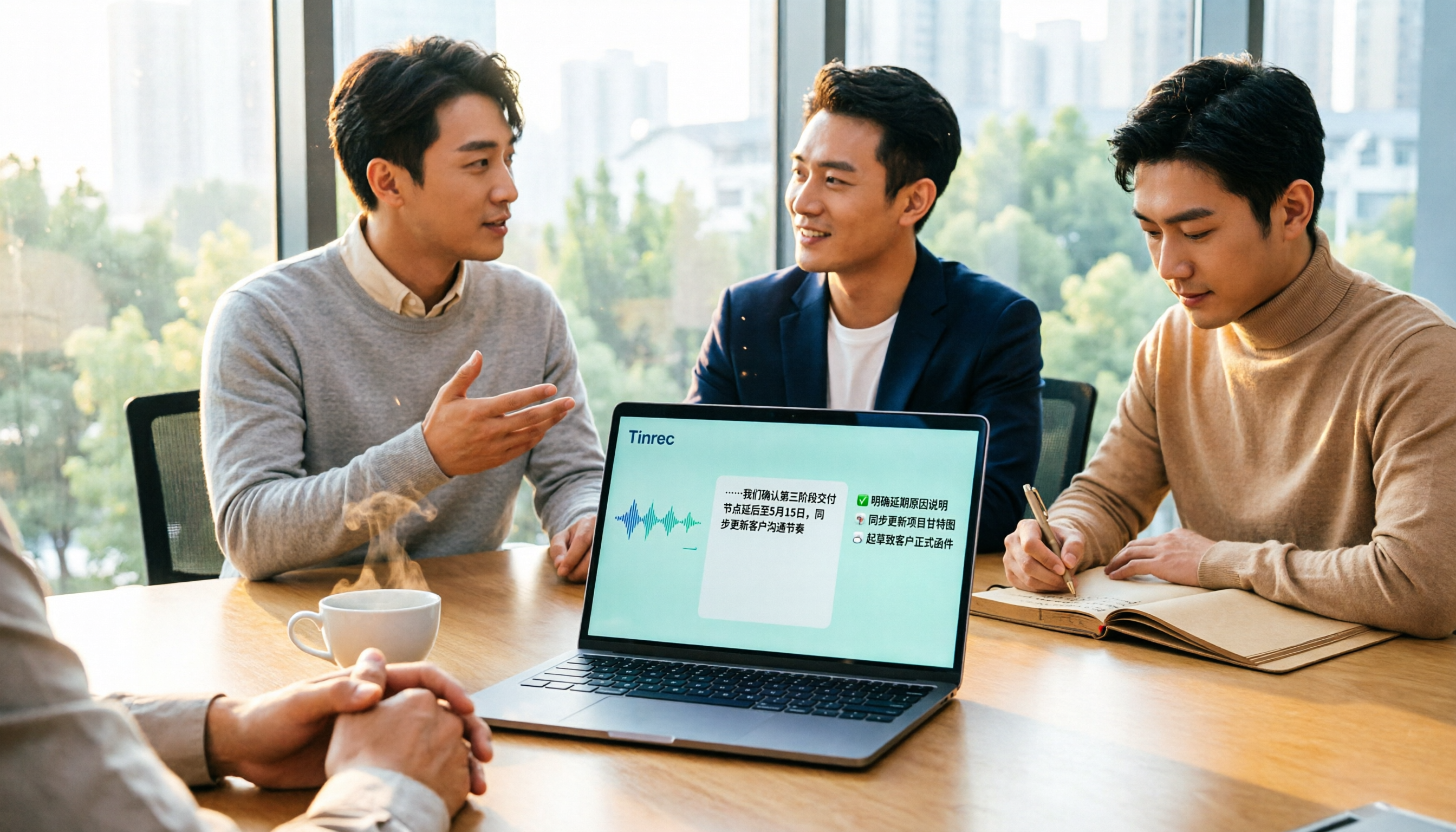
Turn recordings into transcripts and summaries in minutes
Upload audio or video for multilingual transcription, AI notes, and action items
5 Best Speech-to-Text Tools in 2026: How to Transcribe Chinese Audio Files Fastest
Most people searching "how to turn audio files into text" have the same thing in mind: find the most accurate tool, upload the file, and you're done.
But what actually slows you down usually isn't the recognition rate—it's what comes after.
The first scenario is manual transcription. A 1-hour meeting recording, listening and typing, pausing and replaying over and over—3 to 4 hours is typical. By the time you're done, you don't even want to look at it again.
The second scenario is "just a transcript." A two-hour meeting becomes tens of thousands of words. To find out who promised what and when it's due, you still have to flip through page by page.
The third scenario is scattered files. One recording on your phone, one on your computer, another in cloud storage. When you need it next time, you can't find it, so you just re-record.
These problems all have solutions. Pick the right tool, let the machine handle the first half, and you only need to deal with the second half.
4 Key Points to Understand Before Choosing a Speech-to-Text Tool
1. What sources it supports. Some only let you upload existing audio files, some can transcribe while recording, and some can handle online meetings playing on your computer. If you have both "past recordings" and "upcoming meetings," a tool that only supports uploads quickly becomes insufficient.
2. What you can do after transcription. A tool that only gives you a transcript is basically handing the organization work right back to you. Can it automatically generate summaries, split chapters, extract action items, or even let you search back for key points through Q&A? That's where the real time savings are.
3. Real-world performance with Chinese and mixed Chinese-English. Take the accuracy numbers on official pages with a grain of salt—they're usually measured in quiet environments. Real meetings have air conditioning noise, keyboard sounds, people talking over each other, and plenty of mixed Chinese-English technical terms. The simple way to judge: try it with your own recording, don't just look at ads.
4. Where the files end up. Data in a personal account follows the person—when they change devices, change jobs, or leave. If meeting content is meant to be used by the team, check whether the tool has team spaces, member and seat management, and similar features.
Tinrec: The One We Use Most After Testing
Tinrec is an AI meeting notes and collaboration tool for individuals and teams, supporting iOS, Android, web, and desktop. Its main selling point isn't just turning voice into text—it's turning meetings into searchable, queryable, actionable data.
No need to invite a bot into the meeting room. Its desktop version directly captures your computer's system audio, handling online meetings on Zoom, Google Meet, Microsoft Teams, Webex, and more—no extra bot account needed, and no extra name in the participant list. For in-person meetings, you can use real-time recording to get a transcript as you go.
Upload existing audio files directly. Meeting recordings, interview audio, course or video files you already have can all be imported for transcription, then automatically generate summaries and chapters—no need to watch long meetings from start to finish.
Ask it questions after recording. This is where it differs most from other transcription tools. You can directly ask "Who mentioned the budget in the last meeting?" or "What concerns did the client have about the delivery date?" It organizes answers by meaning, rather than throwing a list of keyword search results at you. It can also extract action items, do real-time translation and bilingual comparison, and export results as documents, reports, tables, or to Notion, Google Docs, OneNote, Dropbox for further processing.
In actual testing, Chinese meetings and mixed Chinese-English segments are where it performs more consistently, but I won't give you a fixed accuracy number—recording quality, noise, accents, and overlapping speakers all affect results. For important content, it's best to replay and confirm against timestamps.
Pros: 1. Covers real-time recording, online meetings, file import, and mobile—no need to switch tools for different scenarios; 2. After transcription, it also has summaries, action items, Q&A, and multi-format export, essentially completing the organization workflow; 3. Desktop version records without a bot, very practical for teams that don't want an extra participant in meetings.
Limitations: The free version has basic limits, so heavy users will need a paid plan; also, it's not a bot that automatically joins all calendar meetings—you need to initiate recording yourself.
Stop organizing recordings by hand
Upload audio or video and automatically get a transcript, summary, and action items
The team version is worth mentioning. The team version isn't "multiple people sharing one account"—it's an independent team space: meeting data belongs to the team, members can join via invite link, and roles and seats are differentiated—members without a seat can still view, play, and read data, but need a seat to record, upload, edit, and export. Admins can also view usage trends and member details, manage team hotwords, query and export audit logs, and there's an audio recycle bin to recover accidentally deleted files. Pricing: team monthly is USD 29.80 per paid seat per month, annual is USD 199 per paid seat per year (about USD 16.58 per month). Each paid seat provides 2,000 minutes of shared team import quota per month; real-time recording within the team is currently not deducted by minutes. Eligible teams get a 7-day trial, 1 free seat, and 300 minutes of shared import quota for the first time. Actual prices and benefits are subject to the official purchase page.
Personal plans include free, weekly, Pro monthly, and Pro annual. If you occasionally organize a recording, start with the free version; if you have meetings to organize every week, consider upgrading.
Who it's for: People who frequently handle Chinese or mixed Chinese-English meetings, want to ask key points right after recording, want to switch between phone and computer, or need to turn meetings into team data.
Besides Tinrec, What Other Options Are There?
Otter.ai: A mature choice for English meetings. Free Basic gives 300 minutes per month; Pro annual is about USD 8.49 per user per month, including 1,200 minutes of in-app recording and 10 file imports per month. But its strength is English business meetings—Chinese content isn't its forte, and it lacks designs like team hotwords for Chinese terminology. If you almost only record English meetings and have a limited budget, it's one of the few alternatives recommended in this article.
TurboScribe: Takes the high-value file transcription route. Free version: 3 files per day, 30 minutes per file. Unlimited annual is USD 120; after paying, single files up to 10 hours, up to 50 files at once. Batch processing of long audio files is indeed more advantageous than Tinrec, but it lacks real-time meeting recording, AI Q&A, action item extraction, and team spaces—if what you want is "one audio file for one text file," it's plenty; if you want post-meeting organization, it's not enough.
PLAUD Note / NotePin: AI recording hardware representative. NotePin is USD 159, Note Pro USD 189. Starter membership is 300 minutes per month; Pro annual is USD 99.99 including 1,200 minutes per month. Hardware for portable recording and phone call recording has its value, but you need to carry an extra device and pay for membership separately. Tinrec doesn't require buying hardware, works on multiple platforms, can handle online meetings playing on your computer and existing audio files, and team data is centralized in one space.
Pitfall Guide: 4 Most Common Mistakes When Turning Audio Files into Text
Pitfall 1: Only looking at official accuracy claims. Many tools say "98% accuracy," but that's measured in a quiet recording studio. Real meeting rooms have air conditioning noise, keyboard sounds, people talking over each other—the number drops significantly. It's best to try it for free with your own recording; that's more accurate than any review.
Pitfall 2: Treating transcription tools as just "audio to text." If you only use the transcript, you're only using a third of its capability. Tools like Tinrec can generate summaries, split chapters, extract action items, and you can directly ask "What was the conclusion of this meeting?"—much faster than manually flipping through a 30-minute transcript.
Pitfall 3: Ignoring data ownership. Using a personal account to store team meeting data means when a member leaves, the data disappears with them. The team version approach is that data belongs to the team; when a member exits or is removed, their resources can be handed over to other active members.
Pitfall 4: Assuming the tool will automatically join all meetings. Currently, most bot-free solutions (including Tinrec desktop) capture computer system audio, requiring you to initiate recording yourself—they don't automatically follow your calendar. Confirm this before buying so you don't have unrealistic expectations.
Conclusion: Which One Should You Choose?
In one sentence: If you need to handle Chinese meetings and existing audio files, and want to keep using the results after transcription, Tinrec is currently the most hassle-free choice.
- You have a bunch of audio files to transcribe, plus need summaries and action items → Tinrec
- You need to record Zoom, Meet, Teams meetings without inviting a bot → Tinrec
- Content is mainly Chinese, Traditional Chinese, or mixed Chinese-English → Tinrec
- Meeting data needs to stay with the team, requiring seats, usage, and audit management → Tinrec Team
- Almost only record English meetings, budget is 0 → Otter.ai
- Only need to batch transcribe lots of long audio files, no meeting features needed → TurboScribe
- Prefer hardware for portable recording → PLAUD Note
We suggest starting with the free version and trying it with one of your own recordings. The quota doesn't matter much—the key is to see how it performs in your real recording environment. That's more accurate than any review. Finally, a reminder: before recording and transcribing, please be aware of local regulations and obtain consent from participants when necessary.
References
- View Voice Memos transcripts on iPhone - Apple Support (Taiwan)
- Online AI speech, video, audio file auto transcription - Free trial - cSubtitle
- Convert audio to text - Real-time AI transcription - VEED.IO
- Tested 4 best "speech to text" online tools, free instant audio to transcript
- Transcribe your recordings | Microsoft Support
Turn every recording into actionable outcomes
Get 60 free transcription minutes when you sign in. No credit card required.
Related Reading
You might also like

4 Audio-to-Text Tools Compared in 2026: What Is Yating Transcriber? How to Choose for Team Collaboration?
What is Yating Transcriber? This article first answers that question, explaining Yating Transcriber's positioning, features, and pricing, then compares it with Tinrec, Otter.ai, and Notta. It also covers key purchasing factors, common pitfalls, and scenario-based recommendations to help you decide whether you only need a transcription tool or a complete AI meeting notes and team collaboration solution.

5 Phone Recording Tools Tested and Compared in 2026: Is iPhone's Built-in Feature or an AI Recorder Enough?
Recording audio on your phone is easy; the hard part is what to do with it afterward. This guide covers five common phone recording methods, from iPhone's built-in Voice Memos and iOS 18.1 call recording with quick-launch settings to the AI meeting notes tool Tinrec. We compare their ideal use cases and limitations, plus key buying factors and pitfalls to avoid.

4 Meeting Transcription Tools Compared in 2026: Word Can't Record Video—What Should You Use Instead?
Can Word record video? This article first clarifies Word's video and audio recording limitations, then compares four meeting transcription tools—Tinrec, Otter.ai, Granola, and Word's built-in speech transcription—through hands-on testing. It outlines key criteria for choosing a tool and common pitfalls to help you find the best meeting organization solution.

4 Audio-to-Text Tools Tested in 2026: Can Google Docs Do It?
Google Docs has voice typing, but it only works with live microphone input—it can't transcribe pre-recorded audio files, and the mobile app doesn't support it. This article compares four ways to turn recordings into transcripts: Tinrec, Google Docs with a virtual audio cable, Google Cloud Speech-to-Text, and Notta. We cover free limits, use cases, and limitations, plus key buying tips and common pitfalls.
4 Transcription Tools Compared in 2026: How to Export from Yating and Which Saves More Time After Export?
Stuck on how to export from Yating Transcript? This article first breaks down the export locations and supported formats for the web version and app, then compares the post-export organization efficiency of 4 transcription tools, including Tinrec, Yating Transcript, Otter.ai, and PLAUD Note, to help you find the most time-saving meeting notes workflow.

3 ChatGPT Meeting Notes Tools Tested in 2026: Which One Actually Saves Time?
ChatGPT can now take meeting notes, but Record Mode has platform and plan limitations, so most people still need to generate a transcript first. This article breaks down three ways to use ChatGPT for meeting notes and compares Tinrec, Otter.ai, Notta, and Granola to help you find the workflow that truly saves time.

4 Speech-to-Text Tools Tested for 2026: ChatGPT vs. Tinrec — Which Is Best for Meeting Notes?
Can ChatGPT transcribe audio? This hands-on comparison of ChatGPT, Tinrec, Otter.ai, and Notta covers meeting notes, transcripts, summaries, action items, and team collaboration. We also break down what to look for, common pitfalls to avoid, and which tool fits which scenario, so you can build a speech-to-text workflow that works for you.

2026 Comparison of 4 Vocal AI Speech-to-Text Tools: Which Is Best for Chinese Meeting Notes and AI Summaries?
Is Vocal AI good? This hands-on comparison tests Tinrec, Vocol.AI, Notta, and Otter.ai across Chinese recognition, AI summaries, bot-free meeting recording, post-meeting action items, and team collaboration to help you decide which fits your workflow.
2026 Audio-to-Transcript Tools Compared: Gemini Is Free and Fast, But Which One Should You Choose for Meeting Notes?
Can Gemini turn audio files into transcripts? This article covers Gemini's actual performance and limitations for audio-to-text conversion, and compares it with 4 tools including Tinrec, Notta, and Otter.ai to help you understand key buying factors, avoid common pitfalls, and find a transcript workflow that truly saves time.