
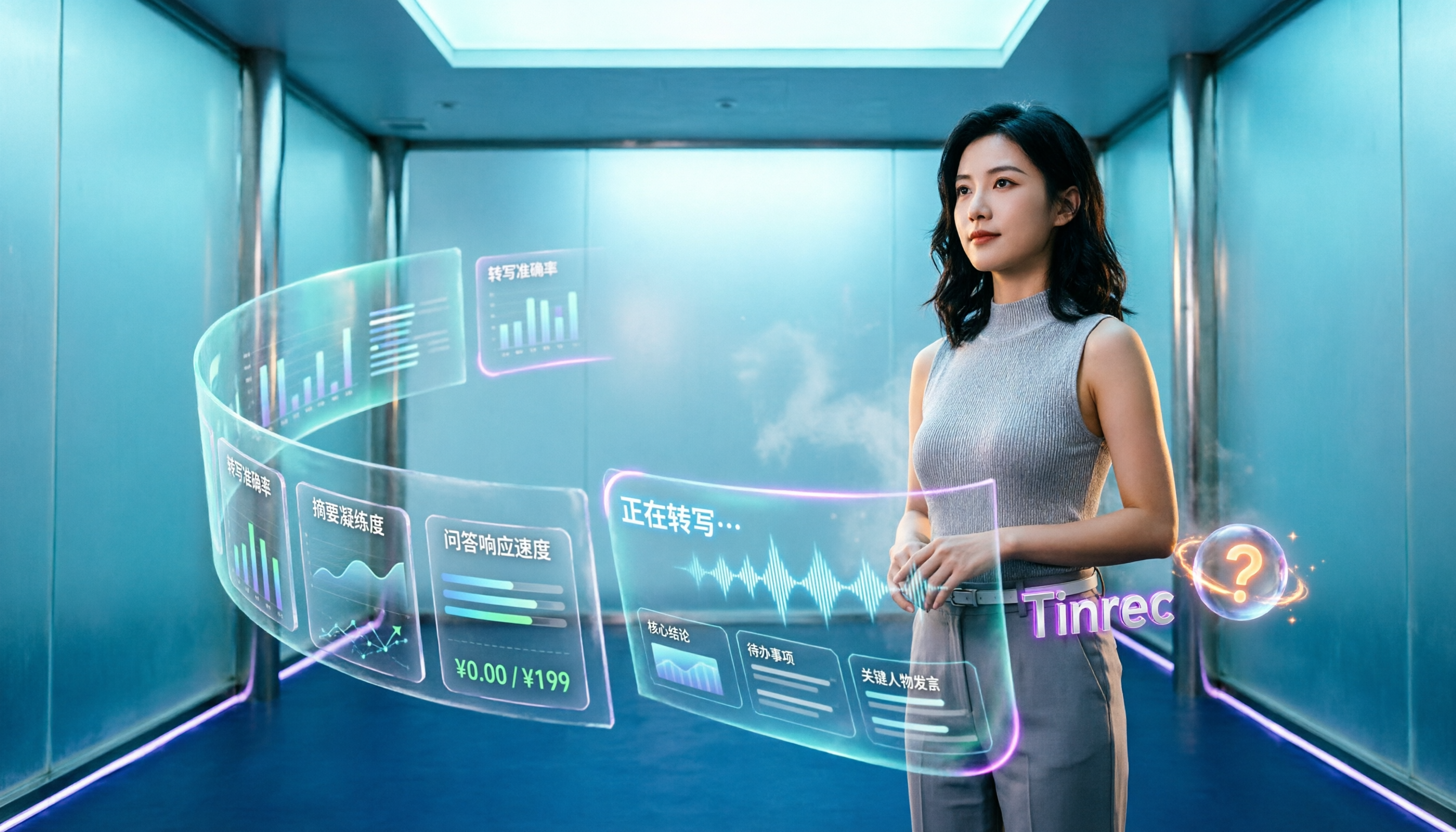
Turn recordings into transcripts and summaries in minutes
Upload audio or video for multilingual transcription, AI notes, and action items
When many people choose an AI meeting assistant, the first question they ask is "how many free minutes do I get?"
That's actually the easiest way to fall into a trap.
After testing a round of tools, I found that the real time sink in meeting notes is never "how long you record," but how much effort you spend afterward turning it into something usable. A long transcript—where are the key points, who agreed to what, what to follow up on next—you have to review it all yourself.
Another common misconception is thinking that online meetings require a "meeting bot" to join the room in order to record. But now there are tools that can directly capture your computer's system audio without adding an extra account to the participant list.
This article starts from these misconceptions and rounds up 4 AI meeting assistants worth considering in 2026, explaining clearly which one to choose under what circumstances.
Before Choosing an AI Meeting Assistant, Understand These 4 Things
1. Does it "join the meeting" or "capture system audio"?
The advantage of a meeting bot is automation; the downside is that an unfamiliar account appears on the participant list, which some people mind during external client meetings. The bot-free approach captures audio played from your computer via a desktop app, letting you decide when to start recording.
If you frequently hold external meetings, this is more worth confirming than free minutes. Tinrec's desktop version takes the bot-free path.
2. What does it give you after recording?
A tool that only provides a transcript is essentially handing the organization work right back to you. What really matters is whether it can automatically generate summaries, chapters, action items, and even let you ask questions directly about the meeting content.
This is also where similar tools differ the most, and Tinrec has put more effort into this area.
3. Can it handle Chinese and mixed Chinese-English?
Meetings in Taiwan are rarely pure Chinese or pure English; more often they include sentences like "give this proposal to the client by next Wednesday." When choosing a tool, look not at the official claimed general accuracy, but at actual performance in Chinese transcription and terminology handling.
Tinrec supports Chinese, Traditional Chinese, and multilingual meetings, and can maintain company-specific terminology using team hotwords. Keep in mind that actual results are still affected by recording quality, accents, background noise, and multiple people talking over each other.
4. Is the data "yours" or "the team's"?
For personal use it's fine, but for company use you need to ask: after a member leaves, do the meeting records remain? Who can view, who can edit?
Tinrec's team plan separates "roles" and "seats": roles determine who can manage the team, members, and audits; seats determine who can record, upload, edit, and export. Members without a seat can still view and play team data but cannot modify it. This is much clearer than "everyone sharing one account."
Tinrec — Our Top Recommendation After This Round of Testing
Tinrec is an AI meeting notes and collaboration tool for individuals and teams, supporting iOS, Android, web, and desktop. Its core proposition is "turn meetings into searchable, collaborative, actionable team data."
Record online meetings without a meeting bot
The desktop version directly captures computer system audio and can handle Zoom, Google Meet, Microsoft Teams, Webex, and other online meetings without adding a bot to the room. Press record before the meeting, and the transcript appears as you speak, so you don't have to listen again afterward.
By the time the meeting ends, organization is mostly done
After recording, it automatically generates summaries, chapters, and key points, extracts action items from the discussion, and can produce a mind map, so long meetings no longer look like a wall of text. This is the most direct way to shorten "two hours of meeting, two hours of organizing."
AI Q&A is its most impactful feature
Questions like "What were the client's concerns about pricing in the last meeting?" can be asked directly. Tinrec's AI Q&A answers based on meeting content rather than dumping a list of keyword search results, making it especially useful for tracing back across meetings.
Multilingual and real-time translation
During recording, you can switch between original text, translation, or bilingual view, saving effort for those with overseas clients or cross-language teams.
Output can be taken elsewhere
Supports export to Notion, Google Docs, OneNote, Dropbox, and other tools, and can use Agent post-processing to generate reports, tables, and meeting documents—suitable for those who need to submit weekly reports or meeting minutes.
Team plan: turn meetings into team assets
Stop organizing recordings by hand
Upload audio or video and automatically get a transcript, summary, and action items
The team plan is not multiple people sharing one account, but an independent team space: centrally stores transcripts, folders, and action items, manages members by role and seat, and provides usage analytics, audit logs, team hotwords, and an audio recycle bin (retained for 30 days, can recover accidentally deleted audio files). When a member leaves or loses a seat, their team resources can be handed over to other members, so data doesn't leave with the person.
Pricing
The personal plan includes a free version, weekly pass, Pro monthly, and Pro annual. For occasional recording organization, the free version is enough; for short-term intensive meetings, consider the weekly pass; for regular weekly use, Pro is suitable.
The team plan's first eligible trial is 7 days, 1 free seat, 300 minutes of team shared import quota; team monthly is USD 29.80 per paid seat per month, annual is USD 199 per paid seat per year (about USD 16.58 per month), with each paid seat providing 2,000 minutes of team shared import quota per month. Real-time recording under an active seat currently does not deduct minutes; document and web imports consume team shared minutes. Actual prices and benefits are subject to the official purchase page.
Limitations to be honest about
It does not automatically join every meeting on your calendar; you need to press start recording yourself—that's the trade-off of the bot-free approach. The official also does not recommend promising a fixed accuracy rate—audio quality, accents, and overlapping speech all affect results, so important content should be checked against the recording. Also, the team plan currently focuses on team-level sharing, not a file-level permission system; batch transcription of many long files at once is not its strong suit.
Who it's for
If you mainly hold meetings in Chinese or mixed Chinese-English, don't want a bot appearing on the participant list, want to ask AI directly for key points after recording, or want to turn meeting data into shared team assets, Tinrec is currently the most hassle-free choice.
Besides Tinrec, What Other Options Are There?
Notta: Good multilingual transcription and AI summaries, can record Zoom, Google Meet, Teams, and supports custom vocabulary and summary templates. Free version offers 120 minutes per month but with a 3-minute per-session limit, limiting practicality; Pro annual is about USD 8.17 per month, Business annual is about USD 16.67 per seat per month. However, it lacks Tinrec's bot-free desktop system audio recording and cross-meeting AI Q&A.
Otter.ai: A veteran choice for English meetings. The free version offers a generous 300 minutes per month; Pro annual is about USD 8.49 per user per month; AI Q&A and Google Workspace, Microsoft Office integrations are mature. But Chinese support is not its strength; if your meetings are mainly in Chinese, Tinrec's transcription and bilingual view will be smoother.
Granola: Also takes the bot-free route, featuring combining your handwritten notes with AI. Basic is free, Business is USD 14 per user per month. Note that it does not retain meeting audio and does not support uploading pre-recorded audio files. If you want to check the original audio afterward or organize historical recordings, Tinrec's audio retention and file import are more practical.
Pitfall Guide: 4 Most Common Mistakes When Choosing an AI Meeting Tool
Pitfall 1: Only looking at free minutes, ignoring per-session length limits.
Some tools offer 120 minutes per month on the free plan, which seems enough, but you can only record 3 minutes per session—real meetings are impossible. When checking quotas, always look at both the "per-session limit" and "whether you can import existing audio files."
Pitfall 2: Thinking a meeting bot is the only solution.
Bots are automatic, but they appear on the participant list, which can be awkward for external meetings, and some platforms block them. First think about whether your meeting participants can accept an extra account, then decide between a bot or desktop bot-free recording.
Pitfall 3: Only using the tool as a transcript.
If you only use it to "record and transcribe," you're only using part of its capability. Asking AI directly after the meeting "what was the conclusion of this meeting" or "who is responsible for what" is much faster than manually flipping through a 30-minute transcript.
Pitfall 4: Ignoring member turnover and data ownership, plus compliance issues.
Using a personal account to record company meetings means data scatters when the person leaves. When choosing a team plan, confirm that data belongs to the team, there are role and seat management, and audit logs. Also, before recording, remember to comply with local regulations and obtain participant consent when needed—this is more important than tool features.
Conclusion: Which One Should You Choose?
- Meetings mainly in Chinese or mixed Chinese-English → Tinrec
- Don't want a bot joining the meeting room, but need to record Zoom, Meet, Teams → Tinrec
- Want to ask AI directly for key points and action items after recording → Tinrec
- Need to turn meetings into shared team data and manage members and usage → Tinrec Team Plan
- Pure English meetings, zero budget, only need basic transcription → Otter.ai free version is still a cost-effective choice
In short, AI meeting tools in 2026 are no longer competing on "who transcribes more accurately," but on "how much they can do for you after recording." From this perspective, Tinrec is the one that has built a more complete post-meeting workflow.
It's recommended to start with Tinrec's free version, try it on a real meeting, see how accurately it captures summaries and action items, and consider upgrading if it works for you—no need to pay from the start.
References
- 5 AI Meeting Notes Tool Comparison: Otter, Notta Features and Pricing
- AI Meeting Notes in Notion | Capture Ideas, Summaries ...
- Is Otter.ai Good in 2026? Complete Chinese Tutorial, Features, Cost, Review | Meeting Notes, Automatic Transcription Helper - RosyArts
- No Time Limit! 3 Free AI Transcription Tools, Highly Recommended! AI Voice Notes Generate Meeting Minutes, Presentations, Mind Maps | 104 Career Power
- Meeting.ai: Agent for Work - Google Play App
Turn every recording into actionable outcomes
Get 60 free transcription minutes when you sign in. No credit card required.
Related Reading
You might also like

4 Free AI Meeting Collaboration Platforms Compared in 2026: Which Handles Chinese Meeting Notes Best?
Still spending an hour after every meeting writing up notes? We tested 4 free AI meeting collaboration platforms—Tinrec, Otter.ai, Granola, and the built-in transcription in Google Meet/Microsoft Teams—comparing free tiers, Chinese recognition, bot-free recording, post-meeting summaries and Q&A, and team data ownership. We also break down individual and team pricing and common pitfalls to help budget-conscious professionals find a free plan that actually works.

2026 Top 6 AI Meeting Collaboration Platforms Compared: Which Makes Chinese Meeting Notes and Follow-Ups Easiest?
Starting from the real pain of 'can't find key decisions after a meeting,' this guide reviews 6 AI meeting collaboration platforms, covering use cases, plans, and pricing. It explains how to choose for Chinese meeting notes, post-meeting organization, and building a team knowledge base.

2026 Top 5 AI Meeting Collaboration Tools Compared: Capture Usable Data Without a Meeting Bot
After a meeting ends, the transcript often never gets opened again—the problem isn't that the tool is bad, but that the workflow wasn't designed well. This article starts with buying criteria, shares my evaluation method after hands-on testing, and compares Tinrec, Otter.ai, Granola, and Notta on bot-free recording, post-meeting organization, data ownership, and team collaboration to help you choose a solution that truly captures your meetings.

2026 Smart Meeting Collaboration Platforms: 5 Tools Compared + Tinrec Bot-Free Recording
This article reviews 5 smart meeting collaboration platforms in 2026, including Tinrec, Otter.ai, Notta, Google Meet, and Microsoft Teams. It compares bot-free recording, AI summaries, real-time translation, team collaboration, and pricing to help you find the best meeting notes solution.

Smart Meeting Collaboration in 2026: 5 Steps from Choosing Tools to Post-Meeting Follow-Up
Managing a 10-person team and 15 meetings a week, the most time-consuming part is never the meeting itself—it's the post-meeting cleanup. This article, from the perspective of a mid-level manager, breaks down whether smart meeting collaboration tools are practical, which 5 steps to check, and how Tinrec works in practice for bot-free recording, transcripts, AI summaries, action item extraction, and team knowledge retention, along with its limitations.

2026 Top 5 AI Meeting Collaboration Platforms Compared: Which Is Best for Chinese Meeting Notes and Team Knowledge Retention?
We tested 5 AI meeting collaboration platforms in 2026, comparing recording methods, Chinese recognition, post-meeting organization, and team knowledge retention. Tinrec (秒聽錄音) ranks first for its desktop system audio capture without a bot, AI Q&A, and team workspace. This article also covers use cases, pricing, and pitfalls for Otter.ai, Notta, and Granola.

2026 Smart Meeting Collaboration Tools Compared: How Much Time Can AI Meeting Notes Really Save?
Smart meeting collaboration isn't just about saving typing time—it's about making meeting content findable, searchable, and trackable after the meeting ends. This article addresses common misconceptions, outlines 4 key criteria for choosing a tool, compares Tinrec, Otter.ai, Notta, and PLAUD, and includes a pitfalls guide and selection recommendations.

How to Choose Smart Meeting Collaboration Tools in 2026: 5 Steps to Find the Best AI Meeting Assistant
Which smart meeting collaboration tool is best? This article compares Tinrec, Otter.ai, Granola, and Notta across meeting capture, post-meeting AI processing, team governance, and pricing limits, and outlines 5 key purchasing factors and pitfalls to help you find the best AI meeting notes solution for individuals and teams.

Best AI Meeting Collaboration Tools for English Meetings in 2026: 5 Steps to Choose the Right One
Which AI meeting collaboration tool should you use for English or mixed Chinese-English meetings? This article compares Tinrec, Otter.ai, Fireflies.ai, Notta, Granola, and TurboScribe—covering positioning, pricing, and ideal users—then walks through 5 decision steps based on meeting language mix, real-time vs. file-based needs, recording retention, and team knowledge management to help you narrow down the best fit.