

Turn recordings into transcripts and summaries in minutes
Upload audio or video for multilingual transcription, AI notes, and action items
2026 Top 5 AI Meeting Notes Software Compared: Generate Minutes Without a Meeting Bot
Most People Get the First Step Wrong When Choosing AI Meeting Notes Software
I've tested over a dozen meeting notes tools, and the most common failure isn't picking a bad tool—it's using the wrong approach from the start.
The first mistake is treating "can transcribe" as "can write meeting minutes." A transcript is just raw material; the real time sink is extracting conclusions, decisions, and who should do what.
The second mistake is assuming you must have a meeting bot join the call. Having an unfamiliar account appear on the participant list can bother some clients or managers.
The third mistake is only looking at free minutes and ignoring what you can do after the meeting. Some tools offer generous free quotas, but the output is just a big block of text—you still have to reread it from scratch.
A more sensible order is to reverse it: first clarify what you need after the meeting—a transcript, a ready-to-send summary, or a to-do list with owners and deadlines—then choose the tool.
Before You Choose, Understand These 4 Key Points
1. How meeting audio gets in. There are two mainstream approaches: a bot joins the online meeting, or a desktop app directly captures the computer's system audio. The former is convenient but adds a person to the meeting list; the latter doesn't disturb the meeting but requires you to remember to hit record.
2. What you can do after the transcript. Summaries, chapters, action items, AI Q&A, export formats—this is what truly determines how much time you save. A tool that only gives you a transcript does only one-third of the job.
3. Real-world performance with Chinese and mixed Chinese-English. Meetings in Taiwan rarely use a single language throughout; mixing two English technical terms into a sentence is the norm. Instead of relying on official accuracy claims, test with your own meeting recording.
4. Are you using it solo or with a team? For personal use, you only care about smooth recording and fast organization. For teams, you also need to consider data ownership, what happens to files when a member leaves, and who gets how much quota. These two needs actually correspond to different products.
Tinrec — Our Top Pick After Testing
Tinrec is an AI meeting notes and collaboration tool for individuals and teams, available on iOS, Android, and web, with a desktop version as well. Its positioning isn't just converting audio to text—it turns the entire meeting into searchable, queryable, and further processable data.
What I like most is how it captures meetings. During online meetings, you don't need to invite any bot into the room. Just open the Tinrec desktop app, and it directly captures your computer's system audio—works with Zoom, Google Meet, Microsoft Teams, and Webex. For participants, the meeting room stays exactly as it was, with no unfamiliar account suddenly appearing.
After the meeting is where it truly stands out. The transcript is generated automatically, along with a summary, chapters, and key points. It can also extract action items from the discussion—who's responsible for what and what needs follow-up—all at a glance. Even better is the AI Q&A: you can directly ask "What was the conclusion of this meeting?" or "Who mentioned the budget?" and it answers based on the meeting content, rather than dumping a bunch of keyword search results. For those who often have to go back through a 40-minute transcript, the time saved is significant.
The output side is also solid. Organized content can be exported to Notion, Google Docs, OneNote, Dropbox, and other tools, and can further generate reports, tables, or meeting minutes, fitting directly into your existing workflow without copy-pasting.
For team use, Tinrec's team plan offers a separate team space where meeting data belongs to the team, plus capabilities like members, roles, seats, usage analytics, audit logs, and an audio recycle bin. One easily confused point: roles determine who can manage the team, while seats determine whether you can record, upload, edit, and export; active members without a seat can still view, play, and read team data. Also, when a member leaves or is removed, team resources need to be handed over to other active members—they don't leave with the individual.
Note that Tinrec does not promise a fixed recognition accuracy rate; actual performance is affected by recording quality, ambient noise, accents, and multiple people talking over each other. For important content, we recommend cross-checking with transcript timestamps and audio playback.
Stop organizing recordings by hand
Upload audio or video and automatically get a transcript, summary, and action items
In terms of limitations, the free version provides a basic quota suitable for occasional use; if you have several meetings every week, you'll need to upgrade. It's also not the "auto-join all calendar meetings" type—you need to open the desktop app yourself to start recording.
If you need Chinese meetings, don't want a bot in the room, and want to use AI to find key points directly after the meeting, Tinrec is the smoothest option I've used so far.
Besides Tinrec, What Other Options Are There?
Otter.ai: A veteran choice for English meetings with a mature interface. The Basic free plan offers 300 minutes per month, which is generous; Pro annual billing is about USD 8.49 per user per month, including 1,200 minutes of in-app recording and 10 file imports per month (subject to official pricing page). Its strength remains in English business scenarios; Chinese meetings are not its home turf. It now also has a desktop app, not just a meeting bot. If your meetings are almost entirely in English, it's worth trying first; but if you need Chinese transcripts plus bot-free recording and team data retention, Tinrec is a closer fit.
Notta: The competitor with the most overlap with Tinrec, offering multi-platform transcription, meeting notes, file import, and translation. The free plan offers 120 minutes per month, max 3 minutes per session; Pro annual billing is about USD 8.17 per month, 1,800 minutes per month; Business annual billing is about USD 16.67 per seat per month (subject to official pricing page). However, it lacks Tinrec's desktop bot-free online meeting recording, and it also lacks the entire AI follow-up and Agent post-processing workflow after the meeting. If you just need to quickly convert files to text, it's worth considering.
PLAUD Note / NotePin: These are AI recording hardware focused on portable recording and long battery life. NotePin official price is USD 159, Note Pro USD 189, Starter plan 300 minutes per month, Pro plan USD 99.99 per year, 1,200 minutes per month (subject to official page). The advantage of hardware is physical buttons and portability; the downside is the extra device cost, and online meetings are not its main strength. Tinrec doesn't require buying an extra device—phone, web, and desktop can all handle the same meeting.
Pitfall Guide: The 4 Most Common Mistakes When Choosing Meeting Notes Software
Pitfall 1: Only looking at advertised accuracy numbers. Official accuracy rates are usually measured under ideal conditions. Real meeting rooms have air conditioning noise, keyboard sounds, and multiple people talking over each other—performance will differ noticeably. Test with your own meeting recording, don't just trust ads.
Pitfall 2: Ignoring how meeting audio gets in. If clients care about the participant list, bot-type tools will put you in an awkward spot. First confirm whether the tool "joins the meeting" or "captures system audio," then decide.
Pitfall 3: Using a transcription tool as a pure typewriter. Using it only for transcripts means you're only using one-third of its capabilities. The real time-savers are summaries, action items, and AI follow-up—after recording, directly ask "What was the conclusion of this meeting?" It's much faster than manually scanning the transcript.
Pitfall 4: Buying a personal plan for team use. Personal plan data belongs to the individual account; when a member leaves, meeting records scatter. If meeting content is a team asset, use a solution with team space and seat management, not a few people sharing one set of credentials.
Conclusion: Which One Should You Choose?
Simply put, first consider what matters most to you:
- Need Chinese transcripts and don't want a bot in the meeting → Tinrec (desktop app directly captures system audio)
- Want to use AI to ask key points and find conclusions right after the meeting → Tinrec (AI Q&A is its clear differentiator)
- Need to produce minutes, reports, or tables after the meeting → Tinrec (Agent post-processing and multi-format export)
- Need to use on phone, tablet, and computer → Tinrec (iOS, Android, web)
- Team needs to collectively retain meeting data, manage seats and usage → Tinrec team plan (team space, roles and seats, usage analytics, audit logs)
- Meetings are almost entirely in English → Otter.ai (a rare exception in this article)
- Need to batch transcribe many long files → TurboScribe (long files and batch upload are its strengths)
Overall, if you have meetings every day, content is mainly in Chinese, and you want meeting records to become searchable, transferable team data, Tinrec is the one I'd recommend trying first.
I suggest starting with the free version, record one of your recent real meetings, see if the summary captures things accurately and if action items are missed, then decide whether to upgrade. After all, the best way to know if a tool works is to try it with your own meeting.
References
- AI Meeting Notes Software Recommendations: 5 App Tested and Compared, Auto Transcription Makes Meetings Easy!
- 2026 Must-See! 4 AI Audio-to-Text Tools Recommended: Meeting Notes, Podcast Transcript Comparison - Mobile01
- Meeting Ink - 2026 AI Meeting Notes Tools Tested | 7 Speech-to-Text and Summary Speed Comparison | Meeting Ink - AI Meeting Notes Assistant Auto Transcription and Summary
- No Time Limit! 3 Free AI Transcript Tools, Highly Recommended! AI Voice Notes Generate Meeting Records, Presentations, Mind Maps | 104 Career Power
- AI Meeting Notes Gadget | Real-time Recording, Summary Organization! 3 Small Tools Let You Focus on the Meeting
Turn every recording into actionable outcomes
Get 60 free transcription minutes when you sign in. No credit card required.
Related Reading
You might also like

2026 Comparison of 4 AI Meeting Recorder Tools: Which AI Meeting Notes Actually Save Time?
Recording a meeting is easy; turning it into usable notes is the hard part. Based on real meeting scenarios, this article outlines 4 key factors for choosing an AI meeting notes tool and compares Tinrec, Notta, Granola, and Otter.ai on bot-free recording, Chinese recognition, post-meeting organization, and team collaboration, with tips to avoid pitfalls and selection advice.

6 Smart Meeting Notes Tools Tested and Compared in 2026: How to Choose for Chinese Meetings and Free Plans
Meeting notes are not transcripts; the key is conclusions, action items, and next topics. This article reviews 6 smart meeting notes tools in 2026, comparing bot-free recording, Chinese transcription, AI Q&A, and team knowledge retention, and includes a ready-to-copy meeting notes template and AI prompt template.

2026 Smart Meeting Notes: AI Auto-Organizes Transcripts + To-Do Template Examples
Meeting notes aren't just pasting a transcript. This guide tackles the three most common mistakes and shows you how to build an AI-powered workflow: transcript → summary → to-dos → follow-up. Includes ready-to-use meeting note templates and AI prompts, plus a comparison of Tinrec, Otter.ai, Granola, and PLAUD on capture method, Chinese language experience, post-meeting output, and team governance to help you choose the right tool.

4 AI Meeting Notes Tools Tested and Compared in 2026: From Transcript to Action Items
The meeting ends, but the real work begins. This guide breaks down 5 key factors and 4 common mistakes when choosing an AI meeting notes tool, then tests and compares 4 tools to show you how to turn a transcript into a trackable meeting minutes table in three steps.

Tinrec vs Notta 2026: 5-Dimension Comparison — Which Is Better for Student Meeting Notes?
A practical comparison of six AI meeting note solutions — Tinrec, Notta, Otter.ai, TurboScribe, PLAUD Note, and built-in platform transcription — from a student's perspective. Covers free tiers, Chinese recognition, post-meeting organization, and team sharing, plus a ready-to-use meeting notes template.
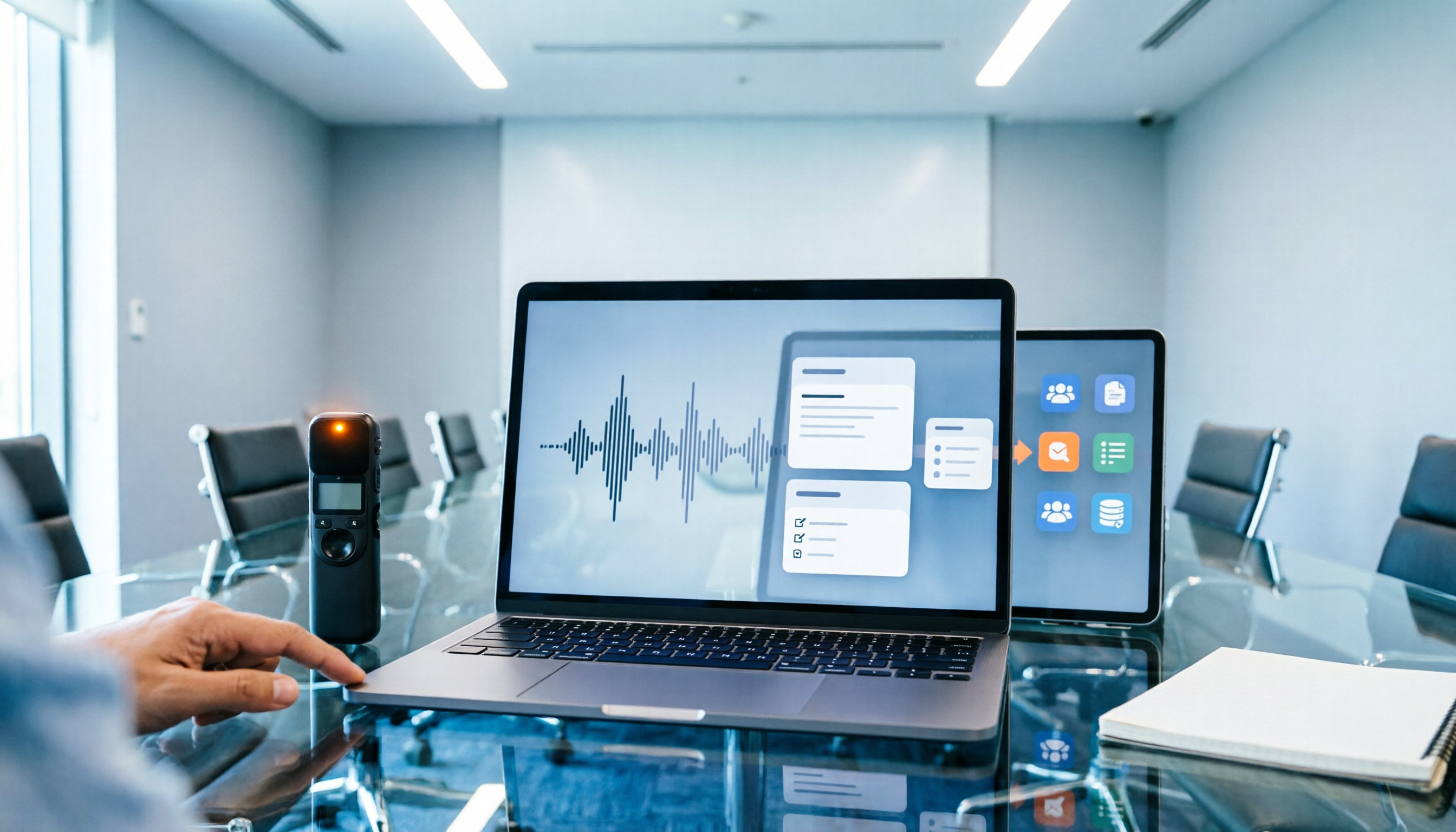
2026 Smart Meeting Recorder Review: 5-Step Real Test from Recording to Meeting Minutes
How do you choose between smart recording hardware and meeting transcription software? This article compares Tinrec and PLAUD Note across 5 dimensions: device burden, online meetings, Chinese language processing, post-meeting output, and team knowledge retention. Find out whether you need hardware or a workflow, plus a step-by-step post-meeting organization process you can follow.

Tinrec vs Notta 2026: 5-Dimension Comparison of AI Meeting Minutes Tools
Tired of typing meeting minutes by hand? This article compares Tinrec and Notta across five dimensions—accuracy, meeting capture method, post-meeting processing, team governance, and pricing—and briefly reviews Otter.ai and Granola to help you choose the right AI meeting minutes tool.

2026 Smart Meeting Notes Tools Compared: AI Q&A Is the Real Time-Saver
The cost of meeting notes isn't typing—it's not being able to find or use them later. This article covers four key buying factors and compares smart meeting note tools like Tinrec, Otter.ai, Notta, and PLAUD, explaining why bot-free recording, AI Q&A, action item extraction, and team knowledge retention matter more than transcript length, plus a six-step starter guide you can follow.

Best AI Meeting Notes Tools in 2026: 5 Tested for Processing Time and Chinese Recognition
Where does the time go between a meeting ending and getting the notes? This article focuses on actual processing time, breaking down five stages: upload, transcription, summarization, and export. We tested five AI meeting notes tools for Chinese recognition and post-meeting organization, and explain why Tinrec stands out for saving time with bot-free recording and AI Q&A, plus buying criteria and common pitfalls.