
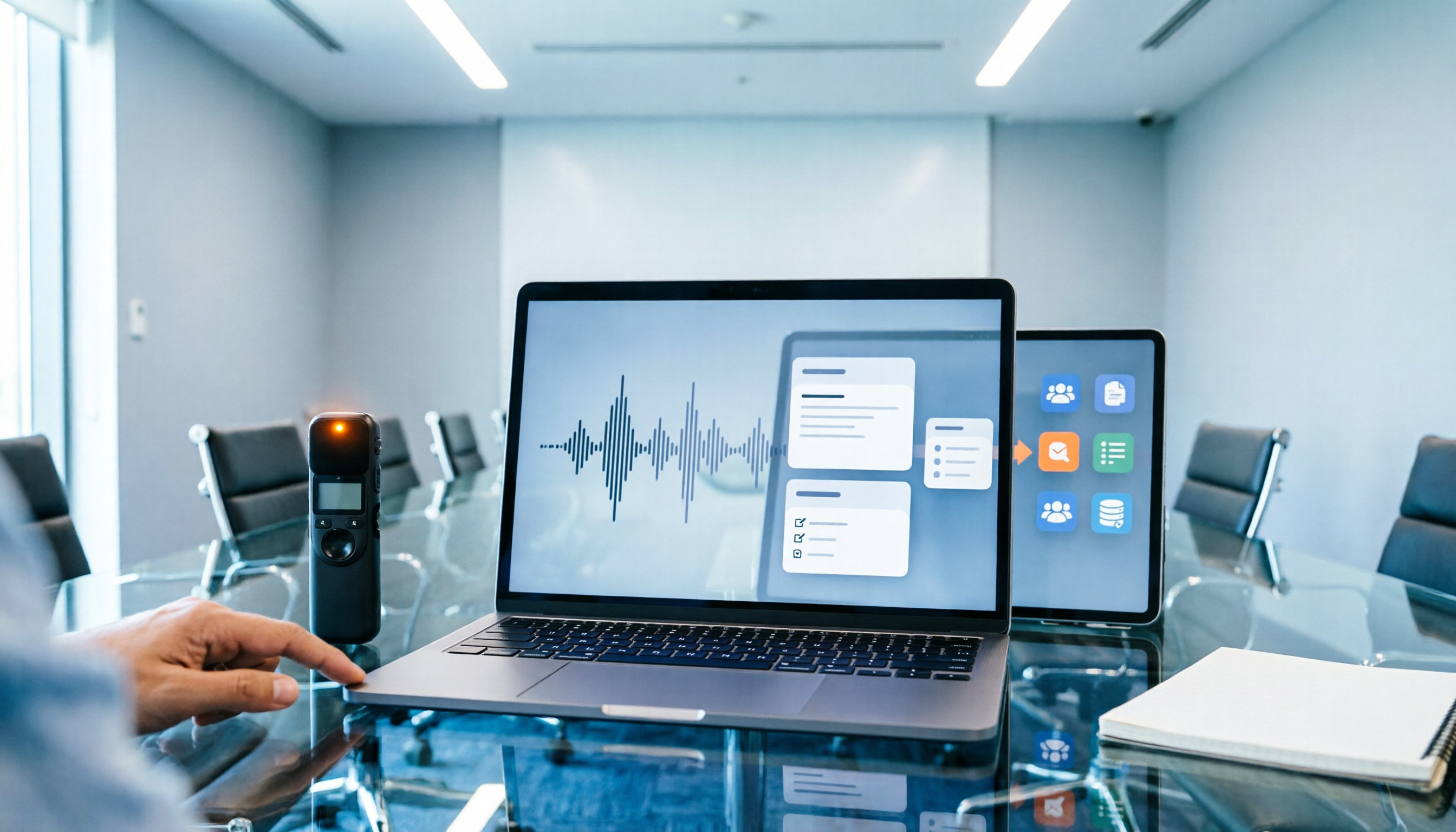
Turn recordings into transcripts and summaries in minutes
Upload audio or video for multilingual transcription, AI notes, and action items
The moment the meeting ended, I realized I had missed three key numbers.
My manager spoke quickly, and I was listening while trying to take notes, so my summary came out scattered. By the time I needed to submit a report, I still had to listen to the entire recording again.
That feeling is awful. It's not about not being diligent—it's that "recording" and "thinking" are inherently hard to do at the same time.
Later, I kept thinking about one question: What I lack is either a better recording device or a process that actually makes meeting content useful.
In recent years, "smart meeting recorders" have become popular. A small hardware device that you clip to a business card holder or wear on your chest, press a button to record, and an app transcribes it for you.
Sounds appealing.
But while helping teams optimize their workflows, I've seen too many situations after buying the device: dozens of accumulated recordings, transcripts no one revisits, and to-dos scattered across different conversations.
So this article isn't just about specs. I want to share the process I've run myself, discuss the dimensions to consider when "reviewing a smart meeting recorder," and tell you which approach I ultimately kept.
Tinrec vs PLAUD Note | Quick Overview
Let's start with positioning, and you'll see these two are not the same type of thing.
PLAUD Note and NotePin are hardware-oriented. You buy a portable recording device plus an app to help organize content. The value is in "press and record anytime."
Tinrec (秒聽錄音) is software-oriented. No hardware needed; you can record, import files, and capture online meetings via web, desktop, and mobile. The focus is on post-meeting organization, follow-up questions, and team knowledge retention.
| Item | Tinrec (秒聽錄音) | PLAUD Note / NotePin |
|---|---|---|
| Product Type | AI meeting notes and team collaboration software | AI recording hardware + App |
| Hardware Requirement | None; works on web/desktop/mobile | Requires separate device; official prices USD 159 and USD 189 respectively |
| Main Input | Live recording, online meetings, audio/video files, mobile | Primarily device recording |
| Post-Meeting Output | Transcript, summary, chapters, to-dos, Q&A, translation, multi-format export, reports and tables | Summary, templates, Q&A |
| Team Capabilities | Team space, roles, seats, usage analytics, audit logs, recycle bin | Team membership and device management |
A note on pricing structure. PLAUD's official page shows Starter at 300 minutes per month, Pro at USD 99.99 annually for 1,200 minutes per month, and Unlimited at USD 239.99 annually. Tinrec starts with a free version and upgrades for long-term use. Prices and plans may change; refer to the official purchase page for current details.
In this article, I'll compare 5 dimensions in order: device burden, online meetings, Chinese language processing, post-meeting usability, and team knowledge retention.
Dimension 1 | Do You Need to Carry an Extra Device?
PLAUD's device is indeed thin and light. Credit-card-sized, it can naturally clip into meeting materials, and a single physical button starts recording. This is its core and its selling point.
But the other side of hardware is: you have to remember to bring it, remember to charge it, and remember to press that button at the right time.
Tinrec takes a different path: no hardware to buy; open the web, desktop, or mobile app and start. If you're suddenly pulled into a discussion, you don't need to go back to your desk to get a device.
→ This dimension: Tinrec wins. It lowers the barrier to "start recording" to almost nothing.
Dimension 2 | How to Record Online Meetings?
This is where the difference is greatest.
For online meetings (Zoom, Google Meet, Microsoft Teams, Webex), if you use hardware recording, you typically have to point the device at the speaker. The sound goes through an external playback and then gets picked up, degrading quality.
Tinrec's desktop version directly captures the computer's system audio. The meeting sound is captured within the computer, without adding a separate meeting bot to the room.
However, to be clear: it doesn't automatically join all calendar meetings. You open Tinrec yourself and press record.
→ This dimension: Tinrec wins.
Dimension 3 | Chinese and Mixed Chinese-English Processing
PLAUD's app can generate summaries and has an Ask feature to query content. That part is well done.
Tinrec covers Chinese, Traditional Chinese, and multilingual meeting scenarios. Mixed Chinese-English content can be processed together, with real-time translation, viewable in original, translated, or bilingual format. Teams can even maintain their own hotwords to improve recognition of product terms and client names.
Stop organizing recordings by hand
Upload audio or video and automatically get a transcript, summary, and action items
Honestly, actual performance depends on recording quality, accents, background noise, and multiple people speaking simultaneously. Same with any tool—I won't guarantee 100%.
→ This dimension: Both are usable; Tinrec slightly wins on translation, bilingual viewing, and team hotwords.
Dimension 4 | After the Meeting, What Do You Have Left?
This is the most critical dimension in my view, and the reason many people choose the wrong tool.
PLAUD provides summaries, templates, and Q&A. The app-generated content is focused and won't give you a summary that says nothing.
Tinrec extends the "post-meeting workflow" further. Beyond the transcript, there are AI summaries, chapters, key points, to-dos, and mind maps. You can continue asking questions about the meeting content, export in multiple formats, and take results to Notion, Google Docs, OneNote, Dropbox for further processing. It can also generate reports, tables, and documents.
Here's how I use it. Right after a meeting, I don't rush to read the transcript. Instead, I ask a few questions:
Based on this meeting transcript, report only three things:
1. What decisions did we make?
2. What key numbers or dates appeared?
3. Who promised what, and by when?
For each item, include the corresponding transcript timestamp.
I only ask it to do three things: find decisions, find numbers, find who promised what. Once these three are extracted, the meeting minutes are essentially 80% done.
→ This dimension: Tinrec wins. It turns the transcript into data you can continue working with.
Dimension 5 | Does Data Stay with Individuals or Become Team Knowledge?
PLAUD mainly offers team membership and device management on the team side.
Tinrec's team version is a standalone team collaboration space. You can create and switch between multiple teams, invite members via link, set owners/admins/regular members, and assign or revoke seats. Meeting data belongs to the team, with centralized storage of audio, folders, and to-dos.
Here's a concept to clarify: roles determine who can manage the team, seats determine who can use resources. Members who are active but without a seat can still view, play, and read team data, but cannot upload, edit, import, or export.
On cost, the team version is currently USD 29.80 per paid seat per month (USD 199 annually, about USD 16.58 per month). First-time eligible users get 7 days, 1 free seat, and 300 minutes of shared import quota. Each paid seat provides 2,000 minutes of team shared import quota per month. Live recording under an active plan is not deducted by the minute.
Additionally, usage analytics, audit logs, audio recycle bin, and team hotwords are all in the team version. When a member leaves or loses their seat, their team resources must be handed over to other active members; data doesn't follow the person.
→ This dimension: Tinrec wins.
What Are the Unique Advantages of Each?
Tinrec's unique advantages:
- No extra hardware needed; works on web, desktop, and mobile. You can record or import files.
- Desktop version records online meetings without a bot, so no extra "AI attendee" on the list.
- Post-meeting follow-up questions, translation, export, and then use Agent to generate reports and tables.
- Team space manages members, seats, usage, audit, and recycle bin all in one place.
PLAUD's unique advantages:
- Portable hardware, one-button recording. Press the button to capture interviews, walking around, or sudden occasions.
- Phone call recording and long battery life hardware experience—scenarios pure software can't achieve.
Conclusion: Which Should You Choose?
I won't say which one is "comprehensively stronger," because it depends on what your meetings look like.
- If you often need to press and record while walking, on-site, or in impromptu situations → PLAUD-type hardware is indeed handy.
- If your meetings mostly happen on a computer → Tinrec's desktop version with bot-free recording is more convenient.
- If you want to ask for key points and extract to-dos right after recording → Tinrec's AI Q&A and post-meeting output are more complete.
- If meeting content needs to be reused by the team repeatedly → Tinrec's team version can retain the data.
- If you just want to try it out → Start with the free version for one of your own meetings, then decide whether to upgrade.
In one sentence: For most knowledge workers focused on online meetings and post-meeting organization, Tinrec is the more complete choice.
My Starting Routine: 6 Steps to Turn Meetings into Usable Data
- Before the meeting, decide where the data should go—personal folder or team space.
- For online meetings, start recording with the desktop version; for offline interviews, use mobile or live recording.
- After the meeting, look at the summary first. Don't bury yourself in the transcript right away.
- Use AI Q&A to extract decisions, key numbers, and commitments.
- Export to-dos to tools you normally use, like Notion or Google Docs.
- A week later, check whether the to-dos were executed.
After doing this, the difference for me is: I used to spend time re-listening after a meeting. Now, right when the meeting ends, the key points and to-dos are waiting for my confirmation. What's saved isn't typing time—it's the mental cost of "re-remembering."
Tools are supporting actors; the process is the main character.
Start with one meeting, test gradually, and you'll slowly master this method too.
References
- AI Meeting Notes Software Recommendations: 5 App Real Tests, Auto Transcription Makes Meetings Easy!
- 5 AI Meeting Notes Tools Comparison: Otter, Notta Features and Pricing
- What Smart Voice Recorder for Meeting Notes? 2026 Top 4 Choices and Reviews - 秒聽錄音Blog
- AI Meeting Notes Showdown: Plaud Note Pro, Philips, NotebookLM—Which Is Most Reliable? - Apple Almond
- 2026 Must-See! 4 AI Audio-to-Text Tools: Meeting Notes, Podcast Transcripts Review - Mobile01
Turn every recording into actionable outcomes
Get 60 free transcription minutes when you sign in. No credit card required.
Related Reading
You might also like

2026 Comparison of 4 AI Meeting Recorder Tools: Which AI Meeting Notes Actually Save Time?
Recording a meeting is easy; turning it into usable notes is the hard part. Based on real meeting scenarios, this article outlines 4 key factors for choosing an AI meeting notes tool and compares Tinrec, Notta, Granola, and Otter.ai on bot-free recording, Chinese recognition, post-meeting organization, and team collaboration, with tips to avoid pitfalls and selection advice.

6 Smart Meeting Notes Tools Tested and Compared in 2026: How to Choose for Chinese Meetings and Free Plans
Meeting notes are not transcripts; the key is conclusions, action items, and next topics. This article reviews 6 smart meeting notes tools in 2026, comparing bot-free recording, Chinese transcription, AI Q&A, and team knowledge retention, and includes a ready-to-copy meeting notes template and AI prompt template.

2026 Smart Meeting Notes: AI Auto-Organizes Transcripts + To-Do Template Examples
Meeting notes aren't just pasting a transcript. This guide tackles the three most common mistakes and shows you how to build an AI-powered workflow: transcript → summary → to-dos → follow-up. Includes ready-to-use meeting note templates and AI prompts, plus a comparison of Tinrec, Otter.ai, Granola, and PLAUD on capture method, Chinese language experience, post-meeting output, and team governance to help you choose the right tool.

4 AI Meeting Notes Tools Tested and Compared in 2026: From Transcript to Action Items
The meeting ends, but the real work begins. This guide breaks down 5 key factors and 4 common mistakes when choosing an AI meeting notes tool, then tests and compares 4 tools to show you how to turn a transcript into a trackable meeting minutes table in three steps.

Tinrec vs Notta 2026: 5-Dimension Comparison — Which Is Better for Student Meeting Notes?
A practical comparison of six AI meeting note solutions — Tinrec, Notta, Otter.ai, TurboScribe, PLAUD Note, and built-in platform transcription — from a student's perspective. Covers free tiers, Chinese recognition, post-meeting organization, and team sharing, plus a ready-to-use meeting notes template.

Tinrec vs Notta 2026: 5-Dimension Comparison of AI Meeting Minutes Tools
Tired of typing meeting minutes by hand? This article compares Tinrec and Notta across five dimensions—accuracy, meeting capture method, post-meeting processing, team governance, and pricing—and briefly reviews Otter.ai and Granola to help you choose the right AI meeting minutes tool.

2026 Smart Meeting Notes Tools Compared: AI Q&A Is the Real Time-Saver
The cost of meeting notes isn't typing—it's not being able to find or use them later. This article covers four key buying factors and compares smart meeting note tools like Tinrec, Otter.ai, Notta, and PLAUD, explaining why bot-free recording, AI Q&A, action item extraction, and team knowledge retention matter more than transcript length, plus a six-step starter guide you can follow.

Best AI Meeting Notes Tools in 2026: 5 Tested for Processing Time and Chinese Recognition
Where does the time go between a meeting ending and getting the notes? This article focuses on actual processing time, breaking down five stages: upload, transcription, summarization, and export. We tested five AI meeting notes tools for Chinese recognition and post-meeting organization, and explain why Tinrec stands out for saving time with bot-free recording and AI Q&A, plus buying criteria and common pitfalls.

2026 Top 5 AI Meeting Notes Software Compared: Generate Minutes Without a Meeting Bot
We tested 5 AI meeting notes apps in 2026, comparing how they capture meeting audio, transcribe Chinese, organize post-meeting workflows, and support team collaboration. We also detail free plan limits and paid thresholds to help you decide which one truly fits your work scenario.