

Turn recordings into transcripts and summaries in minutes
Upload audio or video for multilingual transcription, AI notes, and action items
Do you have a bunch of .m4a recordings sitting on your phone? Meetings, classes, interviews—you recorded them all on a whim. The real problem was never "did I record it?" but "after recording, who helps turn the content into key points?"
Many people handle M4A files by throwing them into a tool to get a long transcript, then spending time reading through it themselves. That only solves half the problem—turning sound into text isn't hard; the hard part is summarization.
So when choosing a tool, the first thing to determine is: does it only give you a transcript, or does it also organize summaries, chapters, and action items? This article starts from that point, discussing what M4A audio summarization can do, what to watch out for, and how Tinrec turns recordings into usable meeting notes.
A little background: M4A stands for MPEG-4 Audio, developed by Apple, typically using AAC encoding. iPhone's Voice Memos saves files as .m4a by default. Its files are smaller than WAV of the same length and retain more high-frequency detail than MP3. The downside is that some older car stereos or non-Apple devices may not support the format. Because iPhones are so ubiquitous, most people's M4A recordings only accumulate.
What Can M4A Audio Summarization Do for You?
Scenario 1: After a meeting, recordings become meeting notes directly
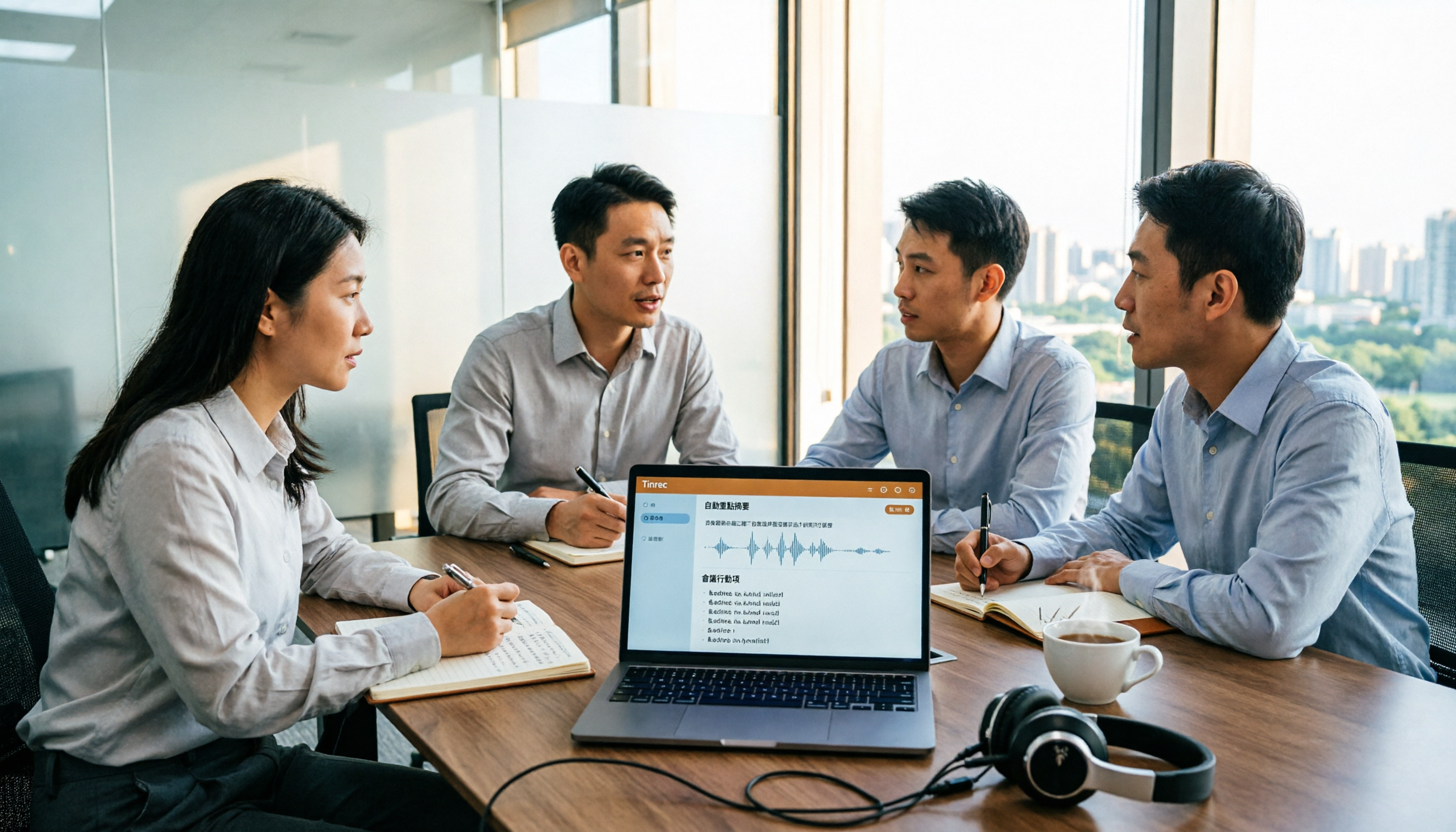
In the past, after a two-hour meeting, you might spend another hour organizing key points. Now, give the recording to Tinrec, and it generates a transcript, AI summary, chapters, and action items—who's responsible for what and what's next, all clearly listed. After the meeting, you open organized notes instead of a mess of audio.
Scenario 2: Interviews and courses—no need to re-listen for two hours
Interviews, lectures, and online courses often run one or two hours, and extracting key points is exhausting. With Tinrec, for example, after uploading audio, it first produces a transcript, then organizes it into summaries and chapters. If you want to find a specific statement, just search the text or ask questions about the content—no need to fast-forward from the beginning.
Scenario 3: Accumulated recordings become a searchable database
Recordings only pile up. Tinrec makes this content searchable, queryable, and exportable, effectively turning what you casually recorded into your own database over time.
What Are the Core Capabilities of M4A Audio Summarization?
Upload existing audio files for transcription
Tinrec supports uploading existing audio and video files for transcription—no need to listen and type simultaneously. For actual supported file formats and per-file length limits, refer to the official page.
AI summaries and chapters, not just transcripts
Transcripts are long; summaries are what you can quickly scan. Tinrec breaks long meetings into chapters and organizes key points, so you understand the structure first, then decide whether to dive into a specific section.
Action item extraction
The easiest thing to miss in a meeting is "who does what." Tinrec extracts action items from discussions, turning verbal commitments into a checklist and reducing back-and-forth after the meeting.
AI Q&A around content
After transcription, you can ask Tinrec directly, for example, "What budget range did the client mention?" or "What was the conclusion of this discussion?" It responds based on semantics. This is closer to what you really want to ask than searching for keywords in a transcript.
Multi-format export and further processing
Organized content can be exported as documents to continue using in workflows like Notion, Google Docs, OneNote, and can generate reports, tables, and other post-meeting outputs without manual retyping.
Bonus: Live recording and online meetings
Besides organizing existing files, Tinrec also supports live recording transcription. The desktop version can capture system audio to record online meetings without an extra meeting bot joining Zoom, Google Meet, Microsoft Teams, Webex, etc.
Stop organizing recordings by hand
Upload audio or video and automatically get a transcript, summary, and action items
Practical Use Cases
Project weekly meetings and cross-department meetings
For regular weekly meetings, the most time-consuming part is often post-meeting organization. Record the meeting with Tinrec, and get transcript, summary, and action items all at once. Attendees can directly see conclusions without recalling individually.
Client interviews and requirement discussions
Client interviews contain requirements, objections, and commitments. Tinrec helps organize these into reviewable records for follow-up proposals and tracking.
Online courses and lecture notes
If you don't want to take notes but want to keep key points, give course audio to Tinrec for transcription and summarization. When reviewing later, just read the organized content—much faster than re-listening.
Content creation and material organization
Writers, video creators, and interview editors often need to extract material from large amounts of recordings. Tinrec's transcripts and AI Q&A speed up this process, turning "listening" into "searching."
5 Things to Consider When Choosing an M4A Audio Summarization Tool
Can it directly process your audio files: Some tools only do live recording and cannot upload existing files. Tinrec supports uploading existing audio and video for transcription, which is more practical for already-recorded M4A files.
Is the summary structured: Condensing a transcript into a single paragraph has limited value. Tinrec separates summary, chapters, and action items so you grasp the structure first.
Can you ask follow-up questions about the content: Whether you can ask questions directly after transcription determines how fast you find information later. Tinrec's AI Q&A is designed for this.
Performance with Chinese and mixed Chinese-English: Chinese meetings often mix in English terms. Tinrec covers Chinese, Traditional Chinese, and multilingual scenarios, and supports team hotwords to improve recognition of professional terms; actual results still depend on recording quality, accents, and overlapping speakers.
Export and team collaboration: For personal use, you need to export to existing tools; for team use, you need to see if data can accumulate. Tinrec supports multiple formats and third-party exports; the team version also has team spaces, member and seat management, usage analytics, and audit logs.
Tinrec's team version currently offers a 7-day trial for first-time eligible users, 1 free seat, and 300 minutes of shared team import quota; paid plans are USD 29.80 per seat per month, or USD 199 per seat annually (about USD 16.58 per month), with each paid seat providing 2,000 minutes of shared team import quota per month. Live recording under an active team plan is currently not deducted by minutes. Actual prices and benefits are subject to the official purchase page.
FAQ
What's the difference between M4A audio summarization and simple speech-to-text? The difference is "after transcription." Speech-to-text gives you a transcript; M4A audio summarization also organizes summaries, chapters, and action items. With Tinrec, transcription is just the first step, followed by AI Q&A and export.
How do I use Tinrec to organize my existing M4A recordings? Upload the audio file, and Tinrec will transcribe it and generate a summary. For actual supported file formats and size limits, refer to official documentation.
Is Tinrec's free version enough? If you only occasionally organize one or two recordings, the free version lets you experience the basic workflow of recording, importing, summarizing, and transcribing. If you have steady weekly needs, consider Pro; for short-term intensive use, there's a weekly pass. For detailed quotas, refer to the official page.
What's the accuracy rate? It's not recommended to generalize with a single number. Actual performance depends on recording quality, ambient noise, accents, overlapping speakers, and professional terminology. For important content, verify against transcript timestamps and original audio.
What's the difference between the team version and the personal version? In the personal version, data belongs to the individual account; the team version is a separate team space where meeting data belongs to the team, with additional members, roles, seats, shared benefits, usage analytics, audit logs, and audio recycle bin. Note that the team version currently focuses on team-level sharing; members without a seat can still view, play, and read but cannot upload, edit, or export.
Conclusion
M4A audio summarization isn't about "turning sound into text"—it's about "turning sound into usable data."
If you already have a pile of recordings, or have weekly meetings, interviews, and classes, choose a tool that after transcription also helps you organize, ask questions, and export. Tinrec's free version lets you experience the whole workflow and see what it's like when AI turns an M4A into a summary and action items.
References
Turn every recording into actionable outcomes
Get 60 free transcription minutes when you sign in. No credit card required.
Related Reading
You might also like
2026 Comparison of 5 Audio-to-Text Tools: Which Is Most Time-Efficient for Chinese Meeting Transcripts and AI Summaries?
With so many audio-to-text tools available, the real decision comes down to four key factors: input sources, post-transcription output, Chinese recognition, and team collaboration. This article compares five common tools in 2026, explaining why Tinrec is the most time-efficient for Chinese meetings and team knowledge retention, and compares the use cases and pitfalls of Granola, Notta, and TurboScribe.

3 Recommended Microsoft Text-to-Speech Tools in 2026: Free, No-Install, and Enterprise Options Explained
How to use Microsoft text-to-speech? This article covers three recommended approaches in 2026: a free Microsoft Store app, no-install online tools, and Azure Speech Synthesis. It also explains common misconceptions, limitations with speed and MP3 export, and how to first organize content with a transcription tool before feeding it to TTS.

4 AI Meeting Minutes Tools Tested: Which One Delivers Actionable Chinese Meeting Notes Right After You Hang Up?
The most time-consuming part of a Chinese meeting is often not the meeting itself, but the post-meeting organization. This article compares 4 AI-powered meeting minutes tools, breaking down how meeting audio gets into the tool, what you get beyond the transcript, real-world performance with Chinese and mixed Chinese-English, and who ultimately owns the meeting data. It also includes common pitfalls and scenario-based selection advice.

How to Summarize Xiaohongshu Content in 2026: 3-Step Guide + AI Highlights
Learn how to summarize Xiaohongshu content in 2026 with a 3-step process. This guide covers platform features, content types, and practical steps to turn public videos, audio, or your own recordings into transcripts, summaries, and action items. It also compares tools like Tinrec, Notta, TurboScribe, and Granola. Ideal for users who want to quickly absorb useful information from Xiaohongshu.

5 Free Speech-to-Text Software Compared in 2026: Which Free Tier Actually Gives You Enough?
How do you choose a free speech-to-text tool? This guide covers five key buying factors—free tier limits, Chinese recognition, post-meeting organization, and team governance—and uses Tinrec to demonstrate a complete workflow from recording to transcript, AI summary, and team knowledge retention.

4 Video Highlight Extraction Tools Compared in 2026: Stop Taking Screenshots — AI Transcription Actually Captures the Key Points
Organizing video highlights shouldn't mean taking screenshots. This article starts with the most common misconceptions, compares four video highlight extraction tools — Tinrec, Granola, TurboScribe, and Otter.ai — and explains the differences in transcription, summarization, AI Q&A, and team knowledge retention. It also includes buying criteria, pitfalls to avoid, and a quick-start checklist.

4 Free Video-to-Text Tools Tested for 2026: Which Free Tier Is Most Generous?
A 2026 comparison of 4 free video-to-text tools covering free quotas, Chinese recognition, output formats, and AI post-processing. Tinrec offers transcription plus automatic summaries, to-dos, AI Q&A, and team sharing; cSubtitle, Video Transcriber AI, and TurboScribe each have free limits. This article provides selection criteria and pitfalls to help you find the most usable free option.

2026 Cantonese Speech-to-Text Tools Buying Guide: 4 Tested Picks and Recommendations
Transcribing Cantonese meetings, interviews, or videos often takes more time than the meeting itself. This guide tests Tinrec, Otter.ai, Notta, and TurboScribe with the same Cantonese and mixed Chinese-English material, outlining 5 key buying factors, 4 common pitfalls, and scenario-based recommendations to help you decide which tool truly fits your Cantonese speech-to-text needs.

2026 MP3 Audio Summarizer App Comparison: Tinrec vs Audio Cutter
Most people start by using an editing tool to organize MP3s, but after cutting, they still have to listen from beginning to end. This article addresses common misconceptions and compares Tinrec, Audio Cutter (mp3cut.net), and MP3 Cutter Merger & Convertor. It explains why an audio summarizer app that can summarize and answer questions is better suited for meeting and interview recordings, and lists five key points to consider when choosing one.