

Turn recordings into transcripts and summaries in minutes
Upload audio or video for multilingual transcription, AI notes, and action items
2026 Complete Guide to Meeting Notes Software: A Practical Workflow from Transcript to Action Items
Two-Hour Meeting, Two More Hours to Organize? Don't Rush to Find a Tool Yet
Many people's first move when choosing meeting notes software is to open the App Store and see which one offers the most free minutes. That's actually the easiest trap to fall into—a large free quota doesn't mean the tool will save you real time.
Not long ago, a reader wrote to me: he has four cross-department meetings every week, and after each one, organizing the notes takes him an hour and a half. He wanted to know if there's software that could solve this directly.
I've tested over a dozen meeting notes tools myself, and I've found that what most people get stuck on is never "typing too slowly"—it's these things: the meeting ends, you have a transcript, but no one knows what the conclusion was; next week when you need to look back and find "who agreed to do what," you have to dig through an hour-long transcript from the beginning; after team members change, past meeting data disappears with them.
In other words, what you need isn't just a "recording-to-text" tool, but a complete workflow from recording, transcription, summarization, action items, to data retention. This article uses my hands-on experience to help you figure out how to choose, how to use, and where you're most likely to buy the wrong thing.
Before Choosing Meeting Notes Software, Understand These 5 Key Points
1. After transcription, what else can it do? A transcript is just raw material. What really saves time is summaries, chapters, action items, and AI Q&A you can keep asking. If a tool only gives you a big block of text, you still have to read it all and organize it yourself—the time saved is actually very limited.
2. How are online meetings recorded? There are two common approaches: one is sending a "meeting bot" to join as a participant, and the other is capturing system audio directly from your computer. The former can sometimes feel intrusive to attendees, while the latter doesn't require an extra bot appearing in the participant list—this directly affects your meeting experience.
3. Will the audio recording be kept? Few people ask this, but it's important. Some tools only keep the transcript and don't retain the original audio, meaning you can't verify a specific quote later. Tools that keep audio and also accept uploading existing video/audio files are much more useful when organizing historical meetings and interviews.
4. Performance with Chinese and multiple people speaking in turn Meetings in Taiwan are rarely all English—they usually mix Chinese with a few English technical terms. When choosing a tool, I recommend testing with a real recording from your own company, rather than just looking at the number of languages listed on the website. Meeting rooms have air conditioning noise, people talking over each other—these all affect the results.
5. Where does the team's data ultimately live? For personal use, having data in a personal account is fine. But if a department uses it together, you need to ask: who owns the meeting notes? Will data leave with members when they resign? How many people can edit, and how many can only view? These are the most commonly overlooked and most painful parts of team purchasing.
Tinrec — The One I Most Often Recommend After Testing
Tinrec is an AI meeting notes and collaboration tool for individuals and teams. It supports real-time recording, online meeting transcription, audio and video file import, and can provide translation during recording. It's available on web, desktop, and mobile.
During meetings, it helps you record and organize simultaneously. Open Tinrec and start recording, and the transcript is generated in real time. After the meeting ends, the system automatically generates a summary, chapters, key points, and action items—who's responsible for what, what to follow up on next time—no need to listen through it again.
How it handles online meetings is a more distinctive feature. The Tinrec desktop version captures your computer's system audio directly, handling Zoom, Google Meet, Microsoft Teams, Webex and similar meetings without inviting an extra bot into the meeting room. To be precise, this isn't "automatically joining every meeting on your calendar"—rather, you open Tinrec yourself to start recording. For people who don't want an unfamiliar account appearing in the participant list, this approach feels more natural.
After recording, you can ask it directly. This is my most-used feature. Facing a 40-minute transcript, instead of manually searching for keywords, just ask: "What was the conclusion about the budget in this meeting?" The AI will give you an answer based on the meeting content. It can also reprocess meeting content into reports, tables, or documents, or export to Notion, Google Docs, OneNote, Dropbox and other common tools for continued use.
Stop organizing recordings by hand
Upload audio or video and automatically get a transcript, summary, and action items
For team use, data ownership is separate. Tinrec's team version isn't "multiple people sharing one account"—it's an independent team space. Meeting data belongs to the team, and when members leave or are removed, their team resources can be handed over to others. Roles determine who can manage the team and members, while seats determine who can record, upload, edit, and export—active members without a seat can still view and read team data. Admins can also view usage analytics and activity logs.
The current pricing for the team version is USD 29.80/month per paid seat, or USD 199/year per paid seat (about USD 16.58/month), with each paid seat providing 2,000 minutes of team shared import quota per month; eligible new teams get a 7-day trial, 1 free seat, and 300 minutes of shared import quota. Actual prices, currencies, and promotions are subject to the official purchase page.
Where I need to be honest. The free version provides a basic quota, suitable for trying out recording, import, summarization, and transcription first; if you have several meetings every week, you'll need a weekly pass or Pro. Also, any AI transcription is affected by recording quality, ambient noise, accents, and multiple people talking over each other. For important content, I'd recommend cross-checking with transcript timestamps and recording playback—don't treat it as 100% accurate.
Who is it suitable for? For those with a steady volume of weekly meetings, needing Chinese and mixed Chinese-English notes, wanting to use AI to find key points directly after recording, or teams with multiple people sharing meeting data—Tinrec is one of the smoothest choices I've tested in recent years.
Besides Tinrec, What Other Options Are There?
Notta: A veteran tool with good multilingual transcription and subtitle translation. The free version offers 120 minutes per month, with a maximum of 3 minutes per single item; Pro annual billing works out to about USD 8.17/month. It also supports online meetings and file import. The difference is that Tinrec's desktop version captures system audio without a bot, and post-meeting Q&A, report and table generation, team space, and seat management are areas where Tinrec focuses more. If your need is simply converting files to subtitles, both are worth trying.
Otter.ai: A mature choice for English business meetings. The free version offers 300 minutes per month; Pro annual billing works out to about USD 8.49/user/month. AI Q&A and team features are both complete. If more than 90% of your meetings are in English, Otter is a direction worth considering; but if your meetings are mainly in Chinese, Tinrec is closer to the Taiwan usage context in terms of Chinese content and team hotwords (maintaining company terminology and improving professional term recognition).
PLAUD Note / NotePin: Representatives of AI recording hardware. NotePin is priced at USD 159 on the US official website, Note Pro at USD 189, with membership plans including Starter (300 minutes/month), Pro (USD 99.99/year), etc. Its advantage is portable recording and hardware form factor. Tinrec doesn't require buying an extra device—web, desktop, and mobile all work, and handling online meetings and team data retention are also areas it excels at.
Pitfall Guide: The 4 Most Common Mistakes When Choosing Meeting Notes Software
Pitfall 1: Treating free minutes as the main criterion. Looking at who gives the most is intuitive, but what really determines whether you'll keep using it is the organizing capability after transcription. A tool that gives you 300 free minutes but only a transcript, versus a tool with a smaller quota that automatically organizes summaries and action items—the time saved is very different.
Pitfall 2: Thinking a transcript equals completed meeting notes. A transcript is material, not notes. After recording, directly asking AI "What was the conclusion of this meeting?" "Who's responsible for which item?" is much faster than manually flipping through a 30-minute transcript. Using it only as recording-to-text means you're only using part of its capability.
Pitfall 3: Not asking clearly who owns data after team members leave. Data in personal accounts follows the individual. If meeting notes are scattered across everyone's devices and accounts, once someone resigns, you can't even find them. For team use, first confirm whether the tool has an independent team space and resource handover mechanism.
Pitfall 4: Judging only by the accuracy rate listed on the official website. Numbers on official websites are usually measured under ideal conditions. Real meeting rooms have echoes, air conditioning noise, and people talking at the same time. I recommend testing with a recording of your own and verifying with your own ears.
Summary: Which One Should You Actually Choose?
In one sentence: if what you want is meeting data that's "ready to use right after recording," not just a transcript, Tinrec is the top choice in this article.
- Meetings mainly in Chinese, mixed Chinese-English → Tinrec (Chinese experience, team hotwords)
- Don't want a bot joining the meeting room → Tinrec (desktop version captures system audio)
- Want to use AI directly to find conclusions and action items after recording → Tinrec (AI Q&A, summaries, action items, report generation)
- Need to use on mobile, computer, and web → Tinrec (multi-platform, no extra hardware purchase)
- Team needs to share meeting data, manage seats and usage → Tinrec team version
- Meetings are almost all in English → Otter.ai (the only exception in this article)
- Need is just converting lots of files to subtitles → Tools like Notta or TurboScribe are worth trying
I recommend starting with Tinrec's free version, running it on your most troublesome meeting recording, and seeing if the summary and action items are what you want. If it works well, then consider upgrading—no need to pay from the start.
References
- AI Meeting Notes Software Recommendations: 5 Major App Tested and Compared, Automatic Transcription Makes Meetings Super Easy!
- Meeting Ink - AI Meeting Notes Assistant Automatically Transcribes Transcripts and Summarizes Meeting Minutes
- Notta - Ultra-Accurate Transcript, Voice to Text, Meeting Recording, AI Summary Notes App - App Store
- Meeting Ink - 2026 AI Meeting Notes Tool Tested | 7 Voice-to-Text and Summary Speed Comparison | Meeting Ink - AI Meeting Notes Assistant Automatically Transcribes Transcripts and Summarizes Meeting Minutes
- No Time Limit! 3 Free AI Transcript Tools, Highly Recommended! AI Voice Notes Generate Meeting Minutes, Presentations, Mind Maps | 104 Workplace Power
Turn every recording into actionable outcomes
Get 60 free transcription minutes when you sign in. No credit card required.
Related Reading
You might also like

How to Extract Video Subtitles in 2026: A Complete 5-Step Guide
Video subtitles come in two types: soft subtitles and hard subtitles, and they require completely different handling. This article walks you through 5 steps to identify your subtitle type, and uses Tinrec as an example to show how to turn spoken dialogue into transcripts, summaries, and action items, then export them to your existing workflow.

Tinrec vs Otter.ai 2026: 5-Dimension Comparison — Which Is Better for Chinese Audio-to-Text?
Tinrec and Otter.ai both convert meeting audio to text, but with different focuses. This article compares them across 5 dimensions: Chinese and mixed Chinese-English transcription, online meeting recording methods, post-meeting AI Q&A and post-processing, real-time translation and bilingual transcripts, and team data retention. It explains which workflow better suits Chinese meetings and team collaboration needs.

5 Best Video Note Generators in 2026: AI Transcripts vs. Q&A—Which Saves More Time?
Watching videos to learn is convenient, but organizing notes afterward often takes longer. This hands-on comparison tackles the real pain points of video note generation, testing and comparing 5 tools including Tinrec, Notta, TurboScribe, and Otter.ai. Learn how to choose a video note tool that automatically generates transcripts, AI summaries, key Q&A, and team sharing, plus common pitfalls to avoid.

Best Automatic Meeting Notes Software in 2026: 4 Tools Tested, This One Wins for Chinese Meetings
Many people think automatic meeting notes software just needs to turn recordings into text, but the transcript still requires manual cleanup. This article compares 4 tools in 2026 on meeting capture methods, Chinese transcription, post-meeting summaries and action items, AI Q&A, export, and team data management, and honestly explains Tinrec's limitations and other tools' suitable scenarios.

2026 Comparison of 4 Tencent Meeting Minutes Solutions: Which Can Auto-Generate Transcripts and Action Items?
After a Tencent Meeting, are you still staying up late to organize meeting minutes? This article compares four meeting minutes approaches: Tencent Meeting itself, Tinrec, Otter.ai, and Notta. It breaks down recording methods, post-meeting outputs, Chinese and mixed Chinese-English recognition, whether audio is retained, and team data ownership. It also summarizes 4 common pitfalls to help you find the workflow that truly saves time.
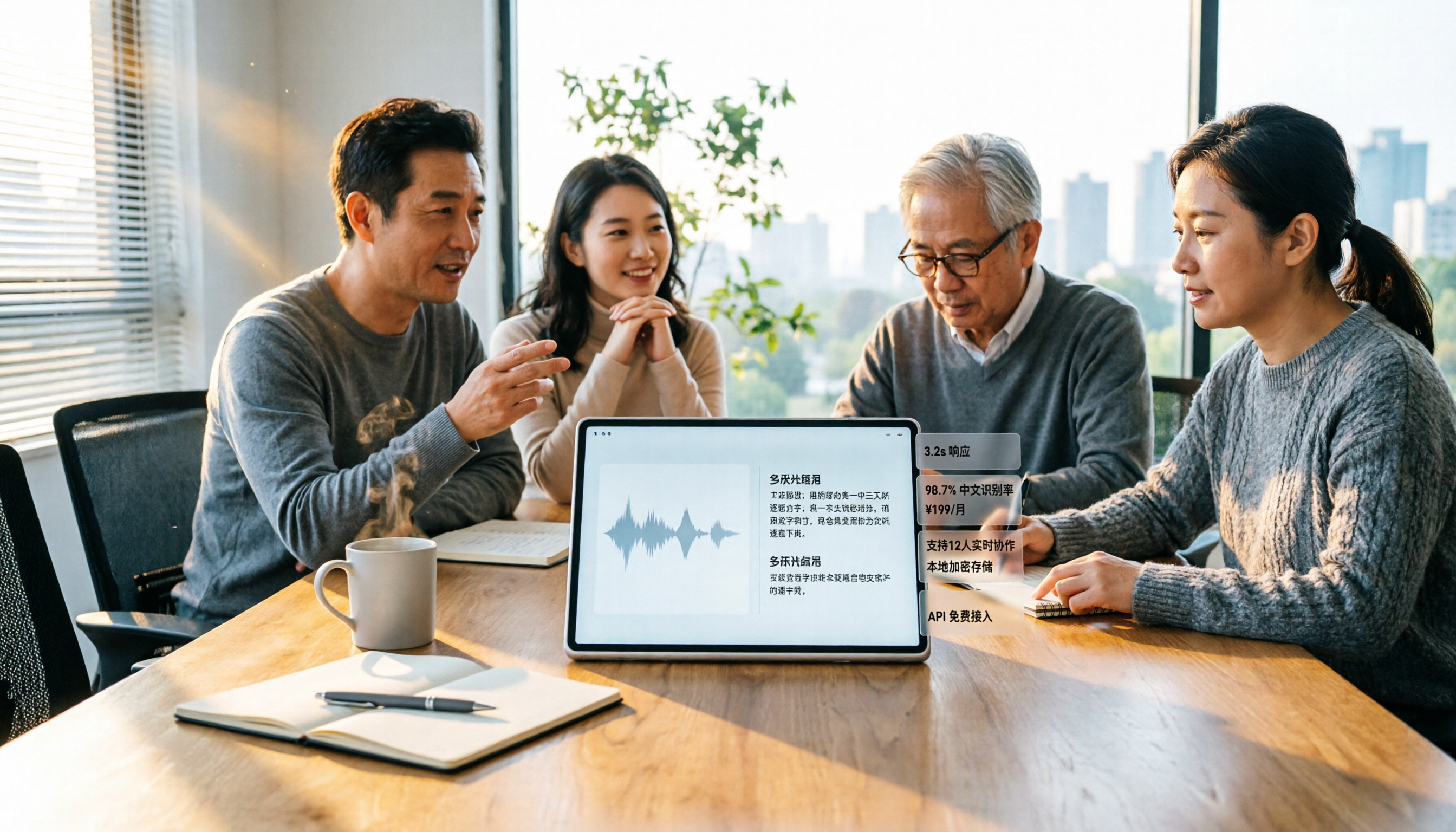
6 Best Audio-to-Text Tools in 2026: Chinese Transcription, Meeting Notes, and Pricing Compared
We tested 6 audio-to-text tools in 2026, from Tinrec to free online transcription services. Compare Chinese recognition, post-meeting organization, pricing, and ideal users to decide which one to try first.

2026 Top 5 Work Summary Video Tools Compared: Which Saves the Most Time on Recording-to-Script?
When creating an annual work summary video, the bottleneck is usually not editing but the scattered material from dozens of meetings. This article reviews 6 tools that convert meetings and interviews into transcripts, summaries, and scripts, comparing Chinese meeting experience, AI follow-up questions, export capabilities, and free tier limits, with clear recommendations for different budgets and scenarios.

2026 Tinrec Video Summarization Guide: Transcribe Videos and Generate AI Summaries & To-Dos
Videos keep piling up, but you're stuck because tools only support content with subtitles and can only process one at a time? Starting from the real need for 'bulk video summarization,' this article reviews how Tinrec handles input sources, output depth, Chinese language experience, quota calculation, and team data retention. It includes practical use cases, key considerations for purchase, and FAQs to help you decide if it's suitable for your batch of videos.

2026 Comparison of 4 Online Video Summarization Tools: Which Handles Chinese Videos and Meeting Replays Best?
Which online video summarization tool should you use? This article uses three real-world scenarios—Chinese online courses, meeting replays, and team sharing—to compare Tinrec, Notta, TurboScribe, and Granola on supported sources, post-summary processing, free quotas, and team management. It also highlights four common pitfalls when choosing a tool, helping you find a workflow that truly saves time from watching videos.