

Turn recordings into transcripts and summaries in minutes
Upload audio or video for multilingual transcription, AI notes, and action items
Why Does 'Bulk Video Summarization' Often Get Stuck? First, Check If Your Tool Can Handle Your Files
If you have twenty or thirty videos piled up at once—YouTube courses, online meeting recordings, self-recorded interviews—where do you get stuck first? Honestly, it's usually not 'can't find an AI tool,' but 'the tool you found only handles one type.'
My own order of judgment is: first, see if it can process videos without subtitles; then, see how the quota is calculated; finally, see how well the summary is written.
Many video summarization services on the market (such as Monica's YouTube Summary, Glarity, Chat Youtube) work by first grabbing subtitles and then handing them to GPT for summarization. They are simple to use and fast, but they require the video to have subtitles; if subtitles are disabled or the content has none, they fail. There are also services like Wayin.ai that focus on subtitle-free analysis, providing timestamps and transcripts, and perform well on single long videos.
But when the quantity scales up to twenty or thirty videos and the sources are mixed, you need a tool that can ingest audio files, video files, and meeting recordings, and that retains the results. Tinrec is designed in this direction.
What's the Core Difference Between Tinrec and Common Video Summarization Tools?
Input Method: No Need for Subtitles, Directly Processes Audio and Video
Most online video summarization tools rely on subtitles; once subtitles are off, they're useless. Tinrec processes audio and video files themselves. The desktop version can even capture system sound directly. Sources include live recording, audio and video files, mobile recording, and some public video links can be imported as a supplementary method.
For those with messy video formats, this alone determines whether the tool can actually be useful.
Output Depth: More Than Just a Summary
If you only need a one-sentence conclusion, any summarization tool can do it. But the real cost of bulk videos is in the subsequent organization—Tinrec generates transcripts, AI summaries, chapters, and key points, extracts to-dos from discussions, generates mind maps, and supports follow-up questions about the content.
It's like doing both 'watching' and 'using' in one go.
Chinese and Multilingual Experience
There are many tools for English business meetings, but when it comes to Chinese interviews or mixed Chinese-English meetings, the gap appears. Tinrec covers Chinese, Traditional Chinese, and multilingual content, supports real-time translation, and allows switching between original text, translation, or bilingual view; the team version also maintains team hotwords to improve recognition of technical terms.
Note that actual performance is affected by recording quality, accent, noise, and overlapping speakers. The official does not recommend promising a fixed accuracy rate.
How Bulk Processing Quota Is Calculated
The cost structure for occasional use and bulk use is completely different. Tinrec's personal version has a free version, weekly card, Pro monthly card, and Pro annual card, which can be chosen according to usage rhythm; the team version is an independent team space, with each paid seat providing 2,000 minutes of team shared import quota per month. Real-time recording under an active team plan is currently not deducted by minutes.
For teams that need to accumulate videos and meeting data over the long term, this 'shared quota' is easier to estimate than personal quotas.
Where Does the Organized Data Go?
If summaries only exist in a chat box, they'll be lost in two weeks. Tinrec supports exporting results to Notion, Google Docs, OneNote, Dropbox, and other tools for further processing. It can also generate reports, tables, and documents through Agent post-processing; the team version stores data centrally in the team space, so when members leave, data won't be taken away in bulk.
Overview of Tinrec's Core Features
Real-time Recording to Text: Open Tinrec and transcribe while recording. During meetings or on-site interviews, text is synchronized and settled. By the end, the transcript is already complete—no need to supplement afterward.
Desktop Version Records Online Meetings Without Bots: By capturing system sound, it handles Zoom, Google Meet, Microsoft Teams, Webex, and other online meetings without adding an extra meeting bot to the room. Note that this does not mean automatically joining all meetings on your calendar; the user must actively initiate recording.
Audio and Video File Transcription: Accumulated course replays, lecture recordings, and historical interviews can be directly imported and organized into text data. This is the most practical entry point for handling 'bulk videos.'
AI Summary, Chapters, and To-Dos: Long videos are broken into structured segments. First, view the summary to grasp the outline, then jump to the segment you need based on chapters. Follow-up actions mentioned in discussions are also organized into to-dos.
Stop organizing recordings by hand
Upload audio or video and automatically get a transcript, summary, and action items
AI Conversational Query: This is my most used part. After organizing a one-hour interview, directly ask 'What is the interviewee's view on pricing?' 'What items need confirmation?'—no need to manually flip through dozens of pages of transcripts.
Team Space (Team Version): Centrally store videos and meeting data. Members can view and reuse historical content. Administrators can manage roles, seats, usage, audit logs, and audio recycle bin.
Practical Use Cases: These Four Scenarios Are Most Impactful
Online Courses and Lecture Replays: For a one-hour course video, first transcribe it, then generate chapters and summaries. When reviewing, jump directly to key segments without rewatching the entire video. For those enrolled in multiple courses, the accumulated time savings are significant.
Interviews and Research Recordings: Researchers often spend the most time on transcripts and quote organization. After Tinrec produces a transcript, you can use AI Q&A to quickly find viewpoints and statements, then export directly into your existing writing workflow.
Foreign Language Videos and Cross-Language Meetings: Real-time translation lets you view content in original, translated, or bilingual mode. Mixed Chinese-English meetings won't get stuck; actual performance still depends on audio quality and accent.
Team Knowledge Retention: Project meetings, client interviews, and training videos are all stored in the team space. New members can directly search historical data without asking 'Where was that discussion last time?'
When Choosing a Video Summarization Tool, These Points Are Worth Noting
1. Can it work without subtitles?: If your video sources include self-recorded files or content with subtitles disabled, prioritize checking whether the tool processes audio itself or only grabs subtitles.
2. Is the quota personal or shared?: Personal minutes and team shared import quota are two different calculations. When multiple people use it, first clarify whose quota will be consumed.
3. Can the output connect to your workflow?: Whether a summary is useful depends on whether it can be exported into your existing document formats and note-taking tools; otherwise, you still have to manually move it once.
4. Performance with Chinese and technical terms: Chinese, mixed Chinese-English, and industry terminology are common weak points. The team version can maintain common vocabulary through team hotwords. Also, no tool should be judged solely by a single accuracy number; testing with your own audio files is most accurate.
5. Data ownership and permission design: In the team version, distinguish between 'roles' and 'seats.' Roles determine who can manage the team and settings; seats determine whether members can record, upload, edit, and export. Active members without seats can still view, play, and read team data but cannot perform resource usage operations. Currently, the team version is primarily team-level sharing, not file-level granular permissions.
Frequently Asked Questions
Q1: Is the free version enough for bulk video summarization? The free version provides basic quota, suitable for testing the actual effects of transcription and summarization. If you only occasionally organize a recording, the free version can get you started; if you have steady weekly usage, consider the Pro monthly or annual card. For short-term concentrated processing, the weekly card is an option.
Q2: Can Tinrec summarize YouTube videos? Web link import is a supplementary capability that can handle some public video content, but this is not Tinrec's main focus. For meetings, courses, or interviews, directly importing audio or video files is more reliable.
Q3: Can it process videos without subtitles? Yes. Tinrec processes the audio itself and does not rely on subtitle files. This is key to handling bulk videos from mixed sources.
Q4: What's the difference between the team version and the personal version? The personal version's data is managed by the individual account; the team version provides an independent team space where meeting and video data belong to the team, and adds members, roles, seats, shared benefits, usage analysis, audit logs, and audio recycle bin. When a member exits or is removed, their team resources need to be handed over to other active members.
Q5: Can you guarantee accuracy? We do not recommend promising a fixed number. Actual performance is affected by recording quality, noise, accent, overlapping speakers, and technical terminology. For important content, it is recommended to verify with transcripts and recording playback.
Q6: How is the team version priced? Currently, the team monthly payment is USD 29.80 per paid seat per month, and annual payment is USD 199 per paid seat per year (equivalent to about USD 16.58 per month). Eligible teams can enjoy a 7-day trial, 1 free seat, and 300 minutes of team shared import quota for the first time. Prices and promotions are subject to the official purchase page.
Conclusion: Is Tinrec Worth a Try?
If you are looking for a video summarization tool that 'doesn't need subtitles, handles a wide range of sources, and can continue to be used after organization,' Tinrec has indeed made a difference in three things: input sources, output depth, and team data retention. Especially for teams that need to accumulate large amounts of video and meeting data over the long term, the shared quota plus team space design is more aligned with actual use than simply comparing minutes.
As for whether it suits you, it's recommended to first use the free version quota and run a test with your longest, most difficult video—this is more direct than reading any review.
Finally, a reminder: when recording and transcription involve others' privacy, please comply with local regulations and obtain consent from participants when necessary.
References
- Summarize YouTube with GPT: Free Online Video Summary Tool
- Free AI Video Summary Tool—Accurate, Fast, with Timestamps
- Video too long and no time to watch? Essential for learning and fandom! Quickly summarize long videos and translate foreign language videos! - PanSci
- ChatGPT YouTube Summary Video Key Points Technique: From Video Transcript to Summary Method - Mr. Mad
- AI Summarize Videos: Quickly Summarize YouTube Video Highlights with AI - JJTECHSHOW
Turn every recording into actionable outcomes
Get 60 free transcription minutes when you sign in. No credit card required.
Related Reading
You might also like

How to Extract Video Subtitles in 2026: A Complete 5-Step Guide
Video subtitles come in two types: soft subtitles and hard subtitles, and they require completely different handling. This article walks you through 5 steps to identify your subtitle type, and uses Tinrec as an example to show how to turn spoken dialogue into transcripts, summaries, and action items, then export them to your existing workflow.

Tinrec vs Otter.ai 2026: 5-Dimension Comparison — Which Is Better for Chinese Audio-to-Text?
Tinrec and Otter.ai both convert meeting audio to text, but with different focuses. This article compares them across 5 dimensions: Chinese and mixed Chinese-English transcription, online meeting recording methods, post-meeting AI Q&A and post-processing, real-time translation and bilingual transcripts, and team data retention. It explains which workflow better suits Chinese meetings and team collaboration needs.

5 Best Video Note Generators in 2026: AI Transcripts vs. Q&A—Which Saves More Time?
Watching videos to learn is convenient, but organizing notes afterward often takes longer. This hands-on comparison tackles the real pain points of video note generation, testing and comparing 5 tools including Tinrec, Notta, TurboScribe, and Otter.ai. Learn how to choose a video note tool that automatically generates transcripts, AI summaries, key Q&A, and team sharing, plus common pitfalls to avoid.

Best Automatic Meeting Notes Software in 2026: 4 Tools Tested, This One Wins for Chinese Meetings
Many people think automatic meeting notes software just needs to turn recordings into text, but the transcript still requires manual cleanup. This article compares 4 tools in 2026 on meeting capture methods, Chinese transcription, post-meeting summaries and action items, AI Q&A, export, and team data management, and honestly explains Tinrec's limitations and other tools' suitable scenarios.

2026 Comparison of 4 Tencent Meeting Minutes Solutions: Which Can Auto-Generate Transcripts and Action Items?
After a Tencent Meeting, are you still staying up late to organize meeting minutes? This article compares four meeting minutes approaches: Tencent Meeting itself, Tinrec, Otter.ai, and Notta. It breaks down recording methods, post-meeting outputs, Chinese and mixed Chinese-English recognition, whether audio is retained, and team data ownership. It also summarizes 4 common pitfalls to help you find the workflow that truly saves time.
6 Best Audio-to-Text Tools in 2026: Chinese Transcription, Meeting Notes, and Pricing Compared
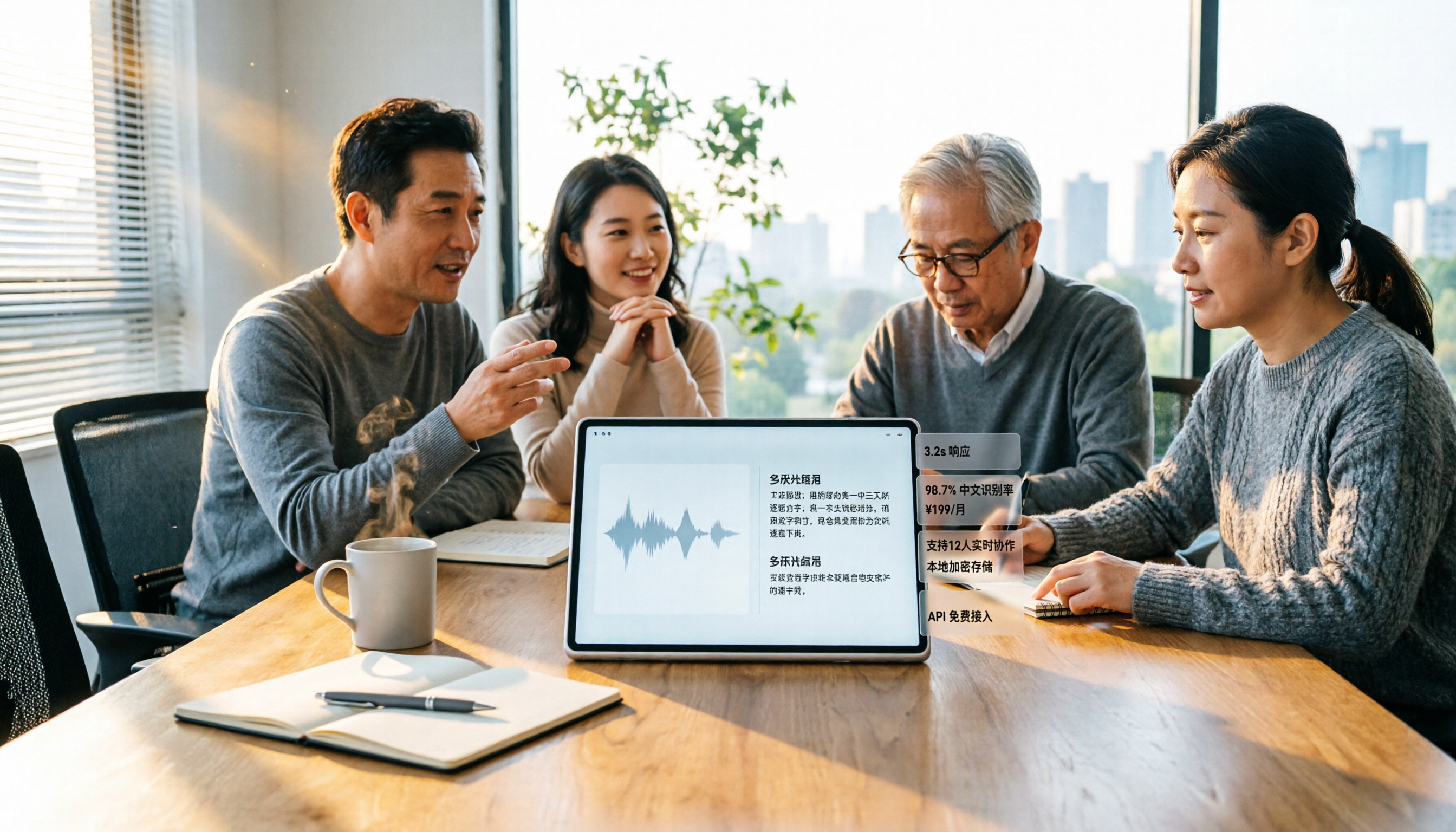
We tested 6 audio-to-text tools in 2026, from Tinrec to free online transcription services. Compare Chinese recognition, post-meeting organization, pricing, and ideal users to decide which one to try first.

2026 Top 5 Work Summary Video Tools Compared: Which Saves the Most Time on Recording-to-Script?
When creating an annual work summary video, the bottleneck is usually not editing but the scattered material from dozens of meetings. This article reviews 6 tools that convert meetings and interviews into transcripts, summaries, and scripts, comparing Chinese meeting experience, AI follow-up questions, export capabilities, and free tier limits, with clear recommendations for different budgets and scenarios.

2026 Complete Guide to Meeting Notes Software: A Practical Workflow from Transcript to Action Items
Most people make the wrong first choice when picking meeting notes software. This guide starts with common pitfalls, covers 5 key buying factors, a hands-on walkthrough of Tinrec's full workflow, brief reviews of 3 alternatives, and the 4 most common mistakes—so you can find the one that truly saves you time.

2026 Comparison of 4 Online Video Summarization Tools: Which Handles Chinese Videos and Meeting Replays Best?
Which online video summarization tool should you use? This article uses three real-world scenarios—Chinese online courses, meeting replays, and team sharing—to compare Tinrec, Notta, TurboScribe, and Granola on supported sources, post-summary processing, free quotas, and team management. It also highlights four common pitfalls when choosing a tool, helping you find a workflow that truly saves time from watching videos.