

Turn recordings into transcripts and summaries in minutes
Upload audio or video for multilingual transcription, AI notes, and action items
2026 AI Audio Transcription Guide: From Transcripts to Meeting Minutes
Last Wednesday I had four meetings in one day: cross-department coordination in the morning, client requirements at noon, department weekly meeting in the afternoon, and a report to my boss in the evening. At 7:30 PM I was still at my desk trying to confirm "what exactly did the client agree to at noon?" — all I had was a 50-minute recording and a sticky note with three words.
This article isn't about how amazing AI is, but to clarify: what AI audio transcription can and cannot do today, and what criteria someone who has a dozen meetings a week should use to choose a tool.
The real hell starts after the meeting — you don't lack a tool, you lack a solution
Scenario 1: After the weekly meeting, your boss asks "who was responsible for that action item last time?" You flip through your notes for three minutes and still can't find it, so you say "I'll check and get back to you." In that moment, your professionalism drops a notch.
Scenario 2: Cross-department coordination is never about the meeting itself, but the follow-up. What was verbally agreed upon becomes "I remember it differently" two days later — without records, there's no consensus, and you end up having another meeting to confirm the last one.
Scenario 3: During a one-hour client interview, you type with your head down the whole time, only to look up and realize you missed the other person's expressions. Back at your desk, you need to turn it into a transcript, so you listen to the recording again. A one-hour interview takes two hours to organize.
The root problem isn't that you didn't record, but that you can't use the recording afterward. The audio file sits on your phone; it won't turn itself into action items or tell you the meeting's conclusions. Choosing the right tool can save you a lot of this work.
Before choosing an AI audio transcription tool, understand these 4 key points
1. Accuracy depends on "your recording conditions," not the website's numbers. A quiet studio and a real meeting room are two different worlds — air conditioning noise, keyboard sounds, multiple people talking over each other, mixed Chinese and English, all affect results. My advice is simple: test with a recording from a meeting you typically have, don't just look at ads.
2. How online meetings are captured. One way is a meeting bot that joins as an extra participant; the other is desktop software that directly captures the computer's system audio, without adding another person to the meeting. The former adds a name to the participant list, while the latter is usually less awkward for client meetings.
3. What you get after transcription. Having only a transcript versus having summaries, chapters, action items, and the ability to ask follow-up questions are completely different levels. A transcript is raw material; meeting minutes are the finished product.
4. Where data is stored and who can use it. If you're choosing a tool for your team, ask clearly: Is data tied to individual accounts or the team? Will meeting records disappear when a member leaves? Is there a concept of roles and seats?
Tinrec — the one I kept after testing
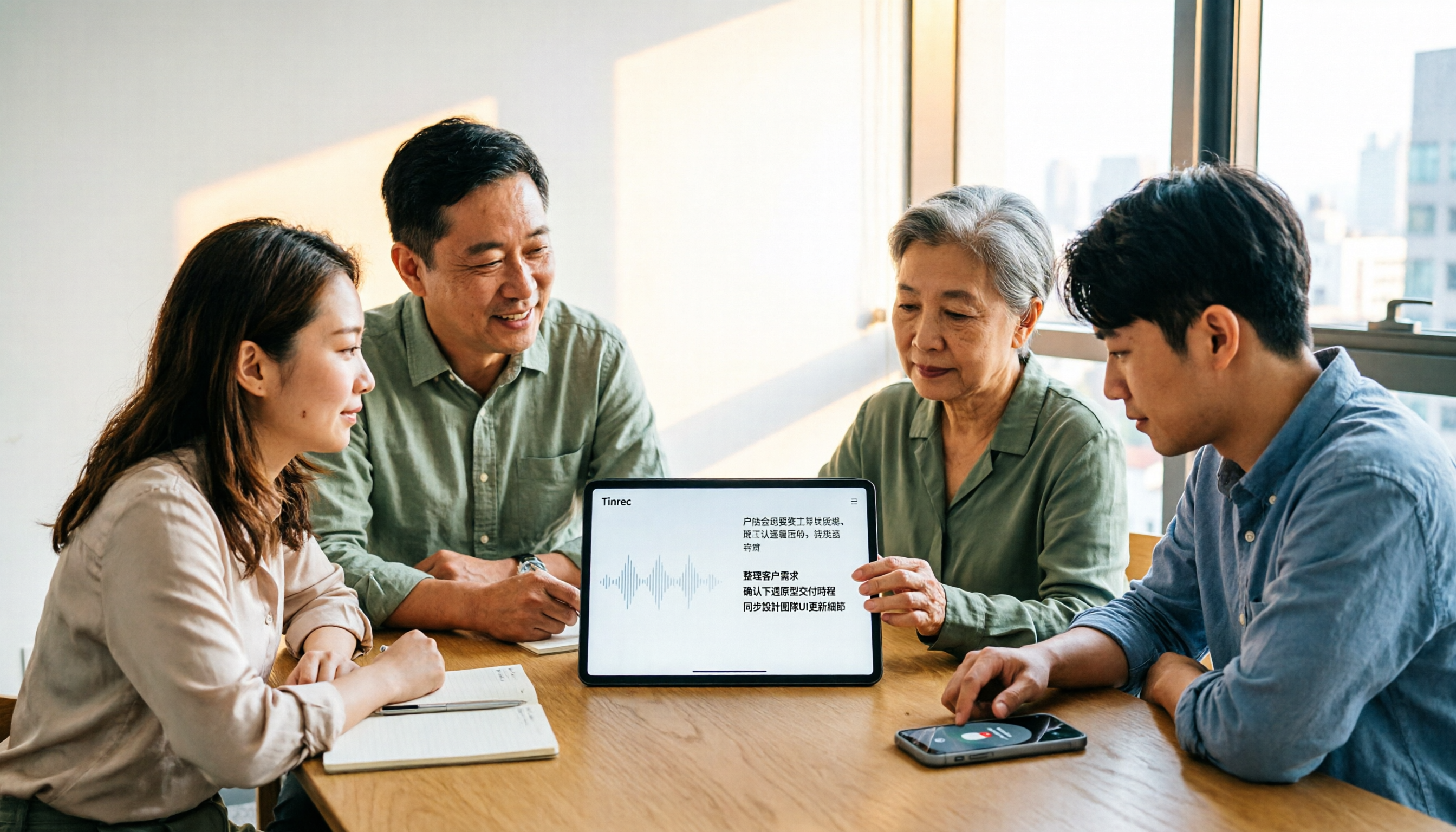
Tinrec is an AI meeting notes and collaboration tool for individuals and teams, available on web, desktop, and mobile. It doesn't just convert audio to text; it organizes meetings into searchable, queryable, and actionable data.
During meetings, it does two things at once. For in-person meetings, start real-time recording and get a live transcript; for online meetings, use the desktop version to capture system audio from Zoom, Google Meet, Microsoft Teams, and Webex, without inviting any bot. This is especially noticeable in client meetings — no unfamiliar account appears on the participant list.
After the meeting, AI has already structured everything. Beyond the transcript, it automatically generates summaries, chapters, and key points, and extracts action items into a to-do list. My post-meeting organization used to take at least half an hour; now it's "checking if AI missed any action items" — the nature of work shifts from typing to reviewing, which are two different things. For meetings with foreign language content, you can view in original, translated, or bilingual mode, so cross-border meetings don't require waiting for translation.
The real differentiator is AI Q&A. After recording, you can directly ask: "Who mentioned the budget in the last meeting?" "What concerns did the client have about the delivery date?" It doesn't give you a bunch of keyword search results; it understands the context and gives direct answers, and can query across multiple meetings. Competing tools at the same price mostly only let you Ctrl+F manually. Additionally, it can use Agent post-processing to generate reports, tables, or documents from meetings, and export to Notion, Google Docs, OneNote, Dropbox for further editing.
Stop organizing recordings by hand
Upload audio or video and automatically get a transcript, summary, and action items
The team version is another level. The team version isn't "multiple people sharing one account," but an independent team space: you can create multiple teams, invite members via link, set owners/admins/regular members, and assign or revoke seats. Meeting data belongs to the team; when a member leaves or loses a seat, resources can be transferred to others, so data doesn't follow the person. Admins can also see usage trends, member rankings, and audit logs, and maintain team hotwords to improve recognition of technical terms. Pricing: paid seats are USD 29.80/seat/month, annual USD 199/seat/year (about USD 16.58/month), each paid seat has 2,000 minutes of team shared import quota per month, real-time recording doesn't deduct minutes under an active plan; eligible teams get a 7-day trial with 1 free seat and 300 minutes shared import quota.
Honest limitations. First, accuracy cannot be guaranteed; recording quality, accents, overlapping speech, and technical terms all affect results. For important content, I still click back to the timestamp to verify against the recording. Second, the team version currently has team-level shared visibility, not file-level granular permissions; members without a seat can view, play, and read team data, but cannot upload, edit, or export.
Who is it for? If you have regular meetings to organize every week, need transcripts for Chinese and mixed Chinese-English content, want to use AI to find key points directly after recording, and want team meeting data to accumulate in one place — Tinrec is currently the closest fit for these needs.
Besides Tinrec, what other options are there?
Otter.ai. A mature choice for English business meetings, free version has 300 minutes per month, Pro annual is about USD 8.49/user/month, with a complete ecosystem. Worth considering if most of your meetings are in English; but Chinese and mixed Chinese-English meetings are not its strong suit, and Agent post-processing to generate reports, tables, and documents from meetings is something Tinrec has that it currently lacks.
Granola. Also a bot-free AI meeting notes tool, free version available, Business at USD 14/user/month, strong at combining your own notes with AI. Note that it doesn't support uploading pre-recorded audio files and doesn't retain meeting audio; Tinrec can import existing recordings, retain audio, and offers Chinese experience and team data management.
PLAUD Note/NotePin. Representative of AI recording hardware, NotePin at USD 159, Note Pro at USD 189, focusing on portable recording and hardware experience. If your scenario is one-on-one interviews outside the meeting room, hardware has its value; but online meetings, importing existing files, and team data accumulation are not its strengths, while Tinrec handles these without extra devices.
Pitfall guide: 5 most common mistakes when choosing an AI audio transcription tool
Pitfall 1: Only looking at claimed accuracy on the website. That number is usually measured in a quiet environment. Real meeting rooms have air conditioning, keyboard sounds, and interruptions, so performance differs significantly. Testing with your own recording is more useful than reading ten reviews.
Pitfall 2: Thinking a transcript is the end. What you need isn't a 10,000-word transcript, but "who is responsible for what and when it's due." Using the tool only as a typewriter means using only one-third of its capabilities.
Pitfall 3: Ignoring how online meetings are captured and cross-platform support. Meeting bots appear on the participant list; and recording on phone one day and organizing on computer the next is normal, so poor cross-platform support makes exporting files painful.
Pitfall 4: Using a personal account to manage team meeting data. Personal account data is tied to the individual, making handover difficult when they leave. Only the team version has roles, seats, and resource transfer mechanisms; be sure to ask about this during procurement.
Pitfall 5: Forgetting to get consent. Recording and transcription involve personal data and local regulations; confirm and obtain participant consent before recording. This isn't a formality; it protects you.
Conclusion: Which one should you choose?
In one sentence: If your meetings are mainly in Chinese or mixed Chinese-English, and you need more than just a transcript, Tinrec is my current top choice.
- Regularly organize Chinese meeting minutes every week and want to ask AI for key points directly → Tinrec (AI Q&A can query across multiple meetings)
- Need bot-free recording for Zoom/Meet/Teams online meetings → Tinrec (desktop captures system audio, no extra participant)
- Record on phone, organize on computer, switch across devices → Tinrec (web, desktop, and mobile all work)
- Meeting data should stay with the team, members may change → Tinrec team version (seats, usage, audit, and resource transfer)
- 90% of meetings are in English → Otter.ai can be included in comparison
I suggest trying the free version for two or three of your own meetings first, and consider upgrading if it fits; for teams, first confirm if you qualify for the 7-day trial (1 free seat, 300 minutes shared import quota), validate with real meetings before deciding to buy seats. Tools are meant to save time, not add to your after-work workload.
References
- Online AI speech, video, audio file auto transcription - Free trial - cSubtitle
- Audio to text - Free speech to text tool
- SoundType AI ultra-accurate transcript, speech to text, AI dictation - Google Play app
- Online speech to text AI, free MP3 or audio file to text transcript - MyEdit
- [AI voice notes] 5 highly recommended AI transcription tools! Help you generate transcripts and meeting notes highlights, free vs subscription, pros and cons review | 104 Workplace
Turn every recording into actionable outcomes
Get 60 free transcription minutes when you sign in. No credit card required.
Related Reading
You might also like

2026 Video-to-Text Tools Compared: Which One Actually Saves Time After Transcription?
How do you turn meeting recordings, interviews, and course videos into usable text? This article compares four video-to-text tools—Tinrec, TurboScribe, Notta, and Otter.ai—breaking down input sources, post-transcription organization, Chinese recognition, and team data ownership. It also covers free quotas, file limits, and pitfalls to help you choose the best tool for your needs.

5 Best Web-Based Audio-to-Text Tools for 2026: No App Needed, Which Free Version Handles Chinese Meetings Best?
The meeting ends, and the pain begins. This hands-on comparison of 5 web-based audio-to-text tools covers real-time transcription during meetings, Chinese and mixed Chinese-English recognition, free tier limits, and post-meeting AI-powered key point extraction. We also explain why Tinrec stands out for Chinese meetings and team collaboration.

4 AI Video Summarizer Tools Tested in 2026: Which One Actually Turns Videos into Usable Data?
Too many videos to watch? We tested AI video summarizers like Tinrec, Felo AI, Notta, and TurboScribe, comparing video sources, summary depth, AI Q&A, and team collaboration to help you find the best fit. Tinrec stands out for meeting notes and team knowledge retention.

4 YouTube Study Summary Tools Tested for 2026: Which One Saves You the Most Review Time?
Watch an online course and forget it? Can't find key points when reviewing? We tested 4 YouTube study summary tools across four dimensions: transcripts, AI Q&A, mixed Chinese-English recognition, and data accumulation. We explain why Tinrec is better suited for long-term learning with transcript retention, semantic Q&A, and team knowledge building, plus a pitfalls guide and selection advice.

2026 Comparison of 2 Xiaohongshu Video Summary Tools: Tinrec vs Notta — Which One Can Extract Key Points in One Click?
Many people waste time manually fast-forwarding and taking notes while watching Xiaohongshu videos, often missing key points. This article addresses common pitfalls and compares Tinrec and Notta across video-to-text conversion, Chinese recognition, summary extraction, AI Q&A, export options, and pricing to help you find a more efficient way to summarize Xiaohongshu videos.

Best One-Click Video Link Extraction Tools in 2026: Testing 3 Options, Tinrec Offers the Most Complete Chinese Support
Many people think one-click video link extraction means downloading video files, but what's really needed is turning video content into transcripts, summaries, and action items. This article uses Tinrec as an example to explain link import transcription, AI summaries, Q&A, export, and team collaboration, plus 5 key buying considerations and FAQs.
4 AI Meeting Note Takers Tested for 2026: Which Handles Chinese Meetings and Team Collaboration Best?
Spending too much time on meeting notes? We tested 4 recording-to-meeting-minutes tools, comparing Chinese recognition, bot-free recording, post-meeting AI Q&A, and team collaboration to help you find the best fit for your workplace.

How to Transcribe Phone Recordings in 2026: Real-Time Transcripts + AI Summaries
How do you turn phone recordings into text? Starting from the real-world scenario of needing text right after recording on your phone, this article compares Tinrec and Otter.ai across 5 dimensions, covering Chinese and mixed Chinese-English recognition, post-recording summaries and action items, team knowledge retention, free tiers and pricing, and tells you directly which one to choose.

2026 Comparison of 3 Free Video Summarization Tools: Is Tinrec or Monica Better for Chinese Videos?
Looking for a free video summarization tool? This hands-on comparison of Tinrec and Monica covers input sources, language support, summary output, and free quotas to help you understand why Tinrec is better suited for users who need to organize Chinese videos, online courses, and meeting recordings.